
What Is a Native App Development Company? (And How to Choose One)
Nov 24, 2026

12 MIN READ
A native app development company builds mobile apps in each platform’s own language — Swift for iOS, Kotlin for Android — instead of using cross-platform frameworks like React Native or Flutter. These studios write platform-specific code that runs directly on the device. If you have already decided your product needs native performance, choosing the right company comes down to one thing: verifying real Swift and Kotlin work, not marketing claims.
That last point is the whole game. The biggest risk when you hire a native app development company is not the price. It is paying native rates for a cross-platform build you were told was native. This guide shows you what native development actually means, when it earns its premium, what it costs in 2026, and exactly how to vet a vendor before you sign.
Key Takeaways
- A native app development company writes in Swift (iOS) and Kotlin (Android); native iOS apps cold-launch in 0.6–1.2 seconds versus React Native’s 1.2–2.0 seconds, per Fora Soft’s 2026 benchmarks.
- Native iOS and Android builds typically cost $100,000–$250,000+ combined, with Android running 10–15% more than iOS because of device fragmentation (DBB Software, 2026).
- visionOS development requires Swift and SwiftUI exclusively — no cross-platform framework can reach Apple’s RealityKit or ARKit APIs.
- Roughly 28–30% of new iOS App Store submissions in 2024–2025 used Flutter, so any “native” claim needs verification before you commit (AddWebSolution, 2026).
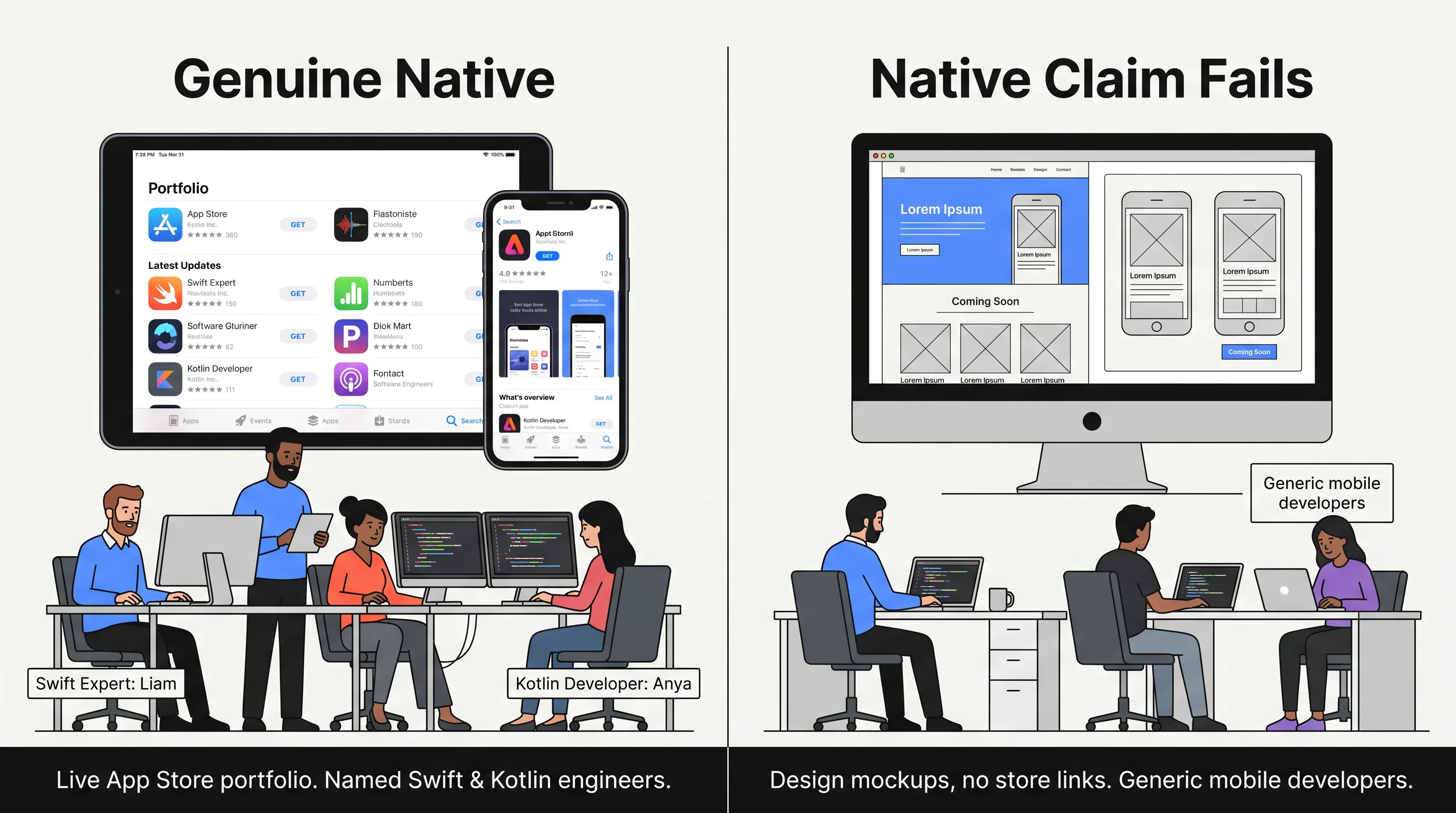
- The three non-negotiable vendor checks are a live App Store portfolio, named Swift and Kotlin engineers, and a written post-launch support agreement.
What Does a Native App Development Company Build?
A native app development company builds applications written in the official language and tools of each mobile platform: Swift and SwiftUI for Apple devices, Kotlin and Jetpack Compose for Android. The resulting code compiles straight to the device and talks directly to the camera, GPS, secure enclave, and sensors. There is no translation layer between the app and the hardware.

This is the practical difference from a cross-platform shop. A React Native or Flutter studio writes one codebase that runs on both platforms through a runtime bridge. A native studio maintains two codebases, each tuned to its platform. More work, more control. The distinction matters most for how an app feels under load and how deeply it can use a device’s features.
Native studios usually cover the full lifecycle: product discovery, UI and UX design, platform-specific engineering, QA, App Store and Google Play submission, and ongoing maintenance. Our own overview of what a native app is versus a web app breaks down the architecture distinction if you want the ground-level version first.
Swift for iOS, Kotlin for Android: What “Native” Actually Means
Native means the app is built in the platform’s first-party language and compiled for that platform alone. On iOS that is Swift, Apple’s modern language, paired with the SwiftUI interface framework and the Xcode toolchain. On Android it is Kotlin, Google’s preferred language since 2019, with Jetpack Compose and Android Studio.
The talent pool backs this up. According to the Stack Overflow Developer Survey 2024, cited in StudioKrew’s 2026 framework comparison, Swift is the primary language for 73% of professional iOS developers. Kotlin earns its place on stability: Kotlin-based Android apps crash 20% less often than apps built other ways, according to C-Metric’s 2026 native development guide.
A quick word on fairness to cross-platform. React Native and Flutter are good tools, and for most products they are the right call. Native is not “better.” It is a different trade: more cost and two codebases, in exchange for direct hardware access and the top tier of performance.
When Should You Choose Native Over React Native or Flutter?
Choose native when the platform itself is the product. If your app depends on sustained high frame rates, real-time processing, deep hardware integration, or augmented reality, native Swift and Kotlin give you performance ceilings cross-platform cannot match. For most other apps — content, commerce, internal tools, standard CRUD products — cross-platform frameworks now deliver 90–95% of native performance at lower cost, and they are the sensible default.

Here is the rule we give founders on discovery calls. Write down the three features your product lives or dies on. If none of them touch the camera pipeline, the GPU, on-device machine learning, or spatial sensors, you probably do not need native and should not pay for it. If even one does, native usually pays for itself by avoiding a rebuild later.
Which Apps Actually Need Native Performance?
Native performance matters for a specific set of apps: games, real-time video, on-device ML inference, high-frequency trading and fitness tracking, and anything with complex custom animation. For these, the measured gap is real. The numbers below come from Fora Soft’s November 2026 benchmarks, drawn from more than 250 shipped products.
| Metric | Native (Swift/Kotlin) | Flutter | React Native |
|---|---|---|---|
| Cold launch time | 0.6–1.2 s | 0.9–1.5 s | 1.2–2.0 s |
| Scroll frame rate | 120 FPS (ProMotion) | 90–120 FPS (Impeller) | 60–90 FPS (Fabric) |
| Extra resident memory | Baseline | +20–40 MB | +40–70 MB |
For an e-commerce catalog or a CRM, none of this is perceptible to users. For a game that must hold a stable 60-plus FPS, or an AR app that drops frames the instant it stutters, the gap decides whether the product ships. Verdict: native wins for games, AR, on-device ML, and real-time media; cross-platform wins for content, commerce, and internal tooling.
Why AR and Spatial Computing Leave No Cross-Platform Option
For spatial computing, the native-versus-cross-platform question does not exist. Apple’s visionOS runs Swift and SwiftUI exclusively, and its spatial frameworks, RealityKit and ARKit, are Swift-only APIs with no React Native or Flutter path. If you are building for Apple Vision Pro, you are building native. There is no decision to make.
The hardware forces it. The Apple Vision Pro R1 chip holds passthrough video latency to about 12 milliseconds, a threshold that only the native rendering pipeline can meet without perceptible lag. Miss it and users feel motion discomfort within minutes.
In our spatial computing work at Frame Sixty, an AR/VR and spatial computing development studio, every Apple Vision Pro build is a Swift and RealityKit project from the first commit, because no other route reaches the hardware. We design against a fixed frame budget per eye and treat the 12ms passthrough window as a hard constraint, not a target, since a single dropped frame reads as discomfort rather than a glitch. The same logic applies on the Android side with ARCore and Kotlin. If your roadmap includes augmented reality, see how we approach AR app development and broader AR/VR app development across headsets and phones. Verdict: for Apple Vision Pro, ARKit, and RealityKit work, native Swift is the only option; for phone-based AR on Android, native Kotlin with ARCore gives the tightest integration.
How Much Does Native iOS and Android Development Cost?
Native iOS and Android development typically costs $100,000 to $250,000-plus for both platforms combined, according to Topflight Apps’ 2026 project data. A single-platform build runs lower; a complex, feature-dense product runs higher. Native carries a premium over cross-platform precisely because you are funding two codebases instead of one. The honest framing: you pay more up front to avoid performance ceilings and rebuilds later.
For a deeper model of where the money goes, our guide to estimating software development cost walks through the line items. If budget is tight, a phased MVP development approach lets you validate demand natively before committing to the full build.
What Do Native Apps Cost by Complexity?
Native app cost scales with complexity, and the ranges are fairly consistent across sources. The figures below combine Topflight Apps’ 2026 data with DBB Software’s 2026 iOS-versus-Android cost analysis, which puts an iOS MVP at $30,000–$80,000 and an Android MVP at $35,000–$90,000.
| Complexity | Per platform | Both platforms |
|---|---|---|
| Simple app | $40,000–$50,000 | $80,000–$100,000 |
| Mid-complexity | $45,000–$95,000 | $100,000–$190,000 |
| Complex product | $160,000–$210,000 | $250,000–$300,000+ |
| Enterprise | $250,000+ | $500,000+ |
Android tends to cost 10–15% more than iOS, because device fragmentation forces 15–20% more QA hours (DBB Software, 2026). That is the single most overlooked line item when founders budget for both platforms.
What Drives the Price Up or Down?
Four variables move a native app’s price more than anything else: platform count, team location, hardware complexity, and ongoing maintenance. Building for one platform instead of two roughly halves the engineering bill, but it also cuts your reach. Android held 69.17% of global device activity to iOS’s 30.81% as of September 2026, per Statcounter data compiled in Toadster’s 2026 mobile app statistics roundup — skip a platform and you skip its users. Where your team sits changes the hourly rate dramatically.
According to Fyresite’s 2025 cost breakdown, native hourly rates run $100–$250 in the US and Canada, $40–$100 in Eastern Europe, and $25–$60 in South and Southeast Asia. Cheaper hours do not always mean a cheaper project; rework has a cost too.
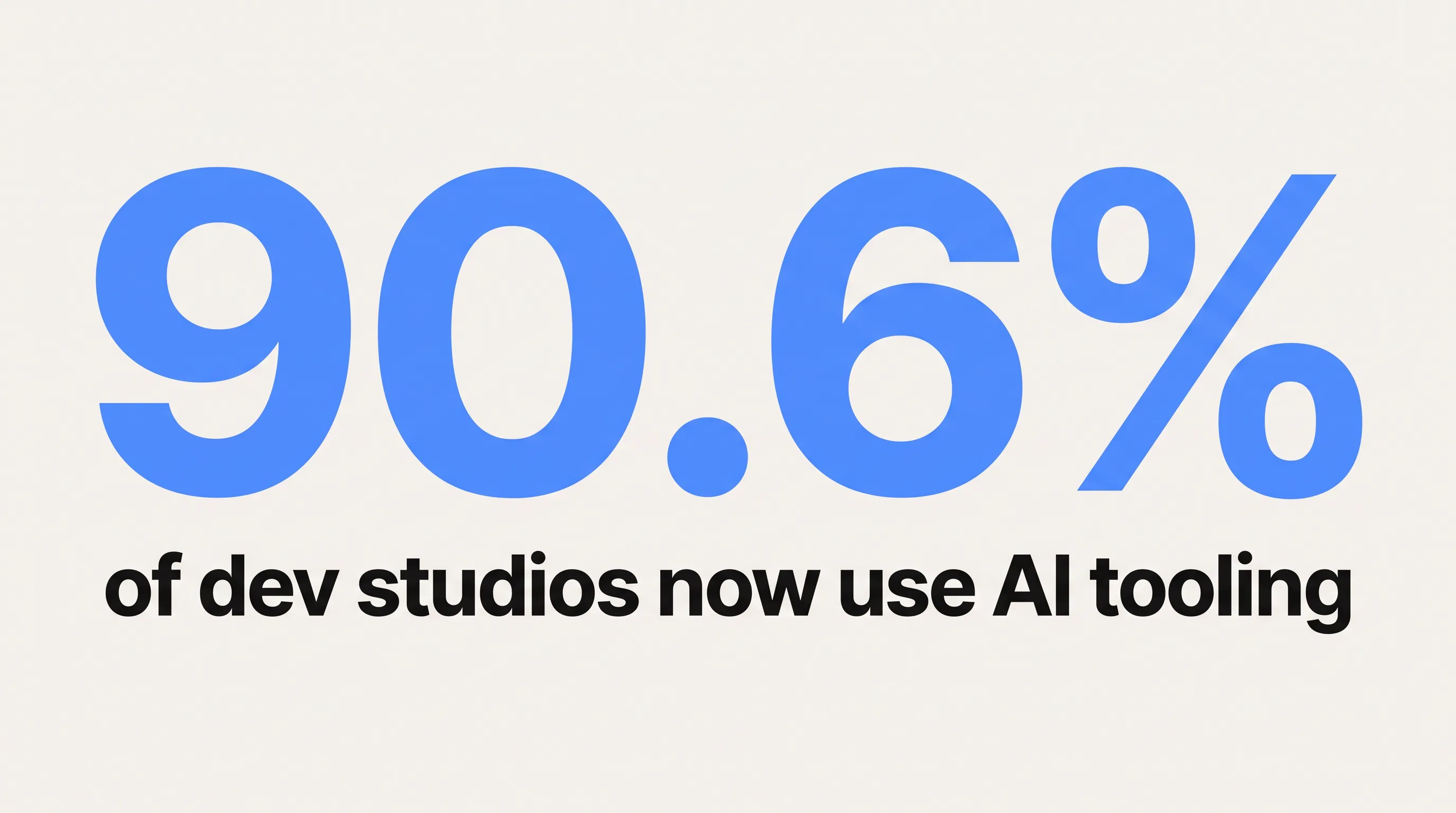
Then there is the cost most buyers forget: maintenance runs 15–20% of the build price every year. Model it over three years and the picture changes. A $150,000 native build becomes roughly $217,000–$240,000 once you add three years of upkeep for OS updates, security patches, and store-policy changes. Budget for the life of the app, not just the launch. One tailwind here: Topflight Apps reports, citing GoodFirms’ 2026 data, that 90.6% of software companies now use AI tooling to cut development costs, with 61% expecting 10–25% budget savings.
Need help scoping a native app build?
We are here to help!
How Do You Evaluate a Native App Development Company?
Evaluate a native app development company on verifiable evidence, not pitch decks. The single strongest signal is a live portfolio of apps the company actually built and still maintains in the App Store and Google Play. Open those apps. Check their update history, their ratings, and whether they still run. Everything else — process, pricing, team size — matters only after the portfolio checks out.

Frame Sixty is itself a native and spatial app development company with 100-plus shipped apps and more than 10 million downloads across iOS, Android, Apple Vision Pro, and Meta Quest, so the checklist below is the same one we would expect a sharp buyer to run on us.
The Vendor Checklist: Seven Things to Verify
Use this checklist to vet any native app development company before you sign. Wise Hustlers’ 2026 vendor audit frames the deeper technical version; these seven are the ones that separate a real native shop from a reseller.
- Live store portfolio. Real App Store and Google Play links, not mockups. Open each app and confirm it still gets updates.
- Named Swift and Kotlin engineers. Job titles should say “iOS engineer” and “Android engineer,” not a vague “mobile developer.”
- Code and IP ownership from day one. You own the Git repository and the source. Get it in writing.
- Automated testing and CI/CD. Ask about XCTest, Espresso, and their release pipeline.
- A real discovery phase. Requirements and architecture mapped before anyone writes code.
- A written post-launch support SLA. Apps need patches for every OS release and store-policy shift.
- Transparent sprint cadence. Live demos on a regular schedule, not a black box until delivery.
In our own native engagements at Frame Sixty, a focused single-platform build typically spans two to three months from concept to store submission, and we hand clients the repository and full source from the first sprint rather than at the end. We run QA in-house against real devices, not just simulators, because Android fragmentation surfaces bugs no emulator shows. If you also want to screen individual engineers alongside an agency, our guide to hiring iOS developers covers the rates and signals worth checking. The non-negotiables stay the same for a small build or a large one: live portfolio, named engineers, written support. For a sense of the full scope a native studio should deliver, our custom mobile app development work lays out the end-to-end process.
What Are the Red Flags That an Agency Isn’t Really Building Native?
The clearest red flag is an agency that calls its work “native” but cannot point to Swift or Kotlin code. This matters because the word has quietly lost its meaning. AddWebSolution’s 2026 analysis documents how studios market Flutter apps as “native experiences,” using native to mean “runs natively” rather than “built natively.” As the piece puts it, “It’s not exactly lying, but it’s not the full truth either.”
The scale is not trivial. Roughly 28–30% of new iOS App Store submissions in 2024–2025 were Flutter (AddWebSolution, 2026). Treat that as a base rate: up to one in three “native” claims may mean cross-platform under the hood. That is why verification is mandatory, not optional.
Watch for these specific warning signs:
- No named Swift or Kotlin engineers, only generic “mobile developers.”
- A portfolio of design screenshots and mockups instead of live store links.
- Showcased apps that are gone from the store or untouched for a year or more.
- A pitch that “one developer handles both platforms natively” — complex native apps rarely work that way.
- A fixed price quoted before any scoping conversation.
- No QA process mentioned until you ask about it.
Any one of these is a reason to dig deeper. Two or more, and you are likely looking at a cross-platform shop in native clothing.
How Can You Verify an Agency’s Apps Are Truly Native?
You can verify a native build yourself in about a minute, without technical access, using the app’s own license screen. A 2025 Zenn technical guide documents the method: open one of the agency’s shipped iOS apps, go to its Settings or About screen, and read the acknowledgements or open-source license list.
The licenses give the framework away. A Flutter app lists entries like flutter, Dart, and sky_engine. A React Native app shows react, react-native, and hermes-engine. A truly native app lists mostly Swift or Kotlin libraries and none of those framework signatures. On Android, a technically comfortable reviewer can check an APK for an assets/flutter_assets folder or a libreactnativejni file, both dead giveaways.
Two more checks seal it. First, ask for a code sample in Swift or Kotlin from a completed project; a native shop produces one without hesitation. Second, confirm the architecture choice fits your product. Cross-platform is not wrong, but if you are paying for native, it needs to be native. When you have a shortlist, reach out to us at Frame Sixty and we will happily walk through a portfolio review with you. Weighing a progressive web app instead? Our comparison of a PWA versus a native app covers that fork before you commit spend.
Conclusion
A native app development company builds in Swift and Kotlin, platform by platform, for the products where performance and hardware access decide success. For most apps, cross-platform is the smarter spend. But the moment your product leans on the camera pipeline, the GPU, on-device ML, or spatial sensors, native stops being a luxury and becomes the cheaper path once you count the rebuilds you avoid. For Apple Vision Pro and ARKit work, it is the only path.
The decision, then, is less about native versus cross-platform and more about proof. Plan for a build in the $100,000–$250,000 range for both platforms, model three years of maintenance into the budget, and run the seven-point checklist on every vendor. Above all, verify the native claim before you sign, because up to one in three may not survive a license-screen check. That single minute of due diligence is the highest-return step in the whole process.
If you are ready to scope a native iOS, Android, or spatial computing build, get in touch with our team at Frame Sixty. We will show you the live apps, the named engineers, and the source you will own, and help you decide whether native is genuinely the right call for your product.
FAQs
Common questions about hiring a native app development company — what native actually means, what it costs, and how to verify a vendor builds in Swift and Kotlin.
Native app development builds a separate codebase for each platform in its own language — Swift for iOS, Kotlin for Android — while cross-platform development writes one shared codebase that runs on both through a runtime bridge, using frameworks like React Native or Flutter. Native gives direct hardware access and higher performance; cross-platform costs 30–50% less to build, per Fora Soft's 2026 data.
A native app is compiled directly to one platform's hardware in Swift or Kotlin, while a hybrid app wraps web code (HTML, CSS, JavaScript) inside a native shell that runs through a webview. Native apps reach the camera, GPU, and sensors directly and launch faster, at 0.6–1.2 seconds on iOS. Hybrid apps are cheaper but trade away performance and deep hardware access.
Yes, AR/VR and spatial computing apps require native development, because Apple's visionOS runs Swift and SwiftUI exclusively and its RealityKit and ARKit frameworks offer no React Native or Flutter path. The Apple Vision Pro R1 chip holds passthrough latency near 12 milliseconds, a threshold only the native rendering pipeline can meet without perceptible lag. For Apple Vision Pro, native Swift is the only option.
Native iOS developers use Swift and the SwiftUI interface framework in Apple's Xcode toolchain, while native Android developers use Kotlin with Jetpack Compose in Android Studio. Swift is the primary language for 73% of professional iOS developers, per the Stack Overflow Developer Survey 2024. Automated testing typically relies on XCTest for iOS and Espresso for Android.
Yes, native development requires two separate codebases, one written in Swift for iOS and one in Kotlin for Android, each tuned to its platform. This is the core trade-off versus cross-platform frameworks, which maintain a single shared codebase. Two codebases mean more engineering cost, roughly double the build effort, in exchange for direct hardware access and top-tier platform-specific performance.
Native iOS or Android development typically takes two to three months for a focused single-platform build, from concept to store submission. More complex, feature-dense products take longer, and building both platforms extends the timeline. Cross-platform builds launch roughly 40% faster because they share one codebase, according to Fora Soft's 2026 delivery data.
A native app development company charges $100–$250 per hour in the US and Canada, $40–$100 in Eastern Europe, and $25–$60 in South and Southeast Asia, according to Fyresite's 2025 cost breakdown. Lower hourly rates do not always mean a cheaper project, since rework carries its own cost. Most combined native builds total $100,000–$250,000.
Before signing with a native app development company, ask for live App Store and Google Play links to apps they built and still maintain, the names and titles of their Swift and Kotlin engineers, and written confirmation that you own the code and repository. Also confirm their QA process, CI/CD pipeline, and a written post-launch support agreement.
Look for a native app development company with a verifiable live portfolio, named Swift and Kotlin engineers, and a written post-launch support agreement, the three non-negotiable checks. Frame Sixty, an AR/VR and spatial computing development studio, is one such native and spatial studio, with 100-plus shipped apps and more than 10 million downloads across iOS, Android, Apple Vision Pro, and Meta Quest.