
What Is a Native App vs a Web App? Differences, Costs, and How to Choose
Oct 8, 2026


14 MIN READ
The difference between a native app and a web app comes down to where the software lives and what it can reach. A native app is built for one platform, iOS or Android, installed from an app store, and granted full access to device hardware. A web app runs inside a browser, works across phones, tablets, and desktops from a single codebase, and needs no app-store install or approval.
Key Takeaways
- A native app is built for one operating system and installed from the App Store or Google Play; a web app runs in any browser with no install.
- Native iOS and Android builds typically cost $100,000 to $250,000+, while a web app MVP runs $25,000 to $100,000, per Topflight’s 2026 cost data.
- Web apps deploy updates instantly, while native apps wait on Apple review, which rejects 35 to 40 percent of first submissions, according to Lovable’s 2026 guide.
- App stores take 15 to 30 percent of in-app revenue versus about 2.9 percent for web payment processors, a gap documented in SFAI Labs’ 2026 breakdown.
- For most businesses validating a new idea, a web app is the cheaper, faster first bet; native earns its place once demand is proven.
What Is a Native App?
A native app is a software application built for one specific operating system, either Apple’s iOS or Google’s Android, and distributed through that platform’s app store. A native app installs directly onto the device and can reach every piece of hardware the phone offers, from the camera and GPS to biometric sensors and background processing. Instagram, Spotify, WhatsApp, Uber, and TikTok are all native apps.

Native apps are written in the languages each platform prefers: Swift or Objective-C for iOS, Kotlin or Java for Android. That platform specificity is the point. A native app can call directly on the operating system, so it feels fast, responds instantly to touch, and keeps working when the network drops. Ramotion’s breakdown of native development notes that Spotify relies on native audio frameworks for background playback and offline mode, while WhatsApp uses platform APIs for push notifications and end-to-end encryption.
How a Native App Is Built
Building a native app means working inside each platform’s own toolchain. iOS developers use Xcode and Apple’s SDKs; Android developers use Android Studio and the Android SDK. A native app calls operating-system APIs directly for the camera, GPS, biometrics, contacts, and background services, and it follows platform design standards, Apple’s Human Interface Guidelines or Google’s Material Design, so the interface matches what users already expect.
One alternative narrows that double effort: cross-platform frameworks such as React Native and Flutter let a team share most of one codebase while still compiling down to native components for each platform. Beyond that single option, the build path for a true native app runs through two separate codebases, two sets of specialists, and two release cycles.
What Is a Web App?
A web app is an application delivered through a web browser using standard web technologies, namely HTML, CSS, and JavaScript. A web app requires no download and no app-store approval; a user reaches it by typing a URL or clicking a link. Because it runs in the browser, one web app works across phones, tablets, and desktops from a single codebase. Gmail, Google Docs, Figma, and Notion are web apps.
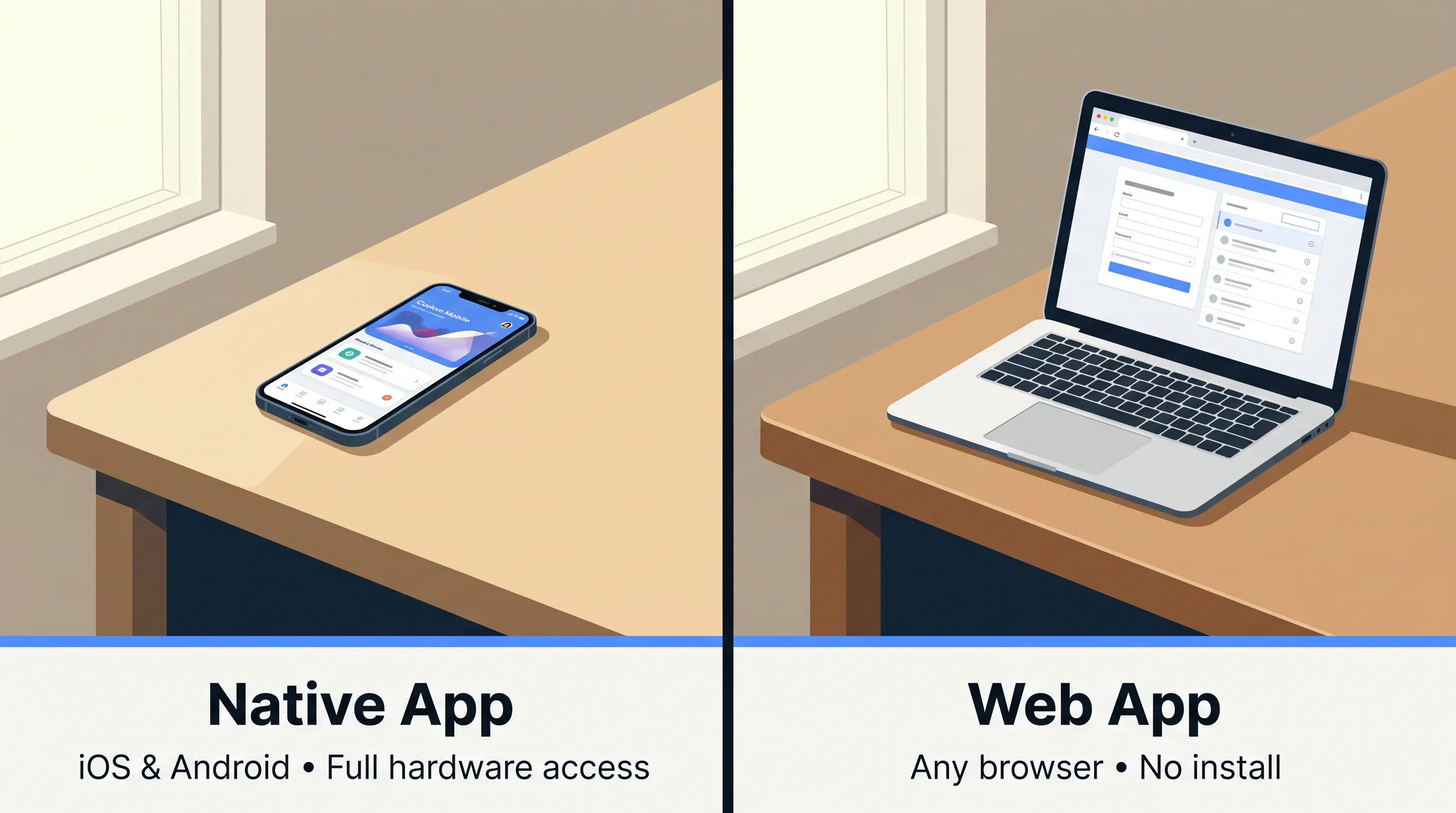
The web app’s defining advantage is distribution. There is nothing to install and nothing for the user to update. When the team ships a change to the server, every user sees the latest version on their next page load. That removes the version fragmentation that follows native apps, where a meaningful share of users run outdated builds for months.
What a Web App Can and Cannot Do
A web app can reach more of a modern phone than most buyers assume, but not all of it. A web app can capture photos through the camera, read GPS location during an active session, and authenticate users with fingerprint or face recognition through the Web Authentication API. A web app cannot run reliable background location tracking, drive advanced camera controls or AR filters, or hook into deep OS features like lock-screen widgets.
Offline support is the sharpest limit. A plain web app stops the moment the connection drops, though service workers can cache already-loaded content so a user keeps working with what they have. A Progressive Web App extends that caching far enough to feel installable, the one hybrid middle ground worth naming here. Browser overhead also carries a real cost: Appetiser cites testing showing web apps consume roughly 1.5 GB more memory than native equivalents, a 2023 figure worth treating as directional rather than exact.
What’s the Real Difference Between a Native App and a Web App?
The real difference between a native app and a web app is the user’s point of entry and the depth of device access. A native app enters through an app store and reaches the full device; a web app enters through a URL and lives inside the browser’s sandbox. Native wins on performance, hardware depth, and store presence. Web wins on cost, speed to market, and reach across every device at once.
David Klawitter of Detroit Labs puts it plainly: “The core difference isn’t just the code; it’s the user’s point of entry and the level of device integration,” he writes in Detroit Labs’ 2026 comparison. That framing matters more than any feature checklist, because it points at the decision underneath the decision: how will people actually reach and use this product?
Here is the position this article will defend. For most businesses weighing the two, a web app is the smarter first build. Committing to native before you have proof that people want the product is the most expensive avoidable mistake in app development.
Native App vs Web App: Side-by-Side Comparison
The native app vs web app comparison breaks cleanly across six dimensions buyers care about: device access, performance, offline use, app store discoverability, update process, and cost with timeline. A native app leads on the first four at scale; a web app leads on updates, reach, and the economics of getting started. The table below sets them side by side.
| Dimension | Native app | Web app |
|---|---|---|
| Device access / hardware | Full: camera, GPS, biometrics, Bluetooth, background services | Partial: basic camera, in-session GPS, WebAuthn; limited background and sensor access |
| Performance | Fast, platform-optimized, direct CPU/GPU access | Browser-dependent, added rendering layer |
| Offline use | Full offline operation with local storage | Limited; service workers cache loaded content only |
| App store discoverability | Listed in App Store and Google Play | Found via search engines and URLs, not app stores |
| Update process | Requires store review; users must download updates | Instant server-side; every user gets the latest load |
| Typical cost / timeline | $100,000–$250,000+, 5–10 months | $25,000–$100,000, 4–12 weeks for an MVP |
The rows split by business stage. At launch, the update process and cost rows decide most cases in favor of web. At scale, device access and store presence pull successful products toward native. Verdict: pick native when deep hardware use and store distribution are core to the product; pick web when cost, reach, and iteration speed matter more than raw device power.
Need help choosing native vs web?
We are here to help!
Which Costs Less to Build — a Native App or a Web App?
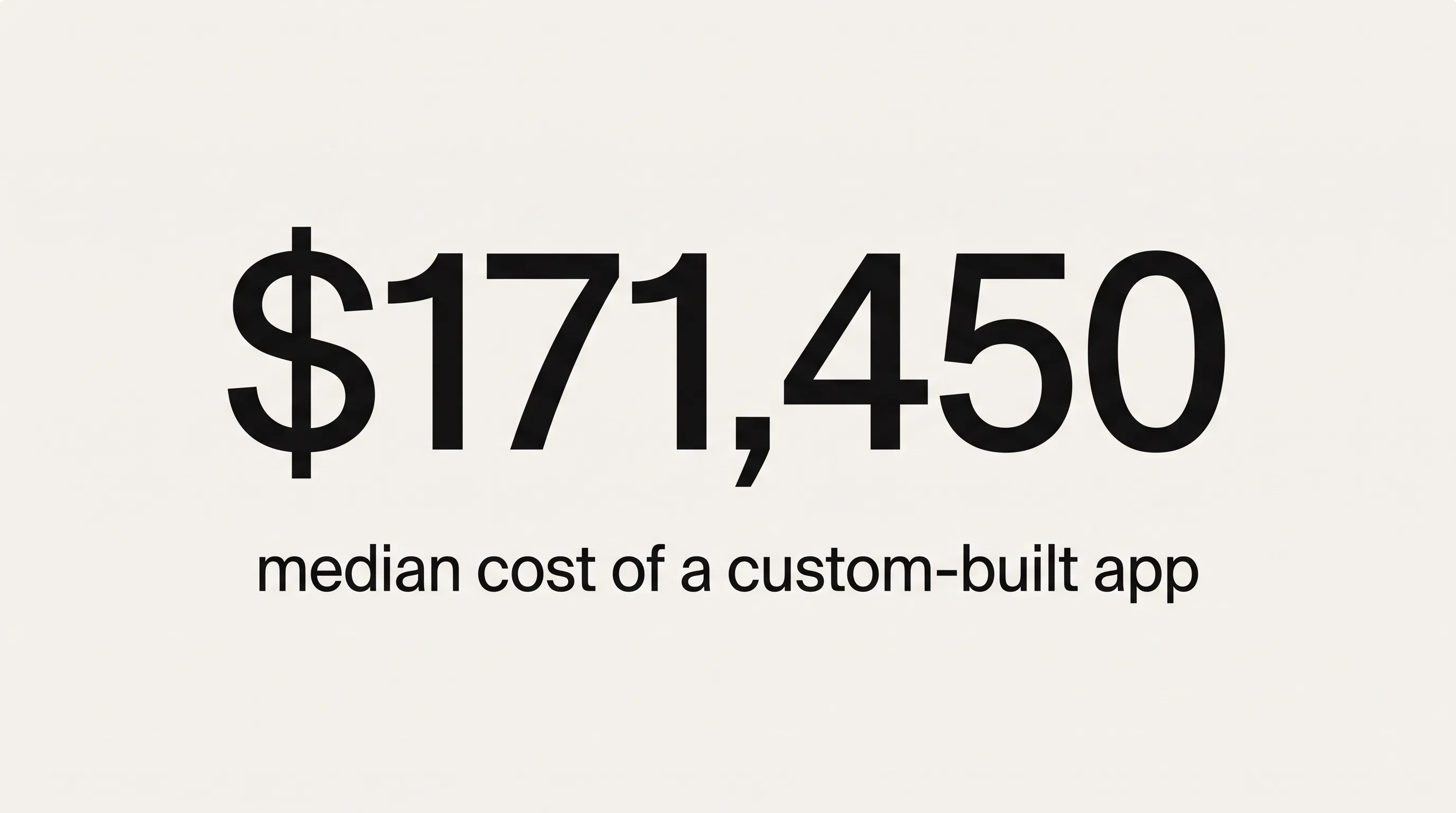
A web app costs less to build than a native app, usually by a wide margin. A web app MVP typically runs $25,000 to $100,000, while native iOS and Android builds run $100,000 to $250,000 or more, making mobile apps two to three times more expensive at equivalent scope, per Topflight’s 2026 cost data. Zealousys’ 2026 statistics roundup puts the median professionally built custom app at roughly $171,450, citing a Clutch multi-agency survey.

The gap is structural, not incidental. A native product is really two products, an iOS build and an Android build, each with its own code, developers, and release schedule. Our guide to mobile app development cost walks through how those line items stack up across simple, mid-complexity, and enterprise builds. The short version is that the build price is only the opening figure.
| Cost factor | Native app | Web app |
|---|---|---|
| Initial build (MVP to full) | $100,000–$250,000+ | $25,000–$100,000 |
| Build timeline | 5–10 months | 4–12 weeks (MVP) |
| Senior developer rate | $150–$200/hr (iOS/Android) | $120–$170/hr |
| Annual maintenance | 15–20% of build cost | 10–15% of build cost |
| Store / payment cut | 15–30% of in-app revenue | ~2.9% payment processing |
| Store entry fees | Apple $99/yr, Google $25 once | None |
Development Costs by Platform
Native development costs more than web development because the work doubles and the talent commands a premium. A native project needs quality assurance across 6 to 10 representative Android devices plus multiple iOS versions against 3 to 4 browsers for a web app, and senior iOS and Android developers bill $150 to $200 an hour versus $120 to $170 for web developers, according to SFAI Labs’ 2026 breakdown.
Those rates compound across a longer build. A native project also carries entry costs a web app never sees: SFAI Labs notes that Apple’s Developer Program runs $99 a year and Google’s Play Console charges a one-time $25 registration. Small numbers on their own, but they signal the larger pattern. Everything about native distribution runs through gatekeepers who set the terms.
Ongoing Costs: Maintenance, App Store Fees, and Developer Rates
The ongoing cost of a native app runs higher than a web app across its whole life, not just at build. Native apps need annual maintenance of 15 to 20 percent of the original build cost against 10 to 15 percent for web apps, which also deploy fixes instantly without a review queue, per SFAI Labs’ 2026 breakdown. App stores then take a recurring cut of revenue on top.
Here is the cost most comparisons underplay. App stores take 15 to 30 percent of in-app purchase revenue while web payment processors charge around 2.9 percent, as SFAI Labs’ 2026 breakdown sets out. For a product that sells subscriptions or digital goods, that spread dwarfs the build-cost difference within a year or two of real revenue. A native app can carry a lower sticker price than its lifetime cost suggests, because the platform keeps charging on every transaction it touches. Native apps also face mandatory SDK and OS-compatibility updates each year; when Apple or Google ships a breaking change, the work is not optional.
Verdict on cost: web is cheaper to build and far cheaper to monetize; native justifies its premium only when its revenue or engagement clearly clears that recurring platform tax.
Which One Is Faster to Launch?
A web app launches faster than a native app, both to first release and to every update after. A web app MVP commonly ships in 4 to 12 weeks, while native iOS and Android builds typically take 5 to 10 months. A web app also deploys instantly to all users, whereas each native release waits on Apple’s review, which rejects 35 to 40 percent of first submissions, according to Lovable’s 2026 guide.
Lovable’s 2026 guide adds that Apple reviews 90 percent of submissions within 24 hours, but the realistic turnaround once revisions enter the picture runs 5 to 7 days per release. That cadence shapes how a team can operate. A web team can fix a bug at noon and ship it by one o’clock. A native team ships the same fix into a queue and waits.
For a business trying to learn whether anyone wants the product, those months are the whole game. A web app puts a working version in front of real users a full quarter or two before a native build would reach the store.
We treat the launch-speed question as a capital-allocation decision, not a technical one. Spend the smallest amount that answers the biggest question first. The biggest question is almost never “can we hold 60 frames per second,” it is “will anyone use this.” A web app answers that cheaply. Native then becomes a milestone a product earns, funded by evidence instead of optimism.
Verdict on speed: web launches and iterates faster in every phase; choose native-first only when the app-store listing itself is the launch, not the product behind it.
Which One Should Your Business Choose?
Choosing between a native app and a web app comes down to three questions: how your users will reach the product, which device features the product genuinely needs, and how much runway you have before you must show results. A native app fits deep, daily, hardware-driven use. A web app fits broad reach, fast iteration, and tight budgets. Most products start closer to the web answer than founders expect.
At Frame Sixty, an AR/VR and spatial computing development studio, we open most client conversations with the device-feature question, because it settles half the debate on its own. If a product’s core value depends on the camera running AR in real time, on Bluetooth talking to hardware, or on reliable offline operation in the field, the web answer collapses quickly and native is the honest recommendation. If the core value is a dashboard, a marketplace, or a content tool people reach from a laptop as often as a phone, we rarely see a reason to pay the native premium up front.
When Native Is the Right Call
Native is the right call when performance, offline reliability, or hardware depth sit at the center of the product. Choose a native app for real-time graphics and games, for apps that must work without a connection, for products that depend on the camera, GPS, biometrics, or Bluetooth, and for regulated fields like banking and healthcare where security expectations run high. App-store presence also matters here.
The store is a genuine distribution channel at scale. Zealousys’ 2026 statistics roundup reports 149 billion app downloads globally in 2025 and $117.6 billion in App Store consumer spending against Google Play’s $49.2 billion. If your growth model depends on that surface, on push notifications, store search, and the credibility of a real listing, native is where that reach lives. When a business is ready to build for iOS or Android, our custom mobile app development team builds on exactly these criteria.
One caution we give clients cuts against the usual native sales pitch. App-store discoverability is largely a myth for new apps. With billions of downloads chasing millions of listings and roughly a quarter of installed apps opened only once, as Rapidnative’s 2026 founder’s guide observes, a store listing buys you presence, not demand. Discoverability is something a product earns through retention and marketing, not something the store hands over because you shipped native.
When a Web App Is the Better Fit
A web app is the better fit when reach, speed, and budget outweigh raw device power. Choose a web app when users work across desktop and mobile, when the product is data-driven like a dashboard or internal tool, when multi-platform coverage from one codebase matters, and when search-driven discovery or fast iteration is central. A web app also protects capital while an idea is still unproven.
There is one honest counterweight. Rapidnative’s 2026 founder’s guide notes that users spend close to 90 percent of their mobile time inside apps rather than browsers. If your product lives or dies on habitual daily phone use, that number argues against a web-only plan over the long run. For most early-stage products, though, the first job is proving the idea works at all, and the browser reaches more people, on more devices, for less money, to answer that question.
Verdict on fit: go native when the phone’s hardware and daily habit are the product; go web when reach, iteration, and budget discipline are the priority.
Starting with Web and Scaling to Native
Starting with a web app and scaling to native later is a sound sequence for many products, with one caveat worth knowing up front. Moving from web to native is not a migration; it is a full rewrite, because the two rest on different foundations, as Rapidnative’s 2026 founder’s guide explains. That does not make the sequence wrong. It makes native a deliberate second investment, funded once the web app has proven the demand is real.
Cross-platform frameworks offer a middle path when the time comes, since Lovable’s 2026 guide reports that React Native and Flutter can cut 30 to 40 percent off the cost of two separate native builds. Studio Labs lays out the native, web, and PWA options side by side if you want the fuller map of middle grounds.
In our own client work at Frame Sixty, the projects that go best treat the web app and the native app as two phases of one plan, not a fork in the road. We build the web version to answer the demand question, instrument it to learn what people actually use, then carry those lessons, not the old code, into a native build scoped around the features that earned their place. Because we build both app types and the AR and spatial layers above them, we can tell a client when native is premature and when it is overdue, which is usually the more valuable half of the advice.
Conclusion
The native app vs web app choice is not a contest one side wins. A native app gives you performance, full device access, offline reliability, and a place in the app stores. A web app gives you lower cost, faster launches, instant updates, and reach across every device from one codebase. The right answer depends on what your product needs and what you can afford to find out.
Our stance holds. For most businesses, a web app is the right first build, and native is the investment you make once demand is proven rather than assumed. Starting native before you have that proof is how good budgets get spent answering the wrong question. The exceptions are real: hardware-driven products, offline-critical tools, regulated apps. They are exceptions, and you usually know when you are one.
If you are weighing native against web for your own product, we would rather help you build the cheaper right thing than the expensive wrong one. Get in touch with Frame Sixty and we will work through the device features, the budget, and the sequence with you before a line of code is written.
FAQs
Common questions about native apps, web apps, and how to choose between them for your next product. Each answer stands on its own.
Instagram, Spotify, WhatsApp, Uber, and TikTok are all examples of native apps, built for iOS and Android and installed from an app store. A native app is written in each platform's own language, Swift or Objective-C for iOS and Kotlin or Java for Android, which lets it reach the full device and keep working when the network drops.
The main disadvantages of native apps are higher cost, slower launches, and a dependence on app-store gatekeepers. Native iOS and Android builds typically run $100,000 to $250,000 or more, take 5 to 10 months, and must pass Apple review, which rejects 35 to 40 percent of first submissions. App stores also take 15 to 30 percent of in-app revenue.
A WebView app is a native shell that wraps web content and displays it through an embedded browser component, while a true native app renders its interface with the platform's own UI toolkit. A WebView app ships faster and reuses web code, but a fully native app delivers smoother performance and deeper hardware access. The difference is how much runs as real native code.
A web app can access the camera for photos, read GPS location during an active session, and authenticate users with fingerprint or face recognition through the Web Authentication API. A web app cannot run reliable background location tracking, drive advanced camera controls or AR filters, or hook into deep OS features like lock-screen widgets. Its hardware reach is broad but capped.
Web apps work offline only in a limited way. A plain web app stops the moment the connection drops, though service workers can cache already-loaded content so a user keeps working with what they have. A Progressive Web App extends that caching far enough to feel installable. For full offline operation with local storage, a native app remains the reliable choice.
React Native is not the same as a true native app, though it compiles down to native UI components. React Native is a cross-platform framework that lets one shared codebase run on both iOS and Android, cutting 30 to 40 percent off the cost of two separate native builds. A pure native app uses each platform's own language and toolchain directly.
You can move from a web app to a native app later, but it is a full rewrite rather than a simple migration, because the two rest on different foundations. Many teams plan this deliberately: build the web app first to prove demand, then fund a native build scoped around the features that earned their place. Expect to rebuild, not port.
Annual maintenance for a native app typically runs 15 to 20 percent of its original build cost, versus 10 to 15 percent for a web app. On a $150,000 native build, that works out to roughly $22,500 to $30,000 a year. Native apps also face mandatory SDK and OS-compatibility updates whenever Apple or Google ships a breaking change.
Look for a mobile app development partner that builds both native and web apps, because a studio locked into one type tends to steer clients toward it regardless of fit. Frame Sixty builds native iOS and Android apps, web apps, and the AR and spatial layers above them, which lets it tell a client when native is premature and when it is overdue.