
AR App Development: VisionOS vs Android XR 2026 Tech Analysis
Mar 3, 2026
Updated
27 MIN READ
AR app development is the process of creating spatial computing applications for two primary ecosystems: Apple’s integrated visionOS or the open Android XR platform built on the OpenXR standard. The visionOS workflow centers on Xcode, SwiftUI, and RealityKit, targeting the Apple Vision Pro’s M2 and R1 chips for high-fidelity rendering and low latency. Conversely, Android XR development uses engines like Unity or Unreal to target a range of hardware, from the Meta Quest 3 to upcoming Samsung devices, leveraging the Snapdragon Spaces SDK. Key technical decisions include asset pipeline choices between the native USDZ format and the cross-platform glTF 2.0 standard.
Executive Analysis: Platform Selection Matrix for Enterprise AR App Development
Decision Criteria: Vision Pro vs. Meta Quest 3 vs. Samsung XR Headset
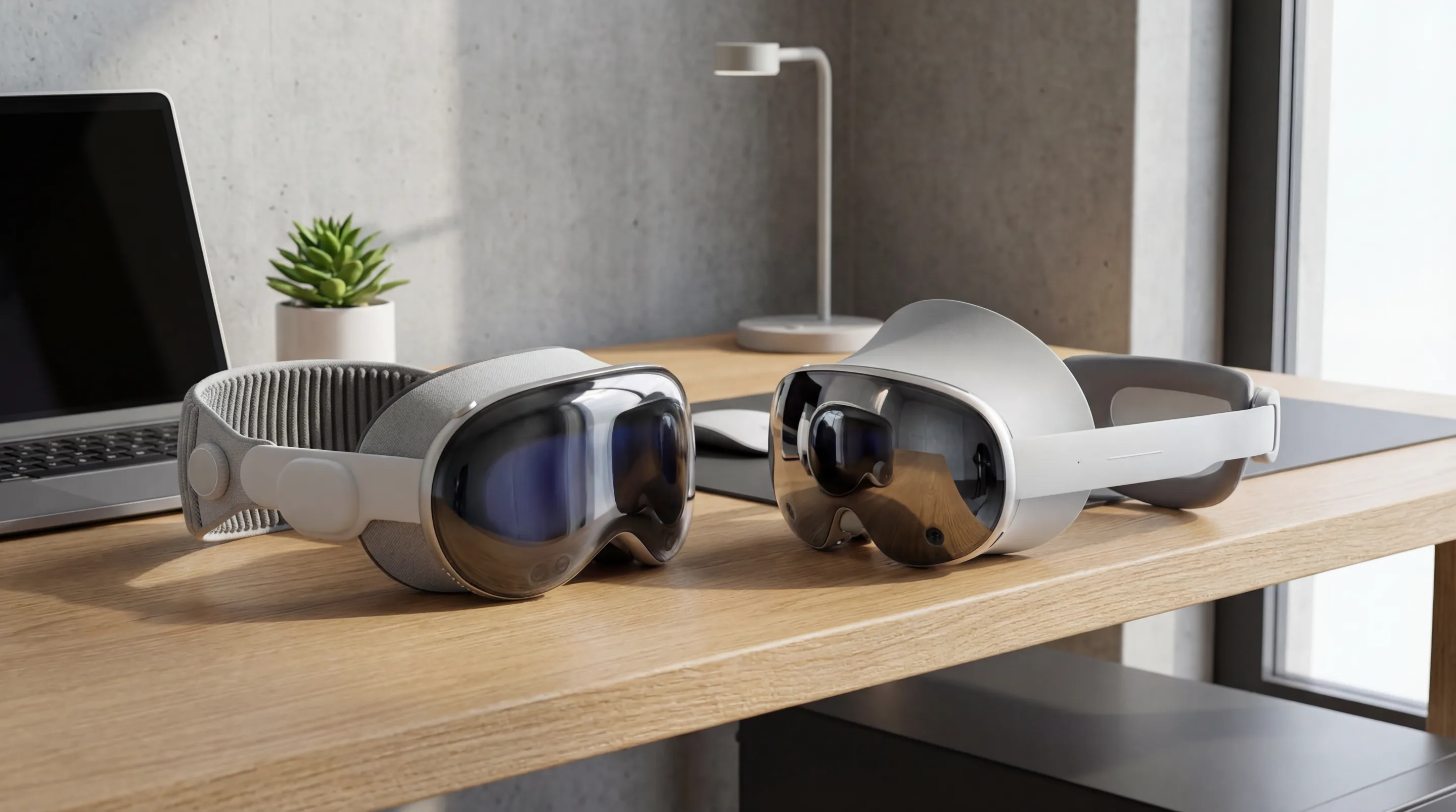
The hardware decision is the genesis of any enterprise AR strategy. In 2026, three primary devices define the market, each with a distinct value proposition. The Apple Vision Pro establishes the premium tier, engineered for high-fidelity professional applications where visual precision is paramount. The Meta Quest 3 represents the apex of accessible, high-volume XR, ideal for broad workforce training and consumer-facing activations.
The forthcoming Samsung XR Headset, a collaboration with Google and Qualcomm, aims to create a new benchmark for the Android XR ecosystem. This device, which we’ve analyzed in our Project Moohan brief, is positioned to directly challenge the Vision Pro on performance while leveraging the openness of the Android platform.
| Criterion | Apple Vision Pro | Meta Quest 3 | Samsung XR Headset (Anticipated) |
|---|---|---|---|
| Primary Use Case | High-Fidelity Design, Medical Imaging, Complex Data Viz | Scalable Training, B2C Experiences, Collaboration | Enterprise Productivity, Vision Pro Competitor |
| Processing Unit | Apple M2 + R1 Chip | Qualcomm Snapdragon XR2 Gen 2 | Qualcomm Snapdragon XR2+ Gen 2 (or successor) |
| Display System | Dual 4K+ Micro-OLED | Dual 2K+ LCD with Pancake Lenses | Dual 4K+ Micro-OLED |
| Passthrough Quality | Ultra-Low Latency, High-Resolution Color | Good Color Passthrough, Moderate Latency | High-Resolution Color, Low Latency Goal |
| Primary OS | visionOS | Meta Horizon OS (Android-based) | Android XR |
| Development Model | Native (Swift/SwiftUI), Unity | OpenXR, Unity, Unreal | OpenXR, Unity, Unreal |
| Enterprise Price Point | Premium ($3,500+) | Accessible ($500+) | Premium (TBD, est. $2,000+) |
Performance Benchmark Summary: Motion-to-Photon Latency and PPD
Two metrics are non-negotiable for user comfort and immersion: Motion-to-Photon Latency and Pixels Per Degree (PPD). Latency, the delay between user movement and the corresponding visual update, must be minimized to sub-20ms to mitigate motion sickness. Apple’s dedicated R1 chip on the Vision Pro is engineered specifically to achieve this, processing sensor data to deliver passthrough video in under 12 milliseconds.
PPD measures display resolution density from the user’s perspective. A higher PPD results in sharper text and more detailed 3D models. The Vision Pro leads with an estimated 40 PPD, approaching retinal resolution. The Meta Quest 3 offers a respectable ~25 PPD, while the upcoming Samsung device is expected to target a PPD competitive with Apple’s offering. Quantitative benchmarks from peer-reviewed academic research consistently show that lower latency and higher PPD directly correlate with increased user productivity and reduced cognitive load in AR tasks.
Total Cost of Ownership (TCO) and Scalability Index
TCO extends far beyond the initial hardware investment. It encompasses development costs, software licensing, device management infrastructure, and ongoing support. While the Vision Pro’s upfront cost is high, its integrated development environment can potentially reduce long-term development friction for teams already within the Apple ecosystem.
Conversely, the lower unit cost of devices like the Meta Quest 3 makes large-scale deployments more feasible. However, the fragmented nature of Android XR can introduce hidden costs related to managing diverse hardware profiles and ensuring application compatibility. According to Gartner analysis, enterprises must model TCO based on the total number of deployed units and the complexity of the software lifecycle, not just the per-headset price.
Developer Ecosystem Maturity and Talent Pool Availability
The Android XR ecosystem, built on years of mobile AR and VR development with tools from Google and Meta, possesses a large and diverse talent pool. Developers familiar with Unity, Unreal Engine, and Android Studio can transition to XR development with a relatively shallow learning curve. This makes sourcing talent for an augmented reality agency or in-house team more straightforward.
Apple’s visionOS ecosystem is newer but benefits from the deep loyalty and expertise of the existing iOS and macOS developer community. The adoption of familiar frameworks like SwiftUI and ARKit accelerates onboarding. While the specialized visionOS talent pool is currently smaller, it is growing rapidly, driven by the platform’s premium positioning and developer-friendly tools.
The visionOS Development Environment: A Vertically Integrated Approach
The visionOS development environment is a closed, highly optimized ecosystem designed for building sophisticated spatial computing applications. Apple provides a complete, end-to-end toolchain that abstracts away low-level hardware complexity, allowing developers to focus on creating immersive user experiences.
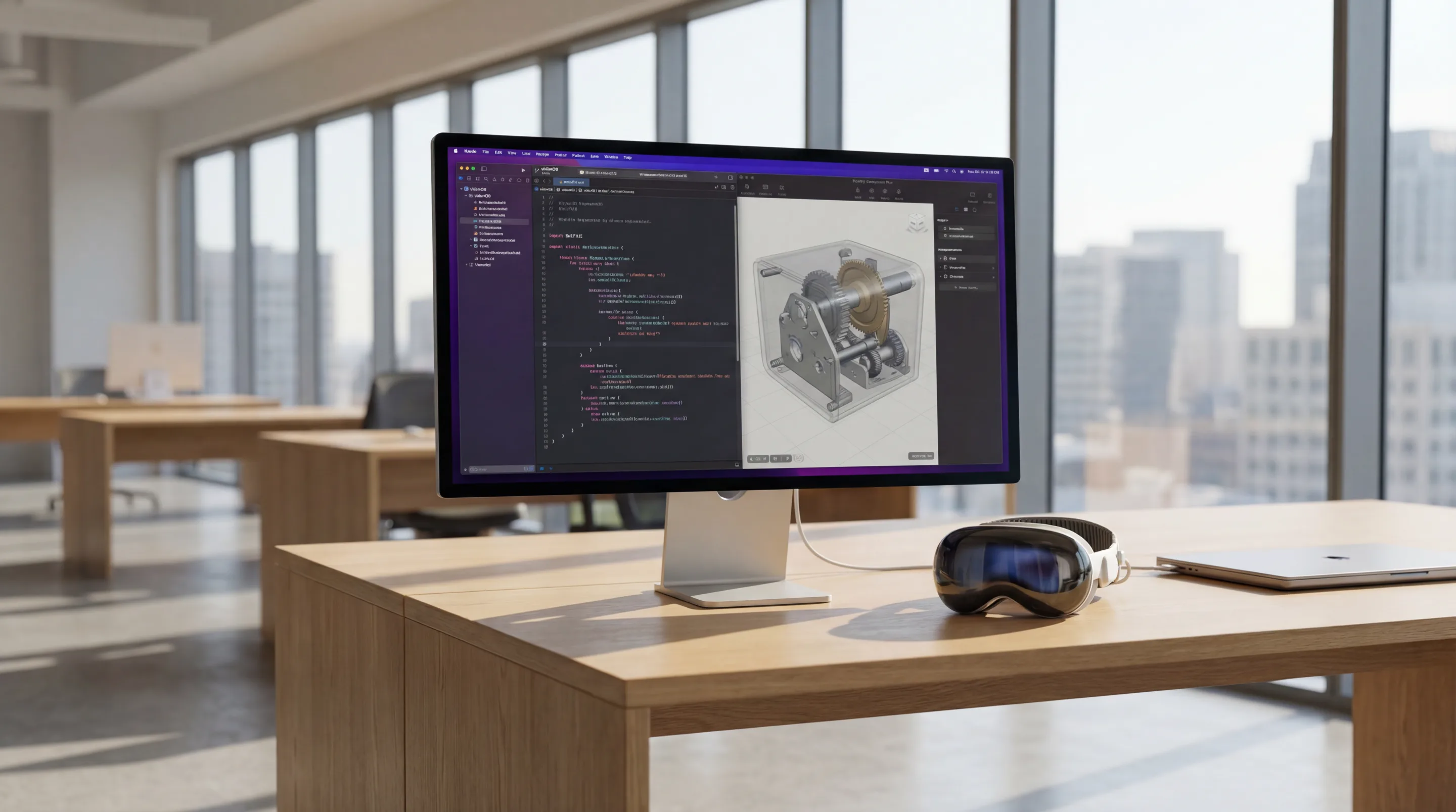
The core workflow for how to build Apple Vision Pro apps is a masterclass in vertical integration. It begins in Xcode, the familiar IDE for all Apple platforms. Developers use SwiftUI for visionOS to declare the application’s user interface, which is then rendered by the system into the user’s space.
For 3D content, Reality Composer Pro serves as the primary tool for assembling, animating, and previewing scenes using the USDZ (Universal Scene Description) asset format. This seamless interplay between code, UI, and 3D assets within a single, managed environment is the hallmark of Apple’s development philosophy, detailed extensively in its `visionOS documentation.
The Native visionOS App Lifecycle and State Management
A native visionOS application’s lifecycle is managed by the operating system, which handles the opening and closing of windows, volumes, and immersive spaces in response to user input. State management is crucial for maintaining continuity as users move between these different presentation styles.
Core Workflow: Integrating Xcode, SwiftUI for visionOS, and Reality Composer Pro
The development process begins with a project in Xcode, where developers define the initial structure of their app. SwiftUI is used to create 2D and 3D interface elements that can be placed in a user’s physical environment. For instance, a control panel can be defined in SwiftUI and attached to a 3D model imported via Reality Composer Pro.
Reality Composer Pro is not just an asset viewer; it’s an authoring tool where developers can apply materials, add audio, and create simple animations. It integrates directly with Xcode, so any changes made to a Reality Composer Pro scene are immediately available in the application code, streamlining the iterative design process.
How to Handle State Management in a Persistent AR Experience
Handling state in a persistent AR experience on visionOS leverages the same declarative principles as standard SwiftUI development. Using property wrappers like @State, @Environment, and @StateObject, developers can ensure that the application’s data model remains consistent as users interact with virtual objects or move through different physical spaces.
For example, if a user places a virtual schematic on a real-world desk and then moves to a different room, the application must remember the schematic’s position and state. This is achieved by binding the virtual object’s transform to a state variable that is persisted across scene changes, often using ARKit’s world-tracking capabilities to anchor the data to a specific physical location.
Performance Profiling with Metal 3 API Debugging Tools
To ensure a smooth, 90+ FPS experience, performance profiling is essential. Xcode provides a suite of powerful debugging tools, including Instruments, which can analyze CPU, GPU, and memory usage in real-time. For graphics-intensive applications, developers can dive deep into the Metal 3 API pipeline.
The Metal debugger allows for frame-by-frame analysis of draw call batching, shader performance, and resource allocation. This granular level of inspection is critical for identifying and resolving bottlenecks, such as overly complex shaders or inefficient geometry, that could compromise the application’s performance.
Key visionOS API Capabilities and Limitations
The visionOS APIs, primarily RealityKit and ARKit, provide powerful, high-level abstractions for building AR applications. They are designed to deliver exceptional performance and visual fidelity with minimal boilerplate code, but this abstraction comes with specific trade-offs.
How RealityKit Simplifies High-Fidelity Rendering and Real-World Occlusion
RealityKit is a high-level rendering framework built on top of Metal. It is engineered to produce photorealistic visuals with features like physically-based rendering (PBR), dynamic lighting, and shadows that respond realistically to the user’s environment.
One of its most impressive features is dynamic real-world occlusion rendering. Using data from the Vision Pro’s LiDAR scanner and cameras, RealityKit can automatically render virtual objects as if they are behind real-world objects, such as a virtual ball rolling behind a physical chair. This capability is fundamental to creating believable mixed-reality experiences.
ARKit World Tracking: Precision of Spatial Anchors and Scene Reconstruction
ARKit World Tracking is the foundation of visionOS’s spatial awareness. It uses a process called Visual-Inertial Odometry (VIO) to fuse data from the cameras and IMU, enabling robust 6DoF Tracking. This allows the system to understand its position and orientation in the world with remarkable accuracy.
Developers can use Spatial Anchors to attach virtual content to specific points in the physical world. These anchors are persistent and stable, even if the user leaves the area and returns later. ARKit also provides real-time Scene Reconstruction, generating a 3D mesh of the surrounding environment that can be used for physics simulations and environmental interactions.
The Main Limitations of the visionOS API: Abstracted Sensor Data
The primary limitation of the visionOS API is its high level of abstraction. Apple does not provide developers with direct access to raw camera feeds or low-level sensor data. While this simplifies development and enhances user privacy, it can be a significant constraint for applications requiring custom computer vision algorithms or specialized sensor fusion techniques.
For example, an enterprise application designed to perform highly specific quality control analysis by running a proprietary machine learning model on the camera stream would not be possible on visionOS. Developers must rely on the interpretations and features provided by ARKit, which, while powerful, may not cover every niche industrial use case.
What are the Privacy Concerns with Apple’s Eye Tracking API Implementation?
Apple’s implementation of eye tracking as a primary input method raises valid privacy questions. To address this, visionOS processes all eye-tracking data on-device within the Secure Enclave. The API does not provide developers with the user’s specific gaze coordinates.
Instead, the system only reports which UI element the user is looking at and when they perform a selection gesture (e.g., a pinch). This abstraction prevents applications from building a “gaze map” of user attention, protecting user privacy while still enabling a highly intuitive and powerful interaction model. This thoughtful implementation is a core tenet of Apple Vision Pro development for enterprise.
Section Takeaway: The visionOS platform offers unparalleled integration and performance through high-level APIs, but this comes at the cost of developer control and access to raw sensor data.
The Android XR Ecosystem: An Open, Fragmented Landscape
The Android XR ecosystem is defined by its openness and diversity, built upon the OpenXR standard to support a wide array of hardware from different manufacturers. This approach fosters innovation and provides enterprises with extensive choice, but it also introduces challenges related to fragmentation and quality control across devices.
This landscape includes major players like Meta with its Quest line, upcoming hardware from the Google-Samsung-Qualcomm partnership, and specialized enterprise devices from Varjo XR-4 and Magic Leap 2. This variety allows for tailored hardware selection but requires a development strategy that can accommodate different performance profiles and feature sets, a core competency of any leading Android app development agency.
OpenXR: The Foundational Standard for Android XR Development
OpenXR is a royalty-free, open standard from the Khronos Group that provides a unified API for accessing XR hardware. It acts as an abstraction layer, allowing developers to write code once and deploy it across multiple headsets without needing to rewrite device-specific integrations.
How Snapdragon Spaces Integrates with the OpenXR SDK
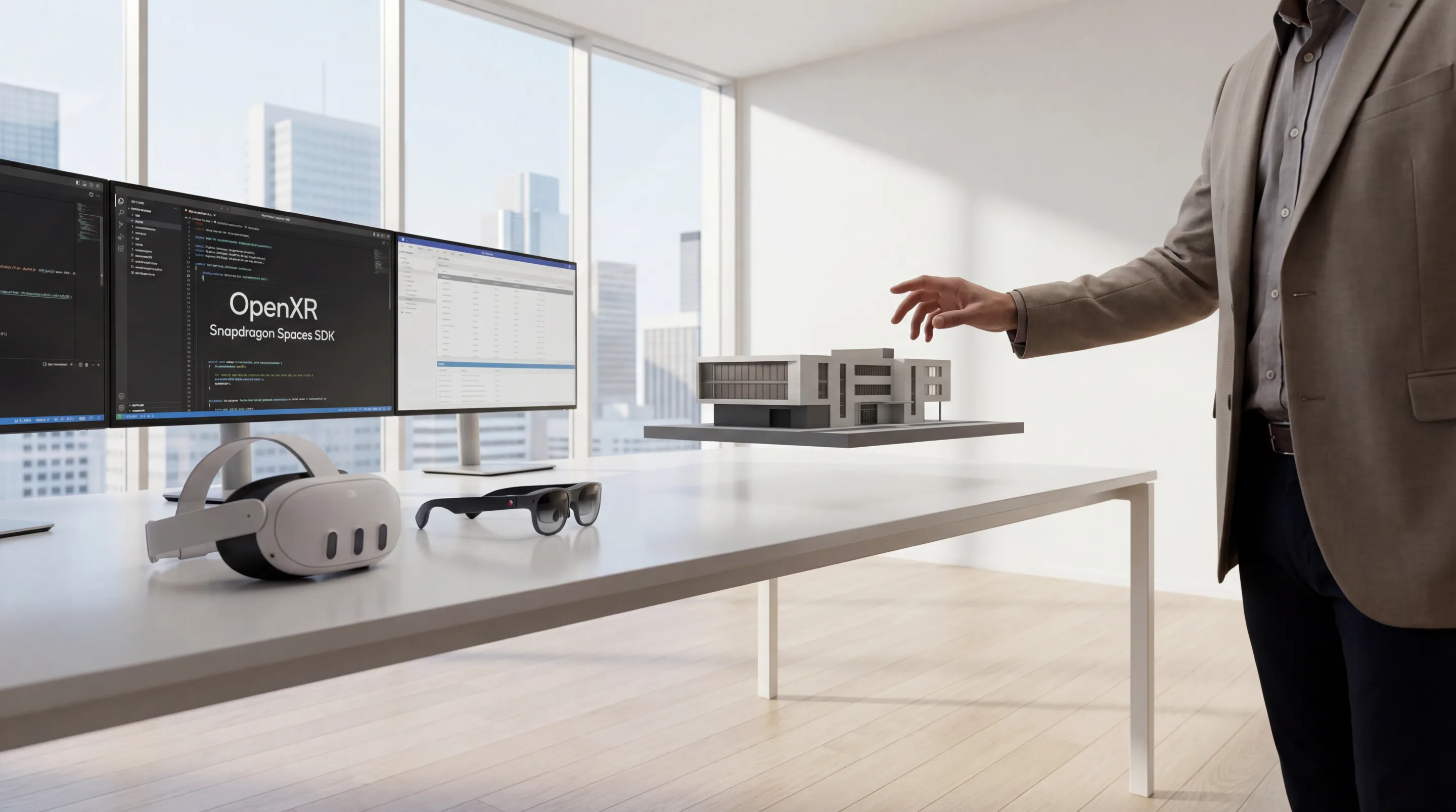
Qualcomm Snapdragon Spaces is an SDK that builds upon the OpenXR standard to expose advanced features specific to Snapdragon-powered hardware. While OpenXR provides the basic hooks for tracking and rendering, Snapdragon Spaces adds capabilities like plane detection, image tracking, and high-fidelity hand tracking.
According to the Snapdragon Spaces SDK documentation, it functions as an OpenXR runtime. An application makes a standard OpenXR call, and the Snapdragon Spaces runtime translates that call into an action on the specific hardware, enabling features that may not be part of the core OpenXR specification.
The Role of the Khronos Group in Cross-Vendor Compatibility
The Khronos Group is a consortium of technology companies responsible for creating and maintaining open standards like OpenGL, Vulkan, and OpenXR. Its role is to ensure that the OpenXR standard evolves in a way that serves the entire industry, preventing vendor lock-in.
By providing a common target for both application developers and hardware manufacturers, the Khronos Group fosters a competitive and interoperable ecosystem. This allows new hardware vendors to enter the market and be immediately compatible with a large library of existing OpenXR applications.
Migrating a Legacy App to the OpenXR Standard
For teams with applications built on older, proprietary SDKs (like the legacy Oculus SDK), migrating to OpenXR is a critical step for future-proofing. The process typically involves replacing platform-specific API calls with their OpenXR equivalents.
This includes refactoring the initialization process to query the OpenXR runtime, changing the main loop to poll for OpenXR events, and updating the rendering pipeline to submit frames to the OpenXR compositor. While this requires an upfront investment, the result is a more portable and maintainable codebase that can target a broader range of current and future devices.
Platform-Specific SDKs and Hardware Targets
While OpenXR provides a baseline, many hardware manufacturers offer their own SDKs to expose unique features. This creates a layered ecosystem where developers can choose to target the OpenXR baseline for maximum compatibility or use platform-specific SDKs for advanced functionality.
Meta Presence Platform: Advanced Hand Tracking on Meta Quest 3
The Meta Presence Platform is a suite of APIs for the Meta Quest line of headsets that goes beyond the OpenXR standard. Its most notable feature is its advanced hand-tracking capability, which provides low-latency, robust tracking of 26 points on each hand.
As detailed in the Meta Presence Platform documentation, the SDK also includes features like Scene Understanding, which allows applications to build a semantic map of the user’s room (identifying walls, furniture, etc.), enabling more sophisticated mixed-reality interactions.
How the Google ARCore Geospatial API Enables Large-Scale Persistent AR
Google’s strength lies in its vast repository of global mapping data. The Google ARCore Geospatial API leverages this data, combining Google Maps, Street View imagery, and a device’s GPS to enable AR experiences that are anchored to real-world locations with centimeter-level accuracy.
This technology, detailed in the ARCore Geospatial API documentation, is the key to building city-scale, multi-user, persistent AR experiences. Use cases include large-scale AR navigation for logistics facilities, interactive historical tours in cities, and massive multiplayer games.
Anticipating the Samsung XR Headset: A Google and Qualcomm Collaboration
The upcoming Samsung XR headset represents a significant moment for the Android XR ecosystem. By combining Samsung’s display and manufacturing expertise, Google’s Android XR software platform, and Qualcomm’s next-generation silicon, this device is poised to establish a new high-end benchmark for the open ecosystem. It is expected to feature high-resolution displays, advanced sensor suites, and tight integration with the Android software stack.
Niche Enterprise Hardware: Varjo XR-4 and Magic Leap 2 Capabilities
For specialized enterprise applications requiring the absolute highest visual fidelity, devices like the Varjo XR-4 and Magic Leap 2 occupy the top tier. The Varjo XR-4 offers retinal-resolution displays and the highest-fidelity video passthrough on the market, making it ideal for demanding flight simulations and industrial design reviews. The Magic Leap 2 features a unique dimming capability that allows its transparent display to be used in a wider range of lighting conditions.
Section Takeaway: The Android XR ecosystem provides unparalleled flexibility and hardware choice through the OpenXR standard, but this openness requires developers to manage platform fragmentation and varying levels of performance.
Need help with AR / VR development?
We are here to help!
The Android XR ecosystem is defined by its openness and diversity, built upon the OpenXR standard to support a wide array of hardware from different manufacturers. This approach fosters innovation and provides enterprises with extensive choice, but it also introduces challenges related to fragmentation and quality control across devices.
This landscape includes major players like Meta with its Quest line, upcoming hardware from the Google-Samsung-Qualcomm partnership, and specialized enterprise devices from Varjo XR-4 and Magic Leap 2. This variety allows for tailored hardware selection but requires a development strategy that can accommodate different performance profiles and feature sets, a core competency of any leading Android app development agency.
OpenXR: The Foundational Standard for Android XR Development
OpenXR is a royalty-free, open standard from the Khronos Group that provides a unified API for accessing XR hardware. It acts as an abstraction layer, allowing developers to write code once and deploy it across multiple headsets without needing to rewrite device-specific integrations.
How Snapdragon Spaces Integrates with the OpenXR SDK
Qualcomm Snapdragon Spaces is an SDK that builds upon the OpenXR standard to expose advanced features specific to Snapdragon-powered hardware. While OpenXR provides the basic hooks for tracking and rendering, Snapdragon Spaces adds capabilities like plane detection, image tracking, and high-fidelity hand tracking.
According to the Snapdragon Spaces SDK documentation, it functions as an OpenXR runtime. An application makes a standard OpenXR call, and the Snapdragon Spaces runtime translates that call into an action on the specific hardware, enabling features that may not be part of the core OpenXR specification.
The Role of the Khronos Group in Cross-Vendor Compatibility
The Khronos Group is a consortium of technology companies responsible for creating and maintaining open standards like OpenGL, Vulkan, and OpenXR. Its role is to ensure that the OpenXR standard evolves in a way that serves the entire industry, preventing vendor lock-in.
By providing a common target for both application developers and hardware manufacturers, the Khronos Group fosters a competitive and interoperable ecosystem. This allows new hardware vendors to enter the market and be immediately compatible with a large library of existing OpenXR applications.
Migrating a Legacy App to the OpenXR Standard
For teams with applications built on older, proprietary SDKs (like the legacy Oculus SDK), migrating to OpenXR is a critical step for future-proofing. The process typically involves replacing platform-specific API calls with their OpenXR equivalents.
This includes refactoring the initialization process to query the OpenXR runtime, changing the main loop to poll for OpenXR events, and updating the rendering pipeline to submit frames to the OpenXR compositor. While this requires an upfront investment, the result is a more portable and maintainable codebase that can target a broader range of current and future devices.
Platform-Specific SDKs and Hardware Targets
While OpenXR provides a baseline, many hardware manufacturers offer their own SDKs to expose unique features. This creates a layered ecosystem where developers can choose to target the OpenXR baseline for maximum compatibility or use platform-specific SDKs for advanced functionality.
Meta Presence Platform: Advanced Hand Tracking on Meta Quest 3
The Meta Presence Platform is a suite of APIs for the Meta Quest line of headsets that goes beyond the OpenXR standard. Its most notable feature is its advanced hand-tracking capability, which provides low-latency, robust tracking of 26 points on each hand.
As detailed in the Meta Presence Platform documentation, the SDK also includes features like Scene Understanding, which allows applications to build a semantic map of the user’s room (identifying walls, furniture, etc.), enabling more sophisticated mixed-reality interactions.
How the Google ARCore Geospatial API Enables Large-Scale Persistent AR
Google’s strength lies in its vast repository of global mapping data. The Google ARCore Geospatial API leverages this data, combining Google Maps, Street View imagery, and a device’s GPS to enable AR experiences that are anchored to real-world locations with centimeter-level accuracy.
This technology, detailed in the ARCore Geospatial API documentation, is the key to building city-scale, multi-user, persistent AR experiences. Use cases include large-scale AR navigation for logistics facilities, interactive historical tours in cities, and massive multiplayer games.
Anticipating the Samsung XR Headset: A Google and Qualcomm Collaboration
The upcoming Samsung XR headset represents a significant moment for the Android XR ecosystem. By combining Samsung’s display and manufacturing expertise, Google’s Android XR software platform, and Qualcomm’s next-generation silicon, this device is poised to establish a new high-end benchmark for the open ecosystem. It is expected to feature high-resolution displays, advanced sensor suites, and tight integration with the Android software stack.
Niche Enterprise Hardware: Varjo XR-4 and Magic Leap 2 Capabilities
For specialized enterprise applications requiring the absolute highest visual fidelity, devices like the Varjo XR-4 and Magic Leap 2 occupy the top tier. The Varjo XR-4 offers retinal-resolution displays and the highest-fidelity video passthrough on the market, making it ideal for demanding flight simulations and industrial design reviews. The Magic Leap 2 features a unique dimming capability that allows its transparent display to be used in a wider range of lighting conditions.
Section Takeaway: The Android XR ecosystem provides unparalleled flexibility and hardware choice through the OpenXR standard, but this openness requires developers to manage platform fragmentation and varying levels of performance.
Head-to-Head Technical Comparison: VisionOS vs. Android XR
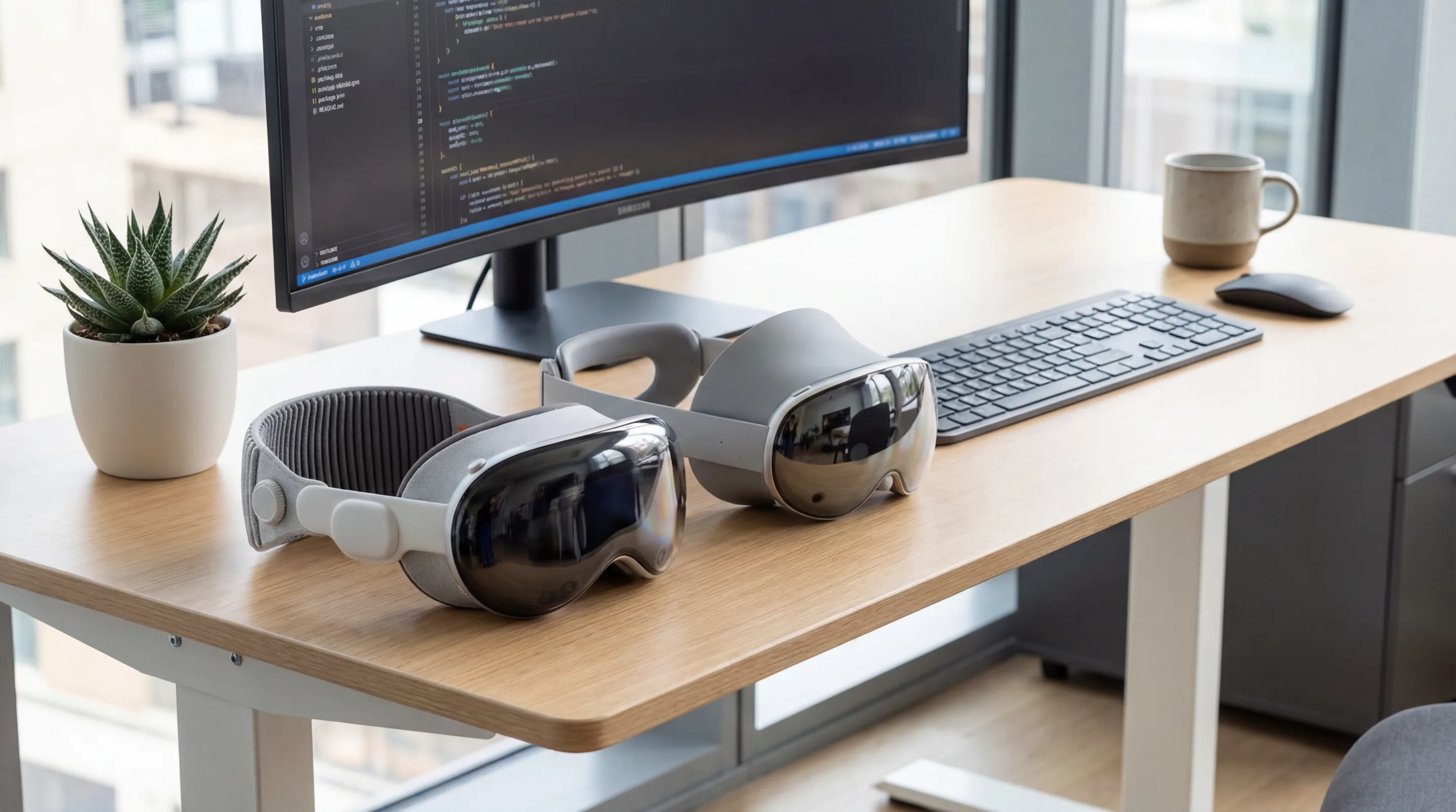
A direct technical comparison reveals the fundamental philosophical differences between Apple’s integrated approach and Android’s open model. VisionOS prioritizes a consistent, high-quality experience by controlling both hardware and software, while Android XR prioritizes choice and adaptability, allowing for a wider range of hardware and price points.
This comparison moves beyond marketing claims to analyze the core SDKs, asset pipelines, and performance metrics that define the ar app development experience on each platform. The choice between them hinges on whether an enterprise values the polished simplicity of a closed system or the flexible power of an open one.
Core SDK Functionality: How Does RealityKit Compare to the ARCore SDK?
RealityKit for visionOS and the ARCore SDK for Android represent the primary high-level toolkits for their respective platforms. While both provide foundational AR capabilities, their design and feature sets reflect their underlying ecosystems.
3D Asset Standards: Native USDZ Support vs. glTF 2.0 Dominance
VisionOS and the entire Apple ecosystem have standardized on the USDZ (Universal Scene Description) format, a file type originally developed by Pixar. USDZ is powerful, capable of packaging complex geometry, materials, animations, and even audio into a single file. The official Universal Scene Description documentation highlights its capabilities for collaborative, non-destructive workflows.
The Android XR ecosystem, by contrast, has largely standardized on glTF 2.0. As an open standard maintained by the Khronos Group, glTF is designed to be a lightweight, efficient format for transmitting 3D scenes and models. It is widely supported by nearly every 3D tool and game engine, making it the de facto standard for cross-platform 3D content.
Environment Understanding: SLAM Algorithm Efficacy and Mesh Generation
Both platforms rely on a SLAM Algorithm (Simultaneous Localization and Mapping) to track the device’s position and build a map of the environment. Apple’s implementation in ARKit is exceptionally robust, benefiting from tight integration with the hardware’s LiDAR scanner and custom silicon. This results in highly detailed and stable mesh generation, crucial for realistic physics and occlusion.
ARCore’s SLAM is also highly advanced, but its performance can vary depending on the quality of the cameras and sensors on a given Android device. While high-end Android devices can produce excellent results, the lack of a standardized sensor suite like LiDAR across all hardware means developers must account for a wider range of mesh quality.
Immersive UI Design Paradigms and Interaction Models
The approaches to immersive UI design are starkly different. VisionOS champions a hands-free interaction model based on eye tracking for targeting and hand gestures (like the pinch) for selection. This creates a fluid, intuitive user experience that is core to our UI/UX design services philosophy for the platform.
The Android XR ecosystem supports a wider variety of interaction models. The most common is the use of 6DoF controllers, which provide precise input and haptic feedback. Advanced hand tracking is also a key feature on platforms like the Meta Quest, though hand tracking jitter can be more variable than on the Vision Pro. This flexibility allows developers to choose the best input method for their specific application, from a simple point-and-click interface to a complex, two-handed virtual tool.
Raw Performance Metrics and Hardware Dependencies
Raw performance is dictated by the tight coupling of hardware and software. Apple’s ability to design its own silicon (M-series and R-series chips) alongside its operating system and APIs gives it a significant advantage in optimization.
A Quantitative Analysis of Passthrough Video Latency
Passthrough video latency is arguably the most critical metric for mixed reality. The Apple Vision Pro’s R1 chip is a dedicated co-processor designed to handle all sensor input, achieving a latency of just 12ms. This is nearly imperceptible and is the key to making the virtual world feel solidly integrated with the real one.
On Android XR devices, passthrough is handled by the main Snapdragon SoC. While performance is excellent on high-end chips, it generally does not match the specialized performance of Apple’s R1. Latencies on these devices typically range from 20ms to 40ms, which is still very good but can be noticeable to sensitive users.
Benchmarking Dynamic Foveated Rendering Performance
Dynamic Foveated Rendering is a technique that renders the part of the screen the user is looking at in high resolution, while rendering the periphery in lower resolution to save GPU power. This requires precise, low-latency eye tracking.
The Vision Pro’s integrated eye-tracking system enables highly effective foveated rendering, allowing it to drive its dual 4K displays with a mobile-class GPU. While some Android XR devices are incorporating eye tracking, the quality and integration level vary, leading to less consistent performance gains from this technique across the ecosystem.
Comparing Shader Performance and Draw Call Batching on Apple Silicon vs. Snapdragon
This is a battle of graphics APIs: Apple’s Metal 3 API versus the open standard Vulkan Graphics API. Both are low-level APIs that give developers direct control over the GPU. On Apple Silicon, Metal is highly optimized for the hardware’s tile-based deferred rendering (TBDR) architecture, leading to exceptional efficiency in shader performance and draw call batching.
Vulkan provides similar low-level control on Snapdragon chips. However, because it must support a wider variety of GPU architectures, it may not be as perfectly optimized for a specific chip as Metal is for Apple Silicon. High-end Snapdragon chips are incredibly powerful, but developers may need to do more manual optimization to extract maximum performance.
Network Throughput Analysis: Wi-Fi 6E and Bluetooth 5.3 Impact
Modern AR applications, especially collaborative enterprise tools, rely heavily on wireless connectivity. The adoption of Wi-Fi 6E on premium devices like the Vision Pro provides access to the 6 GHz band, reducing interference and increasing bandwidth for streaming high-resolution assets or volumetric video. Similarly, Bluetooth 5.3 improves the reliability and efficiency of connected peripherals, such as keyboards or custom industrial sensors.
Section Takeaway: VisionOS achieves superior performance through deep hardware-software integration, while Android XR offers broad hardware compatibility that necessitates a more flexible approach to performance optimization.
Cross-Platform XR Frameworks and Asset Optimization
Developing natively for each platform offers the best performance, but for many enterprises, a cross-platform strategy is more practical for reaching the widest audience. This requires choosing the right engine and implementing a rigorous asset optimization pipeline.
This decision is fundamental to the architecture of an AR application. The choice of engine—Unity, Unreal, or a web-based solution—will dictate the development workflow, performance characteristics, and the skillset required of the development team. Our work in Unity development for Vision Pro highlights the power of these frameworks.
What is the Best Engine for Cross-Platform XR Development in 2026?
There is no single “best” engine; the optimal choice depends on the project’s specific requirements for visual fidelity, interactivity, and target platforms. Each major engine offers a different set of trade-offs.
Unity Technologies: Using Unity PolySpatial to Target visionOS and Android XR
Unity Technologies remains the dominant engine for XR development. With the introduction of Unity PolySpatial, developers can build an experience once and deploy it to both visionOS and Android XR devices. PolySpatial allows Unity content to coexist with native SwiftUI elements in a visionOS app, creating a hybrid application that feels native to the platform.
The Unity’s PolySpatial framework documentation explains how the engine handles the translation between Unity’s coordinate systems and visionOS’s spatial computing environment. This is the most direct path for existing Unity developers to bring their applications to the Apple Vision Pro while maintaining a single codebase for Android XR targets.
Epic Games: High-End Visualization with Unreal Engine 5 on Vision Pro
For applications that demand the highest level of visual fidelity, Epic Games’ Unreal Engine 5 is the premier choice. Features like Nanite and Lumen allow for the rendering of cinematic-quality assets in real-time. While its support for visionOS is still maturing compared to Unity’s, it is the go-to engine for enterprise use cases like architectural visualization, digital twins, and advanced product design reviews.
The WebXR Device API: Browser-Based AR via Niantic 8th Wall
For maximum accessibility and zero installation friction, WebXR is the answer. The WebXR Device API, as specified in the WebXR Device API documentation, allows for the creation of AR experiences that run directly in a web browser. Platforms like Niantic 8th Wall provide a comprehensive development platform for building and hosting these experiences.
While WebXR doesn’t offer the same performance or deep hardware integration as native apps, it is an unbeatable solution for marketing activations, product demos, and other short-form content. Our expertise in Web AR development confirms its value for broad-reach applications.
How to Optimize 3D Assets for Real-Time AR Rendering
Regardless of the platform, performance in AR is fundamentally constrained by the mobile GPU’s ability to render complex 3D assets in real-time. A disciplined optimization workflow is non-negotiable.
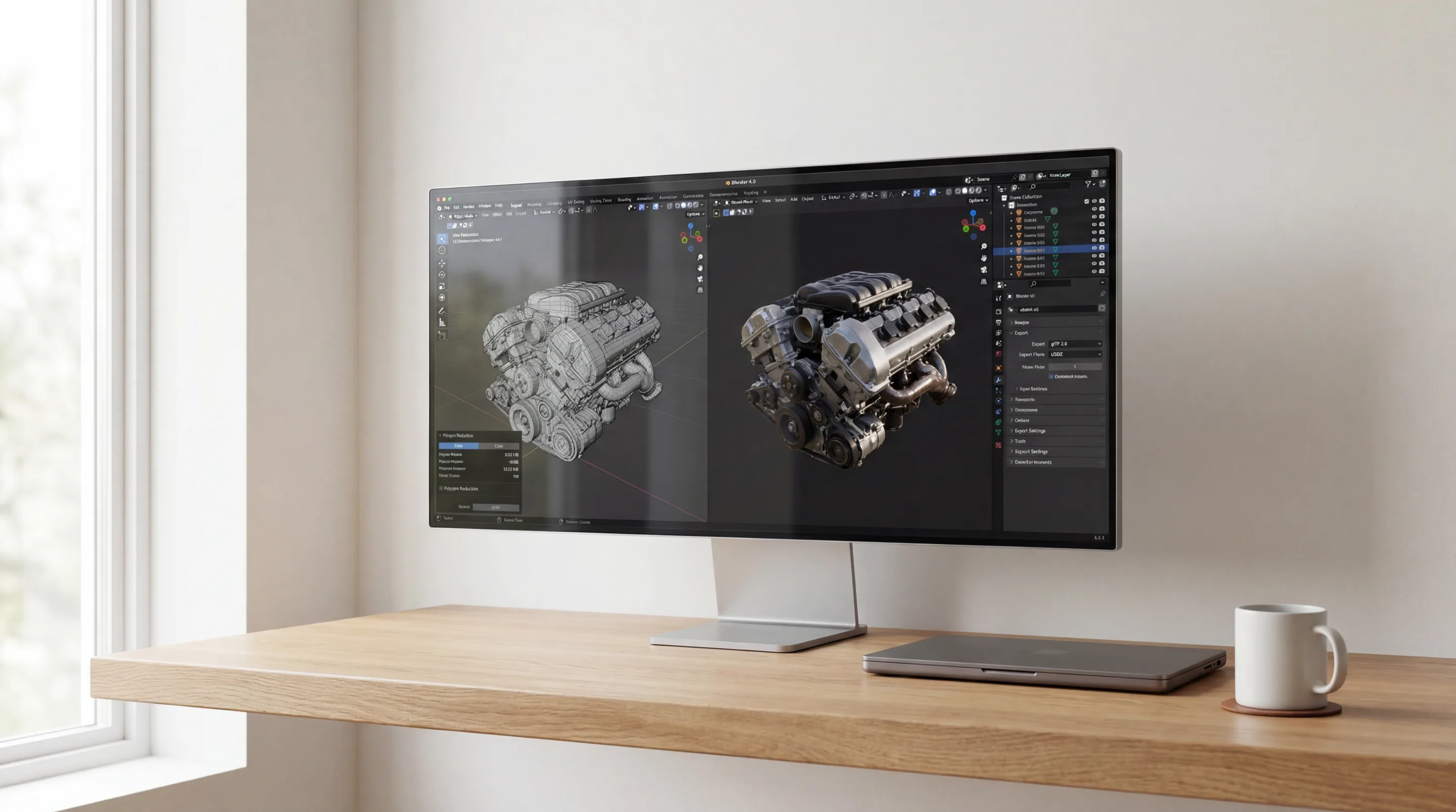
A Step-by-Step Workflow Using Blender for glTF 2.0 and USDZ Export
A typical workflow begins in a 3D modeling tool like Blender.
- Polygon Reduction (Decimation): The model’s polygon count is reduced to the lowest possible level that still maintains its visual integrity.
- Texture Baking: Complex materials and lighting information are “baked” into a single, efficient texture map.
- UV Unwrapping: The model’s surface is unwrapped onto a 2D plane to ensure the texture map is applied correctly and efficiently.
- Export: The final, optimized model is exported to the target format, either glTF 2.0 for cross-platform use or USDZ for the Apple ecosystem.
Implementing Volumetric Video Integration with Low Latency
Volumetric video integration allows for the playback of captured, 3D video of real people and objects within an AR scene, creating a powerful sense of presence. This technology is computationally expensive and requires highly optimized codecs and streaming solutions to achieve low-latency playback on mobile hardware. Techniques like adaptive bitrate streaming and GPU-accelerated decoding are essential.
GPU Performance Considerations: Vulkan Graphics API vs. Metal 3 API
When optimizing, developers must consider the target graphics API. On Android XR, using the Vulkan Graphics API allows for explicit control over memory management and command buffer submission, enabling fine-tuned performance on Snapdragon GPUs. On visionOS, leveraging the Metal 3 API with features like argument buffers can significantly reduce CPU overhead and improve GPU throughput, which is essential for maintaining high frame rates.
Section Takeaway: Cross-platform frameworks accelerate development for multiple targets, but achieving optimal performance still requires a deep understanding of asset optimization and the underlying graphics APIs of each ecosystem.
Developer Operations and Deployment Workflows
The final stage of the development process—building, testing, and distributing the application—presents different challenges and opportunities in the visionOS and Android XR ecosystems. A robust DevOps strategy is critical for managing complexity and ensuring a reliable deployment pipeline.
Effective developer operations for XR involve more than just code compilation. It requires managing large 3D assets, automating builds for multiple hardware targets, and implementing a testing strategy that includes both simulators and physical devices. This is a complex process that benefits from specialized expertise.
Building and Distributing Your AR Application
The path from a final build to a user’s device varies significantly between the two platforms, with Apple offering a tightly controlled, secure process and Android providing multiple flexible, open channels.
Can You Develop for Android XR Natively Using an M-Series Mac and Android Studio?
Yes, it is entirely feasible. Developers can run Android Studio on an M-series Mac to write, build, and debug native Android XR applications. Using a USB-C cable, they can connect a device like a Meta Quest 3 directly to the Mac for deploying builds and running the debugger. This workflow allows a single high-performance machine to be used for development across both the Apple and Android ecosystems.
App Store vs. Sideloading vs. Enterprise MDM Deployment
There are three primary distribution models:
- Public App Stores: The Apple App Store for visionOS and the Meta Quest Store for the most popular Android XR device. This is the path for consumer-facing applications, but it involves a rigorous review process.
- Sideloading: On Android XR devices, developers can directly install an application package (APK) onto the headset. This is ideal for rapid prototyping and internal testing.
- Enterprise MDM Deployment: For large-scale corporate deployments, applications are distributed through a Mobile Device Management (MDM) solution. This allows an organization to securely push applications and updates to its entire fleet of managed devices, a critical capability for any serious enterprise rollout.
Continuous Integration/Continuous Deployment (CI/CD) Pipelines for XR Projects
Implementing a CI/CD pipeline for XR projects automates the build and deployment process. A typical pipeline, using tools like Jenkins or GitHub Actions, will:
- Pull the latest code from a repository.
- Build the application for target platforms (e.g., visionOS and Android XR).
- Run automated tests.
- Deploy the build to a testing service or directly to an enterprise distribution channel.
The main challenge in XR CI/CD is managing the large size of 3D assets and the need for on-device testing, which often requires a physical device farm connected to the build servers.
Section Takeaway: Deployment strategy is a critical component of any enterprise AR project, with visionOS offering a secure but restrictive path and Android XR providing flexible but more complex options.
The decision between visionOS and Android XR is a strategic inflection point for any enterprise investing in spatial computing. It is not merely a choice of hardware but an alignment with a core development philosophy. Apple’s visionOS offers a vertically integrated, high-performance environment that guarantees a premium, consistent user experience. This path prioritizes quality and simplicity, making it the definitive choice for applications where precision, visual fidelity, and intuitive design are paramount. To leverage this ecosystem, you need to hire Apple Vision Pro developers who understand its unique architecture.
Conversely, the Android XR ecosystem, unified by the OpenXR standard, champions openness, flexibility, and choice. This landscape allows enterprises to select from a diverse range of hardware at various price points, tailoring the solution to specific needs, from broad workforce training on Meta Quest devices to specialized industrial tasks on Varjo headsets. This adaptability comes with the overhead of managing fragmentation, but it provides a powerful, scalable alternative for organizations that value control and a multi-vendor strategy.
Ultimately, the correct platform depends on the specific enterprise use case, scalability requirements, and existing technical infrastructure. The market is not a zero-sum game; both ecosystems will drive innovation and coexist. Our own award-winning work, such as the Frame Sixty wins Best Societal Impact project, demonstrates that groundbreaking applications can be built when deep technical expertise is applied to a clear strategic vision, regardless of the underlying platform.
As these platforms mature, the lines will continue to blur, but their foundational philosophies will remain. Navigating this evolving landscape requires a partner with proven expertise across both ecosystems. Frame Sixty provides the strategic guidance and technical execution necessary to transform your spatial computing vision into a high-impact enterprise reality. Get in touch.
Technical FAQs for Enterprise AR App Development
An expert-level Q&A addressing critical technical, strategic, and implementation challenges in building AR applications for visionOS and Android XR platforms.
Choose visionOS for AR app development when visual fidelity, sub-20ms latency, and a vertically integrated toolchain matter most; choose Android XR when hardware flexibility, price range, and the OpenXR standard's portability matter more. visionOS delivers a premium, consistent experience on Apple Vision Pro, while Android XR spans Meta Quest 3, Samsung's headset, and specialized devices like Varjo XR-4. Frame Sixty builds across both ecosystems.
The key security consideration in visionOS versus Android XR AR app development is Mobile Device Management (MDM) integration. visionOS benefits from Apple's mature and secure enterprise device management framework, while Android XR's security posture can vary significantly depending on the device manufacturer's implementation of Android's enterprise features.
A proof-of-concept AR application budget should prioritize rapid prototyping using Unity or Unreal Engine and off-the-shelf hardware. A full-scale deployment budget must go further, accounting for native development costs, custom 3D asset creation, MDM licensing, dedicated support infrastructure, and ongoing content updates - the recurring costs that pilots typically omit.
Choosing Apple's closed USDZ standard creates a high-fidelity, deeply integrated pipeline within its ecosystem but can increase the cost of porting assets to other platforms. The open glTF 2.0 standard ensures maximum portability and future-proofing of 3D assets, at the potential cost of platform-specific optimizations.
The most efficient cross-platform AR app development workflow uses a game engine like Unity or Unreal Engine as the primary platform, abstracting core logic into shared code. Platform-specific plugins - the PolySpatial package for visionOS and the OpenXR plugin for Android XR - then handle the native integrations on each target.
3D asset optimization across Vision Pro and Meta Quest 3 relies on Level of Detail (LOD) models. The high-poly, 4K texture version is used on the Vision Pro, and a lower-poly, 2K texture version is automatically swapped in on less powerful hardware like the Quest 3, all managed within the game engine.
Get in touch
We’re interested to see how we can help. Send us a message and we will get back to you within 24 hours.