
Apple Vision Pro Development for Enterprise
Jul 23, 2024
Updated

7 MIN READ
Apple continues to lead innovation with its latest release, the visionOS, offering advanced capabilities tailored for enterprise applications. At WWDC 2024, Apple unveiled a suite of Enterprise APIs designed to elevate the functionality of Vision Pro devices.
These APIs empower developers to tackle deeper device capabilities while ensuring privacy and security. Let’s dive into the key features and benefits of these Enterprise APIs:
Enhanced Sensor Access
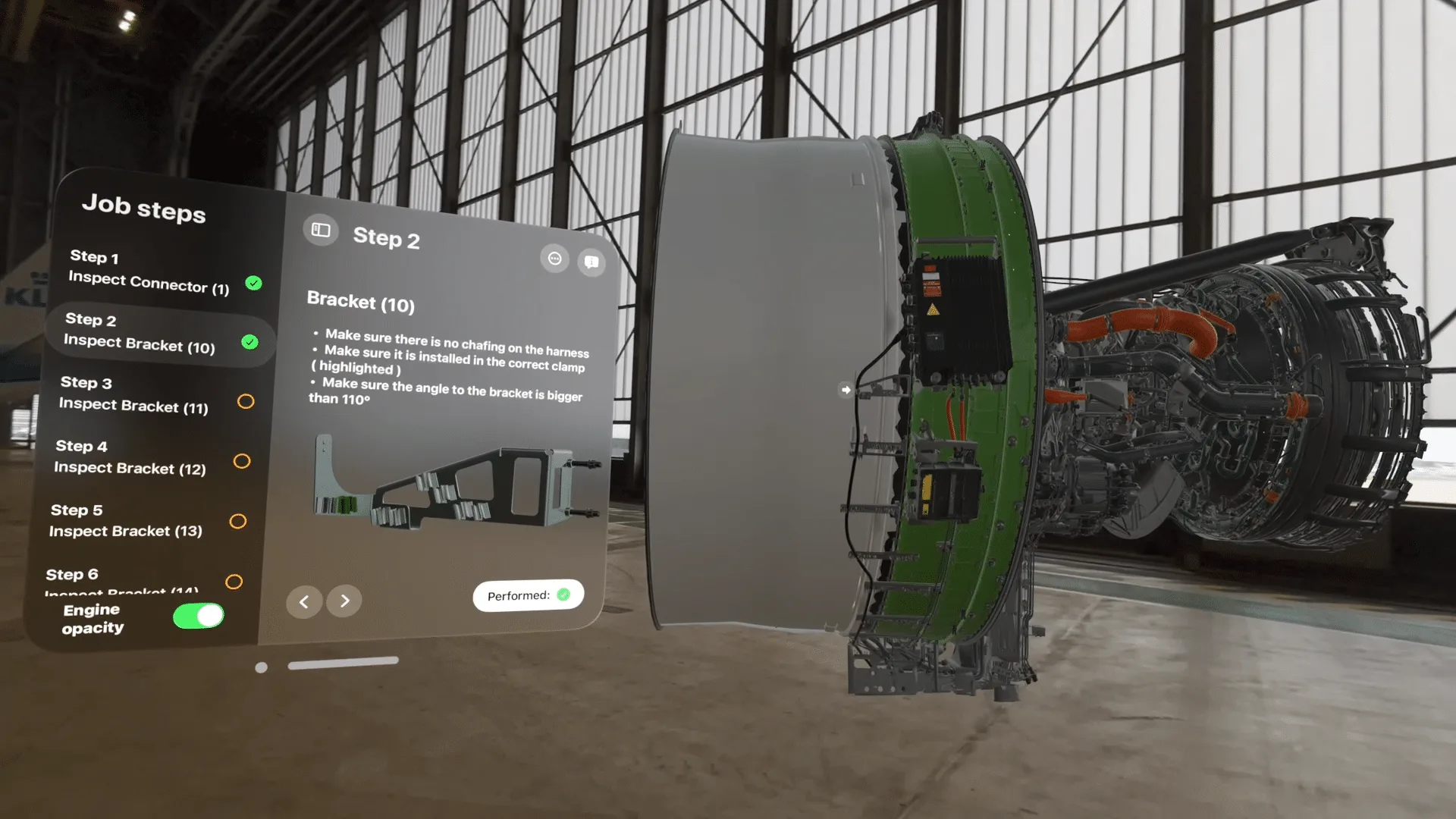
Apple’s new APIs provide unprecedented access to the main camera feed on vision Pro devices. This capability enables applications to analyze and interpret real time environments. For instance in manufacturing it could mean using computer vision algorithms to detect defects on production lines swiftly.
By leveraging the main camera feed, enterprises can enhance quality control measures as well as operational efficiency. For responsible usage, developers must acquire specific entitlements and license files tied to their enterprise accounts. This approach aligns with Apple’s commitment to privacy, ensuring that sensitive visual data remains protected and used only for appropriate purposes.
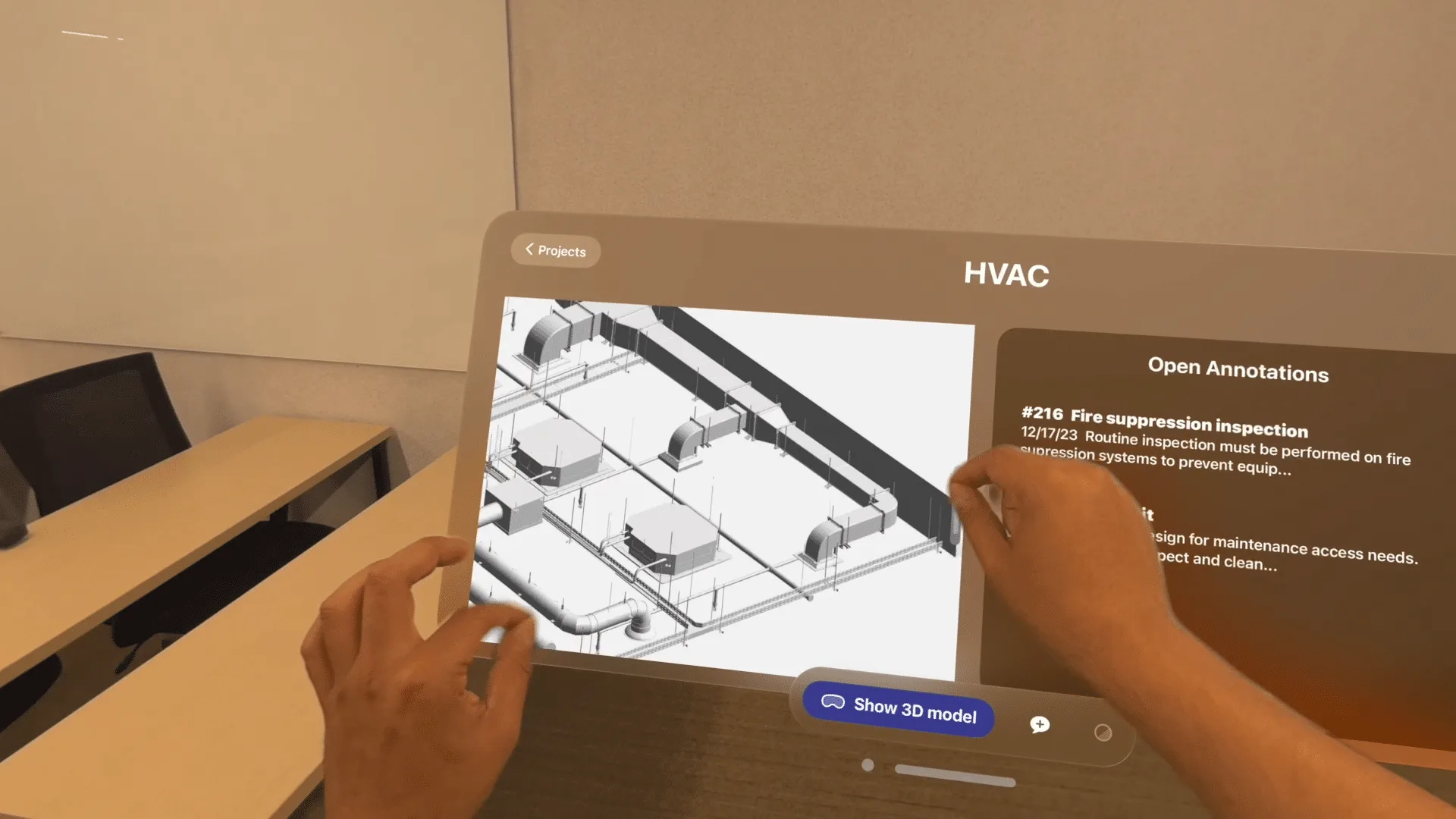
Screen Capture with Passthrough Video
Another breakthrough feature introduced is the ability to capture and share the user’s entire spatial view, including the passthrough camera feed. This functionality is invaluable for remote work scenarios like field service and technical support.
By integrating broadcast upload extensions and using Apple’s Replay Kit, enterprises can show real-time visuals without compromising users’ privacy. Imagine a technician in the field needing assistance from an expert back at headquarters.
With screen capture, including the passthrough camera feed, the expert can see exactly what the technician sees, which facilitates precise guidance or support. This “See what I see” capability enhances troubleshooting efficiency and reduces downtime, which is crucial in business environments
Spatial Barcode and QR Code Scanning
Apple’s Enterprise APIs for visionOS also introduce automatic detection and parsing of barcodes and QR codes within spatial contexts. This will help streamline operations in logistics and inventory management where fast as well as accurate identification of items is essential.
Take a warehouse for example, employees can use their Vision Pro devices to simply look at a package’s barcode to verify its contents, eliminating the need for separate scanning devices and improving workflow efficiency. This capability helps save time while also reducing errors associated with manual data entry.
Increased Platform Control
Enterprises can now harness the power of Apple Neutral Engine through visionOS enhanced machine learning capabilities. This integration allows on-device execution of machine learning tasks, leveraging Apple’s advanced neural processing capabilities for faster and more efficient processing.
Whether tracking stationary objects in a controlled setting or identifying moving objects in real time, enterprises can adjust these parameters to optimize tracking accuracy and efficiency according to their operational requirements.
App Compute Settings for Performance Optimization
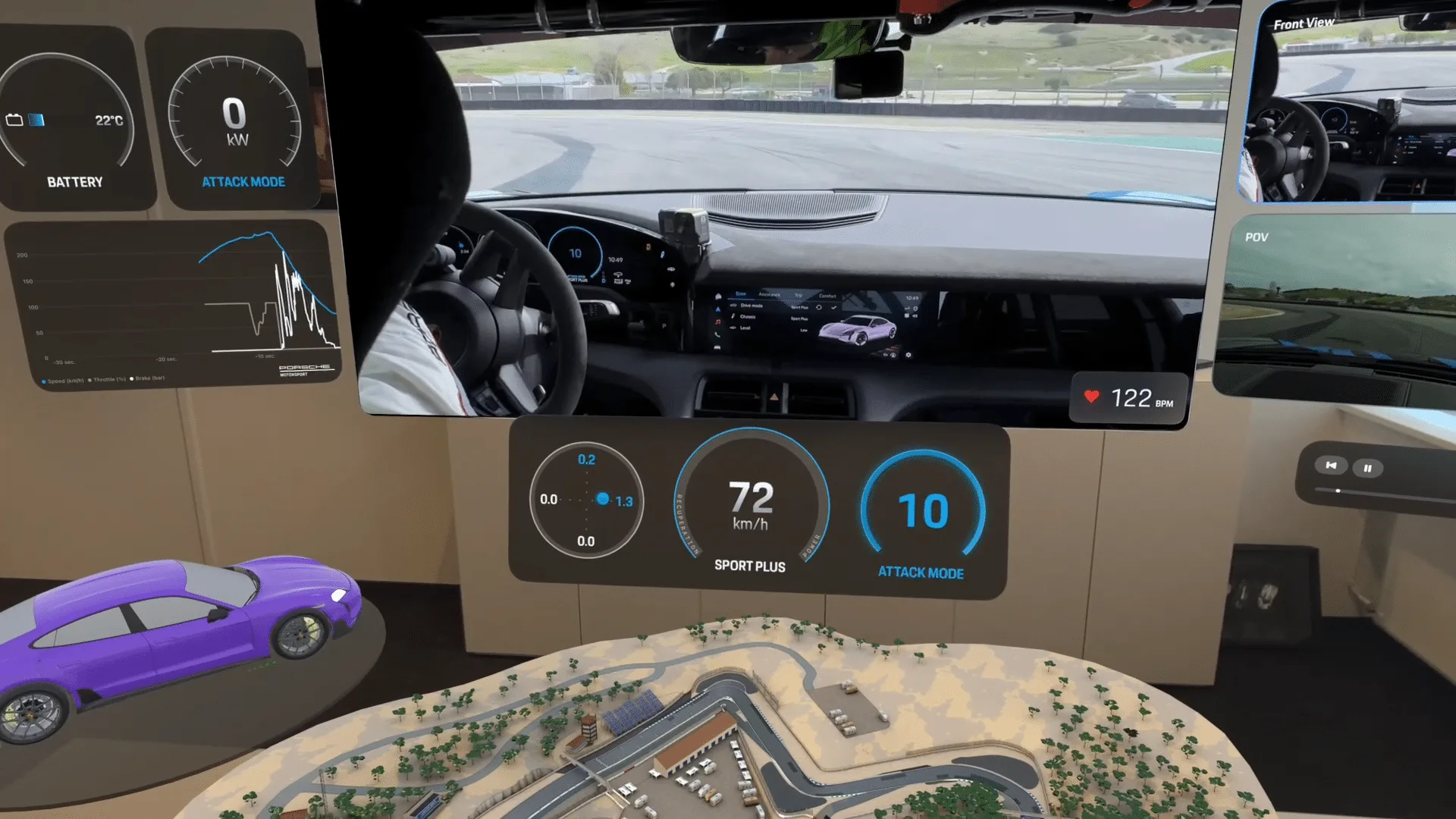
To address diverse enterprise demands,visionOS introduces app compute settings that optimize performance on Vision Pro devices. This feature allows applications to maximize compute power for intensive tasks, such as rendering complex 3D models.
By adjusting CPU and GPU usage dynamically, developers can ensure optimal performance while managing factors like device temperature and battery consumption. This capability supports enterprise applications requiring high consumption efficiency without compromising wiser experience.

Best Practices for Implementing Enterprise APIs
Implementing Apple’s Enterprise APIs for visionOS requires careful consideration of best practices to ensure effective deployment and adherence to privacy and security standards. Here are key best practices to guide developers and enterprises:
Ensure Environmental Safety
When using Vision Pro devices with Enterprise APIs, prioritize safety in the workplace to improve user comfort and efficiency. Focus on ergonomic designs that reduce physical strain during prolonged use. Ensure well-lit environments and minimize potential hazards to create a safe work space. You can do this by conducting risk assessments and establishing safety protocols to manage any potential risks associated with deploying these devices. Prioritizing environmental safety helps optimize the benefits of Vision Pro and its Enterprise APIs while safeguarding user well being.
Privacy and Security Considerations
Adhere strictly to Apple’s privacy guidelines and principles of purpose limitation when accessing sensitive data. APIs that involve direct access to main camera feeds or other personal information should be used securely, with measures in place to protect user privacy at all times. It’s essential to implement encryption, access controls, and regular security audits to safeguard data integrity.
Purposeful Entitlement Requests
When requesting entitlements for Enterprise APIs, ensure each entitlement aligns with specific application functionalities and genuine enterprise needs. Avoid requesting unnecessary entitlements to minimize potential security risks and streamline app development and deployment processes. Clearly define and document the scope of each entitlement to maintain transparency and compliance with organizational policies and industry regulations.
Employee Privacy Protection
Implement robust privacy safeguards to protect employee privacy, particularly when using APIs that involve accessing device cameras or sensitive data. Ensure compliance with organizational policies, industry regulations, and legal requirements regarding data protection and privacy rights.
Thorough API Evaluation
Before implementing Enterprise APIs, thoroughly evaluate existing SDK functionalities. Leverage built-in capabilities where possible to avoid redundant development efforts and ensure compatibility with current application frameworks.
These best practices are essential for maximizing the benefits of Enterprise APIs for visionOS while mitigating potential risks associated with data security and privacy concerns. By prioritizing safety through evaluation and privacy protection, enterprises can use the potential of Apple’s visionOS platform to deliver secure and user-centric enterprise applications.
Conclusion
Apple’s Enterprise APIs for visionOS represent a significant leap forward in empowering enterprises to innovate with spatial technologies. These APIs not only enhance device capabilities but also uphold Apple’s strict standards for privacy and security.
By integrating these features into their applications, businesses can streamline operations, improve productivity, and deliver enhanced user experiences across diverse industries. As Apple continues to expand the capabilities of visionOS, developers are poised to unlock new possibilities in enterprise application development.
Discover how Frame Sixty leverages the latest Apple Vision Pro development APIs to revolutionize enterprise solutions. Learn how our expertise can help your industry thrive with cutting-edge AR technology.
Apple Vision Pro Enterprise API FAQs
Common questions about Apple's Enterprise APIs for visionOS and what they unlock for business applications.
Apple's Enterprise APIs for Vision Pro are a set of visionOS capabilities, announced at WWDC 2024, that give approved business applications deeper device access than consumer apps get. They include main camera access, screen capture with passthrough video, spatial barcode and QR code scanning, machine learning on the Apple Neural Engine, and app compute settings for performance tuning, all governed by Apple's privacy and security requirements.
Access to the Vision Pro main camera feed requires specific entitlements and license files tied to an enterprise developer account, which Apple grants for approved business use. With that access, apps can analyze real-time environments using computer vision - for example, detecting defects on a production line to strengthen quality control and operational efficiency in manufacturing.
Passthrough screen capture lets an app share the wearer's entire spatial view, including the passthrough camera feed, which is most valuable for field service and remote technical support. Using broadcast upload extensions and Apple's ReplayKit, an expert at headquarters can see exactly what an on-site technician sees and guide them precisely, cutting troubleshooting time and downtime.
Yes - the visionOS Enterprise APIs add automatic detection and parsing of barcodes and QR codes within spatial contexts. In a warehouse, an employee wearing Vision Pro can simply look at a package's barcode to verify its contents, removing the need for separate scanning hardware and reducing the manual data-entry errors common in logistics and inventory workflows.
The key practices are requesting only the entitlements an application genuinely needs, following Apple's privacy guidelines when handling camera or sensor data, protecting employee privacy with clear policies, and evaluating existing SDK capabilities before building custom functionality. Enterprises should also assess workplace safety and ergonomics before deploying Vision Pro devices for prolonged use.
Frame Sixty is an AR/VR development agency specializing in enterprise solutions for Apple Vision Pro, including applications built on the visionOS Enterprise APIs. The team signs NDAs before project discussions, starts with a short discovery call, and provides a detailed estimate covering phases, deliverables, timeline, and pricing. See the Apple Vision Pro development page for details.
Get in touch
We’re interested to see how we can help. Send us a message and we will get back to you within 24 hours.