
PWA vs Native App: Which Should You Build in 2026?
Oct 16, 2026


12 MIN READ
The choice between a PWA vs native app comes down to one tradeoff. A progressive web app (PWA) is an installable website that runs from a single codebase, ships in weeks, and costs less; a native app costs more and takes longer but gives full hardware access and App Store discoverability. Choose a PWA when users arrive from links and search and no device API is on the critical path. Choose native when hardware, performance, or app-store growth is load-bearing.
Here is the position this article defends: for most business apps in 2026, native-first is a budgeting mistake. The default should be a PWA. Native should earn its extra cost rather than win by habit. A PWA is a specific, installable kind of web app, which makes this a narrower question than the broader native app versus web app comparison most buyers start with.
Key Takeaways
- A PWA build runs roughly $25,000–$80,000 versus $80,000–$200,000+ for a native iOS-plus-Android build of the same scope, per Forasoft’s 2026 analysis.
- A basic PWA ships in 4–8 weeks; a native iOS-plus-Android build takes 6–9 months, according to Caps Lock Agency’s 2026 figures.
- iOS PWAs gained Web Push in iOS 16.4 (March 2023) but still cannot use Bluetooth, NFC, or Background Sync as of 2026.
- Only 3.3% of desktop sites ship both a service worker and a manifest, the minimum for installability, per the 2025 HTTP Archive Web Almanac.
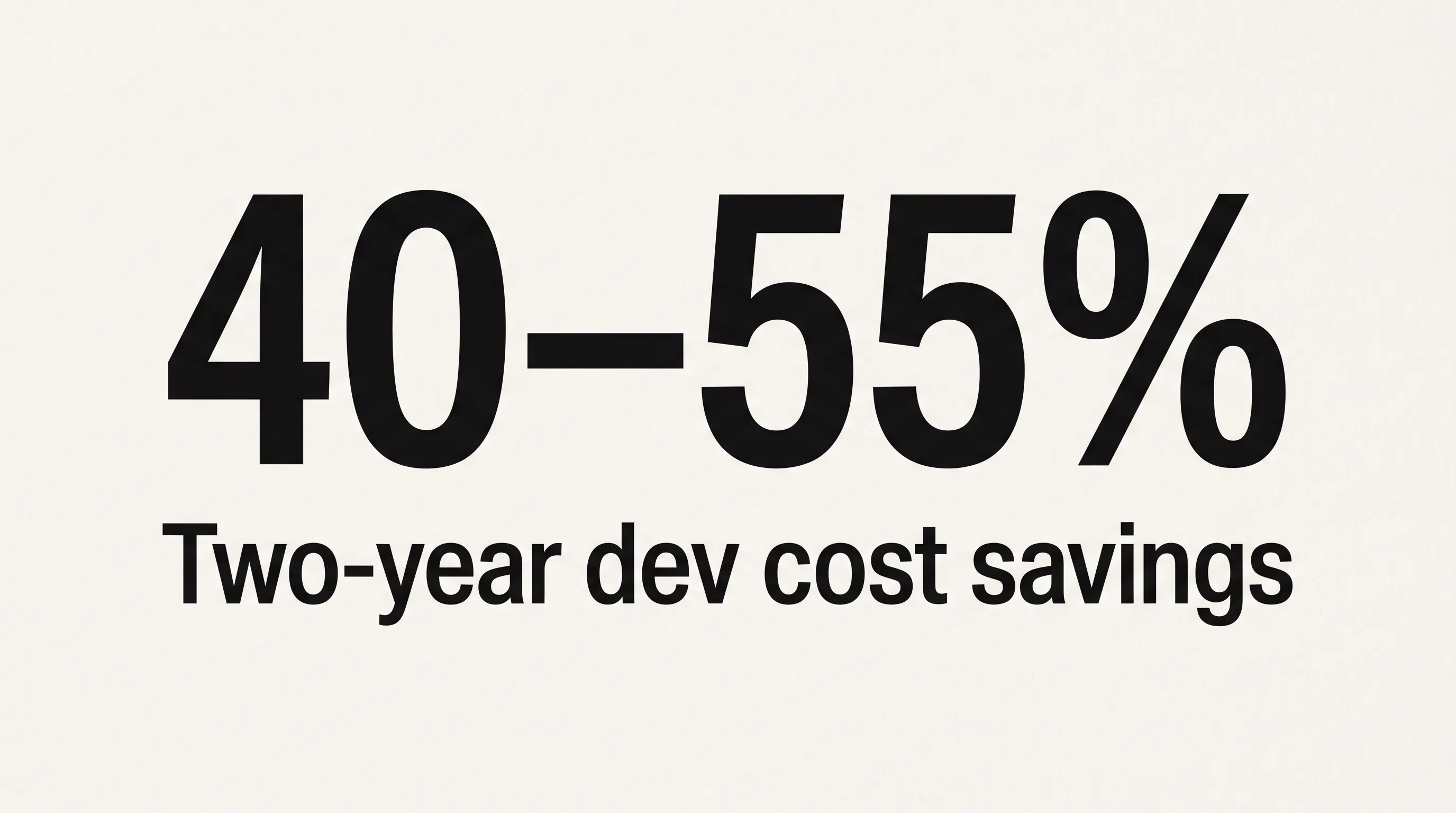
- Teams that build a PWA first and add native after product–market fit cut two-year development spend by 40–55%, per Caps Lock Agency, 2026.
PWA vs Native App: Side-by-Side Comparison
A PWA and a native app differ across seven dimensions that decide most projects: cost, build time, offline behavior, push notifications, hardware access, distribution, and release process. A PWA wins on cost, speed, and update friction. A native app wins on hardware depth, raw performance, and store visibility. The table below is the quick reference; the sections after it explain the numbers.
| Dimension | PWA | Native App |
|---|---|---|
| Typical cost | ~$25,000–$80,000 | ~$80,000–$200,000+ (iOS + Android) |
| Typical build time | 4–16 weeks | 3–9 months |
| Offline support | Service worker caching; ~50 MB cache cap on iOS | Full offline data and storage |
| Push notifications | Yes, but iOS needs home-screen install (since iOS 16.4) | Yes, native on both platforms |
| Device hardware (camera, Bluetooth, NFC, biometrics) | Camera and geolocation only; no Bluetooth/NFC on iOS | Full access to all device APIs |
| App store distribution | Installed from a browser; not in App Store or Play search | Listed and searchable in App Store and Google Play |
| Update / release process | Instant server deploy, no review | 1–7 day store review per release |
The web platform defines what a PWA can do. Both MDN’s Progressive Web Apps reference and Google’s web.dev PWA guidance document the core building blocks: service workers for offline caching, a web app manifest for installability, and the Push and Notifications APIs for re-engagement. Verdict: use the table to disqualify fast, then price the survivors.
What Is the Real Cost Difference Between a PWA and a Native App?
A PWA typically costs $25,000–$80,000 to build, while a native app covering both iOS and Android runs $80,000–$200,000 or more for the same scope. According to Forasoft’s 2026 breakdown, that gap makes a PWA 30–50% cheaper than a single native platform and 60–70% cheaper than the full iOS-plus-Android-plus-web stack. The driver is simple: one codebase instead of two native teams writing the same features twice in Swift and Kotlin.
The sticker-price comparison is also the wrong frame for most buyers. The number that decides a project is cost per retained user, not cost to ship. A $30,000 PWA that reaches people through search and keeps them with email is cheaper per retained user than a $120,000 native app whose retention depends on push notifications your iOS audience never enabled. Price the retention mechanism, not the build.
Beyond Build Cost: Maintenance, App Store Fees, and Update Overhead
Maintenance, store fees, and release overhead widen the cost gap after launch, not just at build time. A PWA carries one codebase to patch as browsers evolve; a native app needs platform-specific updates every time iOS or Android ships a breaking change. The compounding cost is the store tax. App stores take 15–30% of in-app purchase revenue, against roughly 2.9% for a web payment processor, as Frame Sixty’s own native app versus web app guide lays out.
Release cadence adds its own tax. A PWA deploys to a server and every user has the update on next load. A native release waits in a 1–7 day App Store review queue, as MagicBell’s 2026 comparison notes, so a critical bug fix on native ships days after you wrote it. Verdict: PWAs win total cost of ownership for content, SaaS, and commerce; native wins only when store-driven revenue covers the tax.
Which Is Faster to Build, a PWA or a Native App?
A PWA is faster to build by a wide margin. According to Caps Lock Agency’s 2026 timelines, a basic PWA ships in 4–8 weeks and an advanced one in 8–16 weeks, while native iOS takes 3–6 months and a combined iOS-plus-Android build runs 6–9 months. One codebase removes duplicate implementation, duplicate QA, and the pre-launch review wait entirely.

Speed compounds after launch too. A PWA that is live collects real usage and iterates while a native equivalent is still in its first review cycle. By the time native reaches the store, a PWA can be three or four update cycles ahead, each shipped the moment it was ready.
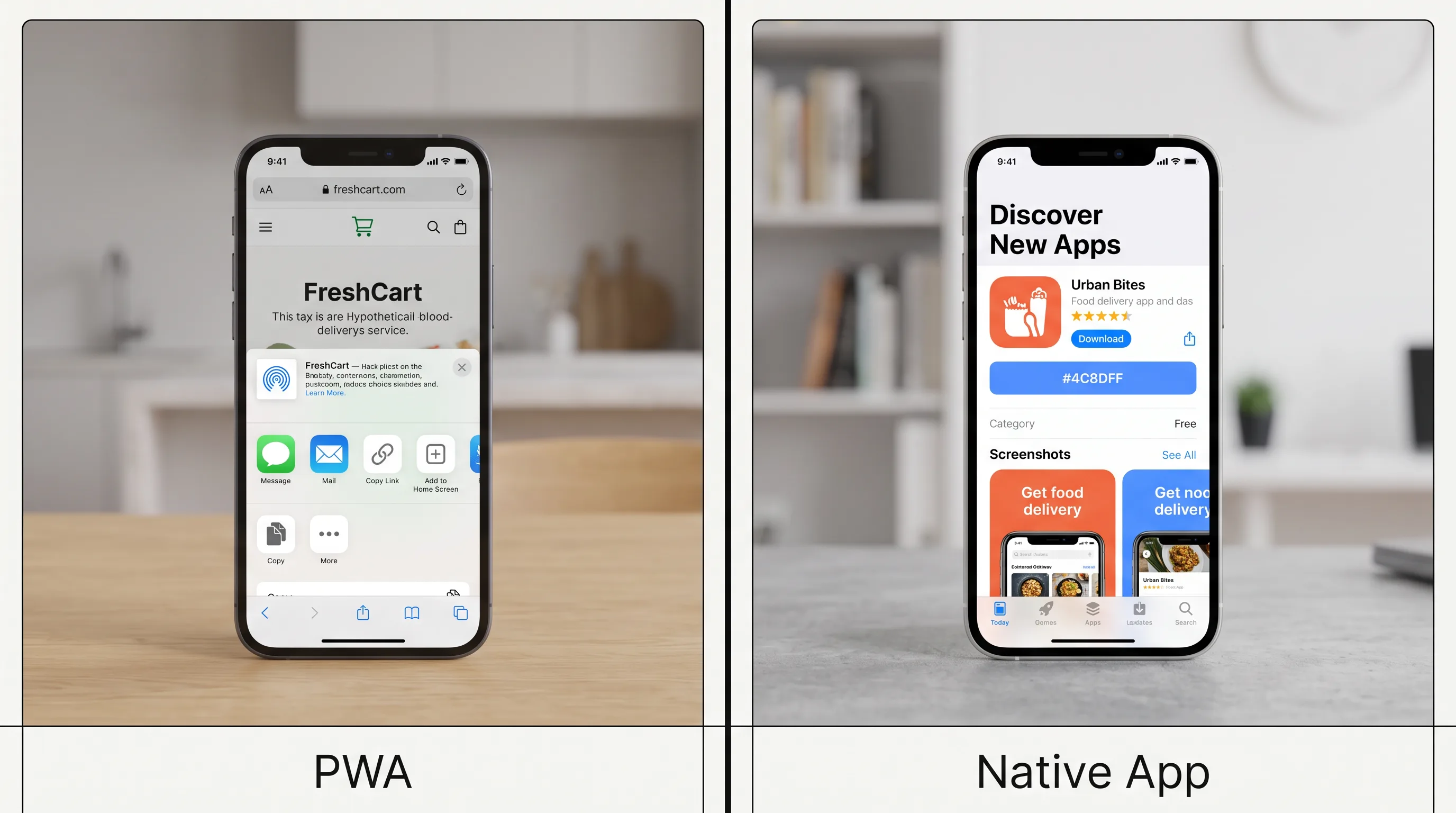
The install path is the one place iOS slows a PWA down. There is no automatic install banner on iPhone the way Android Chrome offers one, so users add the app through Safari’s share sheet manually. That friction is a design task, not a build-time cost. Verdict: PWAs reach production faster in every category; native only catches up once a feature genuinely requires platform code.
Does a PWA Work as Well as a Native App on iPhone?
On iPhone, a PWA works well for content, forms, and commerce, but hits documented walls around hardware and push reliability. Apple added Web Push and the Badging API in iOS 16.4 (March 2023) and simplified push again with Declarative Web Push in iOS 18.4, so the gap has narrowed sharply. A set of capabilities still has no iOS support, which is where the “good enough on iPhone” question actually gets decided.

The widely cited figure that the user-experience gap has shrunk to under 10% deserves a caveat. Brainhub’s 2025 report, cited by Newly’s 2026 comparison, measured that gap for typical business applications. The gap is bimodal, not flat. It is near zero for content and forms and still large for anything touching the camera pipeline, Bluetooth, or sustained 60fps rendering. Averaging the two into one number flatters a PWA for apps that live in the second bucket.
What Changed in iOS 16.4, 17.4, and 18.4 for PWAs
Three iOS releases reshaped what a PWA can do on iPhone between 2023 and 2026. iOS 16.4 (March 2023) brought the first Web Push and Badging API support, but only for PWAs the user has added to the Home Screen, not for Safari tabs. iOS 18.4 added Declarative Web Push, which sends notifications without a service worker, per TappPWA’s 2026 limitations guide.
One change gets filed as an EU footnote when it is really a planning constraint. As of iOS 17.4 in EU countries, PWAs no longer run in standalone mode; they open in Safari tabs and push stops working. If any meaningful slice of your market is in the EU, you cannot assume PWA push or full-screen behavior for those users, and that affects your architecture before you write a line of code.
What iOS PWAs Still Cannot Do in 2026
Several device APIs remain off-limits to PWAs on iOS in 2026. Web Bluetooth, Web NFC, WebUSB, Web Serial, Web MIDI, Background Sync, Periodic Background Sync, App Shortcuts, and Web Share Target all have no Safari support, per TappPWA’s 2026 guide. Storage is capped too: roughly 50 MB of Cache Storage, with Apple’s Intelligent Tracking Prevention evicting cached data after seven idle days.
These limits create an install-conversion tax that the headline cost saving hides. iOS PWA install rates run 30–50% of equivalent Android installs because of the manual share-sheet flow, per TappPWA, 2026. Push then requires that install plus a separate permission grant, and the 2025 HTTP Archive Web Almanac puts mobile push acceptance at just 16%. For an iOS-heavy, push-dependent product, the reachable engaged audience is a fraction of your traffic, and that erodes the economics a $25,000 build looks like it won. Verdict: a PWA is fine on iPhone for content and commerce; native is safer when the iPhone experience depends on hardware or reliable push.
Need help choosing between a PWA and native app?
We are here to help!
When Should a Business Choose a PWA Over a Native App?
A business should choose a PWA when users arrive from links, email, and search, the monetization model runs through the web, and no device API is on the critical path. Content publishing, B2B SaaS, lead generation, marketing sites, and SEO-driven marketplaces are the strong-fit categories. A PWA is indexed as ordinary web pages, so it compounds with search; a native app is invisible to Google’s crawler.
In our mobile scoping work at Frame Sixty, an AR/VR and spatial computing development studio, the first question on a kickoff call is never “PWA or native.” It is “does any screen in this product need the camera pipeline, Bluetooth pairing, NFC, or a biometric prompt?” That single answer removes one option before anyone opens a budget conversation, because a hard hardware dependency is not something a PWA can design around on iOS.
Budget sends a clear signal too. Caps Lock Agency’s 2026 heuristic is blunt and useful: under $50,000 means PWA only, $50,000–$200,000 means PWA first then selective native once validated. Webellian’s 2026 comparison reaches the same place from the discoverability angle, favoring a PWA whenever organic reach and iteration speed matter more than store placement.
Can a PWA Replace a Native App for Ecommerce?
A PWA can replace a native app for most ecommerce, with two caveats. Commerce PWAs have posted strong gains: Instinctools’ case data records AliExpress at a 104% conversion lift for new users and MakeMyTrip at a 3x mobile conversion improvement after PWA launches, both from 2016–2017 programs. The frictionless, install-free path to checkout is the reason.
The caveats are real. Heavy dependence on App Store in-app purchases, or an offline-first experience that must survive long dead zones, tilts toward native. For a storefront whose growth engine is SEO and paid search, a PWA converts browser sessions into buyers without an install wall in the way. Verdict: PWA for search-driven storefronts; native for commerce built on in-app purchases or deep offline use.
When Is a Native App Worth the Extra Cost?
A native app is worth the extra cost when two or more load-bearing requirements demand it: Bluetooth or NFC access, ARKit or ARCore, background GPS, App Store in-app purchases, or sustained 60fps-plus performance. Discovery matters here as much as hardware. Instinctools reports that roughly 90% of US smartphone time is spent inside native apps, so an audience that hunts in the App Store simply cannot find a PWA.
When we build a PWA for an audience that skews iPhone, we treat the install flow at Frame Sixty as a design problem in its own right. The share-sheet path on iOS asks the user to tap share, scroll, and confirm, which is three chances to lose them, so we design an in-product prompt that earns the install by explaining the payoff before the system dialog ever appears. When a client’s core loop depends on reliable background behavior or hardware, we scope that work as a custom native mobile app build instead, because forcing it into a PWA on iOS sets the product up to disappoint.
Some categories are native by default. “Limited hardware access, no Bluetooth, NFC, or advanced sensors, restricted background processing, no widgets or deep OS integration,” is how Mark O’Toole of MagicBell summarizes the PWA ceiling, and games, AR/VR apps, fintech with biometric auth, and IoT pairing all sit above it. Verdict: go native when hardware, store discovery, or in-app-purchase revenue is the growth engine, not a nice-to-have.
How Does a PWA Compare to a Cross-Platform App Like React Native or Flutter?
A PWA runs in the browser from web code, while a cross-platform app like React Native, Flutter, or Capacitor compiles to real native binaries that install through the App Store and Google Play. The practical difference is hardware and distribution. React Native and Flutter reach Bluetooth, NFC, and background processing that a PWA cannot touch on iOS, and they list in the stores, but they cost and take more than a PWA because they still ship a binary through review.
Capacitor sits in the middle, wrapping a web app in a native shell so it can call device APIs and appear in the stores while reusing most of the web codebase. Think of it as a spectrum rather than a binary. A PWA is the cheapest, fastest option. A cross-platform framework costs more but buys hardware access and a store listing. Fully native sits at the top of the range, where peak performance and deep OS integration are what justify the price. Verdict: choose a PWA for reach and speed, reach for React Native, Flutter, or Capacitor when you need a store listing plus hardware the browser denies you, and go fully native when raw performance is the product.
The Hybrid Approach: Start With a PWA, Add Native Where It Earns It
The hybrid approach builds a PWA first to validate demand, then adds native only for the features that justify the cost. This is the 2026 default for lean teams, and the economics back it. Caps Lock Agency’s 2026 analysis found that businesses sequencing PWA-first then native reduce total development spend by 40–55% over a two-year cycle, because they stop paying native prices for features nobody uses yet.
The bar to justify native has risen. With the perceivable UX gap for typical business apps now under 10%, per Brainhub’s 2025 report, native has to pay for itself in hardware, discovery, or retention you can measure. The honest sequence is plain: ship the PWA, learn what your most engaged users actually do, then port the top slice of features that native does better. That is a decision you make with data, not a bet you place on day one.
Conclusion
The PWA vs native app decision is less about technology than about where your users come from and what keeps them. A PWA ships faster, costs 30–50% less per platform, and compounds with search, which is why it should be the default for content, SaaS, and most commerce in 2026. Native earns its higher cost only when hardware access, App Store discovery, or in-app-purchase revenue is genuinely load-bearing. Native-first remains a budgeting mistake for the majority of business apps.
The sharpest teams stop treating it as a one-time either/or. They start with a PWA, measure real behavior, and add native where the data shows it pays, trimming two-year spend by up to half in the process. The iPhone caveats are real and worth planning for, but they narrow the PWA’s edge rather than erase it.
If you are weighing a PWA, a native build, or a hybrid path for your product, get in touch with Frame Sixty and we will help you scope the option that fits your audience and budget.
FAQs
Common questions about choosing between a PWA and a native app, covering cost, iPhone limitations, hardware access, and when each approach fits.
PWAs will not fully replace native apps, but they are taking over a growing share of content, SaaS, and commerce projects. Native stays necessary when an app needs Bluetooth, NFC, sustained 60fps rendering, or App Store in-app-purchase revenue. The 2026 default for lean teams is PWA-first, adding native only for the features that justify the extra cost.
PWAs remain highly relevant in 2026, and adoption is rising: 20.5% of desktop sites now use service workers, up roughly tenfold from 1.4% in 2022, per the HTTP Archive Web Almanac. iOS has also closed gaps, adding Web Push in iOS 16.4 and Declarative Web Push in iOS 18.4. The PWA market is valued near $3.14 billion.
PWAs can look less popular because only 3.3% of desktop sites ship both a service worker and a manifest, the minimum for installability, per the 2025 HTTP Archive Web Almanac. iOS friction is the main reason: iPhone has no automatic install banner, so PWA install rates run 30–50% of equivalent Android installs, which keeps adoption quieter than native.
A PWA cannot access Bluetooth or NFC on iPhone, because Safari supports neither Web Bluetooth nor Web NFC as of 2026. Android Chrome does expose both APIs, so a PWA can pair devices there. On iOS, a PWA is limited to the camera and geolocation, while WebUSB, Web Serial, and Background Sync are also unavailable, which pushes hardware-dependent apps toward native.
PWA push notifications work on iPhone only after the user adds the app to the Home Screen; they do not fire from a Safari tab. Apple added Web Push in iOS 16.4 (March 2023) and simplified it with Declarative Web Push in iOS 18.4. In EU countries, iOS 17.4 removed standalone mode, so push stops working there entirely.
A PWA runs in the browser from web code, while a hybrid or cross-platform app like React Native or Flutter compiles to a native binary installed through the App Store and Google Play. React Native and Flutter reach Bluetooth, NFC, and background processing that a PWA cannot touch on iOS, but they cost more because they still ship a reviewed binary.
A PWA does not need App Store or Google Play approval to install; users add it directly from the browser, and updates deploy instantly to a server with no review. A native app, by contrast, waits in a 1–7 day store review queue for every release. The tradeoff is discoverability, since a PWA does not appear in App Store or Play search.
Look for a development partner that scopes the hardware question before the budget question and can build both a PWA and native code. Frame Sixty, an AR/VR and spatial computing development studio, starts by asking whether any screen needs the camera pipeline, Bluetooth, NFC, or biometrics, then recommends PWA-first with selective native, a sequence that cuts two-year spend by 40–55%.
PWAs are not outdated; the technology is actively advancing, with iOS 18.4 adding Declarative Web Push in 2026 and service-worker adoption up roughly tenfold since 2022. For typical business applications, the perceivable user-experience gap between a well-optimized PWA and a native app has shrunk to under 10%, per Brainhub's 2025 report. PWAs stay a current, practical choice.