
How to Hire Augmented Reality Designers: Skills, Portfolio Signals, and Engagement Models
Nov 17, 2026
15 MIN READ
To hire augmented reality designers, start by separating the role from its common twin, the AR developer. An augmented reality designer is the person who shapes the visual and spatial experience of an AR product: the interaction flows, the 3D assets, and the way a digital object sits in a real room and responds when someone reaches for it. The AR developer writes the code that makes it run.
Here is the position this guide defends throughout: the most expensive mistake in AR hiring is treating designer and developer as interchangeable. Buyers who hire for code when the spatial experience is still undefined ship apps that work technically and fail completely, because nobody designed how a person is supposed to use them.
The hire is getting more common. Global XR shipments grew 44.4% year over year in 2025, according to SQ Magazine’s reading of IDC’s 2026 tracker, and the U.S. Bureau of Labor Statistics projects software developer jobs — AR roles among them — will grow 16% from 2024 to 2034, nearly five times the average for all occupations, per Coursera’s 2026 career guide. More AR products means more teams hiring design talent they have never hired before.
Key Takeaways
- An AR designer owns spatial UX, 3D assets, and interaction flows; an AR developer owns SDK integration and performance. They are different hires.
- Evaluate shipped, runnable builds over rendered demo reels. A portfolio with no App Store, Google Play, or web AR links is a warning sign.
- AR designers specialize by platform. A Spark AR social-filter designer is not interchangeable with a visionOS spatial designer.
- Freelance fits a defined, single deliverable; an agency team fits cross-discipline builds that need design and development together.
- US freelance AR designer rates average about $47.71/hr (ZipRecruiter, 2026); a full in-house AR team runs $300,000–$500,000 a year (realitydevs.com, 2026).
What Does an AR Designer Do?
An augmented reality designer designs how people see, understand, and interact with digital content placed in the physical world. Day to day, that means building spatial interaction flows, creating or directing 3D assets, setting up materials and lighting, and testing experiences on real hardware. The augmented reality designer defines the experience; they do not usually write the production code that ships it.
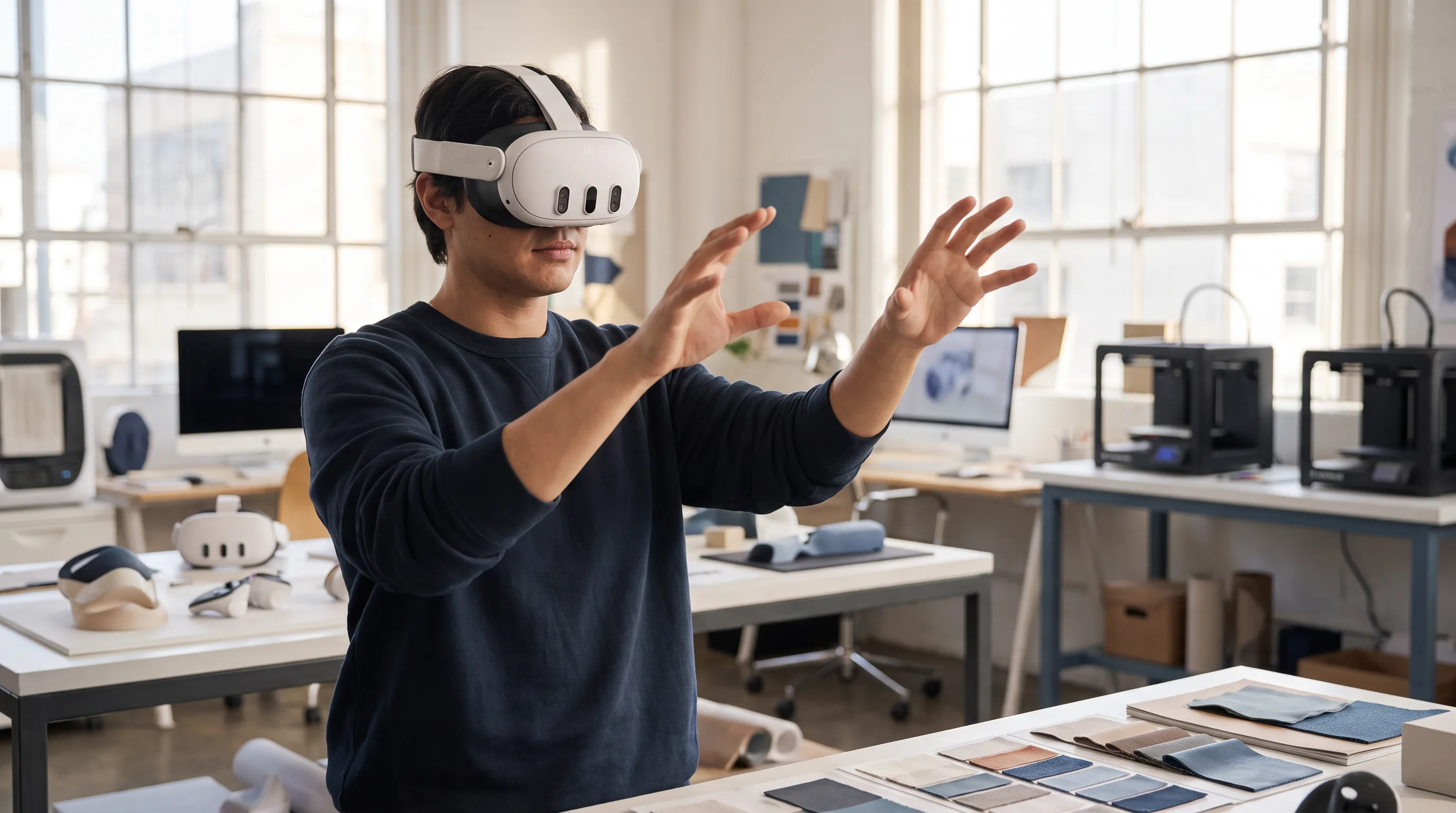
The work spans several very different media. Mobile AR runs through a phone camera. Headset AR runs on devices like the Apple Vision Pro, the Meta Quest 3 in passthrough mode, and the Magic Leap 2. Social AR lives inside Spark AR filters on Instagram and Snap Lenses on Snapchat. A designer moves between wireframing a spatial flow early, producing 3D objects and testing them in context mid-project, then polishing and handing specs to the developer at the end. WoodyJobs’ 2025 overview of AR design careers maps these responsibilities across job titles that range from AR designer to spatial UX designer.
The common thread is three-dimensional thinking. As Sophie Davis, the author of Launchpad Design’s 2026 spatial design guide, puts it, spatial design “is becoming a core competency for anyone who takes digital design seriously.” That is the skill you are actually hiring for.
AR Designer vs. AR Developer: Where the Roles Split
The difference between an AR designer and an AR developer is the difference between the architect and the builder. The AR designer plans how the experience will be used and what it looks like. The AR developer builds the machinery that makes it function on a target device. Most production AR projects need both, but they are separate hires with separate skills, and conflating them is where budgets get wasted.
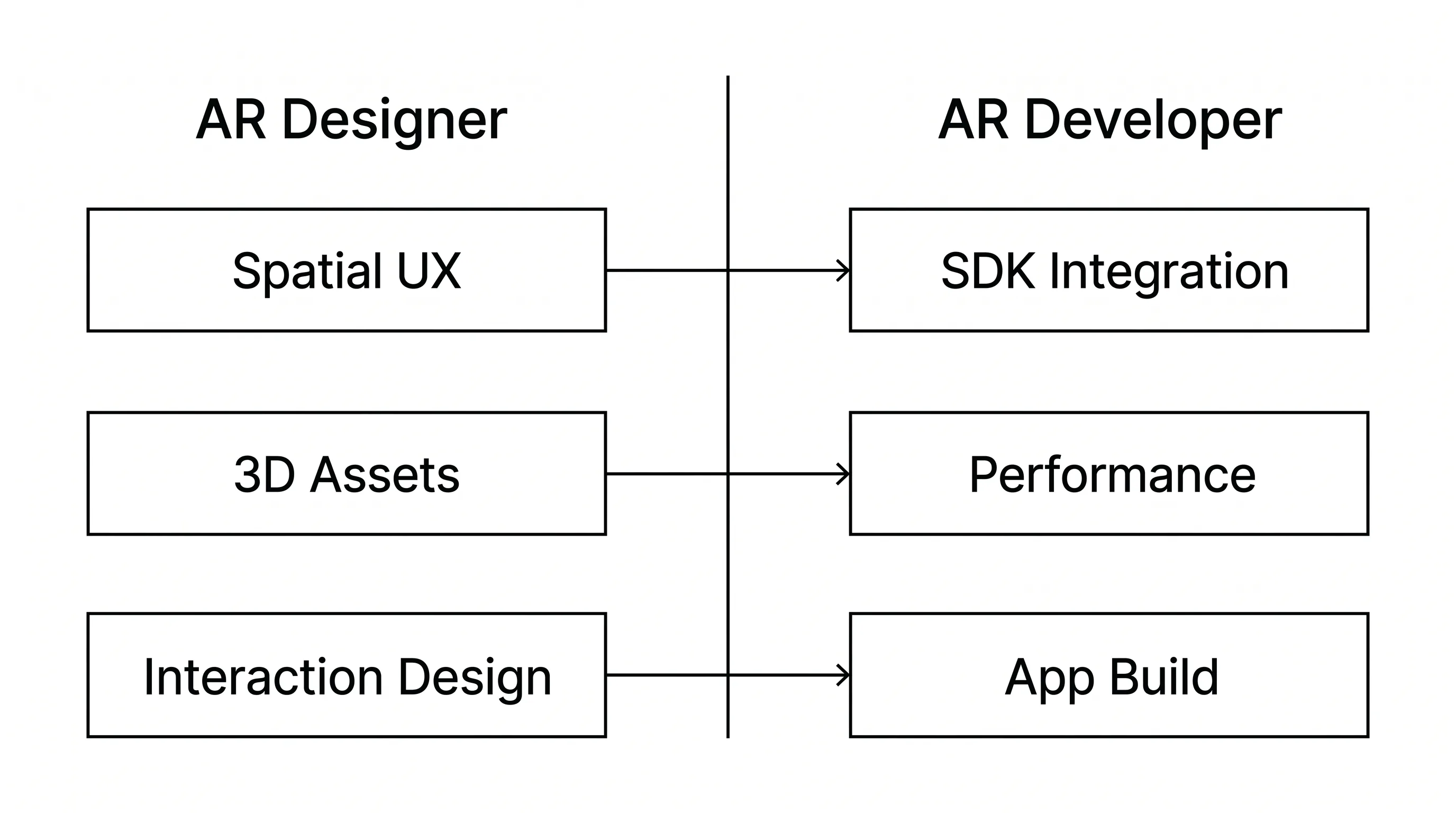
InAirSpace’s 2025 breakdown of AR job roles draws the same line, describing the UX designer, the 3D artist, the software engineer, and the product manager as four distinct roles rather than one. If your project is mainly about code and integration, this guide to hiring augmented reality developers covers that side in depth.
The AR Designer’s Scope
The AR designer owns everything a user perceives and touches. That includes UX research and spatial wireframing, interaction design built around gaze targets, gestures, and voice prompts, visual design and 3D art direction, and prototype testing done inside the headset rather than on a flat screen. Interaction primitives matter here: an AR/VR UX designer works with gesture controls, voice commands, and gaze-based selection, not just the two-dimensional layout a web designer would produce.
The designer’s tools reflect that scope — Spline, ShapesXR, Adobe Aero, Reality Composer Pro, Spark AR Studio, and Blender or Maya for asset creation. The output is a tested experience and a clear specification, handed to a developer who can build it.
The AR Developer’s Scope
The AR developer owns everything the user never sees. That includes SDK integration with ARKit on iOS, ARCore on Android, WebXR in the browser, RealityKit, and the Meta Quest SDK, plus app architecture, performance optimization, and store deployment. Comfortable AR holds roughly 72 to 90 frames per second and keeps motion-to-photon latency under 20 milliseconds, and hitting those numbers is engineering work.
Developers live in Unity with C#, Unreal Engine with C++, Xcode, and Android Studio. When evaluating this side of the team, a detailed guide on how to identify and partner with a strong augmented reality developer lays out the technical signals to check.
| Dimension | AR Designer | AR Developer |
|---|---|---|
| Primary output | Spatial UX flows, 3D assets, interaction design | Working application, SDK integration, performance |
| Core tools | Spline, ShapesXR, Reality Composer Pro, Spark AR, Blender | Unity (C#), Unreal (C++), Xcode, Android Studio |
| Key platforms | visionOS design patterns, Spark AR, Lens Studio | ARKit, ARCore, WebXR, RealityKit, Meta Quest SDK |
| Success metric | Usability and comfort in 3D space | Frame rate, latency, stability, store approval |
| Hire when | The experience needs visual or UX work | Code, tracking, or app-build work is the bottleneck |
The takeaway: match the hire to the problem in front of you, not to a generic “AR person” job title.
Skills to Look for When Hiring an AR Designer
The skills that matter when you hire an AR designer fall into three clusters: spatial UX and interaction design, 3D design and asset creation, and platform-specific knowledge. A strong candidate shows real depth in at least one and working fluency in the other two. A practical guide to vetting augmented reality experts covers how these skills show up across a full AR team.
Spatial UX and Interaction Design
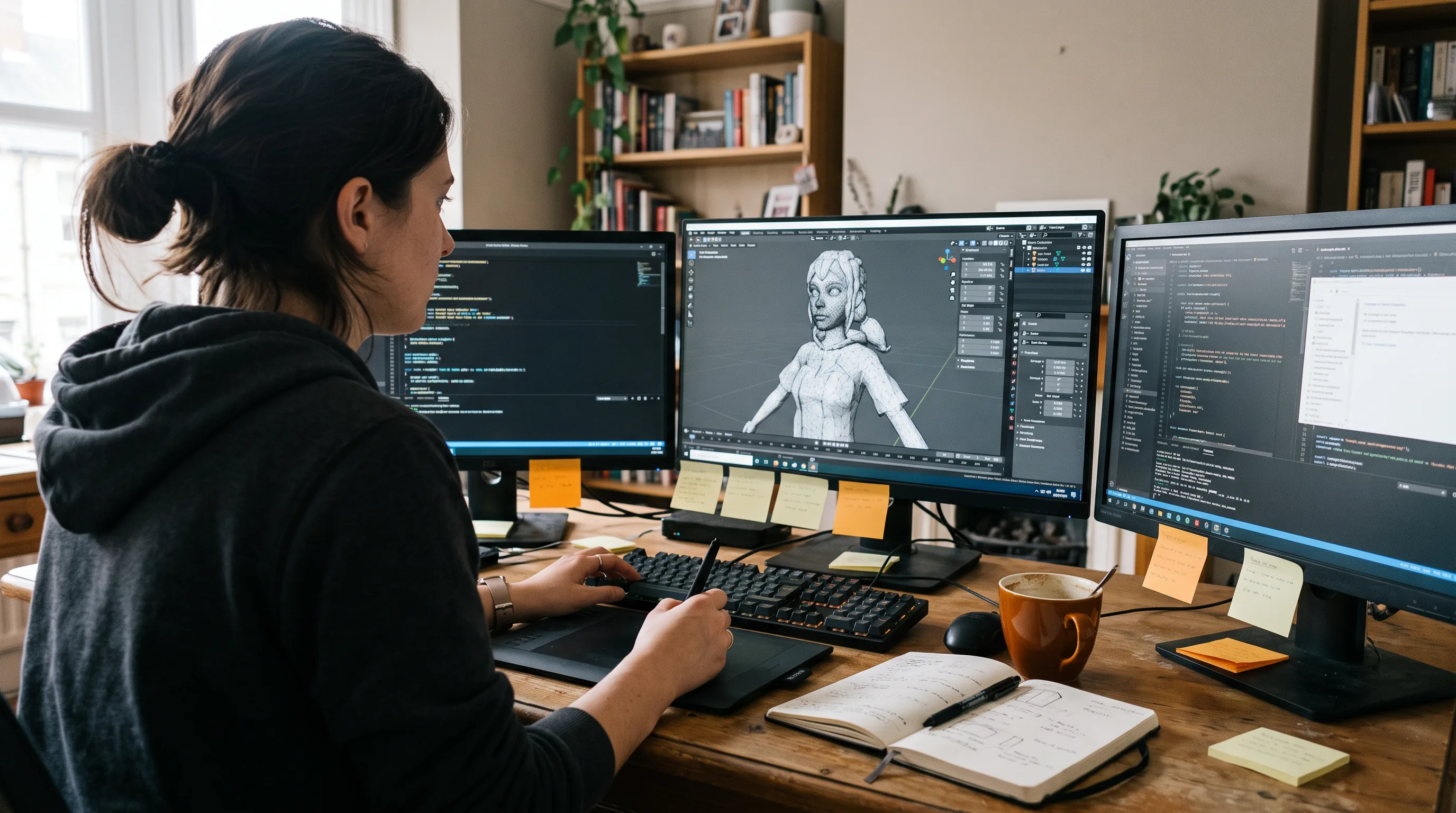
Spatial UX is not two-dimensional interface work scaled up. It requires thinking in depth along the Z-axis, designing for ergonomically comfortable viewing distances, and creating affordances without the buttons and menus a screen gives you for free. The designer has to communicate that something is interactive using light, motion, and placement rather than a visible control.
Ask candidates to explain a spatial navigation flow they designed, not just to show it. A person who has done this work will talk about reach distance, head height, and how they kept users from feeling lost or physically uncomfortable. Someone who only redrew a mobile screen in 3D will not.
3D Design and Asset Creation
An AR designer either models 3D assets directly or art-directs the artists who do. Either way, the role demands working knowledge of 3D tools like Blender and Maya, PBR (physically based rendering) texturing, the glTF/GLB and USDZ delivery formats, and polygon budgets tuned for real-time rendering. A portfolio built only in Photoshop is a mismatch; look for Blender exports, Unity material setups, and optimized meshes. When a dedicated modeler is what you actually need, the team at Frame Sixty, an AR/VR and spatial computing development studio, maintains a guide to hiring a 3D modeling artist that separates that role from design.
When we scope a mobile AR build at Frame Sixty, the designer and developer agree on a polygon and draw-call budget before asset production begins. A 3D model can be beautiful in Blender and still tank the frame rate on a mid-range Android phone, so the design decisions and the performance constraints get negotiated together, not in sequence. That negotiation is exactly the handoff that breaks when a designer and developer have never worked as a pair.
Platform Knowledge: Matching Designers to Your Target Environment
AR designers specialize by platform far more than general UX designers do, and this is where buyers most often misfire. There are three broad specializations. Social AR covers Spark AR Studio and Snap Lens Studio for branded filters and camera effects. iOS and spatial covers Reality Composer Pro, RealityKit, and Apple Vision Pro design patterns for visionOS. Cross-platform enterprise covers Unity-based design with ARKit and ARCore parity, usually for training or retail.
A designer who makes excellent Snapchat filters is not automatically the right hire for a visionOS spatial computing app, and the reverse is just as true. Both people are honestly called “AR designers,” which is exactly why the mismatch slips through. Engine proficiency compounds the gap: Unity or Unreal experience commands a 15 to 25% salary premium, according to Coders.dev’s 2026 compensation analysis. Before you shortlist anyone, write down the platform you are shipping on and screen for it directly.
Need help hiring an AR designer or developer?
We are here to help!
What Tools an AR Designer Should Know
A strong AR designer’s tool stack spans prototyping, authoring, and 3D creation, with the specific tools shifting by platform. There is no single “AR design app,” and a candidate who names only one tool across their whole career has probably worked in a narrow lane. Group the stack by what each tool is for.
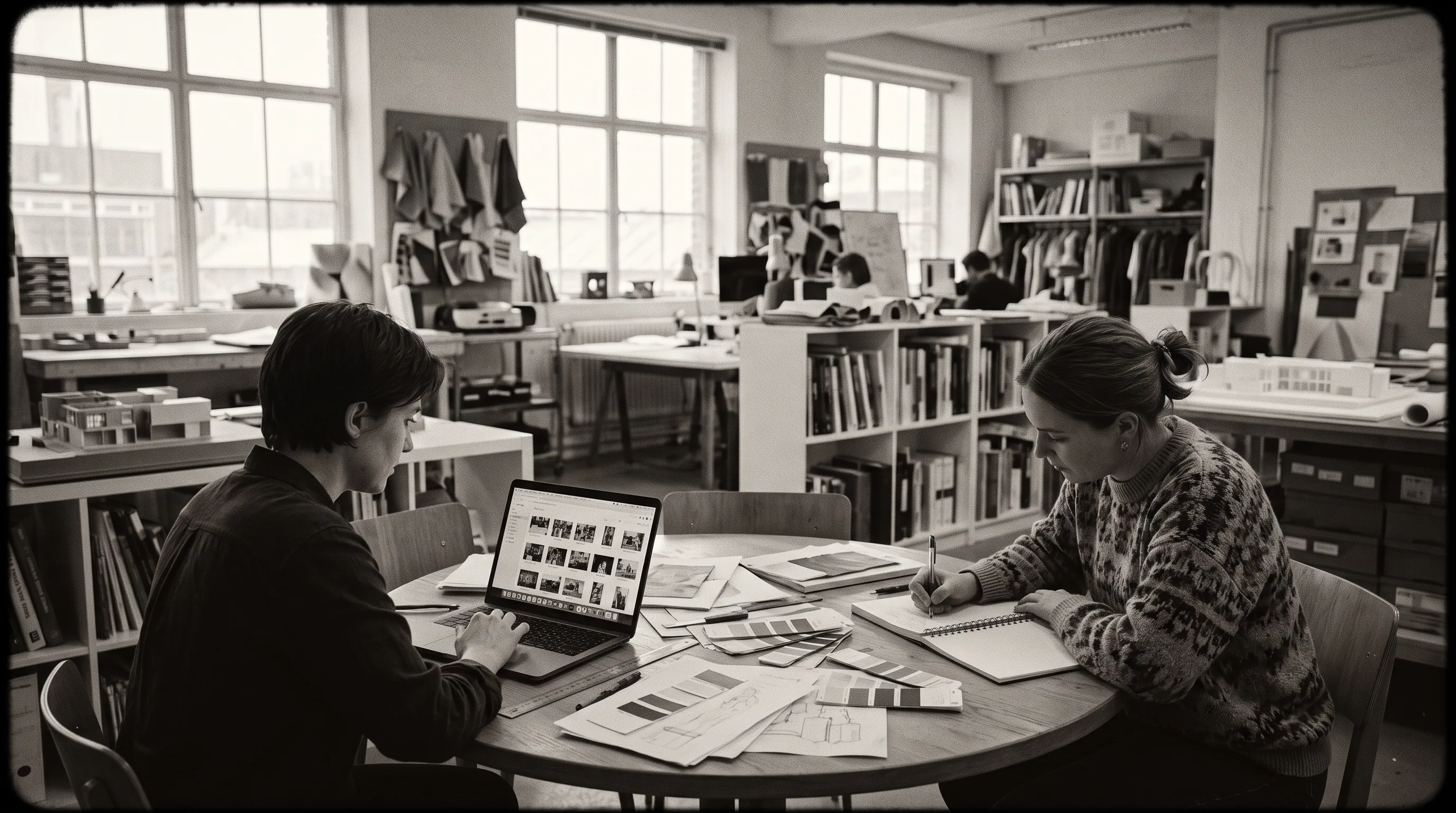
For prototyping and low-code design, expect Spline, ShapesXR, Adobe Aero, Reality Composer Pro, and PlugXR. WifiTalents’ 2026 ranking of AR design software puts PlugXR first for repeatable scene composition, Spline second for browser-delivered prototypes, and Adobe Aero third for fast iteration with controlled interactions. For social AR authoring, the tools are Spark AR Studio for Instagram and Facebook, Snap Lens Studio for Snapchat, and 8th Wall for web AR in a browser. For 3D asset creation, Blender, Maya, and the in-headset modeler Gravity Sketch. At the production layer, designers often work in Unity using visual scripting and shader graphs rather than code, with Figma reserved for companion two-dimensional UI.
One pattern is worth watching for. A designer who lists only Figma, however polished the work, has probably never shipped a genuine spatial experience. That is not a tooling preference; it is a sign the work has stayed flat. Figr.Design’s 2025 guide to AR and VR prototyping makes the underlying point plainly: AR prototyping needs spatial tools, not screen tools, because flat mockups cannot represent depth, viewing angles, or interaction distance and so create misleading confidence in designs that fail in-headset.
How to Evaluate an AR Designer’s Portfolio
Evaluate an AR designer’s portfolio on shipped, runnable experiences, not on rendered videos or screen mockups. The core question is simple: can the candidate hand you something you can run on your own device? Everything else is secondary to that. Weigh consistency across several shipped experiences over one polished demo.
What Strong Work Looks Like
Strong AR design work shows four things. First, it links to published builds — App Store, Google Play, or web AR URLs you can open, not a flythrough video. Second, it demonstrates spatial interaction flows the designer can narrate, walking you through how a user moves from intent to outcome in 3D space. Third, it accounts for cross-device reality: tracking under variable lighting, visual quality at real-time frame rates, and comfortable viewing distances. Fourth, it includes handoff artifacts like asset specs, interaction docs, or working Spline and ShapesXR prototypes rather than Figma files alone.
In our AR work at Frame Sixty, the first thing we ask a new designer to hand over is not a polished mockup but a prototype we can load onto a Meta Quest 3 or an Apple Vision Pro and walk around inside. A layout that looks balanced on a flat screen often falls apart at arm’s length, where depth, head height, and reach distance decide whether an interface feels natural or makes someone slightly sick. We would rather see a rough spatial sketch that actually runs than a flawless flat render that does not.
Portfolio Red Flags to Watch For
Five red flags separate people who have shipped from people who have only rendered. Renders and flythrough videos with no interactive build signal concept work, not product experience. Flat screen mockups labeled “AR UI” cannot represent spatial depth or head-tracking behavior. No App Store, Google Play, or web AR links means the work has never met real hardware in real conditions. An inability to discuss performance trade-offs is telling, because anyone who has shipped mobile AR knows polygon budgets and texture limits shaped their design. Vague tool claims — “I work in Unity” with nothing shipped to show for it — are not evidence of anything.
RealityDevs’ 2026 hiring guide reaches the same conclusion from the engineering side: a candidate who cannot quantify frame rate, memory headroom, or battery draw has probably not shipped a real AR product.
If you run only one diagnostic, make it this: ask the candidate to name one technical constraint that forced them to change a design decision. People who have shipped answer instantly and concretely — a draw-call ceiling that killed a particle effect, a tracking limit that moved a menu. People who have only made concept reels go quiet.
Freelance AR Designer vs. Agency: Which Engagement Model Fits?
The freelance-versus-agency choice should follow your project’s shape, not just its budget. A freelance AR designer fits a defined, bounded deliverable. An agency or studio team fits a build that needs design and development moving together. The rates frame the decision but should not decide it on their own.
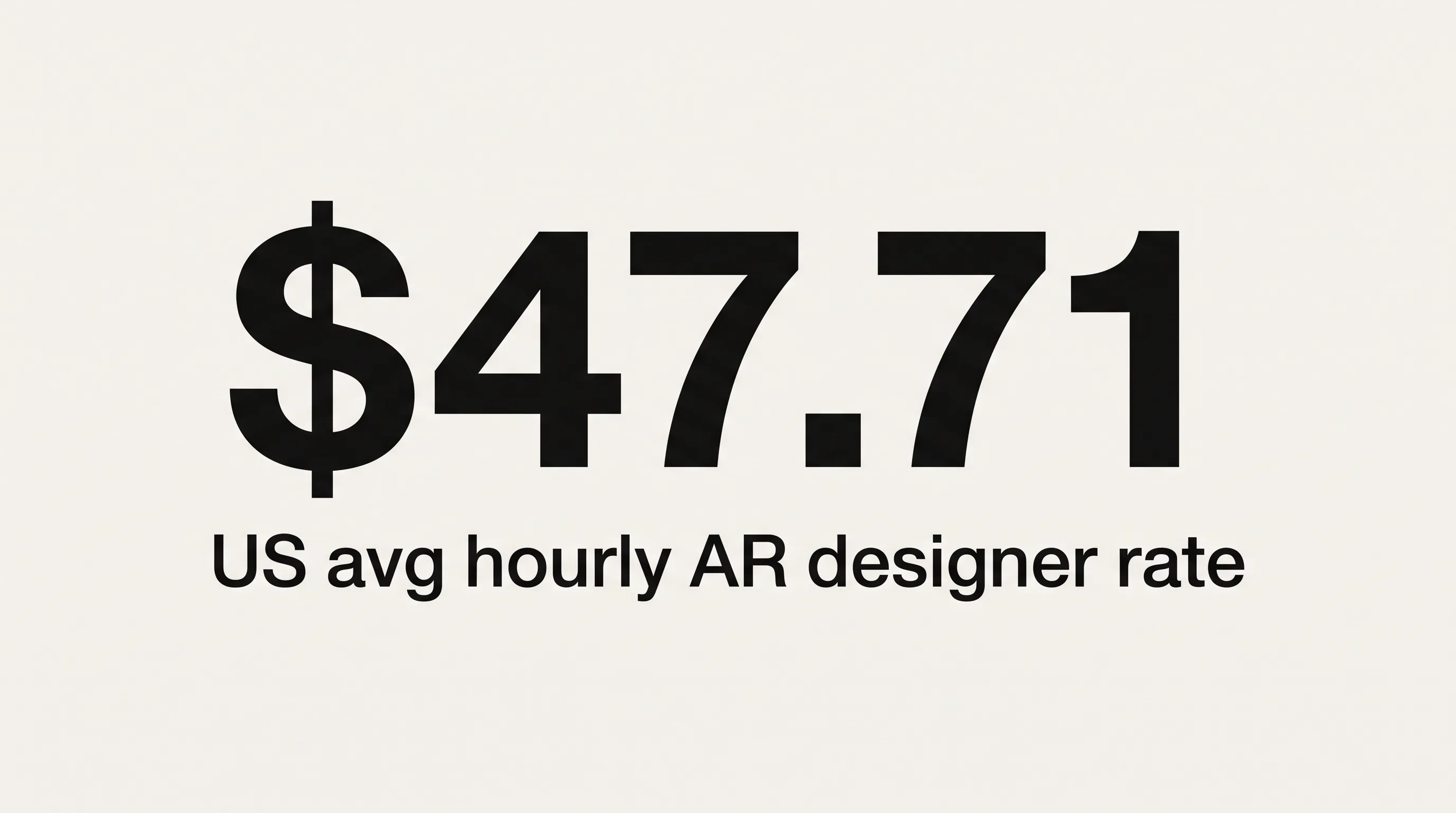
US freelance AR designers average about $47.71 an hour, with most between $24 and $62, and senior North American freelancers charging $50 to $120, according to 2026 ZipRecruiter data. A full in-house team of one developer, one 3D artist, and one UX designer costs $300,000 to $500,000 a year, per RealityDevs’ 2026 analysis. Vetted remote talent can cut the total cost of ownership on a senior design role by 40 to 60% versus a high-cost domestic hire, according to Coders.dev’s 2026 figures.
| Factor | Freelance AR Designer | AR Design Agency or Studio Team |
|---|---|---|
| Best for | Defined, single deliverable (filter, prototype, asset pack) | Multi-discipline builds needing design and development |
| Typical US rate | ~$47.71/hr average; senior $50–120/hr (ZipRecruiter, 2026) | Integrated team, priced per project |
| Sourcing speed | As fast as 72 hours via Arc.dev | Scoping call, then a phased engagement |
| Coordination burden | On you — you manage the handoffs | On the studio |
| Risk profile | Single point of failure; you integrate the work | Shared accountability across the team |
When to Hire a Freelance AR Designer
Hire a freelance AR designer when the scope is defined and bounded — a single filter, a configurator, an asset pack, or a proof of concept — and you have the in-house capability to manage and integrate the result. Freelance also fits when the timeline allows a short sourcing window and the work does not require design and development running in parallel.
The marketplaces move quickly. Arc.dev reports that it screens the top 2% of AR designers from a pool of more than 450,000 professionals, keeps roughly 1,850 remote AR designers available, and can place a freelancer within 72 hours. Toptal and Upwork fill the same lane. For a contained job with a clear spec, this route is fast and economical.
When an Agency Team Delivers More Value
An agency or studio team delivers more value when a project spans both design and development, when the scope is complex or still evolving, or when you simply do not have the bandwidth to coordinate separate specialists.
Here is the cost buyers routinely underweight: the coordination tax. Sourcing a designer, a developer, and a 3D artist separately means you own every handoff, every format incompatibility, and every slipped milestone between three people who have never worked together. That overhead often costs more than the rate premium of a team that ships as a unit. A studio such as Frame Sixty runs design and development on one engagement, with weekly calls and regular delivery cycles, and the approach behind its immersive experience design agency work is built around that single-team model. For buyers weighing a broader XR vendor, Frame Sixty’s guide to choosing a virtual reality agency applies the same evaluation framework, and its AR/VR app development overview shows what an integrated build looks like end to end.
Do You Need an AR Designer, an AR Developer, or Both?
If the work is visual, spatial, and experiential, you need a designer. If the work is functional, computational, and SDK-dependent, you need a developer. Most production builds need both, in sequence or in parallel. Deciding which gap is open right now is the single most useful thing you can do before you post a role.
Your Project Needs a Designer When
Your project needs an AR designer when the experience itself is undefined or weak. That covers creating a branded AR filter or Snap Lens for a campaign, designing the spatial UX flow for a retail configurator before engineering starts, producing 3D asset packs, building an interactive prototype to validate interaction patterns, or redesigning the visual layer of an AR app that already has a working build underneath. When the specific need is asset production rather than experience design, a 3D modeling artist may be the more precise hire.
The signal is consistent: you cannot yet describe, in concrete terms, what using the thing should feel like. That is a design gap.
Your Project Needs a Developer When
Your project needs an AR developer when the experience is defined but the technology is the bottleneck. That covers integrating ARKit or ARCore into a native app, building tracking, SLAM mapping, or object detection, optimizing rendering for a target device, submitting to the App Store or Google Play, and building cross-platform logic in Unity or WebXR. For Android-specific builds, Frame Sixty’s guide to hiring ARCore developers covers the platform in detail, while teams moving into headset passthrough work can start with its guide to mixed reality developers. If your scope reaches into fully immersive VR as well, the guide to hiring VR developers maps that adjacent skill set.
The signal here is the mirror image: you know exactly what the experience should do, and the open question is whether it will run. That is an engineering gap.
Conclusion
Hiring augmented reality designers well comes down to one discipline: naming the gap before you name the role. An AR designer shapes the spatial experience — the flows, the 3D assets, the way digital content behaves in a real room. An AR developer makes that experience run on real hardware. The costly mistake, the one this guide opened with, is hiring for code when the experience is still undefined, and ending up with an app that works and that no one wants to use.
The practical signals are consistent across the market. Favor designers who hand you runnable builds over rendered reels, screen for the specific platform you are shipping on, and match your engagement model to the project’s shape rather than its hourly rate. A defined, single deliverable fits a freelancer. A build that needs design and development together usually fits a studio team, once you account for the coordination tax of managing specialists who have never worked as a unit.
Frame Sixty fields both disciplines on one team, which removes the handoff friction that comes from assembling freelancers across marketplaces. If you are weighing an AR hire and want to talk through whether your project needs a designer, a developer, or both, get in touch with our team at Frame Sixty and we will help you scope it honestly.
FAQs
Common questions about how to hire augmented reality designers, covering roles, skills, cost, timelines, and engagement models.
An AR designer composes digital content into the real world through phone cameras or passthrough headsets, so the work has to account for variable lighting, real surfaces, and tracking. A VR designer builds fully enclosed virtual environments where the designer controls every pixel. AR design centers on blending with physical space; VR design centers on replacing it entirely.
A spatial UX designer designs interaction in three dimensions — along the Z-axis, at ergonomically comfortable viewing distances, using gaze targets, gestures, and voice instead of buttons and menus. A traditional UX designer works on flat screens with visible controls. Spatial UX requires communicating that something is interactive through light, motion, and placement rather than a tappable element.
AR designers are hired most heavily in retail and marketing, where social AR filters built in Spark AR Studio and Snap Lens Studio power branded campaigns, and in enterprise training, which uses cross-platform Unity design with ARKit and ARCore parity. Retail configurators — letting shoppers place a product in a real room — are a frequent AR design brief across these sectors.
Hiring an AR/VR designer costs anywhere from an hourly freelance rate to a full team salary, depending on the model. US freelance AR designers average about $47.71 an hour (ZipRecruiter, 2026), with seniors at $50 to $120. A full in-house team of one developer, one 3D artist, and one UX designer runs $300,000 to $500,000 a year (RealityDevs, 2026).
The average hourly rate for a freelance augmented reality designer in the US is about $47.71, with most charging between $24 and $62, according to 2026 ZipRecruiter data. Senior North American freelancers command $50 to $120 an hour. Unity or Unreal engine proficiency adds a 15 to 25% premium, per Coders.dev's 2026 analysis.
Hiring an AR designer can take as little as 72 hours through a vetted marketplace. Arc.dev reports it keeps roughly 1,850 remote AR designers available — the top 2% screened from more than 450,000 professionals — and can place a freelancer within 72 hours. An agency engagement starts with a scoping call and a phased build, so the timeline runs longer but includes development.
Hire a freelance AR designer for a defined, bounded deliverable — a single filter, configurator, or asset pack — when you can manage integration yourself; hire an agency or studio team for builds that need design and development moving together. Frame Sixty, an AR/VR and spatial computing development studio, fields both disciplines on one engagement, removing the handoff friction of sourcing separate freelancers.
A single AR designer rarely handles both Spark AR and Unity projects equally well, because AR designers specialize by platform more than general UX designers do. A Spark AR social-filter specialist is not interchangeable with a visionOS or Unity enterprise designer, even though both carry the "AR designer" title. Write down your target platform and screen for it directly before shortlisting.
In an AR designer's portfolio, look for shipped, runnable builds — App Store, Google Play, or web AR links you can open on your own device — not rendered flythrough videos. Strong portfolios show spatial interaction flows the designer can narrate, plus handoff artifacts like asset specs or ShapesXR prototypes. One fast test: ask what technical constraint once forced a design change.
Get in touch
We’re interested to see how we can help. Send us a message and we will get back to you within 24 hours.