
Augmented Reality Training Software: Custom Build vs. Off-the-Shelf Platform (Real Costs, Timelines, and ROI)
Oct 20, 2026

14 MIN READ
Augmented reality training software is a class of application that overlays step-by-step digital guidance — 3D annotations, procedural callouts, equipment labels — onto real machinery or a reconstructed workspace, so workers learn by doing instead of reading a manual. Enterprises source it two ways: license an off-the-shelf platform, or commission a custom build. The right path hinges on one question. Is your training about generic skills, or about your specific equipment?
That question decides more than price. A platform’s authoring tools look impressive in a demo, but the moment your training targets a proprietary machine, the platform’s stock 3D library becomes a hard ceiling you cannot buy past. That is the position this guide defends: platforms win on generic content, and custom development wins the instant the training is about equipment only you operate.
Key Takeaways
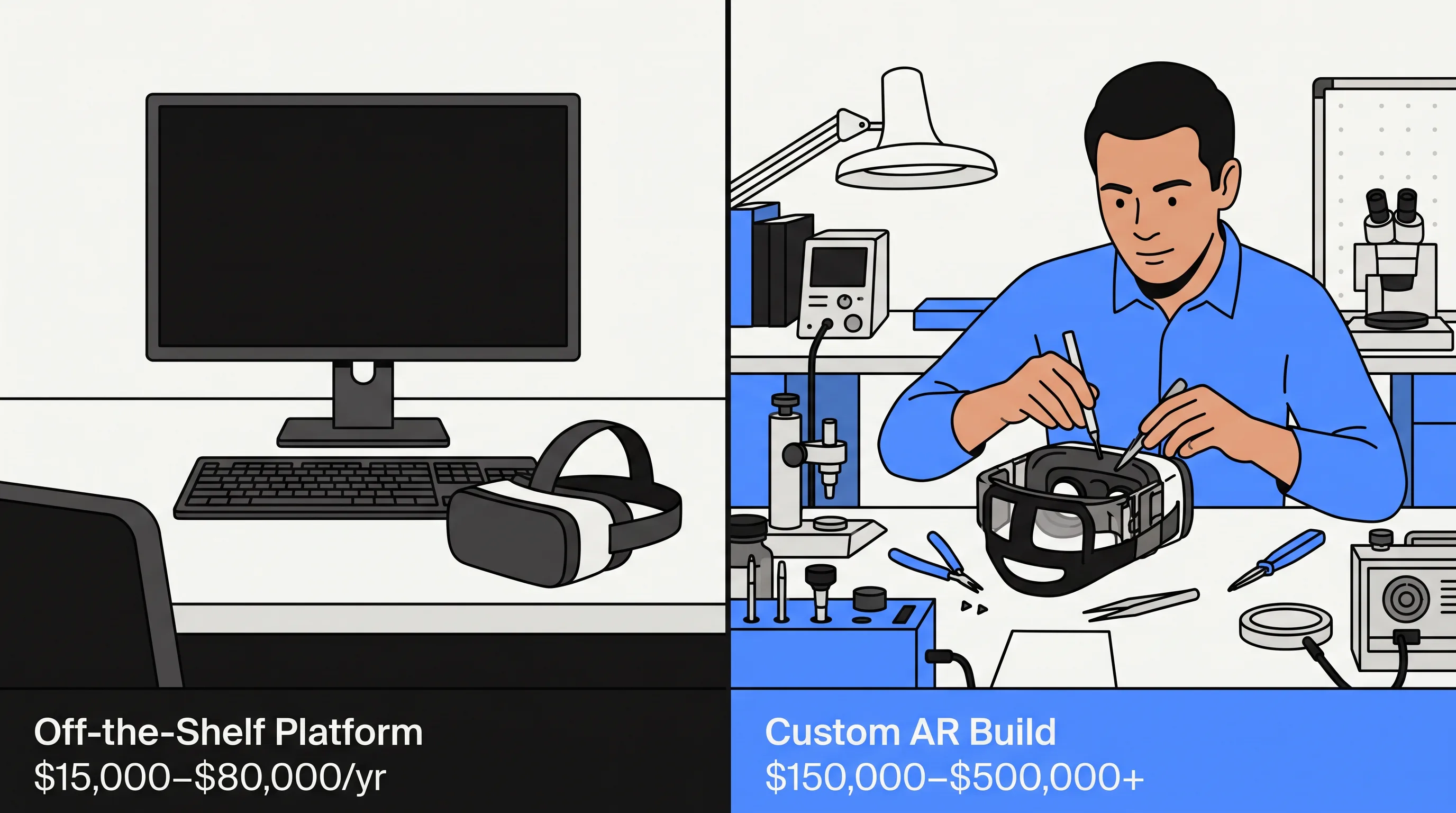
- Augmented reality training software overlays guided instructions onto real equipment; off-the-shelf platforms cost $15,000–$80,000/year, custom builds $150,000–$500,000+ per module.
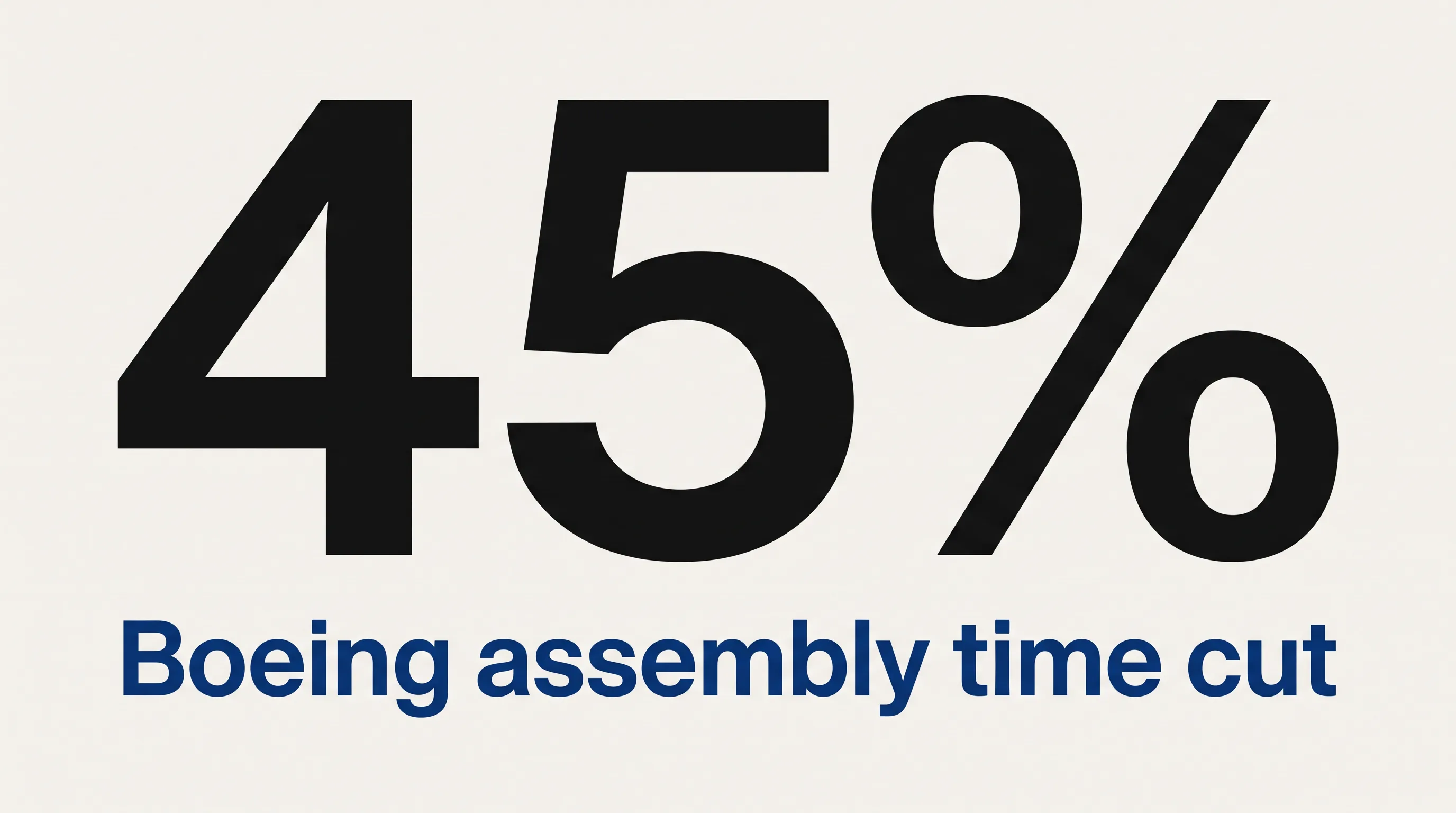
- Boeing cut wire harness assembly time 45% (45 days to 25) using AR overlays, per KGT Solutions’ 2026 analysis.
- A TeamViewer survey of 300 U.S. training leaders found AR training reduced worker errors 49% and improved training results 50%.
- PwC data shows AR/VR training reaches cost parity with classroom instruction at 375 learners and 52% savings at 3,000.
- Custom AR development pays off when learners exceed ~300, content stays stable 2+ years, and the equipment is proprietary.
What Is Augmented Reality Training Software?
Augmented reality training software is an application that displays interactive, spatially-anchored instructions over a worker’s real field of view — through a headset, smart glasses, or a tablet camera — guiding them through a task on actual equipment. It replaces static SOP documents and recorded video with in-context prompts that appear on the component the worker is touching.
The category splits into two delivery forms. Model-tracking and marker-based overlays lock digital instructions to real objects, the dominant form in manufacturing and field service. Spatial simulations rebuild an environment in AR so trainees practice without live machinery or safety risk. Both run as finished applications workers put on — distinct from the authoring toolkits and SDKs developers use to build them, a distinction ThePrimeVR’s 2026 guide draws cleanly.
Adoption is already measurable. A TeamViewer survey of 300 U.S. onboarding and training leaders, published November 2022, found 86% of companies using AR reported improved training quality. For a broader view of what the technology enables beyond the training function, see our overview of augmented reality solutions for business.
Off-the-Shelf AR Platforms vs. Custom Development: Which Wins?
Off-the-shelf AR platforms win for generic, low-stakes, frequently-updated content aimed at small learner groups; custom development wins for proprietary equipment, safety-critical procedures, and large learner populations where the build amortizes. The decision turns on four factors — training stakes, content lifespan, learner volume, and how unique your equipment is — not on which option is cheaper per seat.
Think of it the way you would a build-versus-buy call on any enterprise system. We walk clients through the same framing in our VR safety training cost analysis, and the logic transfers directly to AR.
What No-Code and Off-the-Shelf AR Platforms Provide
Off-the-shelf AR platforms give L&D teams a drag-and-drop authoring interface, a library of generic 3D objects, a publishing pipeline, and recurring licensing fees. Your own team builds the content; the vendor supplies the rails. These tools ship fast and stay inexpensive for straightforward work.
The pricing is predictable. Off-the-shelf platforms run $15,000–$80,000 per year, while no-code authoring tools cost $5,000–$40,000 per year plus the internal labor to build scenarios, according to ThePrimeVR’s June 2026 breakdown. Roundtable Learning notes no-code wins on cost per scenario by roughly 10x over custom development.
Platform capability keeps advancing. PTC’s Vuforia Engine 11, released February 2025, added on-premises model target generation and On-Prem Step Check, an AI tool that verifies procedural steps without cloud connectivity — useful for regulated sites. Platforms fit best for orientation content, soft-skills refreshers, and generic safety modules that any L&D team can author and update in days.
Where Off-the-Shelf AR Platforms Hit Their Ceiling
Off-the-shelf AR platforms stop working the moment training depends on equipment, stakes, or integrations the vendor never anticipated. Four conditions expose the ceiling: proprietary equipment no template models, high-consequence procedures where errors carry real cost, learner volumes that justify a custom build, and data requirements like xAPI per-step tracking or ERP integration beyond the platform’s connector catalog.
Here is the constraint buyers miss. A no-code platform’s real ceiling is not its editor — it is its 3D asset library. You cannot overlay step guidance onto a machine the platform has never modeled, and most proprietary industrial equipment has never been modeled by anyone but its manufacturer. Once your training is about your CNC cell, your hydraulic rig, or your surgical device, the authoring UI is irrelevant, because the object it needs to annotate does not exist in the catalog.
As Roundtable Learning puts it, custom developers “build content that exactly matches your equipment, procedures, and brand — the fidelity is worth the investment when mistakes have real consequences.” Effective enterprise AR training software must also include xAPI per-step tracking, branching scenario logic, standalone headset support, and remote content updates. For equipment-specific builds, our industrial augmented reality work shows how custom overlays map to real machinery.
How Much Does Custom AR Training Software Cost?
Custom AR training software costs $75,000–$400,000 for a typical end-to-end project, with fully custom modules reaching $500,000+ when they involve proprietary 3D, branching logic, and deep system integration. Semi-custom modules that adapt existing templates land between $30,000 and $80,000. The figures below set expectations before you scope a build.
| Tier | What you get | Cost | Timeline |
|---|---|---|---|
| Off-the-shelf license | Generic scenarios, drag-and-drop editing | $15,000–$80,000/year | 2–6 weeks |
| Semi-custom module | Adapted templates, some branded 3D assets | $30,000–$80,000 per module | 8–16 weeks |
| Fully custom build | Proprietary equipment, custom 3D, deep integrations | $150,000–$500,000+ per module | 6–18 months |
Figures draw on AgileSoftLabs’ June 2026 cost breakdown and Roundtable Learning.
What Drives Custom AR Development Costs?
Five factors drive custom AR development cost: 3D modeling complexity, the number of branching scenarios and user roles, the target device mix, system integration depth, and content ownership terms. Of these, 3D modeling usually moves the budget most, because a machine with moving parts and interactive states takes far longer to model than a static prop.
Integration is the quiet cost. Per AgileSoftLabs’ June 2026 figures, xAPI integration alone runs $8,000–$25,000 one-time, a VR-capable LMS adds $15,000–$40,000 annually, and custom ERP integration reaches $20,000–$60,000. Hardware carries its own three-year cost per headset: roughly $1,459 for a Meta Quest 3 Enterprise, $3,875 for a HoloLens 2, and $5,996 for an Apple Vision Pro. A single fully custom module consumes 2,000–4,000 production hours.
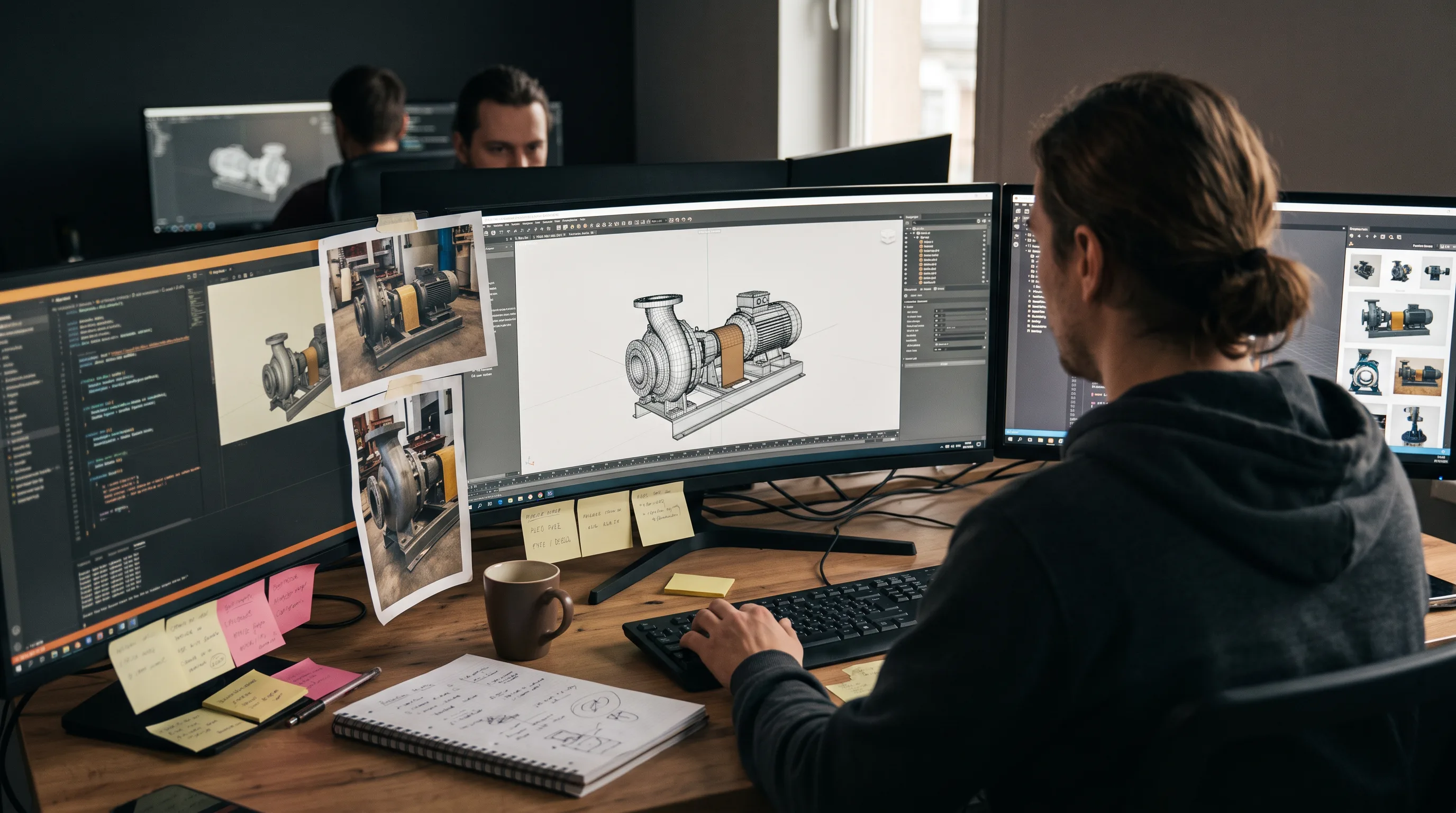
In our AR work at Frame Sixty, an AR/VR and spatial computing development studio, the 3D asset phase typically consumes 40–50% of a custom training build’s timeline, which is why we keep modeling in-house rather than outsourcing it. When a client’s equipment has no existing CAD-derived model, we build it from reference photography and measurements, and that single decision — model fidelity — ends up governing both the schedule and the final cost more than any other line item. We cover the modeling discipline behind this in our 3D model design services.
How Long Does a Custom AR Training Build Take?
A custom AR training build takes 8–10 weeks for a simple overlay, 12–24 weeks for a full module with proprietary 3D and LMS integration, and 6–18 months for a complex multi-scenario simulation with ERP hooks. Timeline tracks scope almost linearly, and the discovery plus 3D asset phase usually eats the first 40–50% of the calendar.
Routes exist to compress this. Starting from a mature SDK such as ARKit or ARCore with an experienced studio can bring a custom module into the 12–16 week range, because the tracking, rendering, and session plumbing are already solved. The time then goes where it should — into modeling your equipment and authoring the procedure, not rebuilding infrastructure. Teams that need the training embedded in existing enterprise systems should factor integration work early; our app development team handles that plumbing alongside the AR layer.
Need help building custom AR training software?
We are here to help!
What ROI Should You Expect From Augmented Reality Training?
Expect AR training to cut onboarding time, reduce task errors, and reach cost parity with classroom instruction at moderate learner volumes. The outcomes are documented across manufacturing and field service, and the break-even math is predictable enough to model before you commit budget. Two questions matter: what performance gains are realistic, and at what scale does the investment pay back.
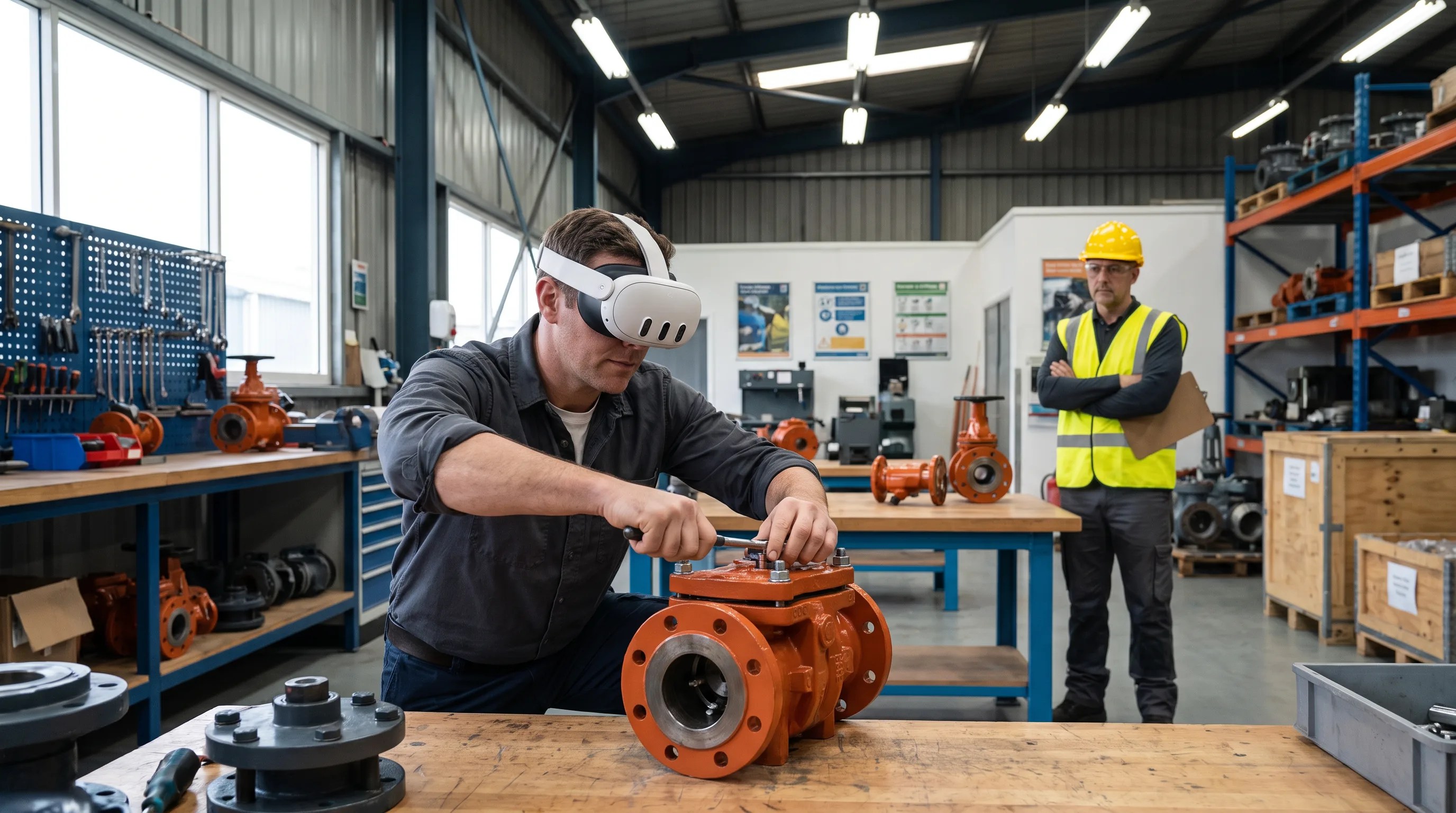
Before-and-After Results in Manufacturing and Field Service
AR training produces measurable, published gains in manufacturing and field service — faster task completion, fewer errors, and higher first-time-fix rates. KGT Solutions’ 2026 analysis documents the headline cases, and the pattern holds across companies and sectors.
- Boeing reduced wire harness assembly from 45 days to 25 days, a 45% cut, by replacing paper schematics with AR overlays via Skylight smart glasses.
- GE Aviation achieved a 90% reduction in errors on AR-guided engine assembly tasks.
- Caterpillar Level 1 technicians reached 95% first-time-fix rates on hydraulic repairs using AR guidance.
- Thyssenkrupp saw job completion time drop fourfold with HoloLens-guided elevator maintenance.
At the sector level, KGT Solutions reports AR cuts training time 40–50% and reduces assembly errors up to 90% across automotive, aerospace, and electronics plants. The TeamViewer survey of 300 training leaders adds the frontline view: AR adopters saw training results improve 50%, worker errors drop 49%, and customer satisfaction rise 56%. These are task-level gains on real equipment, the exact scenario where custom overlays earn their cost.
Break-Even Analysis: When Does Custom AR Pay Off?
Custom AR training pays off when learner volume, content stability, and equipment specificity all point the same direction. PwC research, cited across 2026 cost analyses, puts cost parity with classroom instruction at 375 learners, with savings reaching 52% at 3,000 learners and 64% at 10,000. The scale tips the math well before most enterprises assume it does.
Supporting evidence reinforces the case. AgileSoftLabs reports knowledge retention 65–80% higher than classroom training for high-consequence procedures, and KGT Solutions found 72% of manufacturers who deployed AR saw positive ROI within the first year.
Here is the rule we give clients. A program with more than ~300 learners, content stable for two years or longer, and training built around proprietary equipment will almost always justify a custom build over recurring platform fees. Flip any one of those three, and the answer can change — under 200 learners or content that churns quarterly usually favors a platform license as the starting point. Teams weighing AR against a headset-based approach can compare the parallel economics in our VR training guide.
How Does AR Training Software Reduce Errors and Improve Worker Safety?
AR training software reduces errors by replacing one-time recall with in-the-moment, step-level guidance anchored to the real equipment. Instead of memorizing a manual and reconstructing it later at the workstation, the worker sees the next correct action overlaid on the actual component, in sequence, with no translation from a 2D page to a 3D machine.
The mechanism has three parts. Model-tracking confirms the worker is looking at the correct component before the instruction appears. xAPI logging records each completed step, creating the audit trail that paper sign-offs cannot. Branching logic routes the worker to corrective guidance the instant a wrong action registers, rather than surfacing the mistake downstream. AR training reduces onboarding time 40–60% and improves work quality 30–40% on spatial and technical tasks, according to SCNSoft’s analysis.
The compliance angle is underrated. For OSHA-documented safety certification or pharmaceutical GMP procedures, the per-step completion record an AR system generates is not a nice-to-have — it becomes the audit artifact itself, provable and timestamped in a way a signed paper checklist never is. Platforms built around this discipline, including Microsoft Dynamics 365 Guides, Augmentir, and Scope AR WorkLink, treat step-level verification as the core feature. KGT Solutions reports facilities using AR-guided training saw 43% fewer on-the-job incidents. If you want a partner’s view of where this fits across a program, our augmented reality agency overview lays out the engagement model.
Which Industries Use Augmented Reality Training Software?
Manufacturing and field service lead adoption of augmented reality training software, with healthcare the fastest-growing segment. The common thread is physical, high-consequence work where a worker’s hands are on equipment and a mistake is expensive — the conditions where overlaid guidance beats a manual decisively.
Manufacturing covers equipment assembly, maintenance certification, and safety onboarding, with 72% of deployers reporting first-year ROI per KGT Solutions. Field service and logistics use AR for remote expert guidance during live repairs, pick-by-vision in warehouses, and onboarding across distributed sites; KGT Solutions notes Cisco reduced mean time to repair 32% with AR-assisted repairs. Healthcare applies it to surgical training and procedural compliance, and it is the largest segment of an AR and VR in training market that Market Research Future valued at $22.56 billion in 2025 and projects will reach $95.83 billion by 2035 at a 15.56% CAGR. Broader adoption data across these sectors appears in Treeview’s 2026 spatial computing statistics.
Device choice should follow the training scenario, not brand preference. The mapping below reflects how hardware traits line up with real training needs.
| Device | Best-fit training | Why |
|---|---|---|
| HoloLens 2, Magic Leap 2 | Hands-free industrial maintenance | Workers keep both hands on the equipment while instructions float in view |
| Meta Quest 3, Meta Quest 3S | Simulation without live equipment | Affordable standalone headsets for practice in a reconstructed space |
| Apple Vision Pro | High-fidelity spatial procedures | Precise tracking and display for detailed, close-range work |
| Meta Ray-Ban glasses, tablets | Low-cost field service | Lightweight capture and guidance where a full headset is overkill |
In our spatial computing work at Frame Sixty across retail, industrial, and healthcare clients, we steer industrial customers toward hands-free devices early, because a maintenance technician cannot hold a tablet and a torque wrench at the same time. We weigh standalone versus tethered, model-tracking versus marker-based, and field-of-view against weight for long shifts — tradeoffs that look minor in a demo but decide whether a program survives contact with a real shop floor. Our range spans cases from retail AR experiences to spatial builds on the Apple Vision Pro.
How to Get Started Building Custom AR Training Software
Getting started with custom AR training software means two decisions: scoping the right project and selecting the right development partner. Scoping errors cause most budget overruns — overbuilding a module that should have been a no-code overlay, or underscoping a compliance-critical procedure that then needs expensive rework.
One scoping mistake is worth pricing explicitly. If you leave LMS or ERP integration out of the initial scope and bolt it on after the module is built, expect the integration to cost 20–40% more than it would have as a planned requirement, because the data model and event hooks have to be retrofitted. Name every system the training data must reach before any code is written.
Four Questions to Answer Before Scoping Your Build
Answer four questions before scoping a custom AR training build, and the right project shape — platform, semi-custom, or fully custom — usually becomes obvious.
- How many learners will use this module over its life? Use the 375-learner PwC parity threshold as a rough gate; well above it, custom development’s amortization works in your favor.
- Does your equipment exist in a generic 3D library, or is it proprietary? Proprietary equipment means budgeting for custom modeling, the single largest timeline driver.
- What does success look like as a measurable metric? Name it — time-to-competency, error rate, first-time-fix rate, or mean time to repair. If you cannot, the project is not ready to scope.
- Which systems must the training data flow into? LMS, ERP, HRIS — declare integration up front to avoid the retrofit penalty.
A capable studio can validate these four answers in a discovery engagement before you sign a build contract, which is where we start every augmented reality development project.
How to Choose a Custom AR Training Development Partner
Choose a custom AR training development partner on four criteria: production-proven SDK experience across more than one device, in-house 3D modeling, a real xAPI and LMS integration track record, and clean content ownership terms that leave you with the source files. The first two protect your timeline; the second two protect your long-term flexibility.
Frame Sixty has shipped 100+ applications for clients including Johnson & Johnson and Google, holds seven published technology patents in AR and machine learning, and keeps 3D modeling in-house so version control and schedule stay under one roof. For organizations weighing a custom AR training build, a discovery engagement is the lowest-risk way to pressure-test the four scoping questions against your actual equipment and metrics before committing to development.
Conclusion
Augmented reality training software comes down to a single honest question: is your training about generic skills or your specific equipment? Off-the-shelf platforms are the right call for generic, frequently-updated, low-stakes content aimed at smaller groups — they ship fast and stay cheap. Custom development is the right call when the training targets proprietary equipment, carries real consequences, and reaches enough learners to amortize the build. The platform’s 3D library is the ceiling you cannot buy past, and that ceiling, not the price tag, is what should drive the decision.
The numbers back the custom case where it applies. Boeing’s 45% faster assembly, GE Aviation’s 90% error reduction, and PwC’s 375-learner break-even are not outliers — they are what happens when guidance lives on the equipment instead of in a binder. Scope the project around measurable metrics, name your integrations before coding starts, and choose a partner with in-house modeling and clean ownership terms.
If you are evaluating a custom AR training build for onboarding, equipment operation, or safety certification, get in touch with our team at Frame Sixty. We will walk your equipment, learners, and target metrics through a discovery engagement and tell you honestly whether a platform or a custom build serves you better.
FAQs
Common questions about augmented reality training software, covering how it works, the hardware and capabilities it needs, and how to choose between an off-the-shelf platform and a custom build.
AR training software overlays digital instructions onto real equipment in a worker's actual field of view, while VR training replaces the environment entirely with a simulated one. AR suits guided maintenance and assembly on live machinery; VR suits practice where live equipment is unsafe or unavailable. Boeing, for example, used AR overlays to cut wire harness assembly time 45%.
Manufacturing and field service benefit most from augmented reality training software, with healthcare the fastest-growing segment. The common thread is physical, high-consequence work where a mistake is expensive, such as equipment assembly, maintenance certification, and surgical procedures. KGT Solutions reports 72% of manufacturers who deployed AR saw positive ROI within the first year.
No-code AR training authoring tools are limited by their stock 3D asset library, not their editor. You cannot overlay step guidance onto a proprietary machine the platform has never modeled, and most industrial equipment is modeled only by its manufacturer. They also commonly lack deep xAPI per-step tracking and ERP integration beyond a fixed connector catalog.
AR training software runs on headsets, smart glasses, and tablets, with the right device set by the training scenario. HoloLens 2 and Magic Leap 2 fit hands-free industrial maintenance; Meta Quest 3 suits simulation without live equipment; Apple Vision Pro suits high-fidelity spatial procedures; and Meta Ray-Ban glasses or tablets handle low-cost field service.
Enterprise AR training software should include xAPI per-step tracking, branching scenario logic, standalone headset support, and remote content updates. Model-tracking confirms the worker is looking at the correct component before an instruction appears, and xAPI logging records each completed step. Platforms such as Microsoft Dynamics 365 Guides and Scope AR WorkLink treat step-level verification as a core feature.
Yes, AR training software integrates with an existing LMS, though the connection is a distinct cost line. Per AgileSoftLabs' June 2026 figures, xAPI integration runs $8,000–$25,000 one-time and a VR-capable LMS adds $15,000–$40,000 annually. Declare LMS and ERP integration before development starts, because bolting it on afterward inflates the cost 20–40%.
Established enterprise AR training platforms include PTC Vuforia, Microsoft Dynamics 365 Guides, Augmentir, and Scope AR WorkLink. PTC's Vuforia Engine 11, released February 2025, added on-premises model target generation and On-Prem Step Check for regulated sites. Platforms fit generic content well but hit a ceiling once training targets proprietary equipment their 3D libraries never modeled.
Choose Vuforia Studio or another authoring platform for generic, low-stakes content aimed at small learner groups, and hire a custom AR developer for proprietary equipment, safety-critical procedures, and large populations. No-code platforms win roughly 10x on cost per scenario, per Roundtable Learning, but custom developers build content that exactly matches your equipment and integrations.
Look for a custom AR training development partner with production-proven SDK experience across more than one device, in-house 3D modeling, a real xAPI and LMS integration track record, and clean content ownership terms. Frame Sixty, for instance, keeps 3D modeling in-house, holds seven published AR and machine learning patents, and has shipped 100+ applications.