
Hire ARKit Developers: Skills, Cost, and Engagement Models for Apple AR
Aug 11, 2026

14 MIN READ
To hire ARKit developers, look for engineers who have shipped native augmented reality apps to Apple’s App Store using ARKit, RealityKit, and Swift — not generalist mobile developers who list AR as one skill among many. ARKit is Apple’s augmented reality framework for iOS, iPadOS, and visionOS, and building on it well requires specialists who know the platform’s tracking, rendering, and review requirements firsthand.
That distinction is easy to state and hard to act on. Search “hire ARKit developers” and the first page is freelancer marketplaces and Apple’s own documentation. The marketplaces list hundreds of profiles; the documentation explains the API. Neither tells a CTO or product lead what actually separates a developer who has prototyped an AR demo from one who has maintained a production visionOS app through two operating-system updates. The demand behind the query is real: 14.5 million XR devices shipped globally in 2025, up 41.6% year over year, according to the IDC Q3 2025 XR Tracker cited by Treeview Studio. This guide covers what ARKit developers build, the Apple stack they master, how to vet them, and what engagement models and rates to expect in 2026.
Key Takeaways
- ARKit spans iOS, iPadOS, and visionOS, offering world tracking, plane detection, People Occlusion, LiDAR scene depth, and hand tracking through one Apple framework.
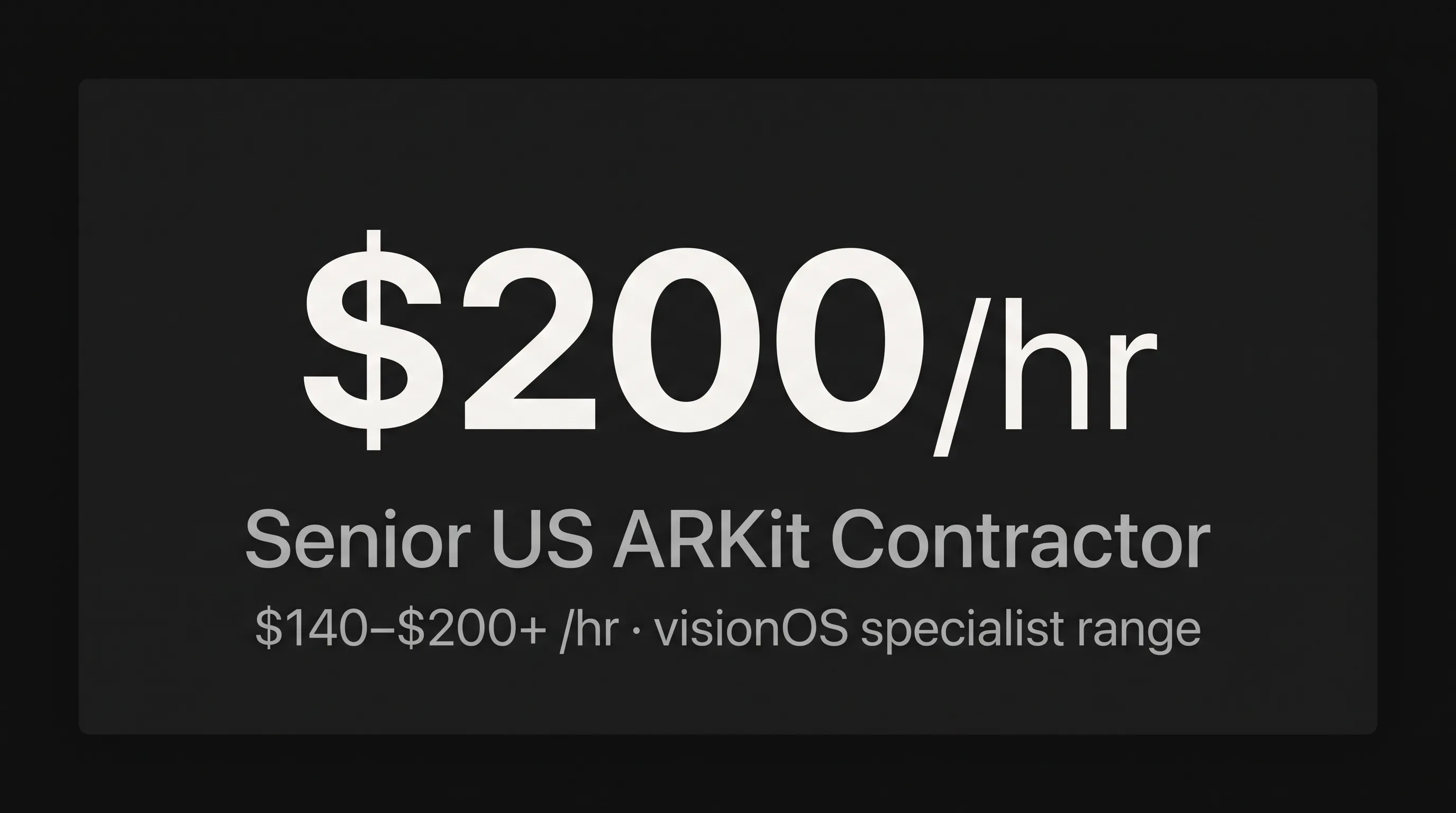
- US senior ARKit contractors run $140–$200+/hr; a full visionOS build runs $50,000–$250,000+, per DesignRush’s December 2025 cost data.
- visionOS 26 added 3x faster hand tracking and enterprise camera APIs at WWDC25 — capabilities Unity PolySpatial cannot reach.
- A shipped App Store app is the only reliable proof of ARKit skill; résumés and rate cards are not.
- Standard ARKit projects run two to three months from concept to App Store, longer with custom 3D assets or multi-user features.
What ARKit Developers Build
iOS and iPadOS AR Applications
ARKit developers build native augmented reality experiences on iPhone and iPad that place digital content in the physical world using the device camera, motion sensors, and, on Pro hardware, the LiDAR scanner. According to Apple’s ARKit documentation, the framework provides world tracking, plane detection, image tracking, body tracking, People Occlusion, LiDAR scene depth, collaborative sessions, and geospatial Location Anchors across iOS and visionOS.
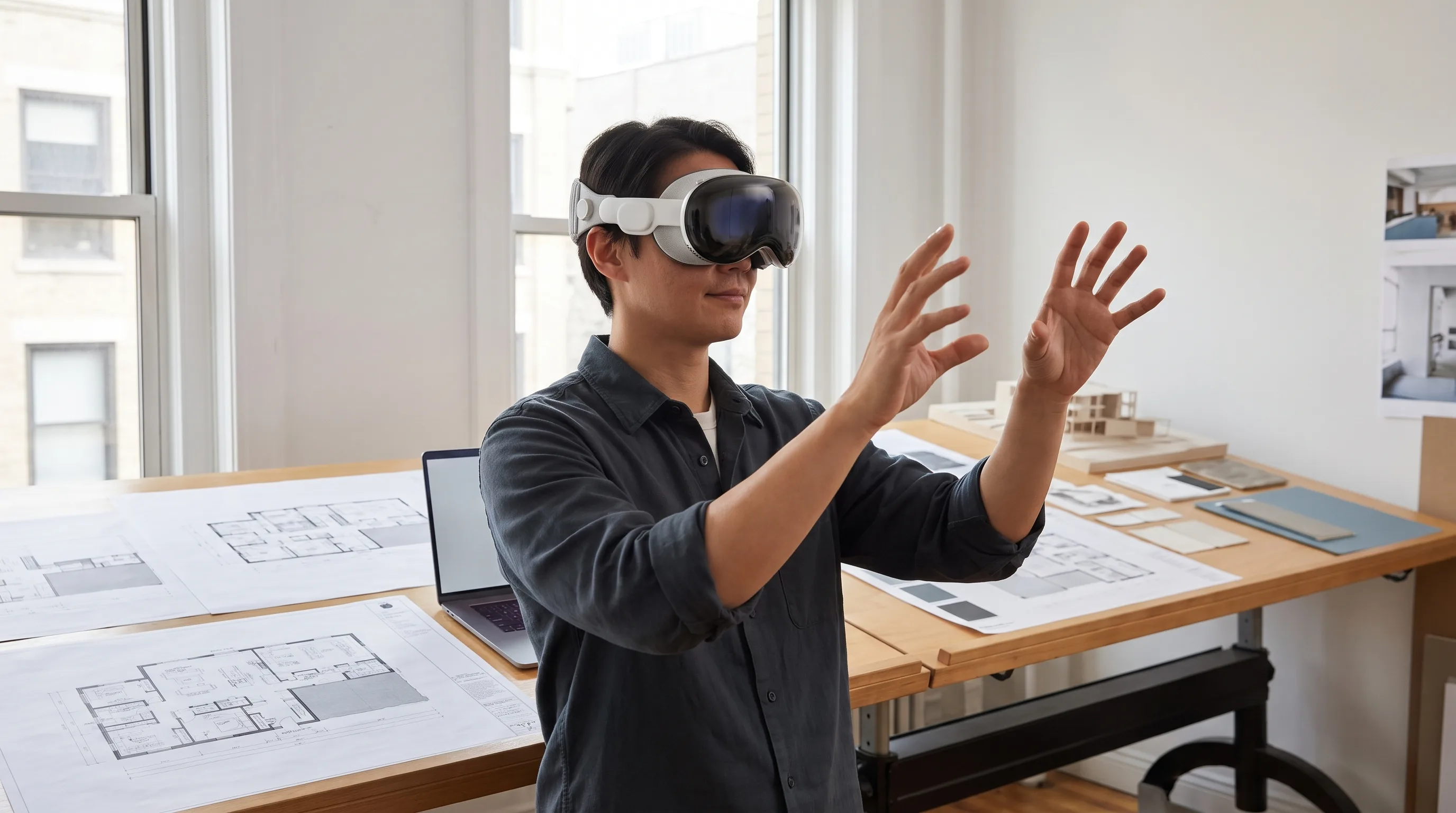
Each capability maps to a business use. Plane detection anchors furniture in a room for retail try-on. Image tracking turns a printed poster or product label into an interactive overlay for a marketing activation. People Occlusion lets a virtual object pass correctly behind a person on camera, which is what makes an AR try-on look real instead of pasted on. The LiDAR scanner on iPhone 12 Pro and later, plus iPad Pro, produces a real-time depth mesh of a space, so an architecture or industrial-maintenance app can measure surfaces and place equipment models against actual walls.
What buyers should take from this: ARKit is not one feature. A developer who has only done image tracking has touched a corner of it.
Spatial Computing on visionOS and Apple Vision Pro
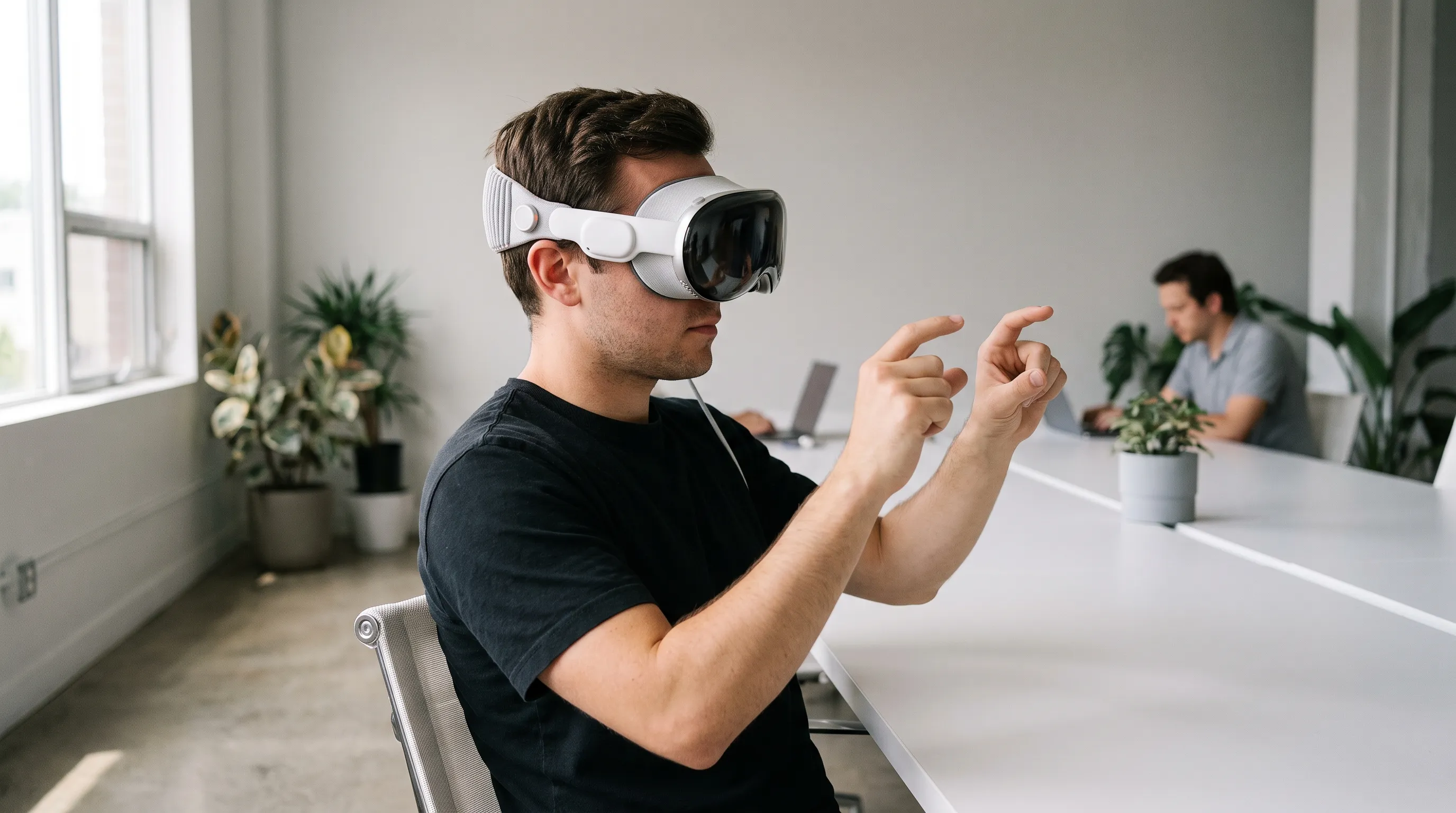
On visionOS, ARKit powers the spatial features that define Apple Vision Pro: hand tracking, world anchors, shared coordinate spaces for co-located users, and environment blending that occludes virtual objects behind real furniture. Apple’s ARKit-in-visionOS documentation confirms the same tracking and scene-reconstruction APIs used across Vision Pro experiences are exposed through ARKit. At WWDC25, visionOS 26 added 3x faster hand tracking, enterprise camera APIs, and the Protected Content API, per Apple’s “What’s New in visionOS 26” session. These are native APIs; a cross-platform engine cannot reach them.
At Frame Sixty, an AR/VR and spatial computing development studio, our Apple Vision Pro work spans shipped products, not concept reels. Our Vision Pro ASL Translator won Best Societal Impact at the AWE USA 2025 Auggie Awards in June 2025; it uses Vision Pro’s sub-millimeter hand tracking to translate American Sign Language into on-device speech and text in real time. We have also delivered Red Bull AR activations and immersive video for Logitech on Apple Vision Pro. These are the shipped apps a freelancer marketplace profile cannot show you.
The Apple AR Stack: What Every Skilled ARKit Developer Knows
A skilled ARKit developer works fluently across a stack of Apple frameworks and tools, not ARKit alone. The core layers are ARKit for sensing, RealityKit for rendering and simulation, Reality Composer Pro for authoring 3D scenes, and Swift with SwiftUI as the language and UI layer. A developer missing any one of these has gaps that show up in production.
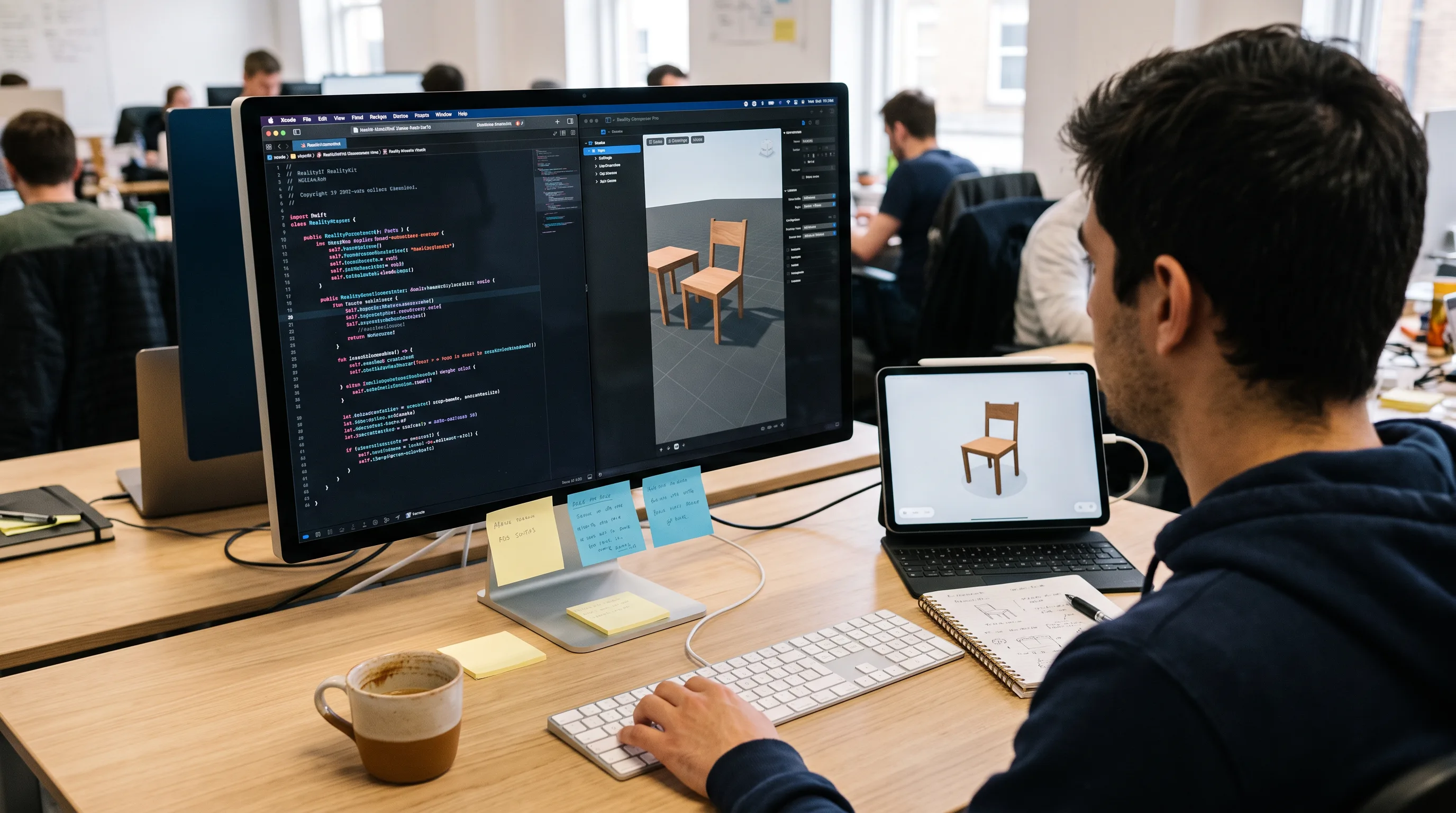
ARKit handles the sensing: it manages the AR session, chooses a tracking configuration (world, image, body, or face), and reports anchors and scene understanding back to the app. RealityKit renders and simulates that content. At WWDC25, RealityKit gained direct access to ARKit data through a new SpatialTrackingSession, so developers no longer manage the two frameworks as separate systems in most cases. As Laurence, a Software Engineer on Apple’s RealityKit team, put it in the WWDC25 “What’s New in RealityKit” session, the update gives developers direct access to ARKit data through RealityKit. The same session introduced the ManipulationComponent for hand-gesture 3D interaction and the EnvironmentBlendingComponent for real-world occlusion.
SceneKit is Apple’s older 3D layer. It still appears in legacy iOS AR apps and maintenance work, though new visionOS projects rarely use it. Reality Composer Pro is the scene-composition and shader-graph tool for authoring USDZ content, and comfort with it separates real visionOS developers from iOS-only ones. Swift and SwiftUI are non-negotiable; SwiftUI is mandatory for visionOS. Finally, Xcode, Instruments, and the RealityKit Debugger are the profiling tools a developer uses to hold a steady frame rate and diagnose tracking failures.
Here is a fast disqualifier. A developer who claims ARKit experience but has never opened Reality Composer Pro or profiled for motion-to-photon latency has almost certainly not shipped a Vision Pro app or a recent, demanding iOS AR app. Ask about both in the first screening call.
When Do You Need a Dedicated ARKit Specialist?
Build on Apple’s Native Stack When Your Project Requires It
You need a dedicated ARKit specialist whenever your project depends on Apple-only capabilities that a cross-platform engine cannot expose. For any build touching visionOS or advanced iOS sensing, native ARKit and Swift expertise is not a preference — it is a requirement.
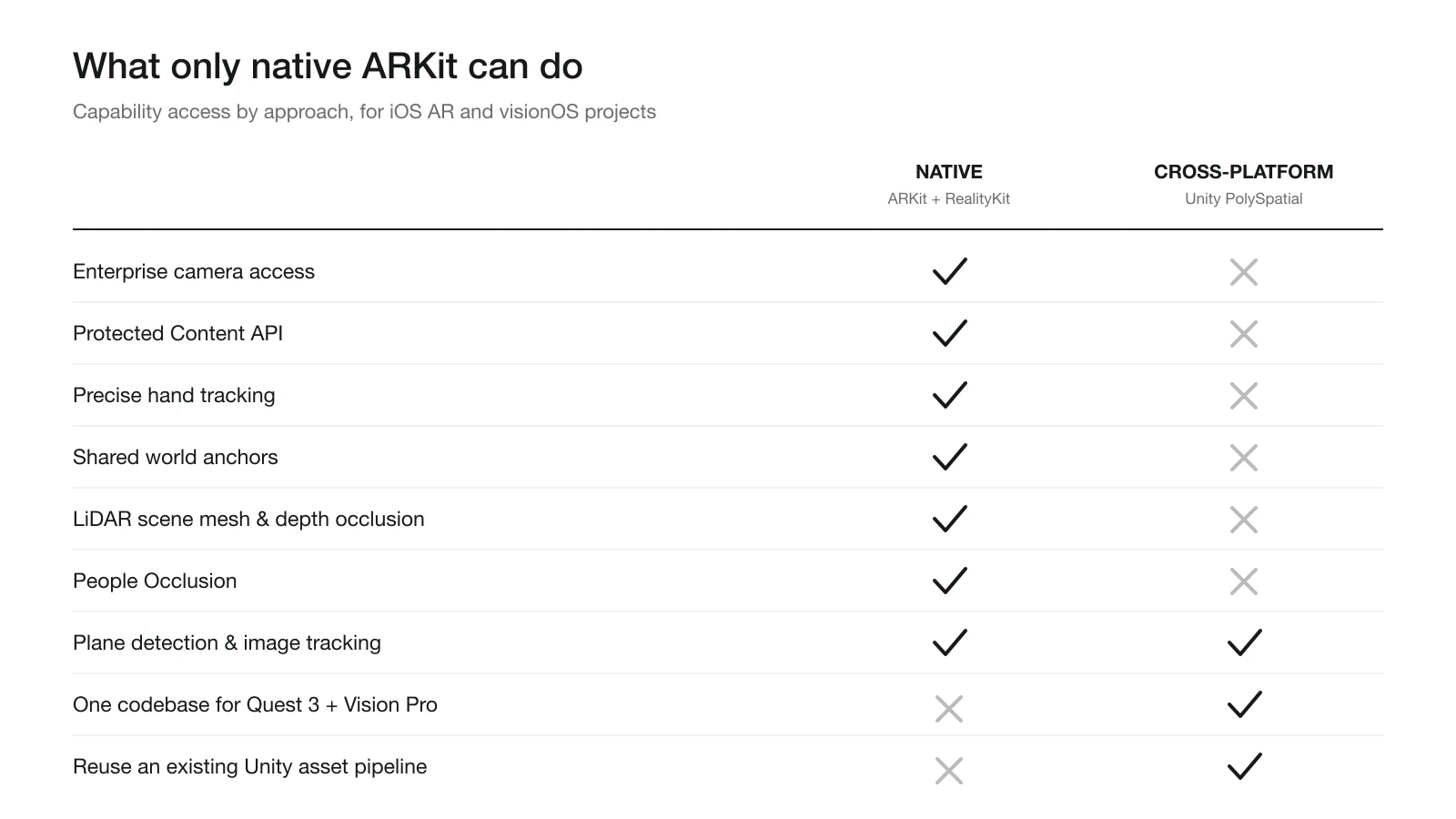
Consider what actually forces the specialist hire. Some Apple capabilities have no cross-platform path at all: enterprise camera access, the Protected Content API, precise hand tracking, and shared world anchors live in native Swift and ARKit code, and Unity PolySpatial does not surface them. App Store review adds a second gate. Apple’s guidelines for AR apps require correct ARKit session handling, privacy manifests for camera and motion data, and accurate capability declarations; a developer who has never filed these will hit rejections. LiDAR features — real-time scene mesh, depth occlusion, Object Capture — run through native ARKit depth APIs, and People Occlusion and collaborative sessions depend on ARKit configuration types that cross-platform wrappers handle imperfectly. Then there is maintenance. When visionOS 26 or iOS 19 changes the tracking model, the fix demands a developer who understands ARKit’s configuration internals, not a plugin interface.
The takeaway: if visionOS is on your roadmap, a specialist is the only safe hire.
When a Cross-Platform Approach May Be Sufficient
A cross-platform approach can be the right call when your AR features are basic and your app must ship on non-Apple hardware too. Not every project needs an ARKit specialist, and honest guidance says so. Cross-platform tooling like Unity PolySpatial earns its place in a few clear cases: when the same experience has to ship on Meta Quest 3 and Apple Vision Pro with near-parity features, when the app leans on Unity’s existing asset pipeline and the AR features stay basic like plane detection or image tracking without any visionOS-only APIs, or when budget and timeline pressure make a single shared codebase the pragmatic choice.
The trade-off is specific. Native Apple Vision Pro and visionOS builds cost more to staff because they require platform-specific engineers rather than Unity generalists, a point our team details in the visionOS versus Android XR technical comparison. What you get for that cost is access to every Apple hardware capability and a cleaner path through App Store review. Choose cross-platform for reach and shared code; choose native for depth and platform features.
If your project needs to reach Android as well, our guide to hiring ARCore developers covers Google’s AR SDK counterpart and how its skills and rates compare to ARKit.
Need help hiring ARKit developers?
We are here to help!
How to Vet ARKit Developers: Skills and Portfolio Signals
Technical Skills to Screen For
Screen ARKit developers on concrete, checkable technical knowledge rather than a list of buzzwords on a résumé. The strongest candidates can explain Apple’s frameworks in their own words and point to on-device results. Six screens separate real production experience from demo-level familiarity:
- Swift fluency. Can they explain when to use world tracking versus image tracking, and why, without looking it up?
- RealityKit’s entity-component model. Do they know how a ModelEntity and an AnchorEntity differ and how components compose behavior?
- Reality Composer Pro. Have they authored USDZ scenes, shader graphs, or particle systems in it?
- On-device profiling. Have they used Instruments or the RealityKit Debugger to fix frame-timing problems?
- App Store submission. Have they written a privacy manifest for camera and motion access and handled ARKit entitlements in Xcode?
- visionOS specifics. Can they describe the SpatialTrackingSession change from WWDC25 and why it matters?
For comparison, Toptal screens ARKit developers for Swift, the ARKit SDK, computer vision, 3D modeling, and communication — the competencies that define the top of the marketplace pool. Set a hard benchmark: a candidate who cannot hold a steady frame rate on device or has never filed a privacy manifest has not shipped a production ARKit app.
Portfolio Signals That Indicate Real Production Experience
The clearest portfolio signal is a live App Store link to an app whose AR features still work, not a TestFlight build or a demo repository. A shipped, reviewed, functioning product is the proof; everything else is a proxy. When you review an ARKit developer’s portfolio, look for five signals:
- Live App Store apps with AR features that are current, not deprecated.
- Multiple tracking modalities in one app, such as plane detection plus image tracking plus People Occlusion, which shows breadth of ARKit knowledge.
- visionOS or Vision Pro titles, which confirm the developer has cleared Apple’s spatial review process.
- USDZ pipeline experience — can they describe moving 3D models from a designer through Reality Composer Pro into the app?
- Case studies with named outcomes, not “built an AR app for a retail client” but measurable engagement or conversion results.
The hiring framework from Abhishek Pareek of Cyber Infrastructure on developers.dev reinforces this: test for the ability to sustain 72–90 FPS and sub-20-millisecond motion-to-photon latency, and ask how the developer maintains apps across OS updates. That same analysis reports enterprise AR/VR projects using dedicated teams reach a 95%-plus client retention rate and cut post-launch critical bugs by about 30% versus project-by-project freelancers.
Engagement Models: Freelance, Agency, or In-House ARKit Developer?
Your engagement model should follow project scope, project longevity, and how central AR is to your product. A one-off feature, a full product launch, and a permanent capability each point to a different model. The table below compares the three common options on rate, fit, hiring time, and continuity risk.
| Model | Typical Rate | Best For | Time to Hire | IP & Continuity Risk |
|---|---|---|---|---|
| Freelancer | $60–$140/hr (US) | Prototype, scoped feature | Days to weeks | High: single point of failure |
| Agency / Studio | $50–$200/hr blended | Full production build, visionOS launch | 2–4 weeks | Low: team continuity, contracts |
| In-house engineer | $113K–$182K/yr (US) | AR as ongoing core product | 3–6 months | Medium: depends on retention |
A freelancer fits scoped, well-defined features. The risk is platform depth, since many freelancers list ARKit without any shipped visionOS work, and continuity once the project grows. Toptal, Upwork, and Uplers all list ARKit developers, and none guarantees a shipped Vision Pro app.
An agency or studio brings an end-to-end team — ARKit engineers, 3D artists, spatial UX designers, and QA — under one contract with clear IP ownership, where ongoing support is a line item rather than a renegotiation. You can see how a full studio practice is organized on our XR development agency overview and augmented reality development services pages.
An in-house engineer is justified only when AR is a permanent core capability. Recruitment takes three to six months, and a senior ARKit engineer costs $140–$200+/hr as a contractor or roughly $182,000 a year fully loaded. A dedicated team engagement runs $100,000–$500,000 annually, according to DesignRush’s December 2025 cost data — comparable to one senior in-house hire once you add recruiter fees and ramp time.
ARKit Developer Cost and Project Timelines in 2026
Rate Ranges by Region and Engagement
ARKit developer rates in 2026 vary by geography, seniority, and engagement model, with senior US talent at the top of the range. Based on current market data, US junior contractors run $60–$90/hr and US seniors $140–$200+/hr, while senior contractors in Eastern Europe run $80–$120/hr and in South or Southeast Asia $55–$90/hr.
The premium at the senior US tier reflects scarcity, and the scarcity is specific. US AR/VR job postings grew 154% over five years and the country is projected to hold 2.32 million AR/VR roles by 2030, per industry aggregates reported by Treeview Studio. Developers who have actually shipped a Vision Pro app are a small subset of that growing pool, so demand concentrates on relatively few people — a labor dynamic the broader analysis of Apple’s spatial computing opportunity at purshoLOGY traces to Apple’s continued investment in the platform.
Project cost tracks complexity. A simple marker-based AR app costs $5,000–$15,000, a moderate ARKit feature with plane detection, People Occlusion, and LiDAR runs $30,000–$80,000, and a complex markerless experience or full visionOS app runs $50,000–$250,000+, per DesignRush’s December 2025 figures.
What Drives Project Timeline
A standard visionOS or iOS ARKit app runs two to three months from concept to App Store deployment when the 3D assets are ready. That baseline assumes a defined scope, and four factors extend it. The 3D asset pipeline is the first: if USDZ models must be created or optimized rather than handed over ready, add two to four weeks. Multi-user collaborative sessions are the second, because ARKit world anchors plus networking architecture add real complexity and usually cost another four to six weeks. Enterprise integrations are the third, since connecting ARKit sessions to inventory, IoT, or training back ends is architecture work that sits beyond ARKit itself. App Store review is the fourth, because first-time AR apps with camera and motion entitlements typically need one to two review cycles, so plan a one-to-two-week buffer. Buyers who ignore these four overrun.
In our experience at Frame Sixty, underestimating asset creation and review time is the most common cause of ARKit project overruns, not the ARKit code itself. A team that has submitted Vision Pro apps to Apple review before knows which entitlements trigger scrutiny and plans the buffer up front, which is why our concept-to-store estimates for a scoped visionOS build hold to that two-to-three-month window. A studio that has never cleared spatial review will usually give you a timeline that looks shorter and lands longer.
ARKit Agency vs. Freelance Marketplace: What the SERP Won’t Tell You
Search “hire ARKit developers” and the top results are Toptal, Upwork, Uplers, and Freelancer, each listing dozens of profiles. None of those pages links to a shipped Apple Vision Pro app in the App Store. That gap matters, because ARKit expertise is not a checkbox on a profile — it is demonstrated through shipped, working, reviewed products.
Here is the position we will defend on any client call: for anything touching visionOS, a freelance marketplace structurally cannot verify the one signal that predicts success. A profile can list Swift, ARKit, and RealityKit, but the marketplace has no way to confirm the developer cleared Apple’s spatial review or held a frame budget on device through an OS update. The verification problem, not the hourly rate, is why specialist studios win Apple AR work.
Freelance marketplaces do some things well. They offer flexible, on-demand capacity for scoped features, competitive rates for straightforward ARKit tasks like image tracking, and a wide candidate pool. Where they fall short on complex Apple AR builds is threefold: no platform accountability, since a freelancer who has never navigated Vision Pro review cannot warn you about entitlement pitfalls in advance; no team continuity, since replacing a freelancer mid-project restarts the learning curve on Apple’s spatial conventions; and no depth warranty, since a listing cannot distinguish a demo builder from someone who has maintained a production app across two major OS releases.
A specialist ARKit studio is built around that gap. You get an end-to-end team — ARKit engineers, Reality Composer Pro artists, spatial UX designers, and QA — on one contract with defined IP ownership. You get a verified portfolio: Frame Sixty has shipped ARKit and Apple Vision Pro apps across consumer, enterprise, and marketing work, including the award-winning Vision Pro ASL Translator, immersive video for Logitech, and Red Bull AR activations, all reviewable before you sign. And you get continuity across OS updates: when Apple ships changes like visionOS 26’s faster hand tracking and new SpatialTrackingSession API, a studio already working in that environment adapts client apps faster than a solo contractor ramping from scratch.
For buyers still weighing the specialist question broadly, our guides on what to look for in an augmented reality developer and how to hire augmented reality developers go deeper on evaluation criteria, and our Apple Vision Pro developer hiring guide and Vision Pro team engagement page cover visionOS-specific scoping. Because ARKit is a native-Apple vertical of broader mobile work, teams often pair it with a wider engagement through our custom mobile app development and iOS app development practices.
Conclusion
Hiring ARKit developers comes down to one test: has this person or team shipped a working augmented reality app to Apple’s App Store? The market context makes the stakes clear — the global spatial computing market reached $157.59 billion in 2025 and is projected at $201.93 billion in 2026 at a 21.96% CAGR, per Roots Analysis via futureofvirtualreality.com — but market size does not staff your project. Verified, native Apple expertise does.
For scoped features on basic AR, a freelancer or a cross-platform build can be the pragmatic choice. For anything touching visionOS, LiDAR depth, People Occlusion, or App Store review, hire specialists who have cleared those exact hurdles before. The APIs that make Apple AR worth building — hand tracking, world anchors, environment blending — live in native code that generalists cannot reach, and the timeline risk lives in assets and review, which only experienced teams estimate accurately.
If your project targets iOS, iPadOS, or visionOS and you want a team with real ARKit and Apple Vision Pro apps in the App Store, get in touch with Frame Sixty to review the portfolio and scope your build. We will tell you honestly whether your project needs native ARKit specialists or a cross-platform approach — and then we will build it.
FAQs
Common questions about hiring ARKit developers, the Apple AR stack they work with, and how to vet specialists for iOS and visionOS projects.
ARKit is Apple's augmented reality framework for iOS, iPadOS, and visionOS. Per Apple's documentation, it provides world tracking, plane detection, image tracking, body tracking, face tracking, People Occlusion, LiDAR scene depth, collaborative sessions, and geospatial Location Anchors. On Pro hardware, the LiDAR scanner produces a real-time depth mesh so apps can measure surfaces and place 3D models against actual walls.
Yes. On visionOS, ARKit powers the spatial features that define Apple Vision Pro: hand tracking, world anchors, shared coordinate spaces for co-located users, and environment blending. At WWDC25, visionOS 26 added 3x faster hand tracking and enterprise camera APIs. These are native APIs a cross-platform engine cannot reach, so genuine visionOS work confirms a developer cleared Apple's spatial review process.
Hiring ARKit developers in 2026 costs $60–$90/hr for US junior contractors and $140–$200+/hr for US seniors, with lower rates in Eastern Europe and Asia. Project cost tracks complexity: a simple marker-based app runs $5,000–$15,000, while a complex visionOS build runs $50,000–$250,000+, per DesignRush's December 2025 figures.
ARKit handles sensing: it manages the AR session, chooses a tracking configuration, and reports anchors and scene understanding. RealityKit renders and simulates that content. At WWDC25, RealityKit gained direct access to ARKit data through a new SpatialTrackingSession, so developers no longer manage the two frameworks as separate systems in most cases. A skilled developer works fluently across both, plus Reality Composer Pro and Swift.
Reality Composer Pro is Apple's scene-composition and shader-graph tool for authoring USDZ content, and comfort with it separates real visionOS developers from iOS-only ones. It is a fast disqualifier when vetting: a developer who claims ARKit experience but has never opened Reality Composer Pro or profiled for motion-to-photon latency has almost certainly not shipped a demanding recent AR app.
ARKit is Apple's proprietary AR framework for iOS, iPadOS, and visionOS, while ARCore is Google's Android equivalent; neither is cross-platform on its own. Tools like Unity PolySpatial bridge both engines, but they cannot surface Apple-only capabilities such as enterprise camera access, the Protected Content API, precise hand tracking, or shared world anchors, which live only in native Swift and ARKit code.
Evaluate an ARKit developer's portfolio by looking for a live App Store link to an app whose AR features still work, not a TestFlight build or demo repository. Strong signals include multiple tracking modalities in one app, shipped visionOS or Vision Pro titles that confirm cleared spatial review, USDZ pipeline experience, and case studies with named, measurable outcomes.
Genuine ARKit expertise shows in six screens: explaining when to use world versus image tracking, how ModelEntity and AnchorEntity differ in RealityKit's entity-component model, authoring USDZ scenes in Reality Composer Pro, fixing frame-timing with Instruments, writing a privacy manifest for camera and motion access, and describing the WWDC25 SpatialTrackingSession change. A candidate who cannot hold a steady frame rate on device has not shipped production ARKit work.
Look for an ARKit development partner with a verified portfolio of shipped App Store apps, an end-to-end team of engineers, 3D artists, and QA under one contract with clear IP ownership, and continuity across OS updates. Frame Sixty has shipped ARKit and Apple Vision Pro apps including the award-winning Vision Pro ASL Translator, immersive video for Logitech, and Red Bull AR activations, all reviewable before you sign.
Get in touch
We’re interested to see how we can help. Send us a message and we will get back to you within 24 hours.