
Augmented Reality Examples Across Industries: Vision Pro, iOS, and Android
Jan 15, 2025
Updated

12 MIN READ
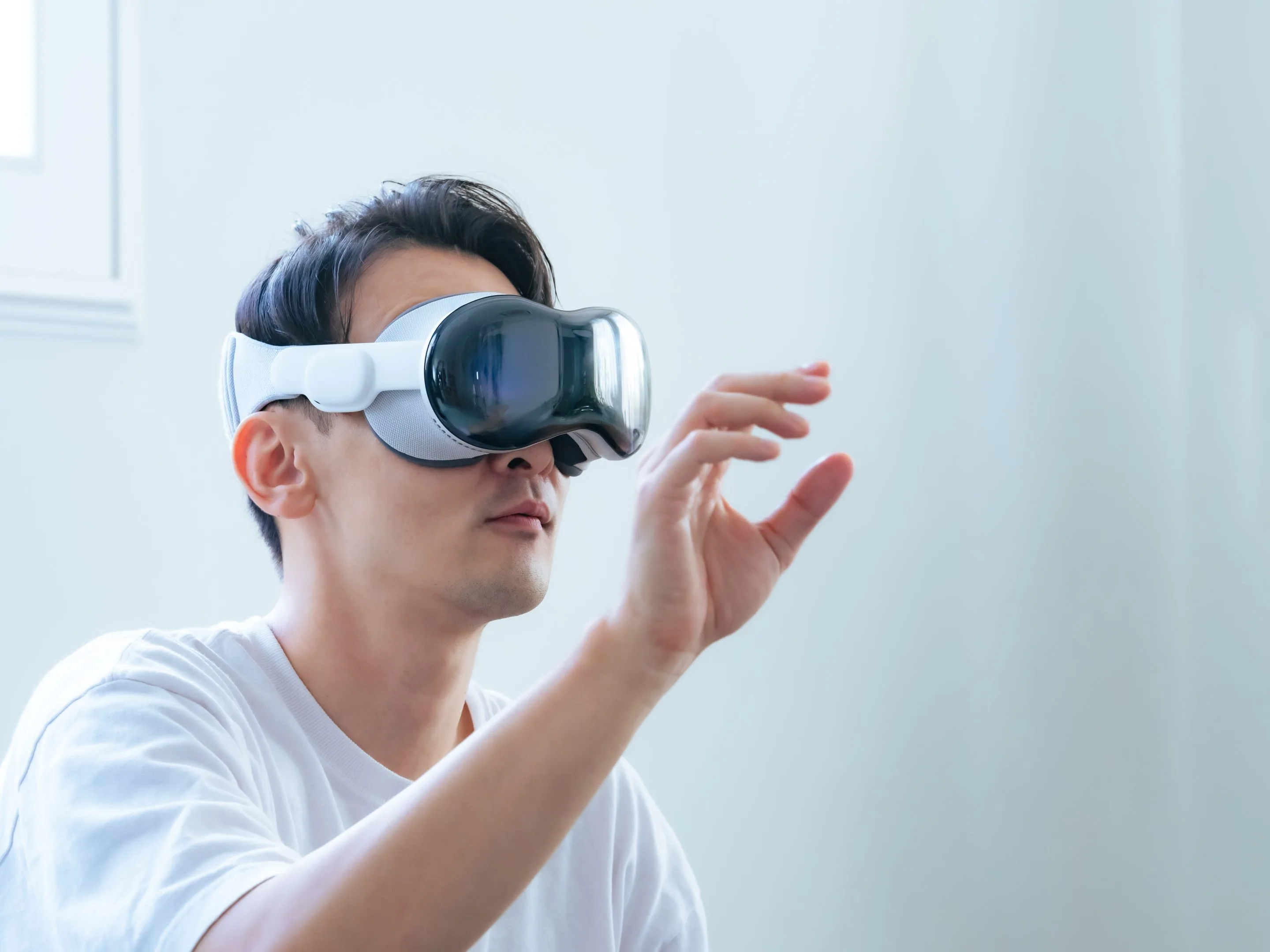
I’m excited to guide you through one of the most transformative frontiers in technology: augmented reality (AR). In recent years, advanced AR headsets and smart glasses—from Apple Vision Pro to the Sony XR Headset—have begun rewriting the rules of how businesses and enterprises solve problems. More than just a tech novelty, these devices equip professionals across industries with powerful tools to visualize data, train teams, and engage customers in a profoundly interactive way. Couple these wearables with robust software frameworks like iOS ARKit and Android ARCore, and you have a recipe for innovative solutions that transcend conventional 2D interfaces.
Indeed, AR has progressed well beyond the realm of playful social filters or the hype of Pokémon Go. Around the globe, organizations are turning to this technology for tangible results. Picture a car mechanic using a headset that overlays step-by-step instructions directly on an engine, drastically reducing errors. Or think of a museum curator who, via AR, breathes life into ancient artifacts for visitors. Far from a passing fad, AR addresses real challenges—boosting productivity, enhancing user experiences, and paving the way for immersive brand interactions.
Below, we’ll examine how AR is currently reshaping vital sectors like automotive, healthcare, retail, architecture, museums, education, entertainment, marketing, and accessibility. You’ll also discover how to leverage popular platforms such as Apple Vision Pro, Sony XR, iOS ARKit, and Android ARCore to craft top-tier AR applications. By the end, you’ll be armed with insights to implement AR in your own projects, staying ahead in an era where physical and digital realities merge seamlessly.
1. Introduction
Augmented reality integrates digital content into our physical environments, typically viewed through smartphones or specialized headsets. Today, a new wave of devices such as the Apple Vision Pro and the Sony XR Headset brings high-resolution displays, advanced motion tracking, and improved ergonomics—widening AR’s use cases in both consumer and professional contexts. Whether you’re a marketer looking to enthrall your audience or a manufacturing firm aiming to reduce assembly-line errors, these wearable solutions can drastically streamline processes and spark creative engagement.
Enterprises across every sector now view AR as a strategic advantage. Early adopters are using AR headsets to onboard new employees faster, visualize complex data in real time, and offer remote support for field technicians. Meanwhile, consumers delight in immersive brand experiences—trying on products virtually, interacting with layered digital narratives, and exploring far-flung museums from the comfort of their living rooms. In essence, AR fuses the tangible and intangible in a way that resonates with modern expectations of on-demand, customized information.
AR’s progress wouldn’t be possible without the complementary growth of iOS ARKit, Android ARCore, and advanced hardware from leading manufacturers. These platforms empower developers to anchor interactive 3D objects, text, or media onto real-world surfaces—a phenomenon known as tracking and rendering. The result is a deeper, more context-aware form of computing that can reimagine how we learn, collaborate, and create. Let’s see how AR is already changing the game in multiple industries.
2. Augmented Reality Examples
Throughout the following sections, we’ll explore AR’s impact across automotive, healthcare, retail, architecture, museums, education, entertainment, marketing, and accessibility. Each subcategory dives into a notable example, showcasing how AR transforms everyday business challenges into dynamic opportunities.
Automotive Industry
Reinventing Showrooms and Maintenance
The automotive world capitalizes on AR to redefine how we purchase, customize, and service vehicles. Digital showrooms let customers virtually place different car models in their own driveway, tailoring colors and features in real time. On the production side, AR headsets assist line workers or mechanics by overlaying step-by-step instructions for assembly or repairs, minimizing downtime.
Example:
-
- Volkswagen’s AR Manual: The automotive giant experimented with an AR manual, guiding technicians via overlaid instructions. Rather than sifting through endless diagrams, employees simply point a device at an engine component, and the app highlights relevant parts and recommended procedures.
Healthcare
A Precision Tool for Diagnosis and Treatment
Healthcare benefits enormously from AR’s capacity to layer essential data onto patients’ bodies or medical simulations. Doctors and nurses can wear an AR headset that displays X-ray or MRI overlays, ensuring precision during procedures. Medical students can practice advanced techniques on hyper-realistic 3D models, mitigating the risks of real-life training.
Example:
-
- AccuVein: A handheld AR device that projects a patient’s vein structure onto their skin, making IV insertions quicker and reducing patient discomfort. With such real-time guidance, practitioners can avoid multiple needle sticks and improve overall patient care.
Retail and E-Commerce
Enhancing the Online-to-Offline Journey
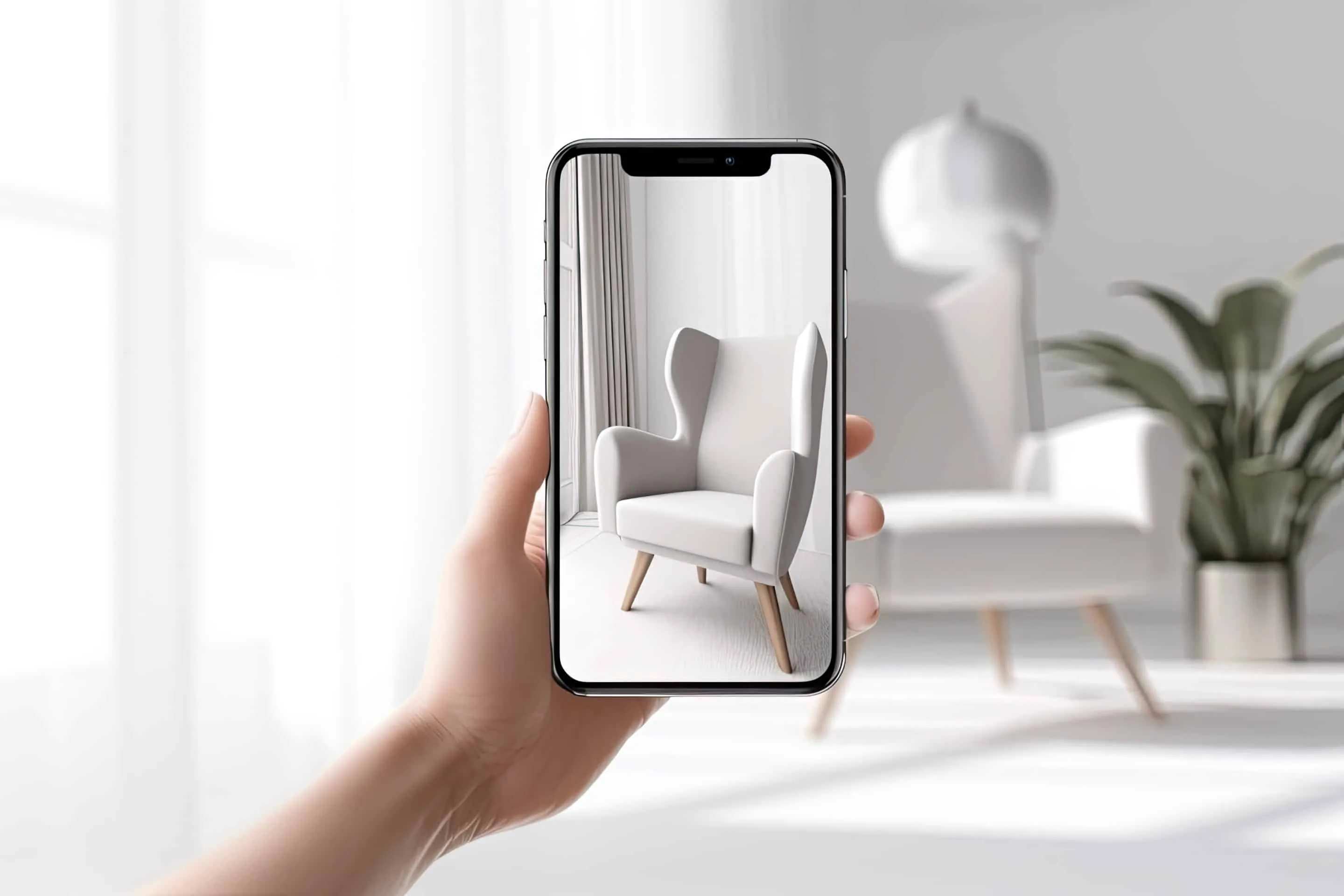
Retailers rely on AR to tackle the guesswork that plagues online shopping. Shoppers might virtually try on clothing and accessories, or preview how furniture appears in their living rooms. This personal, immersive experience bridges the digital-physical gap, lowering return rates and fueling brand loyalty.
Example:
-
- IKEA Place: By scanning your home’s floors and walls, IKEA’s AR app anchors 3D furniture models with near-realistic sizing and lighting. A sofa or table looks so convincingly placed that customers feel confident in their purchasing decisions.
Architecture and Construction
Visualizing Blueprints in Real Time
In architecture and construction, AR overlays digital plans onto physical job sites. This allows architects, builders, and clients to spot layout discrepancies quickly, preventing costly reworks. AR also promotes more transparent communication, as complex plans can be explained visually to non-experts.
Example:
-
- DALUX: DALUX’s app superimposes 3D models of buildings onto the actual construction site. Workers confirm if newly built sections match digital plans, quickly detecting potential mistakes. The result is a smoother, more cost-efficient building process. With TwinBIM, a model can be shown as an overlay on the real on-site location. For this feature, a 3D model is required. To use TwinBim, all that is needed is a mobile device.
Museums and Cultural Heritage
Bringing Static Displays to Life
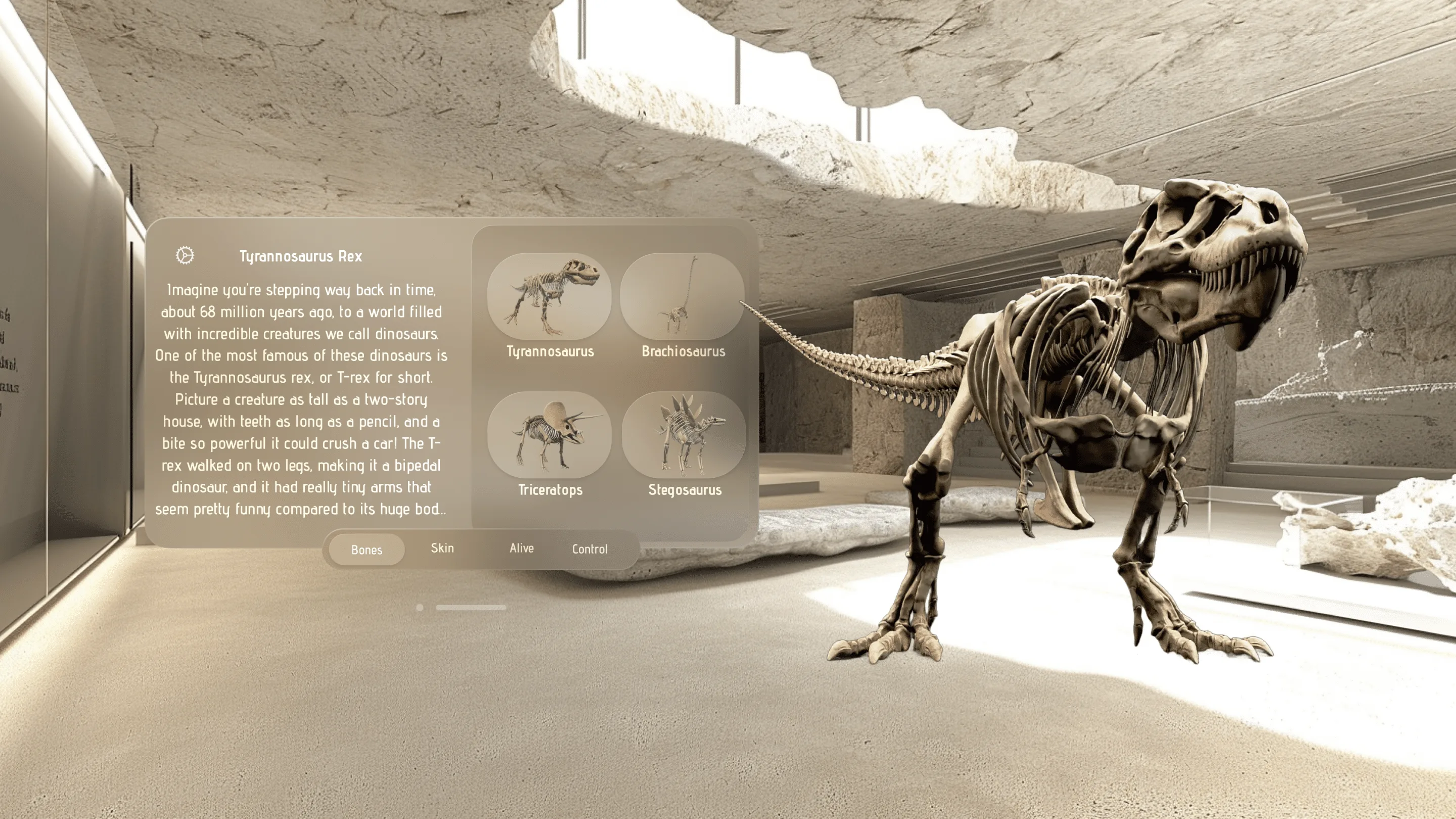
Museums have embraced AR to revolutionize how visitors interact with exhibits. Guests can point their phones or AR headsets at artifacts to unlock animations, voiceover narrations, or historical context. This multifaceted approach fosters deeper comprehension and engagement, particularly among younger, tech-savvy audiences.
Example:
-
- Bones: Imagine walking up to a dinosaur skeleton, scanning it with your device, and seeing a reconstructed 3D creature roam across your screen. That’s precisely what “Bones” offers, merging paleontology with an eye-catching, interactive AR display.
Education
Interactive, Personalized Learning
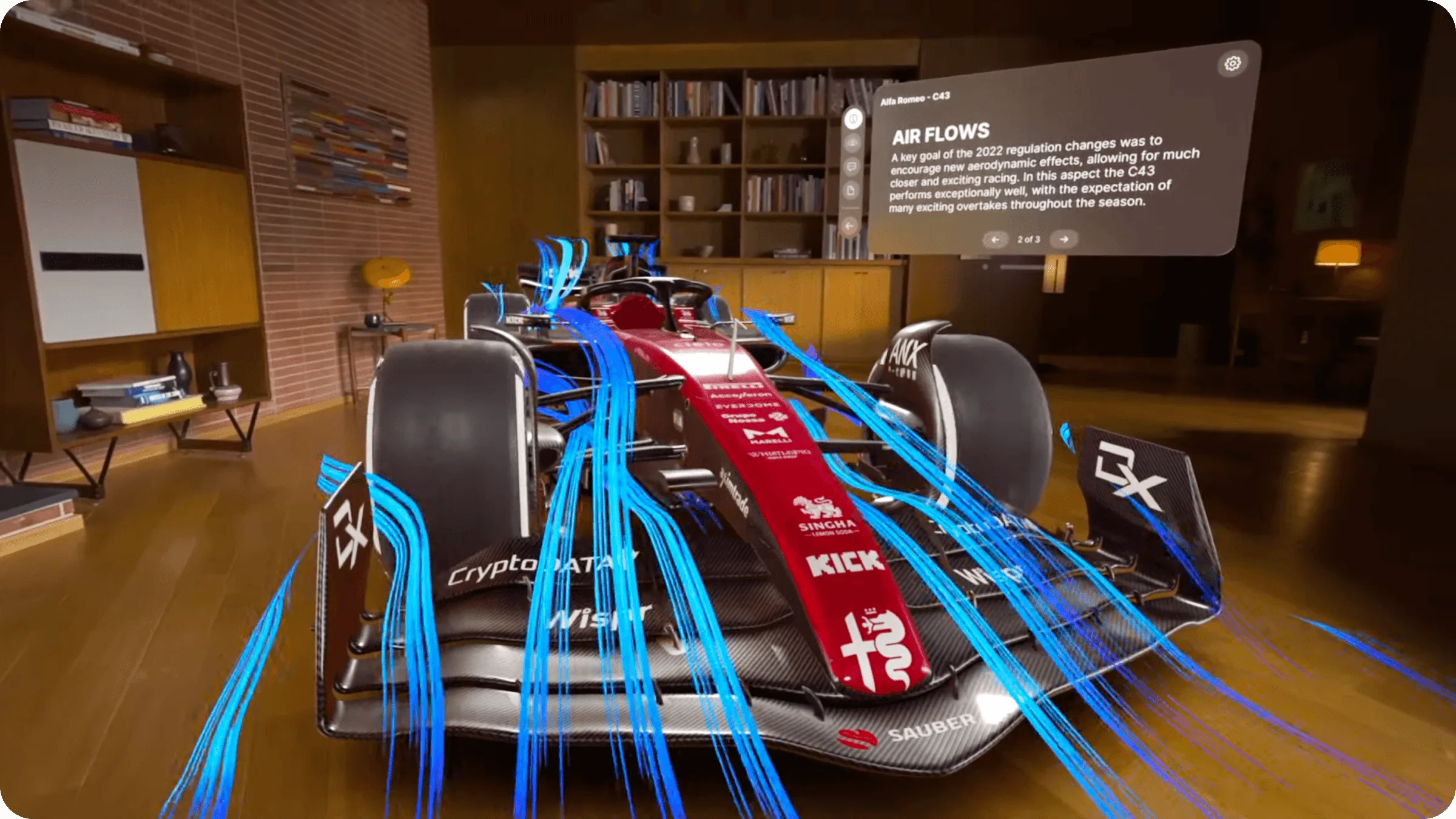
Classroom learning often thrives when students can see and manipulate abstract concepts. AR lessons let learners hold virtual objects in their hands, practice virtual dissections, or simulate physical phenomena like electricity or gravity. These engaging experiences cater to visual, auditory, and kinesthetic learners alike.
Example (Apple Vision Pro):
-
- JigSpace: Crafted with Apple Vision Pro in mind, JigSpace immerses students in 3D educational “jigs” spanning physics, biology, architecture, and more. Students can rotate, zoom, and dissect detailed models, fostering hands-on discovery that outperforms static textbooks.
Entertainment
A New Level of Immersion
Entertainment stands on the cusp of an AR renaissance, replacing simple screen-based experiences with layered, dynamic storytelling. Imagine beloved characters appearing in your own living room, or accessing behind-the-scenes data while watching your favorite movie. Wearable devices like Sony XR and Vision Pro remove the constraints of a small screen, amplifying engagement.
Example (Disney+ on Apple Vision Pro):
-
- Disney+ App: Far from merely “hinting,” Disney has actively integrated its streaming platform with Vision Pro. You can watch movies on a vast virtual screen, overlay interactive trivia or 3D animations, and even set your living room aglow with themed visuals. This synergy of cinematic content and wearable tech heralds the future of home entertainment.
Marketing & Advertising
Turning Passive Observers into Active Participants
AR-driven marketing captures attention through immersive campaigns. Rather than rely on static billboards or banner ads, brands create interactive experiences that encourage users to explore a product from multiple angles, play mini-games, or share AR filters on social media. These personal, shareable moments often translate into extended brand loyalty.
Example:
-
- Gucci’s Apple Vision Pro Experience: Gucci leaps into AR by crafting an immersive high-fashion environment for Vision Pro. Patrons can virtually try on accessories or attend AR-runway shows in real time. It’s a powerful play for brand prestige and viral conversation, showcasing how AR can bring a luxury brand closer to its digital audience.
Accessibility
Opening New Doors for Inclusivity
Beyond boosting efficiency, AR can profoundly enhance accessibility. From real-time language translation to sign language recognition, augmented reality tools help individuals overcome hearing, vision, or language barriers. This fosters inclusive workplaces, events, and social settings, ensuring everyone can connect, collaborate, and communicate seamlessly.
Example:
-
- Real-Time ASL Translation App: Developed by Frame Sixty for Apple Vision Pro, this app overlays English text onto an AR display in real time. Deaf or hard-of-hearing users gain instant translation for sign language, enabling full participation in meetings, lectures, or social gatherings where interpreters aren’t readily available.
3. Different AR Platforms
Now that you’ve glimpsed how AR transforms industries, let’s examine the major platforms driving these experiences: Apple Vision Pro, Sony XR, iOS ARKit, and Android ARCore.
3.1 Vision Pro: Apple’s Trailblazing Headset
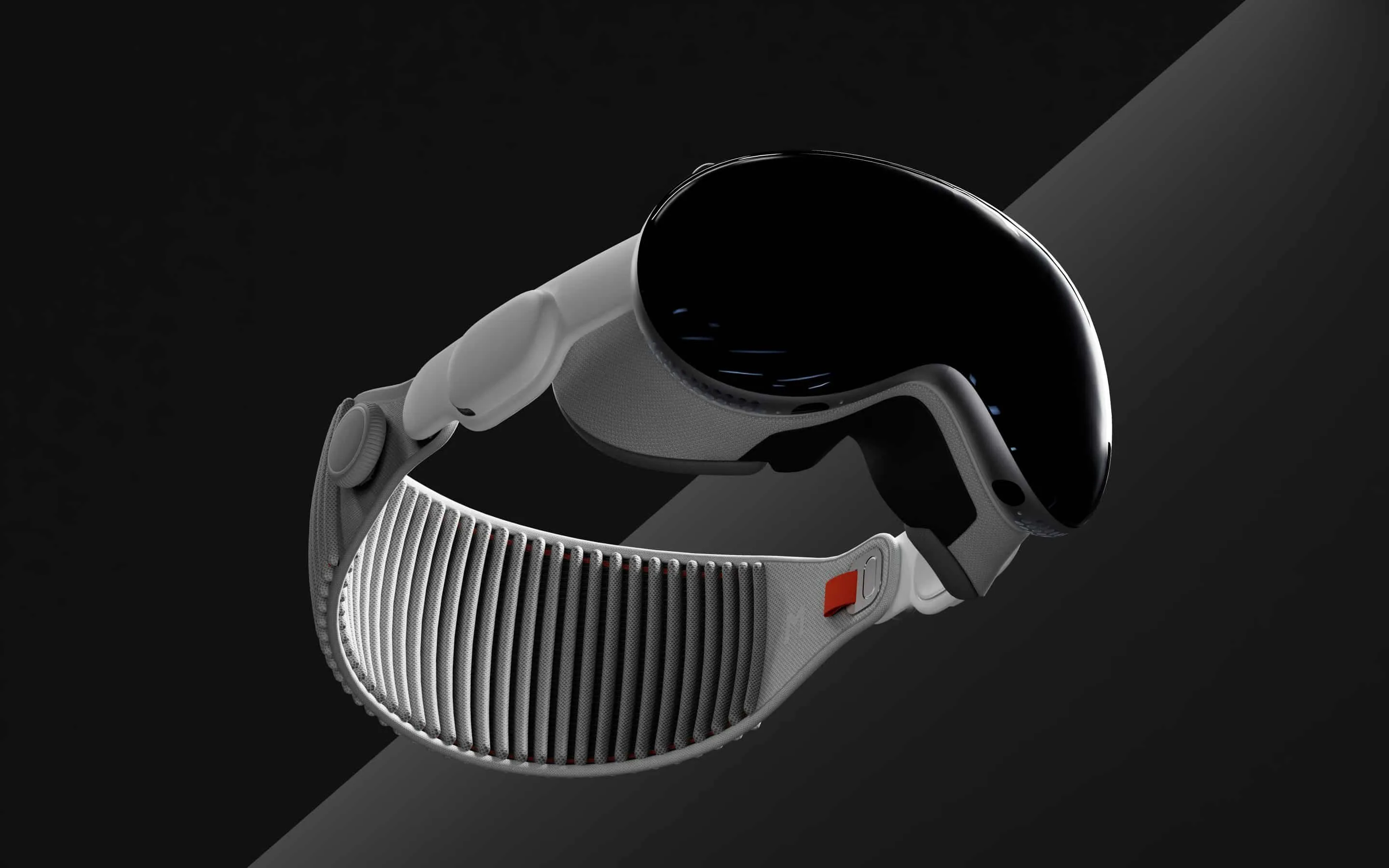
Fusing AR and VR in a Unified Ecosystem
Apple’s Vision Pro merges advanced display technology with intuitive hand- and eye-tracking. Built on Apple’s established development tools, it empowers app creators to craft uniquely immersive experiences that blend AR overlays and VR environments. Perfect for enterprise collaborations, design reviews, gaming, or education, Vision Pro acts as a front-runner in premium wearable computing.
-
- Freeform CollaborationApple’s digital whiteboard app can become a spatial brainstorming hub in Vision Pro, letting teams place 3D sticky notes, sketches, or reference docs in mid-air.
- ImmersedKnown on VR platforms, Immersed adapts to Vision Pro by enabling multi-monitor workstations in your living room. Switch between VR and AR modes, toggling real-world references as needed.
- AR Home DesignReal estate or architectural software can help prospective buyers “step into” a prospective build, customizing furniture or décor before making final decisions.
3.2 Sony XR Headset
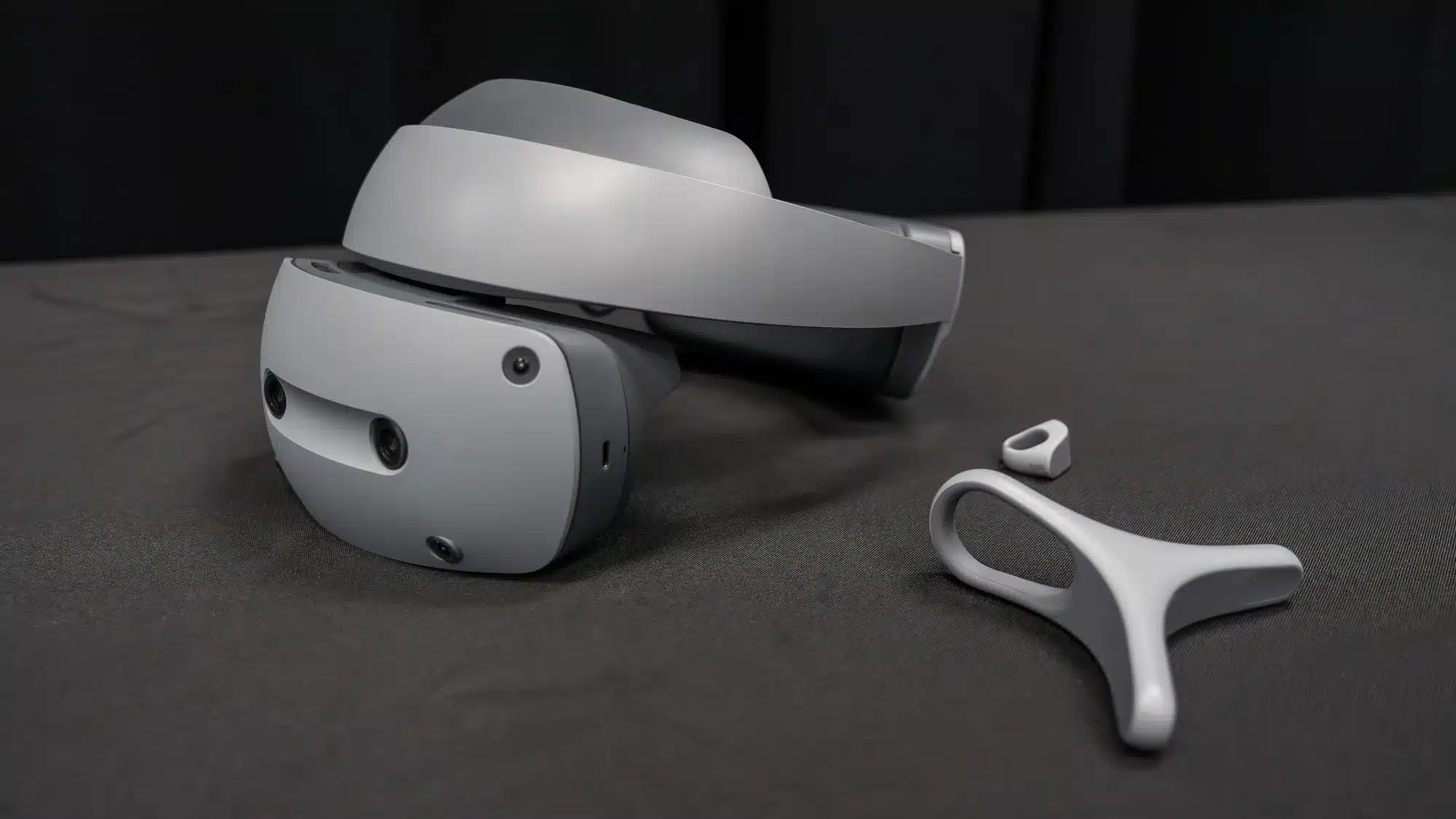
A Growing Player in Enterprise AR
Sony’s XR Headset underscores the brand’s long standing pedigree in visual technology and interactive entertainment. Although commonly associated with gaming, Sony XR’s capabilities extend into enterprise solutions—supporting training simulations, remote collaboration, and 3D design processes. With high-fidelity visuals and robust motion-tracking, Sony XR aims to appeal to businesses seeking polished, stable AR or mixed reality solutions.
Potential Sony XR Use Cases
-
- Manufacturing: Overlaid instructions for factory assembly lines or real-time machine maintenance.
- Remote Collaboration: Teams can gather in virtual conference rooms to review 3D prototypes, and then anchor those prototypes in real-world labs.
- Interactive Brand Experiences: High-end marketing campaigns that let consumers engage with products in augmented showrooms or location-based experiences.
3.3 iOS AR Development (ARKit)
The Powerhouse Behind iPhone and iPad AR
On iPhones and iPads, ARKit allows developers to create robust AR features without dealing with low-level sensor data. By analyzing camera feeds and device sensors in real time, ARKit detects planes, tracks motion, and estimates light. This synergy ensures 3D objects appear anchored, properly lit, and unwavering even as users move around.
Essential Capabilities
-
- Plane Detection: Spots horizontal or vertical surfaces.
- Motion Tracking: Maintains 3D object stability.
- Light Estimation: Dynamically adjusts virtual lighting.
- Image Anchoring: Maps digital content to recognized artwork or patterns.
iOS Best Practices
-
- Guided Onboarding: Prompt users to move their device around for environment scanning.
- Performance Tuning: Optimize polygon counts and textures.
- Leverage LiDAR: On recent devices, LiDAR sensors enhance AR with faster, more precise surface detection.
- Seamless UX: Keep AR interactions natural (e.g., pinch, swipe) so novices aren’t overwhelmed.
3.4 Android AR Development (ARCore)
Google’s Open-Arms Approach to AR
Over on Android, ARCore powers real-time plane detection, motion tracking, and light estimation—mirroring ARKit’s functionality. However, Android’s platform fragmentation means developers must test vigorously across different hardware specs and OS versions. Still, Google’s certification efforts have made ARCore accessible to a wide array of devices.
ARCore Key Points
-
- Environmental Understanding: Identifies surfaces and anchors objects.
- Motion Tracking: Minimizes visual drift.
- Light Estimation: Renders virtual objects consistently.
- Unity & Sceneform: Offers convenient 3D frameworks for simpler development.
Tips for Android AR
-
- Cross-Platform Tools: Unity’s AR Foundation unites iOS and Android AR codebases, streamlining development.
- Testing: Tackle device diversity by trying multiple phone models, from budget to flagship.
- Graceful Fallback: If ARCore isn’t supported, provide non-AR features or instructions.
- Asset Optimization: Keep textures and polygons minimal for consistent performance.
4. Working With an AR Agency
Implementing an AR solution often involves specialized 3D modeling, environment mapping, and user-experience design. Many organizations decide it’s more efficient to partner with a professional AR agency, which brings proven expertise, creative direction, and a ready-made development pipeline.
Why Partner with an Agency?
-
- Technical Mastery: Agencies stay current on new hardware and software, from Apple’s latest OS to Sony XR’s firmware updates.
- Creative Vision: They can suggest user flows or experiential narratives that bring your brand to life.
- Project Management: A structured approach to prototyping, iteration, QA, and deployment ensures fewer mistakes.
- Maintenance: AR frameworks evolve rapidly, so an agency can keep your solution fresh and functional over time.
Whether you’re brainstorming a marketing campaign or a training tool, an AR agency offers you the benefit of direct experience and broader industry perspectives. This shortens time-to-market while ensuring
Overview of iOS Development Tools
Native vs. Cross-Platform Development
-
- Native apps provide superior performance.
- Cross-platform tools like Flutter can save costs but may compromise on user experience.
Explore the pros and cons of each with our expert iOS App Development Services.
5. Wrap-Up
Augmented reality has swiftly moved from a fun curiosity to a game-changing tool, reshaping how we tackle challenges in automotive, healthcare, retail, architecture, museums, education, entertainment, marketing, and accessibility. As new and improved headsets—like Apple Vision Pro and the Sony XR Headset—emerge, the business applications of AR are set to expand even further. By superimposing context-aware insights on our surroundings, AR fosters innovation and problem-solving in ways we never dreamed possible.
With frameworks like ARKit and ARCore bridging software capabilities, and advanced devices opening up new pathways for immersive experiences, now is the time to explore AR’s potential for your brand or organization. You might begin with a modest proof of concept or partner with an AR agency to build a full-scale consumer experience. The key is to act quickly—AR’s trajectory suggests that what’s cutting-edge today may soon become a competitive necessity tomorrow.
By keeping a pulse on hardware developments, tapping into proven software solutions, and allowing creativity to flourish, you can become an active participant in the AR revolution. Whether it’s delivering real-time language translation, guiding complex automotive repairs, or enthralling customers with a next-gen showroom, the sky’s the limit for how augmented reality can elevate your vision. As we accelerate toward a future where physical and digital realities blend seamlessly, AR stands ready to be the catalyst for transformative experiences.
Need help to get your app project started?
We are here to help!
Augmented Reality Examples: Common Questions
Quick answers on real augmented reality examples by industry, and the platforms behind them, from Apple Vision Pro to ARKit and ARCore.
Real augmented reality examples span most industries: Volkswagen tested an AR manual that overlays repair instructions on engines, AccuVein projects vein maps onto patients' skin, IKEA Place anchors true-scale 3D furniture in shoppers' homes, DALUX superimposes building models on construction sites, and the Bones museum app turns a dinosaur skeleton into a moving 3D creature. Each replaces guesswork with contextual visual information.
Healthcare augmented reality examples include AccuVein, a handheld device that projects a patient's vein structure onto the skin to make IV insertions quicker and less uncomfortable, and AR headsets that display X-ray or MRI overlays during procedures. Medical students also practice advanced techniques on hyper-realistic 3D models, which reduces the risks of live training while improving precision.
Augmented reality improves accessibility by translating between communication modes in real time. Frame Sixty's Sign Language Translator for Apple Vision Pro overlays English text in the wearer's view, giving deaf and hard-of-hearing users instant translation in meetings and lectures where interpreters are not available. Similar approaches offer audio guidance or scene descriptions for users with vision impairments.
ARKit (iOS) and ARCore (Android) both provide plane detection, motion tracking, and light estimation, but ARKit benefits from Apple's controlled hardware and LiDAR on recent iPhones and iPads for faster, more precise surface detection. ARCore reaches a far wider range of Android devices, which demands more testing across hardware. Unity's AR Foundation lets one codebase target both platforms.
Apple Vision Pro augmented reality examples include JigSpace's interactive 3D lessons for education, Disney+ with immersive viewing environments and interactive content, Gucci's virtual try-on and AR runway experience, and productivity tools like Freeform and Immersed for spatial collaboration. The headset's hand and eye tracking makes these experiences practical for enterprise design reviews as well as entertainment.
An AR agency brings specialized 3D modeling, environment mapping, and UX expertise plus a ready-made development pipeline, which shortens time-to-market and avoids the steep learning curve of assembling an internal team. Agencies also stay current as AR frameworks and headsets evolve, keeping a solution functional over time. See what a dedicated augmented reality agency handles across a project.
Get in touch
We’re interested to see how we can help. Send us a message and we will get back to you within 24 hours.