
WWDC 2026: How Apple Is Redefining Spatial Computing as Enterprise Infrastructure
Jun 11, 2026
14 MIN READ
Spatial computing is the practice of anchoring digital information—3D models, live data, interfaces, and AI agents—to precise locations in the physical world so people work with it in place rather than on a flat screen. At WWDC 2026, it shifted from a consumer novelty toward enterprise infrastructure through the visionOS 27 release. Foveated Streaming moves full-fidelity CAD and simulation rendering onto workstations or cloud instances, while Spatial Preview enables collaborative 3D design review from a Mac with no headset code required. New object tracking and spatial accessory APIs deliver measurement-grade precision for tracked tools and training simulators, and an on-device intelligence layer reads the physical environment to surface relevant context on demand.
Foveated Streaming: Full-Fidelity CAD and Simulation Without On-Device Compute
What is Foveated Streaming? It is a visionOS 27 framework that turns Apple Vision Pro into a spatial terminal: the heavy 3D rendering runs on a workstation or cloud instance, and the headset receives and displays the result over Wi-Fi. This solves the oldest objection to enterprise spatial work—that a wearable chip cannot render automotive CAD, full-physics simulation, or cloud-rendered scenes at the fidelity engineers demand.
How does Foveated Streaming work?
The framework uses the headset’s eye tracking to compress video by where you are looking. The region your eyes focus on streams at full resolution, while peripheral areas are compressed to save bandwidth. NVIDIA CloudXR is built into visionOS 27, so the stream runs over Wi-Fi with no cables and no extra client software on the headset.
The developer surface is a session-based Swift API, FoveatedStreamingSession. Pairing happens over a lightweight TCP protocol using a QR code that carries a client token and certificate hash. A bidirectional message channel lets the visionOS app and the PC or cloud endpoint exchange custom data, and native RealityKit content can be composed on top of the streamed feed inside the same immersive space. Apple documents all of this on its What’s New in visionOS page.
A concrete scenario: automotive design validation at Kia
Kia designers use Autodesk VRED, Innoactive, and the Foveated Streaming framework to view vehicles at one-to-one scale on Vision Pro for design validation—the first publicly named automotive customer for the pipeline. Apple demonstrated the workflow in its WWDC26 session, Use foveated streaming to bring immersive content to visionOS.
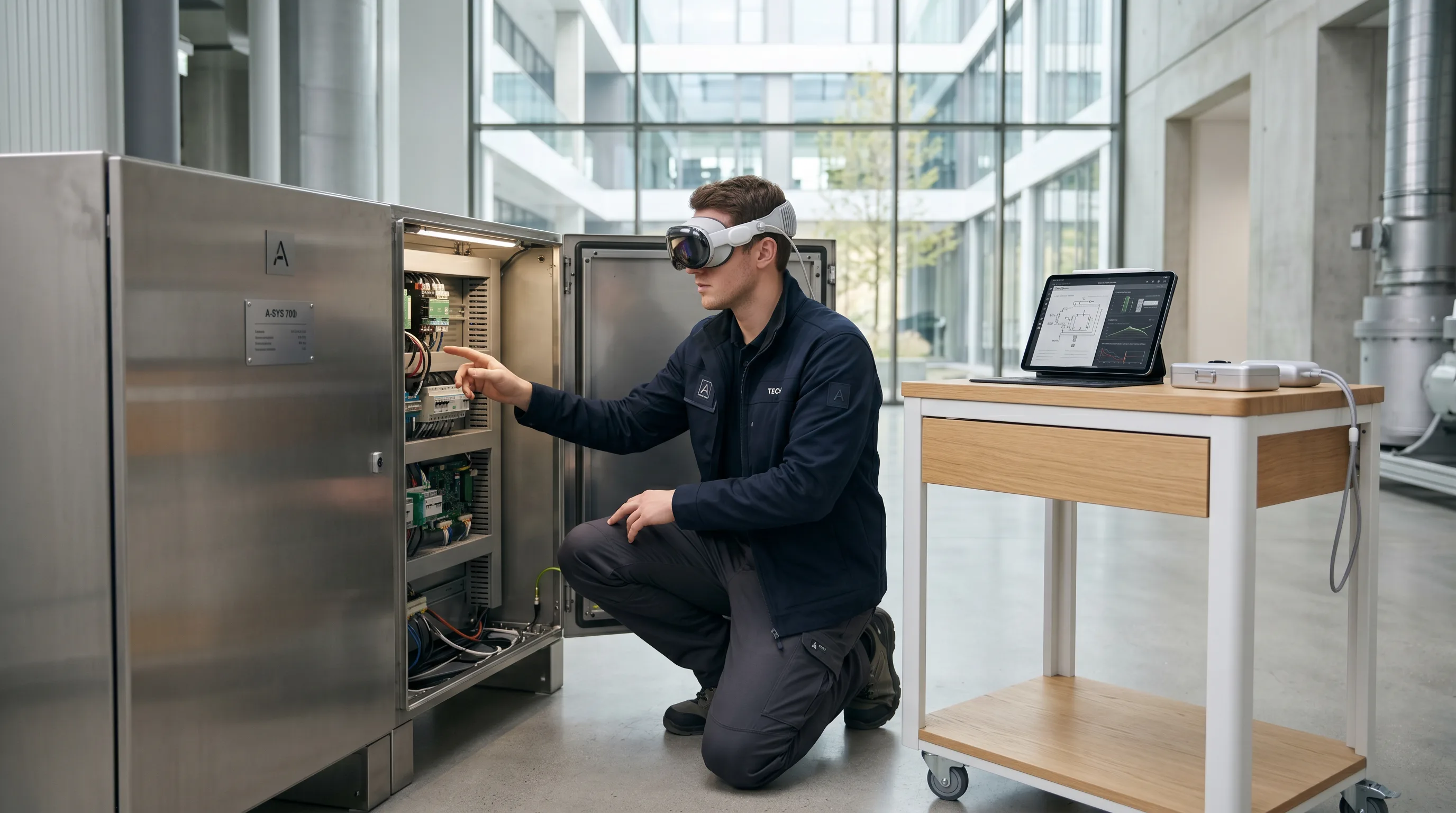
To build this, a team needs a Windows PC or cloud instance running the OpenXR endpoint, the NVIDIA CloudXR SDK, and a visionOS receiver app built around FoveatedStreamingSession. The same session showed X-Plane 12 using ARKit inside the streaming pipeline to detect physical flight-simulator hardware and align the virtual cockpit to it. That pattern carries directly to industrial simulation rigs and design floors. If you already run a streaming pipeline to other headsets, our work on NVIDIA Omniverse digital twins and spatial streaming to Vision Pro maps closely to this approach.
The takeaway: with Foveated Streaming, the constraint on enterprise 3D fidelity moves off the headset and onto infrastructure a company already controls.

Need help with enterprise spatial computing?
We are here to help!
Spatial Preview: Collaborative 3D Design Review from Mac to Vision Pro
What is Spatial Preview? It is a macOS 27 framework that sends spatial content from any Mac app to Apple Vision Pro for live review, with no visionOS code required on the receiving side. It targets a specific bottleneck: design review needs non-engineering stakeholders to evaluate 3D assets in context, but those reviewers rarely have visionOS development skills, and trading static screenshots back and forth kills iteration speed.
How does live USD editing work across devices?
The framework connects a Mac app to Quick Look on visionOS. A DocumentPreviewSession handles spatial photos, Apple Immersive Video, and PDFs, while a USDPreviewSession drives live 3D scenes built on Universal Scene Description. During a session, reviewers can swap layout variants, apply material overrides, move through camera viewpoints, manipulate objects, and leave annotations that sync back to the Mac.
The framework optimizes transfer automatically with mesh decimation and texture downsampling, and a .unmodified parameter is available when a production pipeline needs full fidelity. Apple walks through the full API in its WWDC26 session, Discover the Spatial Preview framework.
A concrete scenario: a distributed design team reviewing a product model
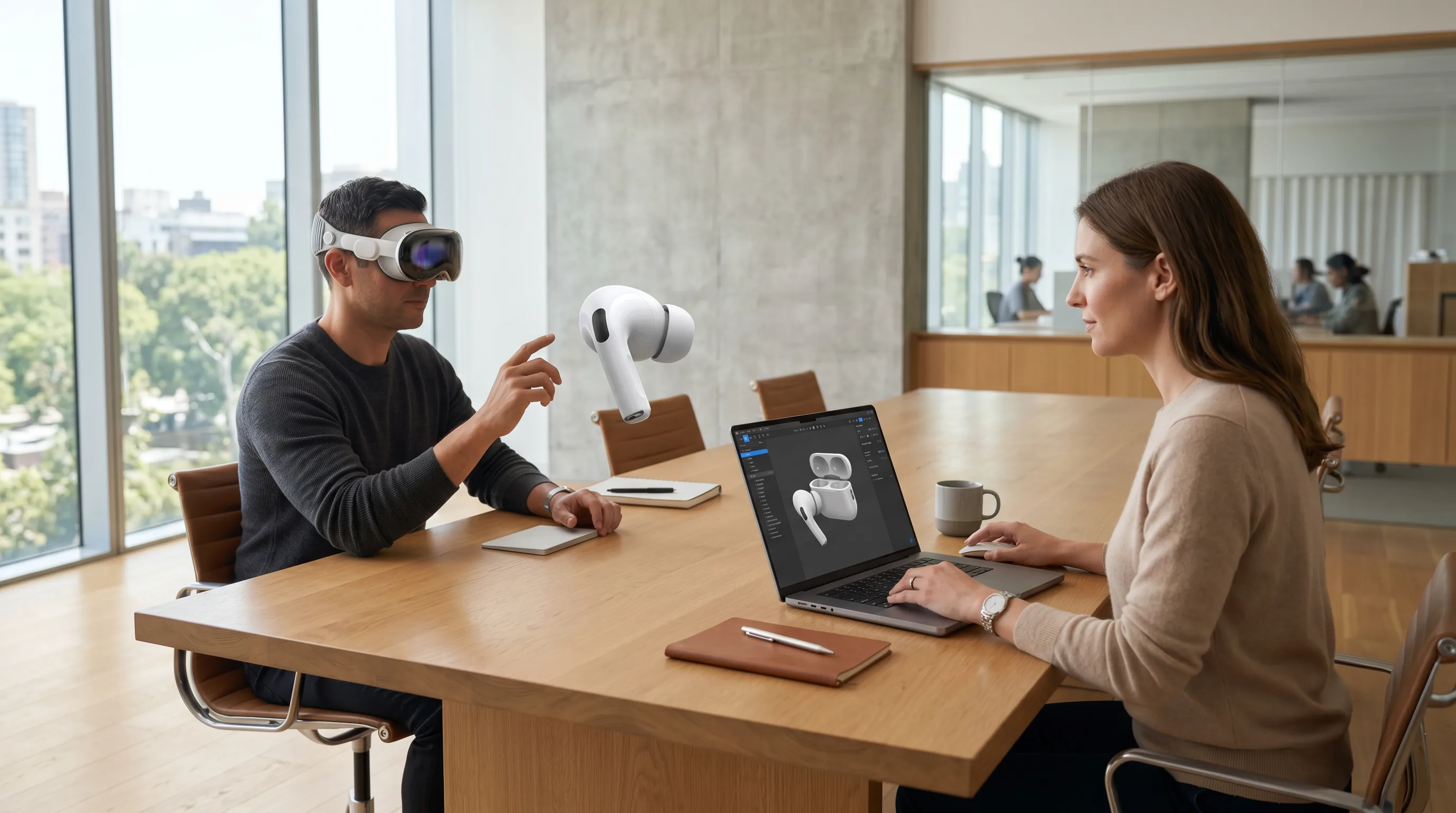
Picture a designer on a Mac pushing a USD scene to a reviewer wearing Vision Pro in another city. The reviewer walks around the model at real scale, adjusts material overrides, and adds annotations. SharePlay is built into the framework, so additional collaborators join the same live session and every participant’s view updates in real time. That removes the round-trip of traditional asset review.
To build it, a team needs the macOS 27 SDK, the USD Kit Swift APIs, and a SpatialPreviewDevicePicker for selecting the headset endpoint; Quick Look handles the visionOS side automatically. For organizations producing the assets that feed this loop, our 3D modeling for manufacturing and industrial design services sit upstream of exactly this workflow.
The takeaway: Spatial Preview lets a company put 3D review in front of decision-makers without staffing a visionOS team to do it.
Object Tracking and Spatial Accessories: Precision for Tools, Training, and the Factory Floor
The highest-value enterprise scenarios involve real physical objects—a surgical probe, a torque wrench, a training device—that must be measured precisely or annotated with digital instructions in real time. Two complementary visionOS 27 APIs now handle this: enhanced object tracking and a new Spatial Accessories framework.
How does high-frame-rate tracking and the metric-space pose API work?
A new ReferenceObject.Configuration API enables high-frame-rate tracking for objects in motion, giving apps more frequent pose updates as an item moves through space. An extended training mode in Create ML improves accuracy and robustness for handheld objects; it takes longer to train and runs from either the Create ML app or the command line. A metric-space pose API adds a .none correction flag that returns coordinates without display rendering corrections—the form clinical measurement requires. Object tracking also runs on iOS 27, and the same Create ML reference objects work across iOS and visionOS without retraining. Apple covers this in its WWDC26 session, Explore enhancements to visionOS object tracking.
A concrete scenario: surgical navigation and precision measurement
Apple demonstrated measuring vertebrae distances with a handheld probe during surgical training, where display-correction-free coordinates are needed for clinical accuracy. Building this requires a .referenceobject file trained in Create ML with extended mode enabled, an ARKit object anchor, and pose reads taken in the .none coordinate space. Teams already working in this area can see how we approach the broader category in our medical VR training work.
What are spatial accessories in visionOS 27?
A spatial accessory is an active electronic device defined by three required parts: an LED constellation for optical tracking, an IMU for positional data, and a Bluetooth connection to the headset. Buttons, a touchpad, and haptics are optional. Accessories track at up to 90 Hz—possibly 120 Hz—matching the display refresh rate, and they hold their lock even when partially obscured, as detailed in this breakdown of the Spatial Accessories framework.
Developers discover hardware through GCSpatialAccessory and manage tracking through AccessoryTrackingProvider, and accessories hot-swap without restarting the ARKit session. Registration is system-wide. As Apple put it, the framework “registers your accessory system-wide, so any app on Apple Vision Pro can use it,” which removes per-title integration work. Off-the-shelf reference kits are available now from DFRobot, the seeMote Cap, and from MikroE, the Spatial Anchor R1. Unity PolySpatial, Unreal Engine, and Godot all receive spatial controller plug-ins in visionOS 27, so teams on third-party engines get accessory support without writing native Swift code.
A concrete scenario: factory-floor training with tracked tools
Consider a training simulator that tracks a physical torque wrench fitted as a spatial accessory and overlays step-by-step assembly instructions anchored to the tool’s orientation in real space. To build it, a team prototypes with off-the-shelf reference hardware, trains a Create ML bundle, and wires AccessoryTrackingProvider into an ARKit session. We have written before about how these APIs reshape day-to-day operations in Vision Pro development and the new object tracking APIs, and the pattern extends naturally to our VR training practice.
The takeaway: object tracking handles precision measurement, spatial accessories handle fast, low-latency input, and together they define a new standard for tracked-tool training.
Apple Intelligence as a Spatial Context Engine
visionOS 27 adds something earlier spatial platforms lacked: ambient awareness of the physical environment without custom object-detection code. Visual Intelligence on Apple Vision Pro now works with physical surroundings through passthrough. A user looks at a real-world item—a piece of equipment, a document, a specimen—and asks Siri about it, with answers drawn from on-device models and Private Cloud Compute.
The backend runs on a new architecture developed with Google Gemini technology, while on-device processing and Private Cloud Compute handle privacy, as AppleInsider reported from the keynote. The enterprise scenario writes itself: a field service technician looks at an unfamiliar component, asks Siri to identify it, and pulls up the maintenance procedure without scanning a barcode or switching apps.
How does visionOS 27 protect confidential enterprise content?
A new Protected Content API restricts confidential materials—medical records, financial forecasts—to credentialed users, and blocks screenshots and screen sharing at the OS level. Apple covered this alongside the broader developer story in its WWDC26 session, Build next-generation experiences with visionOS 27.
Content authoring gets easier too. Reality Composer Pro 3 ships with an AI assistant that generates 3D models from text descriptions, an Animation Graph state machine, and a node-based Script Graph for interaction logic. That lowers the bar for enterprise teams that lack dedicated 3D artists. This direction connects to our thinking on agentic spatial computing, where the environment itself becomes something software can reason about.
The takeaway: when the headset can interpret the physical world on its own, spatial computing stops being a viewer and starts being context-aware infrastructure.

The Platform Play: Open Standards, Cross-Engine Support, and iOS Reach
Read together, these announcements signal a strategy rather than a feature list. Apple is lowering the cost of enterprise spatial adoption by absorbing open protocols and supporting multiple engines instead of demanding a proprietary stack.
- NVIDIA CloudXR is embedded in visionOS, so any OpenXR-compliant workstation application streams without Apple-specific porting.
- Unity PolySpatial, Unreal Engine, and Godot all receive first-party spatial accessory plug-ins, so teams with existing engine investments avoid a SwiftUI rewrite.
- iOS 27 object tracking parity means the same trained models run on iPhones and iPads already deployed in the field, alongside Vision Pro. One training pipeline serves several form factors.
- The Foveated Streaming Protocol is TCP-based and documented, with an open-source Windows reference implementation, so enterprise IT can evaluate it independently.
This matters because adoption now hinges on governance, not novelty. Industry coverage in UC Today’s enterprise XR trends for 2026 describes organizations moving XR from isolated pilots into managed IT, applying the same provisioning, identity, and endpoint-security standards they use for collaboration suites. As Wired editor Nicole Kobie put it in that coverage, “Forget Mark Zuckerberg’s vision of VR meetings; the industrial metaverse bridges digital and physical worlds in a way that’s actually useful.” Computerworld’s Matthew Finnegan added the counterweight: “Despite evidence of the effectiveness of AR, VR and mixed reality tools, companies still face a variety of technical, cultural and organizational challenges.”
The takeaway: Apple is positioning visionOS as an open enterprise platform, which is the posture IT departments need before they commit budget.
What Teams Should Evaluate First
The practical question for decision-makers is timing. visionOS 27 reached developer beta on June 8, 2026, with a public release scheduled for fall 2026. That gap defines what you can pilot now versus what waits.
Pilot-ready now, in the developer beta
| Capability | Why it’s ready | What you need |
|---|---|---|
| Foveated Streaming | Reference sample code is available; works with existing CloudXR pipelines | An OpenXR or NVIDIA CloudXR endpoint already in place |
| Spatial accessories | Off-the-shelf reference hardware ships today | DFRobot seeMote Cap or MikroE Spatial Anchor R1 |
| Object tracking with extended Create ML training | No hardware dependency; trains on current Macs | Existing Mac hardware and source object models |
What waits for the fall public release
- visionOS 27, macOS 27, and iOS 27 ship to production devices in fall 2026, so production rollouts wait for the public release.
- Enterprise MDM and identity integration with the Protected Content API should be scoped now, so deployment is ready the day the OS ships.
Where to start, by team type
- Teams with existing CAD or simulation pipelines: evaluate Foveated Streaming first—it carries the lowest integration lift if a CloudXR endpoint already exists.
- Teams doing distributed design review: Spatial Preview needs only macOS 27 SDK work, with no visionOS development required.
- Teams building training simulations: pair spatial accessories with object tracking, and validate the use case on reference hardware before investing in custom devices.
- Cross-platform teams: iOS 27 object tracking opens the same spatial scenarios on devices already in the field.
The takeaway: most organizations can begin a meaningful pilot this summer, then time production to the fall release. For a deeper look at building on this platform, see our overview of Apple Vision Pro development for enterprise and our broader perspective on spatial computing in enterprise.
Conclusion
WWDC 2026 did not add features to a headset. It shipped the infrastructure that lets businesses treat spatial computing as a system they build on. Foveated Streaming moves rendering off the device and onto infrastructure a company already owns. Spatial Preview puts collaborative 3D review in front of stakeholders without a visionOS team. Object tracking and spatial accessories bring measurement-grade precision and low-latency input to physical tools, and Apple Intelligence gives the headset the ability to read its surroundings.
The market context explains why Apple made this move now. Enterprise already drives most spatial computing adoption, the bulk of Vision Pro sales, and a market growing toward the trillion-dollar range. The open posture—built-in NVIDIA CloudXR, Unity and Unreal and Godot support, and iOS parity—is the kind of platform commitment IT departments need before they fund a rollout.
For decision-makers, the action is clear. Pick the capability that matches your existing pipeline, start a pilot in the developer beta this summer, and scope identity and content protection so production is ready for the fall release. The teams that evaluate now will be the ones with working deployments when visionOS 27 ships.
If you would like to explore what these visionOS 27 capabilities mean for your business, reach out to our team at Frame Sixty. We build enterprise spatial computing on Apple Vision Pro, from design review pipelines to tracked-tool training simulators, and we can help you turn this week’s announcements into a working pilot.
Spatial Computing for Enterprise: WWDC 2026 FAQ
Common questions about how the WWDC 2026 announcements reposition spatial computing as enterprise infrastructure, and what teams need to build on visionOS 27.
Spatial computing is the practice of anchoring digital information such as 3D models, live data, interfaces, and AI agents to precise locations in the physical world, so people work with it in place rather than through a flat screen. At WWDC 2026 it moved from a consumer category toward a layer businesses can build on.
WWDC 2026 introduced visionOS 27 with frameworks aimed at industrial problems: streaming full-fidelity 3D without on-device compute, collaborative design review from a Mac, precise tracking of physical tools, and an intelligence layer that interprets the surrounding environment. Together they reposition the headset as enterprise infrastructure rather than a novelty viewer.
Enterprise now accounts for the majority of spatial computing platform adoption and the bulk of Apple Vision Pro sales, with more than 50 Fortune 100 organizations running the platform. The market is tracking from roughly $164 billion in 2025 toward $1.2 trillion by 2035, which gives businesses a clear reason to evaluate the technology now.
Foveated Streaming is a visionOS 27 framework that runs heavy 3D rendering on a workstation or cloud instance and displays the result on Vision Pro over Wi-Fi. It uses the headset's eye tracking to stream the region you focus on at full resolution while compressing peripheral areas, with NVIDIA CloudXR built into the system.
Enhanced object tracking adds high-frame-rate pose updates and a metric-space pose API for clinical-grade measurement, while the Spatial Accessories framework tracks active devices that combine an LED constellation, an IMU, and a Bluetooth link at up to 90 Hz. Object tracking also runs on iOS 27 using the same trained models.
Teams with existing CAD or simulation pipelines should evaluate Foveated Streaming first because it carries the lowest integration lift. Distributed design teams should look at Spatial Preview, training teams should pair spatial accessories with object tracking, and cross-platform teams can use iOS 27 object tracking on devices already in the field.
Get in touch
We’re interested to see how we can help. Send us a message and we will get back to you within 24 hours.