
Hire iPad App Developers: A Buyer's Guide to iPad-Native Development
Nov 10, 2026
14 MIN READ
When you hire iPad developers, you are hiring for a platform, not a screen size. A capable iPad team builds for iPadOS multitasking, Apple Pencil input, keyboard and trackpad interaction, and fleet deployment through Apple Business Manager, work that a general iOS developer building for iPhone rarely touches. This guide explains what makes iPad development distinct, which projects justify a specialist, what to vet for, and what to budget.
Here is the position worth stating plainly before anything else. The most expensive mistake in this category is hiring for iOS and assuming iPad comes free with it. A generalist team treats the iPad as a bigger canvas for an iPhone layout, ships something that technically runs, and defers the iPad-specific work to a “phase two” that never arrives. The cost premium on iPad-specific work is not the real risk. The real risk is paying twice because the first build had to be rebuilt.
Key Takeaways
- Apple shipped 57 million iPads in 2024 and held 42.3% of the global tablet market in Q4 2024, per Canalys data cited by Zugu (2026).
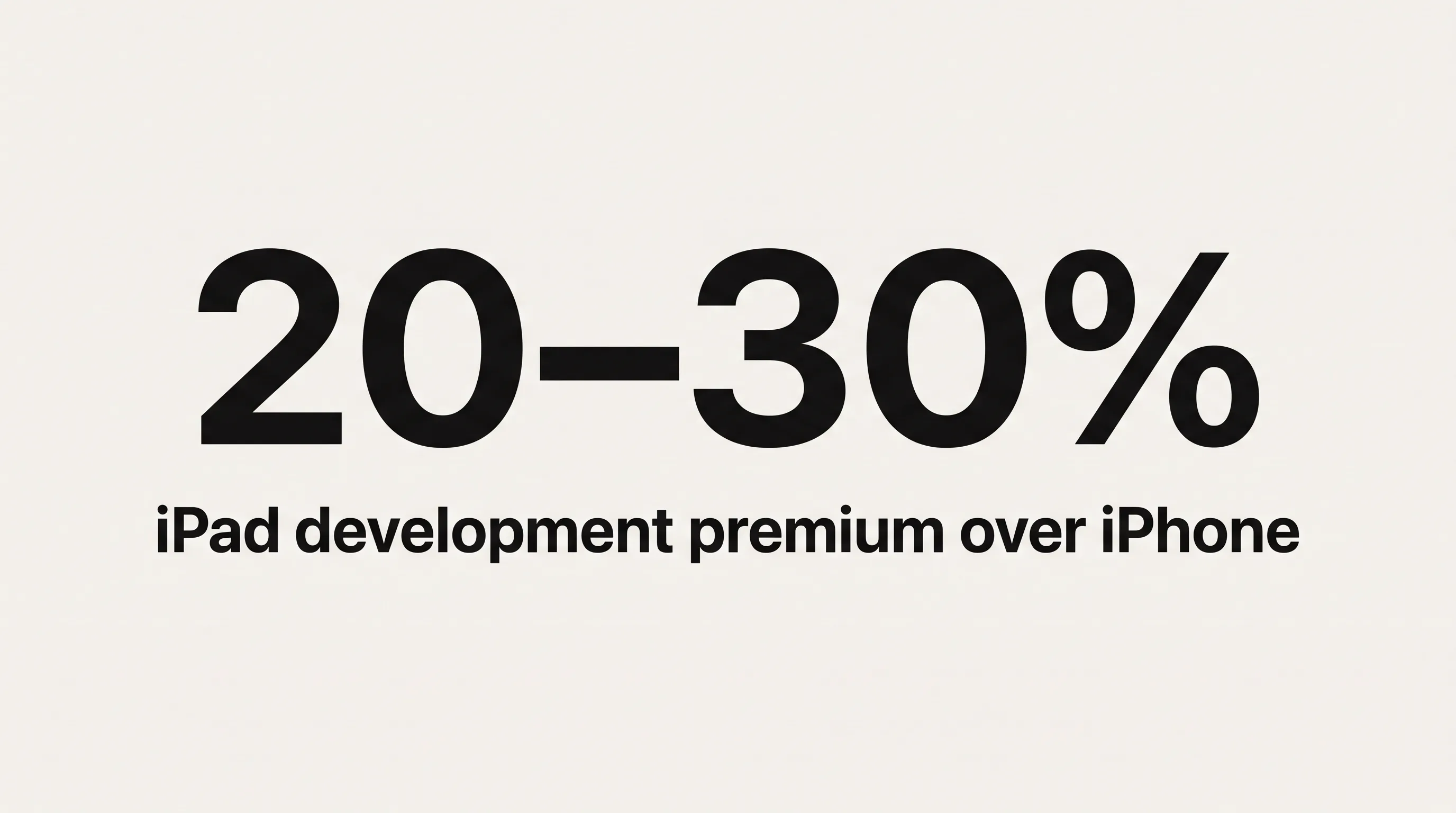
- iPad apps cost 20 to 30 percent more to build than comparable iPhone apps, according to Techugo (2026).
- Stage Manager, Split View, and Apple Pencil (PencilKit) require iPad-specific engineering a generalist iOS developer rarely writes.
- Enterprise iPad apps deploy through Apple Business Manager and MDM, not the public App Store.
- Freelancers cost roughly 30% less than agencies but carry higher continuity and QA risk, per Moldstud (2026).
iPad Developer vs. iOS Developer: What’s the Difference?
An iPad developer builds for iPadOS as a first-class target, while a general iOS developer usually builds for iPhone and lets the app scale up. The difference shows in four areas of real engineering work: multitasking architecture, Apple Pencil input, keyboard and trackpad interaction, and enterprise deployment. Each of these exists on iPad and barely registers on iPhone, which is why the skill sets diverge more than the shared Swift codebase suggests.

Those two facts together, 42.3% tablet market share and more than 9 in 10 large organizations reporting increased Apple device adoption over the previous two years (Zugu, 2026, citing a 2025 CIO survey), point somewhere specific. The iPad app market is concentrated in business and vertical use, not casual consumer apps. When you hire iPad developers rather than a generalist iOS team, you are usually making an enterprise-engineering decision dressed up as an app decision. That framing changes what you should vet for.
Multitasking: Stage Manager, Split View, and Scene-Based Architecture
iPad multitasking is the clearest line between a specialist and a generalist. Supporting Split View and Slide Over is not a setting you flip; it requires scene-based lifecycle code, with the app declaring in its Info.plist that it does not require full screen and that it supports multiple scenes, per Reintech’s implementation guide. iPhone apps never need scene-restoration logic, so most iOS developers have never written it.
Stage Manager raises the bar again. On M-series iPads and iPad Air 5th generation or later, an app must handle fluid window resizing, variable aspect ratios, and windows that remember their position across relaunches. Apple called this its largest iPad release to date: “iPadOS 26 is our biggest iPadOS release ever, with powerful features that take the experience to the next level,” said Craig Federighi, Apple’s Senior Vice President of Software Engineering, when iPadOS 26 was announced on June 9, 2025.
Here is a test you can run yourself before signing anything. Connect a candidate’s shipped iPad app to an external display on an M-series iPad. If it renders in a letterboxed compatibility window instead of resizing, the team never adopted scene-based architecture. That single check tells you more than a portfolio page will.
Apple Pencil and PencilKit
Apple Pencil support is a specialist skill, not a checkbox. PencilKit gives developers a canvas, a tool picker, and a drawing model for capturing low-latency pencil and finger input, but SwiftUI does not support PencilKit natively, so the developer has to bridge it through a UIKit representable wrapper. A team that lists “Apple Pencil” on its site should be able to name the specific drawing APIs it has shipped in production.
iPadOS 26 extended this with a reed pen calligraphy tool that third-party apps can adopt through an updated PencilKit API, according to Apple’s iPadOS 26 announcement. The practical relevance is concentrated in a few places. Healthcare charting apps capture clinician signatures and annotations. Field service apps mark up inspection photos. Education apps accept handwritten work. If your product is one of these, Pencil experience is not optional.
Keyboard, Trackpad, and Adaptive Layout
An iPad attached to a Magic Keyboard behaves more like a Mac than a phone. Users expect keyboard shortcuts, pointer hover states, and context menus, and the app has to provide them. SwiftUI handles multi-column navigation through a split-view container and size-class awareness; UIKit does the same through a split-view controller with configured column widths. As Applefy’s iPadOS development overview puts it, iPadOS apps are built around sidebars, multi-column navigation, and popovers rather than the single-column stacks that define iPhone layouts.
Adaptive layout is where cost quietly accumulates. The same screen must work at iPhone-equivalent width inside Slide Over and at full 12.9-inch width with an external display attached. A generalist iOS developer exercises none of this on iPhone projects, which is the honest reason to prefer a specialist for an iPad-native product.
Which Industries Get the Most Value from a Custom iPad App?
The industries that justify hiring an iPad specialist share a trait: the larger screen, Apple Pencil, or managed deployment changes the workflow rather than decorating it. Six verticals account for most serious iPad-native work, and each leans on an iPad-specific capability that an iPhone build cannot replicate.

Point-of-sale and retail. The iPad is the terminal. Single App Mode locks the device to the POS app, and Apple Business Manager pushes the app silently to hundreds of locations without per-device setup. Consistency across a fleet is the whole point.
Healthcare and clinical workflow. Clinicians chart on shared iPads that rotate across shifts, which is exactly what Shared iPad and Managed Apple Accounts are built for. Apple Pencil handles signatures and form sign-off. HIPAA-compliant encryption and access control add real engineering scope.
Field service and inspection. Technicians carry pre-configured iPads with custom forms, offline-first data capture, and app updates pushed over the air so nobody drives back to the office for a patch. Pencil annotation on site photos is common.
Education. iPads are a mainstream classroom device in U.S. schools, often deployed alongside Chromebooks, and the broad institutional adoption behind that sits in the same enterprise shift Zugu’s 2026 iPad statistics roundup documents. Shared iPad lets many students sign in to one device with separate data, and PencilKit supports handwriting practice and markup.
Kiosk and digital signage. Self-check-in, wayfinding, and survey stations run in Single App Mode with the home button and Control Center disabled. The interaction model is designed for an unattended public user, not an owner.
Enterprise line-of-business. Inventory, dispatch, and inspection apps lean on the big screen, keyboard, and trackpad, then deploy to supervised fleets through MDM. This is desktop-class software that happens to run on a tablet.
If your project is not in one of these buckets, you may not need an iPad specialist at all, and an honest development partner will tell you so.
What to Look for When You Hire iPad App Developers
A portfolio of shipped iPad apps is the minimum bar, not the finish line. Three signal areas separate a genuine iPad specialist from a team that happens to have one iPad app in its history: iPad-native portfolio evidence, enterprise deployment experience, and distribution know-how. Vet all three directly rather than trusting a services page.
Portfolio and Technical Vetting Signals
Start with the portfolio, and look past the screenshots. You want iPad-native apps, not universal builds scaled up from iPhone, which means multi-column layouts, declared Stage Manager support, and PencilKit usage where the product calls for it. Ask whether the team has configured Apple Business Manager enrollment and MDM-pushed updates on a real project, because enterprise deployment is where most iOS generalists have no track record.
Check distribution discipline too. App Store and TestFlight experience matters because Apple rejects iPad apps that ignore layout conventions in its Human Interface Guidelines, and review-time management keeps launches on schedule. Real-device testing across the model range, from iPad mini at 8.3 inches to iPad Pro at 12.9 inches, catches layout bugs that a simulator hides.
Agency ratings on Clutch and GoodFirms help, but read them narrowly. A 4.8-plus score with verified reviews that specifically mention iPad or enterprise deployment work is worth more than a high overall mobile score that never names the iPad.
Questions to Ask Before You Sign
Use direct questions that expose real iPad experience. A team that cannot answer the first two concretely has probably not shipped enterprise iPad work.
- Can you show an app that uses Stage Manager, and what did you change to support it?
- Have you deployed to an enterprise iPad fleet through Apple Business Manager, and which MDM did you use?
- How do you handle adaptive layout across iPad mini and iPad Pro 12.9-inch?
- If our app needs Apple Pencil, which PencilKit APIs have you shipped in production?
- What is your App Store rejection rate, and how do you handle iPad-specific review criteria?
If you only have time for one question, ask whether they have shipped an app that restores window state across a Stage Manager relaunch. Scene-restoration code has no iPhone equivalent, so a developer who has written it has genuinely worked iPad-first. A developer who hesitates has been scaling iPhone apps and calling it iPad support.
Need help with iPad app development?
We are here to help!
How Much Does It Cost to Hire iPad App Developers?
A custom iPad app typically runs between $8,000 for a simple build and $120,000 or more for a complex enterprise product, and iPad development costs 20 to 30 percent more than a comparable iPhone app, according to Techugo’s 2026 cost breakdown. The premium comes from larger-screen design, multitasking support, and adaptive layout work. Rates and timelines vary with complexity, region, and whether enterprise deployment is in scope.
Cost by App Complexity and Timeline
Published 2026 figures from Techugo and Dev Technosys line up on the broad tiers:
| Complexity | Description | Timeline | Typical cost |
|---|---|---|---|
| Simple / MVP | Core workflow, few screens, no fleet deployment | 4 to 8 weeks | $8,000 to $20,000 |
| Medium | Multi-screen, API integrations, App Store distribution | 8 to 16 weeks | $20,000 to $50,000 |
| Complex / Enterprise | MDM deployment, PencilKit, Stage Manager, offline sync, HIPAA | 16 to 30+ weeks | $50,000 to $120,000+ |
Hourly rates frame the same numbers differently. US-based agencies generally bill $100 to $300 per hour, freelancers $50 to $150, and Eastern European agencies $40 to $80, per Techugo’s 2026 rate data. Plan for maintenance as well: Dev Technosys puts annual upkeep at 15 to 20 percent of the original build cost, covering security updates, OS-version support, and fixes.
Why iPad Development Costs More Than iPhone
The premium is not padding. It reflects three kinds of work that iPhone apps do not require. Adaptive layout multiplies the design states, because one screen must hold up at Slide Over width and at full external-display width. Multitasking engineering adds scene-based architecture and window state preservation. Enterprise deployment adds Apple Business Manager enrollment, MDM profile configuration, and supervised-mode testing.
There is a catch the published premium hides. That figure measures layout and multitasking work against an iPhone baseline, but it does not price the deployment pipeline, because consumer iPhone apps simply ship to the App Store. For an enterprise iPad app, Apple Business Manager setup, MDM integration, managed-configuration handling, and kiosk or shared-device testing are additional line items with no iPhone equivalent at all. Budget enterprise iPad work as carrying a second premium on top of the first, not a single markup.
Freelance iPad Developer or Agency: Which Should You Hire?
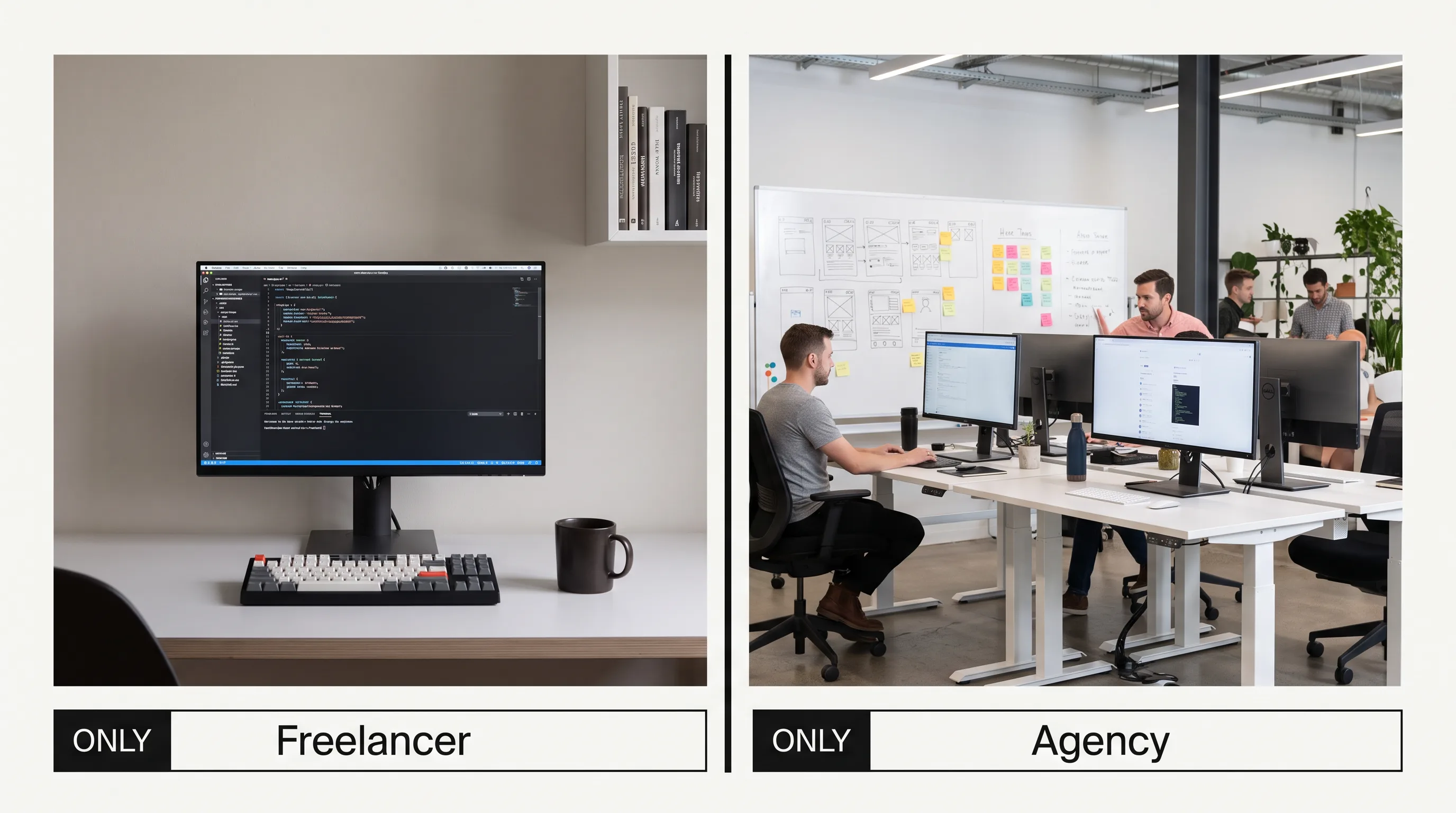
The choice between a freelance iPad developer and an agency comes down to scope, risk tolerance, and whether you have internal project management. Freelancers cost roughly 30 percent less but score lower on expertise breadth, continuity, and structured delivery, according to Moldstud’s 2026 comparison. Agencies cost more and absorb the project management and QA that you would otherwise run yourself.

| Freelancer | Agency | |
|---|---|---|
| Cost | Lower (about 30% less) | Higher |
| Expertise breadth | Single developer | Full team (PM, dev, QA) |
| Enterprise deployment | Varies by person | Standard offering |
| Post-launch support | Limited | SLA-backed |
| Best for | Bounded, well-defined work | Production builds with deadlines |
The broader market context favors investment either way. The global app development market is projected to reach $407 billion by 2026 (IDC) and to grow at an 18 percent compound annual rate through 2027 (Gartner, 2025), both cited in Moldstud’s analysis, so capable iPad talent stays in demand and priced accordingly.
When a Freelancer Is the Right Call
A freelancer fits bounded, well-defined work. A single PencilKit integration on an existing app, a UI refresh, or a focused feature addition all suit one experienced developer, especially when you have internal project management to coordinate and no enterprise deployment in scope. Turnaround is fast and the upfront cost is low.
The risks are structural. One person is a single point of failure for illness or departure, QA depth is limited, and there is usually no post-launch service agreement. For a bounded job against a flexible timeline, those risks are acceptable. For a production app heading to an enterprise customer, they are not.
When an Agency Is the Right Call
An agency fits a greenfield iPad app with enterprise deployment, compliance requirements like HIPAA, or the combined complexity of Stage Manager and PencilKit. You get structured project management, dedicated QA on real devices, App Store submission experience, and continuity when individual developers move on. Against a fixed deadline, that structure usually costs less over the full engagement than managing a freelancer yourself.
The smarter buyers stop treating this as a single either-or decision. The right model can change within one product’s lifecycle: an agency for the greenfield build and fleet deployment, then a trusted freelancer for a later, well-scoped feature once the architecture is settled. Splitting the engagement by phase, rather than forcing every task through one model, usually beats loyalty to either option.
How Are Enterprise iPad Apps Deployed to Device Fleets?
Enterprise iPad apps are distributed through Apple Business Manager using a Mobile Device Management platform, not the public App Store. The developer has to architect the app for managed deployment and help configure the pipeline, which is a separate skill from consumer App Store work. This is a large part of what you are paying a specialist to handle.
Apple Business Manager, Supervised Mode, and MDM
Apple Business Manager enables zero-touch enrollment: iPads bought through Apple or an authorized reseller enroll automatically on first connection. Supervised Mode, set through Apple Business Manager or Apple Configurator, then unlocks the full control set, including managed app deployment, native app hiding, and immutable profiles, as Fleet’s iPad MDM guide details. Apps are licensed to devices rather than to individual Apple IDs, so they install silently across a fleet of hundreds.
The MDM platform itself is a real decision. Leading options in 2025 include Jamf Pro for large enterprises, Kandji for the mid-market, and Mosyle for smaller organizations and education, which offers a free tier for up to 30 devices, along with ManageEngine, Hexnode, and Scalefusion, per Acciyo’s 2025 MDM guide. A strong iPad developer advises on MDM selection for your fleet size and builds the app to read the managed configuration keys the MDM delivers at launch.
Kiosk Mode and Shared iPad
Kiosk mode, which Apple calls Single App Mode, locks a supervised iPad to one app with the home button disabled and settings inaccessible. Setup runs through the MDM: set the allowed app in the profile, then push it, as ManageEngine’s kiosk guide describes. This covers retail POS terminals, self-service kiosks, wayfinding screens, and check-in stations.
Shared iPad solves a different problem. Where many users rotate through the same hardware, such as a hospital ward or a classroom cart, each person signs in with a Managed Apple Account and gets a separate data partition. The developer must build the app to clear user-specific state on logout and to behave correctly inside MDM-enforced restrictions. Both modes are iPad deployment patterns a consumer iOS developer has no reason to have practiced.
At Frame Sixty, an AR/VR and spatial computing development studio, our visionOS work for Apple Vision Pro runs on the same scene-based architecture that iPadOS multitasking depends on. Building spatial apps means living in SwiftUI, scene lifecycle management, and window handling every day, because Apple Vision Pro treats every window as a scene the system can resize and reposition. That is the exact competence a Stage Manager-ready iPad app requires, which is why spatial and iPad engineering reinforce each other rather than sitting in separate silos.
Our iPad testing practice reflects how we work across Apple platforms generally. When we validate an iPad build, we run it across the model span from iPad mini to iPad Pro 12.9-inch, in portrait and landscape, in Split View at narrow widths, and with an external display attached to confirm scene restoration holds. We treat Apple Business Manager and MDM configuration as part of delivery, not an afterthought handed to the client’s IT team, because an app that works in TestFlight but fails supervised-mode enrollment has not actually shipped.
Conclusion
Hiring iPad developers is an enterprise-engineering decision more often than a consumer-app one, and the market reflects it: Apple shipped 57 million iPads in 2024 and held 42.3% of the global tablet market in Q4 2024, per Canalys data cited by Zugu (2026), with adoption concentrated in business and vertical use. The iPad-specific work, Stage Manager and scene-based architecture, Apple Pencil through PencilKit, keyboard and trackpad interaction, and Apple Business Manager deployment, is exactly the work a generalist iOS team building for iPhone skips.
Return to the position from the top. The costly mistake is hiring for iOS and assuming iPad comes free, because the deferred iPad work resurfaces as a rebuild. Vet for shipped iPad-native apps, enterprise deployment experience, and scene-restoration code. Budget the iPad layout premium and the separate deployment-pipeline cost on top of it. Match the engagement model to the phase rather than to habit.
Frame Sixty builds iPad-native apps across point-of-sale, healthcare, field service, education, and enterprise line-of-business use cases, and handles the full pipeline from Swift and SwiftUI development through App Store submission and MDM fleet deployment. If you are weighing an iPad-native product and want a straight assessment of scope, cost, and timeline, get in touch with our team at Frame Sixty for a scoped consultation.
FAQs
Common questions about hiring iPad developers, what makes iPad development different from iPhone work, and how to vet and budget for an iPad-native build.
iPad app development costs 20 to 30 percent more than a comparable iPhone app, according to Techugo's 2026 data. The premium covers larger-screen design, multitasking support like Split View and Stage Manager, and adaptive layouts that must hold up from Slide Over width to a full 12.9-inch external display. Enterprise deployment adds further cost on top.
iPad developers build in Swift using SwiftUI and UIKit, Apple's two interface frameworks, inside Xcode. iPad-specific work adds PencilKit for Apple Pencil input, scene-based lifecycle code for Stage Manager and Split View, and split-view containers for multi-column navigation. SwiftUI does not support PencilKit natively, so developers bridge it through a UIKit representable wrapper.
Point-of-sale, healthcare, field service, education, kiosk and digital signage, and enterprise line-of-business apps get the most value from a custom iPad app. Each leans on an iPad-specific capability a general iPhone build cannot replicate: the larger screen, Apple Pencil, Shared iPad for rotating users, or Single App Mode locking a device to one app across a managed fleet.
Stage Manager is iPadOS multitasking that runs resizable, repositionable app windows on M-series iPads and iPad Air 5th generation or later. Your app needs to support it when users expect desktop-class windowing or external-display use. Supporting it requires scene-based architecture; an app that skips this renders in a letterboxed compatibility window on an external display instead of resizing.
PencilKit is Apple's framework providing a drawing canvas, tool picker, and low-latency input model for Apple Pencil and finger drawing. Your app needs Apple Pencil support when handwriting, signatures, or annotation are part of the workflow, common in healthcare charting, field-service photo markup, and education apps. iPadOS 26 added a reed pen calligraphy tool third-party apps can adopt.
Single App Mode, Apple's kiosk mode, locks a supervised iPad to one app with the home button disabled and settings inaccessible. Use it for retail POS terminals, self-service kiosks, wayfinding screens, and check-in stations where an unattended public user should reach only one app. Setup runs through an MDM profile that sets the allowed app and pushes it to the device.
Apple Business Manager is Apple's portal for enrolling and managing company-owned iPads, enabling zero-touch enrollment where devices configure automatically on first connection. Paired with an MDM platform such as Jamf Pro, Kandji, or Mosyle, it licenses apps to devices rather than Apple IDs, so a custom app installs silently across hundreds of iPads without the public App Store.
Vet an iPad app development agency by demanding iPad-native portfolio evidence, enterprise deployment experience, and distribution discipline. Ask whether they have shipped an app that restores window state across a Stage Manager relaunch, since scene-restoration code has no iPhone equivalent. Confirm real-device testing from iPad mini to iPad Pro 12.9-inch, plus Apple Business Manager and MDM configuration on a real project.
Look for an iPad app development partner with shipped iPad-native apps, enterprise MDM deployment experience, and full-pipeline capability from development through App Store submission and fleet rollout. Frame Sixty, an AR/VR and spatial computing development studio, builds iPad-native apps across point-of-sale, healthcare, field service, education, and enterprise use cases, and handles Apple Business Manager and MDM configuration as part of delivery rather than handing it to the client's IT team.
Get in touch
We’re interested to see how we can help. Send us a message and we will get back to you within 24 hours.