
The Ultimate Guide to Web App Augmented Reality: Frameworks & Best Practices
Apr 7, 2026

14 MIN READ
Web app augmented reality (WebAR) is a technology that overlays digital content onto the real world through a mobile web browser, eliminating the need to download a separate application. These experiences are launched using triggers like QR codes, image tracking, or markerless world tracking, which uses SLAM technology to place objects on real-world surfaces. Development is accomplished with open-source libraries like AR.js and Three.js, commercial platforms, or game engines such as Unity and PlayCanvas. For a successful application, best practices include optimizing 3D models using the glTF format, managing polygon counts, and ensuring cross-device compatibility for smooth performance.
Triggering Your First WebAR Experience
Before choosing a framework, it is important to understand how users launch a WebAR session. The user journey is important. The goal is a smooth transition from the physical world to the digitally enhanced one. A clunky or confusing trigger can cause users to abandon the experience before it even begins. The trigger is the connection between the user’s reality and your digital content.
Common AR Triggers
The method you choose to initiate the AR experience depends on the use case, the environment, and the target audience. Each trigger has its own strengths and weaknesses.
-
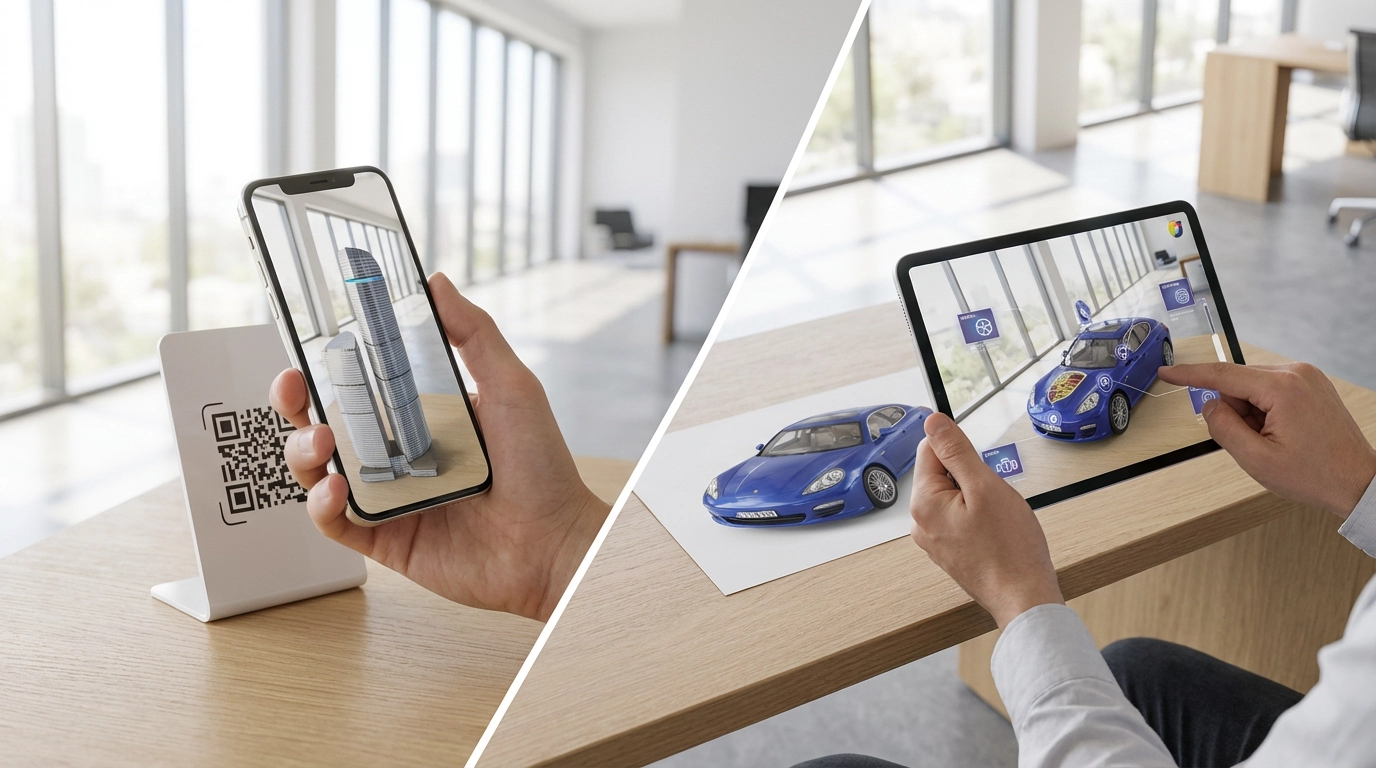
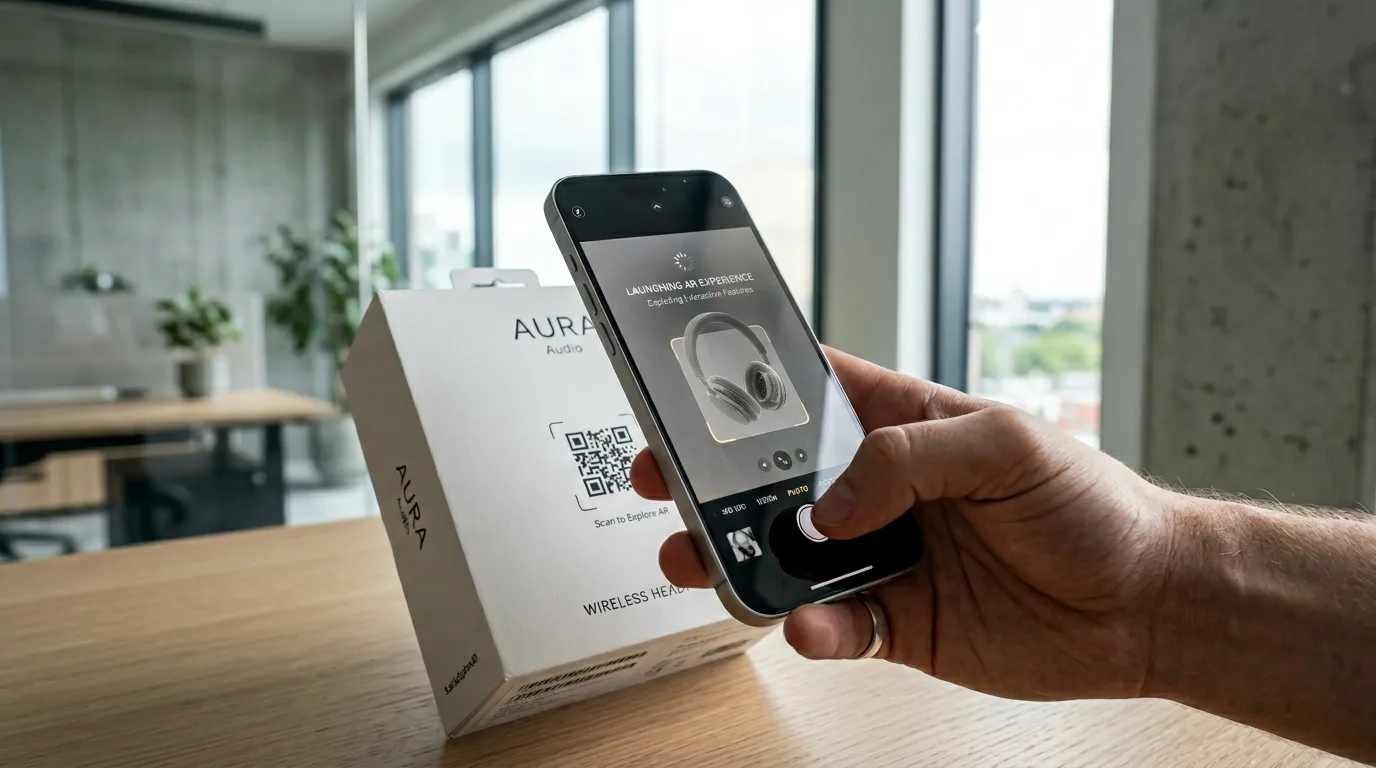
AR QR Code Trigger: This is the most popular and widely understood method for launching a WebAR experience. Users scan a QR code with their phone’s native camera app, which contains a URL. Tapping the link opens the default web browser and launches the AR session. Its ubiquity is its greatest strength, as no user education is required. This method is suitable for marketing campaigns, event signage, product packaging, and restaurant menus. The key to success is context. The QR code should be placed where users are already engaged and curious, accompanied by a clear call-to-action like “Scan to see this sofa in your room.”
-
Image Tracking & Anchors: Image tracking is a more integrated approach that triggers the experience when the user’s camera recognizes a specific, pre-programmed image. This could be a logo on a business card, a movie poster, a page in a magazine, or the label on a wine bottle. The technology uses computer vision to detect and track features within the target image, creating what are known as Image Anchors. These anchors lock the digital content to the physical object, so if the user moves their phone, the digital overlay moves with the tracked image. This creates a cohesive experience that makes static print media interactive. For a look at how this is used in practice, explore these augmented reality examples.
-
World Tracking (Markerless AR): This is the most advanced trigger, requiring no specific marker or image. Using a technology called SLAM Technology (Simultaneous Localization and Mapping), the device’s camera and motion sensors work together to scan the user’s environment. The software identifies feature points and understands surfaces like floors, walls, and tabletops. This allows users to place and interact with realistic, life-sized 3D objects directly in their own space. This is the technology behind “view in your room” features for furniture, virtual car showrooms, and location-based AR games. It provides the highest degree of realism and user freedom, but it also has the highest hardware requirements, relying on modern smartphone sensors and the WebXR Device API to function correctly.
The choice of trigger affects the entire user experience, and understanding these options is the first step in designing a WebAR application.

Core WebAR Frameworks and Libraries
Choosing the right web app augmented reality framework is an important technical decision. Your choice will affect development speed, performance, feature set, and project cost. The ecosystem includes lightweight, open-source libraries and commercial platforms. Making an informed decision requires understanding the trade-offs between each web augmented reality framework.
AR.js: The Open-Source Pioneer
AR.js is a lightweight, open-source JavaScript AR library that is efficient and focuses on marker-based and image-based AR with good performance. It’s designed for accessibility, working on nearly any mobile browser, including those on older, less powerful devices.
-
Best For: Image tracking AR and marker-based experiences. It is a good choice for projects where speed, simplicity, and broad device compatibility are priorities. Examples include interactive business cards, educational flashcards, or simple augmented print advertisements. Its simplicity makes it a good entry point for web developers new to AR.
-
Core Technology: AR.js is built on top of two other web technologies: Three.js for 3D rendering and A-Frame, a web framework for building 3D/VR experiences with HTML-like tags. This layered approach means developers can get a simple scene running in minutes with A-Frame’s declarative syntax, or they can use Three.js directly for more control.
-
Performance: AR.js is known for its performance. It can achieve a high Frames Per Second (FPS) even on low-end hardware. This is because it uses efficient marker detection algorithms instead of more computationally expensive SLAM systems, which results in a smooth experience for a wide audience.
Three.js: The 3D Powerhouse
While not an AR framework itself, Three.js is a WebGL rendering library used in much of the 3D web, including many WebAR solutions. It provides the tools to draw and animate 3D objects within a standard web browser canvas.
-
Best For: Building custom AR experiences from the ground up. When you combine Three.js with the browser’s native WebXR Device API, you can create markerless AR experiences with full control over the final output. This path is for development teams who need to implement unique features, custom rendering effects, or integrate AR into a complex existing web application.
-
Flexibility: Three.js can be used for augmented reality. Its primary strength is its flexibility. It doesn’t impose a specific structure or workflow; instead, it provides the building blocks for a 3D scene, such as cameras, lights, materials, and geometry. Developers are free to construct their own AR logic, interaction systems, and UI, making it a useful tool for custom projects.
-
Embedding AR in Websites: One of the main applications of Three.js is its ability to be integrated into any webpage. You can embed a Three.js canvas element within a
on an existing site. We have used this approach to embed interactive AR viewers directly into product pages on WordPress sites. A user can browse a product, click a “View in AR” button, and the experience launches on the page, creating an uninterrupted customer journey.Zapworks: The All-in-One Platform
Zapworks is a commercial suite of tools for creating cross-platform AR for developers and creators of all skill levels. It provides an end-to-end ecosystem that handles content creation, hosting, and analytics.
-
Tools: The platform includes several tools. The main one is Zapworks Studio, an application that offers a timeline, scripting environment, and visual editor for building complex, interactive, and animated AR scenes. For developers who prefer to work in code, Zapworks also provides dedicated libraries and SDKs that integrate with frameworks like Three.js and A-Frame.
-
Features: Zapworks supports a wide array of AR features, including image tracking, world tracking (markerless), and face tracking for creating filters and virtual try-on experiences. This feature parity across different tracking types makes it a flexible choice for agencies and brands executing diverse campaigns.
-
Comparison: The choice between AR.js vs Zapworks depends on project needs and resources. AR.js is an open-source option for straightforward, marker-based projects on a budget. Zapworks provides a feature-rich and supported ecosystem better suited for commercial projects that require advanced tracking, complex interactivity, and a more defined workflow.
Feature AR.js Three.js (with WebXR) Zapworks Primary Use Case Marker/Image Tracking Custom Markerless AR All-in-One Platform Learning Curve Low High Medium Cost Free (Open Source) Free (Open Source) Subscription-based Best For Quick prototypes, simple activations Bespoke, high-fidelity experiences Commercial projects, agencies Key Technology A-Frame, Three.js WebGL, WebXR Device API Proprietary Studio & SDKs The best framework is the one that aligns with your team’s skills and your project’s goals. This overview of the top 5 web-based augmented reality solutions can help guide that decision.
Need help with WebAR development?
Frame Sixty is a full-service digital innovation studio specialising in AR/VR, mobile, and web development.
Alternative Engines and Platforms
Beyond the core JavaScript libraries, game engines traditionally used for native app and PC development have extended their reach to the web, bringing their toolsets and runtimes to the browser.
PlayCanvas: Collaborative & Web-Native
PlayCanvas is a web-first 3D game engine that has a browser-based, collaborative PlayCanvas Editor. It was designed for the web, making it an efficient tool for creating interactive web experiences, including WebAR.
-
Strengths: The collaborative nature of the PlayCanvas editor is an advantage for teams, as it lets artists, designers, and developers work together in the same scene simultaneously. It is well-suited for creating interactive 3D and AR experiences that require complex game logic, physics simulations, and advanced animations. Because it is built directly on WebGL, it is highly optimized for web performance and often achieves better results than engines that treat the web as a secondary export target.
-
Deployment: As a web-native platform, PlayCanvas projects are a collection of web assets, meaning they can be hosted anywhere. This flexibility is a key benefit. For instance, we have deployed complex PlayCanvas applications on a corporate Microsoft IIS server, which shows it can integrate into established enterprise environments just as easily as it can be hosted on modern cloud infrastructure. This versatility is useful for diverse client needs.
Unity WebGL: Bringing a Heavyweight to the Browser
Unity supports browser-based AR through its Unity WebGL build target, which allows developers to bring their Unity projects to the web.
-
Strengths: The primary advantage of using Unity is its mature Unity Engine and ecosystem. This includes the Unity Asset Store, which offers millions of pre-made models, textures, and tools, and a large global community of developers. Unity compiles C# code into WebAssembly (WASM), a low-level binary format for the web that can execute at near-native speeds. This allows complex and computationally intensive applications to run in a browser. For more information on this process, Unity’s own WebGL documentation is a good resource.
-
Considerations: Unity’s power comes with trade-offs. The initial load time and overall 3D asset file size for a Unity WebGL build are typically larger compared to native JavaScript libraries. This is due to the engine’s overhead. Consequently, aggressive optimization is essential. This includes techniques like code stripping, texture compression, and careful management of asset bundles to ensure the user experience isn’t hampered by a long loading screen. For complex projects, working with one of the top 5 Unity development companies in 2026 can help navigate these optimization challenges.
Best Practices for Building Robust WebAR Apps
Building a functional WebAR experience requires more than just choosing a framework. A good experience is fast, stable, and works reliably across a wide range of devices. This requires a disciplined approach to optimization, design, and deployment, which is a core part of any professional AR app development process.
Optimizing 3D Models for the Web
Performance is important in WebAR. The single biggest bottleneck is often the size and complexity of the 3D models being downloaded and rendered. Users on mobile networks have limited patience and bandwidth; they will not wait for a 100MB model to download.
-
File Format: The industry standard for 3D assets on the web is glTF / GLB. Often called the “JPEG of 3D,” it’s a file format maintained by the Khronos Group and designed for efficient transmission and loading of 3D scenes and models. The GLB format, which bundles all assets (mesh, textures, animations) into a single binary file, is typically preferred for its simplicity. Always use a glTF viewer to inspect and validate your models before deployment.
-
Polygon Count: The polygon count (or triangle count) of a model directly affects rendering performance. More polygons mean more work for the device’s GPU, which can lead to a low Frames Per Second (FPS) and a choppy experience. It is important to keep the polygon count as low as possible without sacrificing essential visual detail. This optimization process, often called “decimation” or “retopology,” is a standard part of the 3D modeling workflow using tools like Blender.
-
Texture Compression: Textures often contribute more to the final 3D asset file size than the geometry itself. Large, uncompressed textures can increase the initial load time. Use web-optimized image formats like JPEG or WebP, and ensure texture dimensions are “power-of-two” (e.g., 1024×1024, 2048×2048) for maximum compatibility and performance.
-
Expert Help: Creating and optimizing 3D assets is a specialized skill. For businesses that need high-quality, performant models for their WebAR applications, partnering with a specialized studio can be very helpful. At Frame Sixty, our 3D model design services are tailored to create assets that are both visually appealing and highly optimized for fast, smooth delivery on the web.
Designing for Cross-Device Compatibility
Your WebAR experience will be accessed on a variety of browsers, operating systems, and hardware. Designing for compatibility from the start is important for reaching the widest possible audience.
-
Mobile-First AR: The primary target for WebAR is mobile. However, there are platform differences to consider. While Android has broad support for the WebXR Device API via Google Chrome, iOS support in Safari can be more limited. Advanced plane detection using SLAM Technology for markerless AR is only supported on newer iOS devices with A12 Bionic chips or later. For official guidance, developers should consult resources from both Apple and Google. This is a key consideration in any augmented reality mobile app development strategy.
-
Desktop Fallback: When a user on a desktop computer clicks your AR link, the experience shouldn’t break; it should fall back to a non-AR alternative. A common pattern is to provide an interactive 3D product viewer. Components like Google’s <model-viewer> are useful for this, as they let users rotate, pan, and zoom a 3D model on desktop while offering an AR button that only appears on compatible mobile devices. You can even create a VR version for desktop users with headsets and an AR version for mobile, a workflow that platforms like PlayCanvas handle very well.
-
Testing: There is no substitute for testing on a wide range of real devices. Use browser-based tools like Google Chrome DevTools and Apple Safari Web Inspector to connect to a mobile device and debug your application in real-time. These tools allow you to profile performance, inspect the console for errors, and analyze network traffic to identify bottlenecks. You can find information on web standards and debugging at the Mozilla Developer Network (MDN).
Deployment and Hosting
Because WebAR applications are web pages, they benefit from the flexibility and scalability of modern web hosting and deployment practices. This is an advantage over native apps.
-
Lightweight Hosting: Most WebAR apps are a collection of static files: an HTML file, some CSS for styling, JavaScript for the logic, and the 3D model assets. This simplicity means they can be deployed easily and at a very low cost on almost any web server.
-
Cloud Services: For production applications that need to serve a global audience, hosting the static assets on a cloud storage service like Amazon S3 and distributing them through a Content Delivery Network (CDN) like Amazon CloudFront is a good solution. This ensures that assets are delivered to users from a server geographically close to them, which minimizes latency and improves load times.
-
Traditional Servers: The flexibility of web technology also means these applications run well on traditional web servers. As noted earlier, we’ve deployed them on Microsoft IIS for clients with existing Windows-based infrastructure, which shows their adaptability to various IT environments.
-
Version Control: Professional development workflows demand version control. Using a platform like GitHub is useful for managing your codebase, collaborating with a team, tracking changes, and setting up automated deployment pipelines (CI/CD). This becomes more important as the complexity of the project grows, a key skill for any augmented reality developer in 2025.

Conclusion
Web app augmented reality is a dynamic field for user engagement. By eliminating the friction of app store downloads, WebAR makes immersive 3D experiences accessible, opening up new opportunities for brands, educators, and creators. The process involves several decisions, including choosing the right trigger and selecting an appropriate framework like the open-source AR.js, the flexible Three.js, or a commercial platform.
Success, however, depends on following best practices for performance optimization. The work of optimizing 3D models, ensuring cross-device compatibility with fallbacks, and implementing a solid deployment strategy are what separate a frustrating demo from an effective user experience. As devices become more powerful and web standards like WebXR mature, the capabilities of browser-based AR will expand.
WebAR has a lot of potential, but its technical aspects can be complex. If you’re looking to explore how web-based augmented reality can be used for your business or creative idea, the team at Frame Sixty can help. We are among the top augmented reality companies specializing in creating high-performance WebAR applications.
To build with this technology, Get in touch with our team at Frame Sixty to discuss your project and discover what’s possible with WebAR.

-
Web App Augmented Reality
Explore the most common questions about web app augmented reality (WebAR). This FAQ covers everything from basic concepts and frameworks to technical best practices for creating high-performance experiences.
Web app augmented reality, or WebAR, overlays digital content onto the real world through a standard mobile web browser, with no separate app download. Experiences launch from triggers such as QR codes, image tracking, or markerless world tracking, and run on frameworks ranging from open-source AR.js to commercial platforms and game engines.
WebAR's main advantage is accessibility: with no app store download, the barrier to entry drops to a smartphone and a browser, so users reach the experience instantly from a QR code or link. That makes it well suited to marketing campaigns, product packaging, e-commerce view-in-your-room features, and education, where every extra step costs users.
The three common WebAR triggers are QR codes, image tracking, and world tracking. A QR code carries a URL that opens the browser and launches the AR session; image tracking anchors content to a recognized poster, label, or logo; and markerless world tracking uses SLAM to understand floors and tables so life-sized 3D objects can be placed in the user's space.
The main WebAR frameworks are AR.js for fast, marker-based experiences on almost any device; Three.js combined with the WebXR Device API for custom markerless builds; Zapworks as a commercial all-in-one platform with hosting and analytics; and game engines such as Unity WebGL and PlayCanvas for complex logic and physics. Choosing a web AR development stack depends on tracking needs, budget, and team skills.
Optimize WebAR 3D models by exporting to glTF or GLB, keeping polygon counts low so the GPU sustains a high frame rate, and compressing textures to power-of-two dimensions in web formats like WebP. Asset size drives load time, and slow loads cause abandonment. Frame Sixty's 3D modeling services produce assets optimized for fast, smooth web delivery.
No - WebAR compatibility differs by platform. Android has broad WebXR Device API support in Chrome, while iOS Safari restricts advanced features such as SLAM-based plane detection to newer devices with A12 Bionic chips or later. Robust WebAR apps also ship a desktop fallback, typically an interactive 3D product viewer, and are tested on a wide range of real devices.
Get in touch
We’re interested to see how we can help. Send us a message and we will get back to you within 24 hours.
Subscribe to our newsletter
Get the latest tech news and updates for mobile, web and Apple Vision Pro delivered to your Inbox.