
Augmented Reality Mobile App Development Guide: Frameworks, Tools, and Best Practices for 2026
Mar 30, 2026
10 MIN READ
Augmented reality mobile app development integrates computer vision, spatial computing, and real-time rendering to overlay digital content onto the physical world through smartphones and tablets. Developers use frameworks such as ARKit, ARCore, Unity, and Unreal Engine to achieve accurate tracking, efficient rendering, and cross-platform compatibility. Core technologies include markerless tracking, 3D object recognition, and geolocation-based AR, supported by standards like OpenXR and WebXR for interoperability. Effective AR apps rely on optimized performance, intuitive UX design, and AI-driven personalization to deliver immersive, context-aware experiences across industries including retail, education, healthcare, and entertainment.
Understanding Augmented Reality in Mobile App Development
Augmented reality (AR) in mobile app development integrates digital objects into the physical world through smartphones and tablets, enabling interactive, context-aware experiences. It is a key part of the broader spatial computing ecosystem that connects digital and physical environments.
The evolution of AR and spatial computing
AR has progressed from early marker-based systems to modern markerless tracking and 3D object recognition powered by AI and machine learning. The release of Apple ARKit (official documentation) and Google ARCore (official site) accelerated mobile AR adoption by providing standardized frameworks. By 2026, AR is widely used in retail, education, healthcare, and entertainment.
Spatial computing builds on AR by enabling devices to understand spatial context, including mapping, depth perception, and object persistence. Companies like Frame Sixty specialize in agentic spatial computing (learn more), combining AR with AI-driven scene understanding.
Key differences between augmented, mixed, and virtual reality
| Technology | Description | Device Example | User Interaction |
|---|---|---|---|
| Augmented Reality (AR) | Adds digital elements to the real world. | Smartphones, tablets | Camera-based interaction |
| Mixed Reality (MR) | Anchors digital content to the real world with spatial awareness. | Microsoft HoloLens | Gesture and spatial mapping |
| Virtual Reality (VR) | Creates a fully digital environment. | Meta Quest, HTC Vive | Controller and head tracking |
Mixed reality connects AR and VR by allowing digital content to interact with physical surfaces. Frame Sixty’s AI in virtual reality development shows how these technologies combine to create hybrid experiences.
How AR enhances mobile UX design and immersive experiences
AR changes mobile UX by adding depth, interactivity, and personalization. For example, AR shopping apps let users see furniture in their homes before buying. In education, AR visualizations make complex ideas easier to understand. Developers should design intuitive interfaces that blend with the real world while maintaining accessibility and performance across devices.
Key takeaway: AR in mobile development increases engagement and retention by merging digital experiences with real-world context.

Need help with AR app development?
We are here to help!
Core Technologies Powering AR Mobile Apps
AR mobile apps depend on computer vision, real-time rendering, and sensor fusion to interpret environments and place digital content accurately.
Computer vision and real-time rendering fundamentals
Computer vision enables devices to detect surfaces, objects, and motion. Research from Google Research and the IEEE shows progress in feature detection, SLAM (Simultaneous Localization and Mapping), and depth sensing. Real-time rendering ensures smooth 3D visualization, with engines like Unity 3D and Unreal Engine improving frame rates and reducing latency.
Marker-based vs. markerless AR tracking
Marker-based AR uses predefined images or QR codes as anchors, while markerless AR relies on environmental understanding. The Vuforia Engine (official page) supports both, offering flexibility for industrial and educational uses. Markerless tracking, powered by ARKit and ARCore, provides seamless experiences without physical markers.
3D object tracking and geolocation AR capabilities
3D object tracking lets apps recognize and interact with real-world objects. Geolocation AR uses GPS and mapping data to anchor digital objects to specific locations, useful for tourism or gaming. Platforms like Niantic Lightship (overview) expand these features with shared spatial maps and multiplayer AR synchronization.
Key takeaway: Effective AR apps rely on accurate tracking, efficient rendering, and reliable computer vision algorithms.

Choosing the Right AR Development Framework
Selecting the right framework affects performance, scalability, and cross-platform compatibility in augmented reality mobile app development.
Comparing Apple ARKit vs. Google ARCore
| Feature | Apple ARKit | Google ARCore |
|---|---|---|
| Platform | iOS | Android |
| Tracking | Visual-inertial odometry | Motion tracking and environmental understanding |
| Depth API | LiDAR and TrueDepth | Depth from motion |
| Development Tool | Xcode | Android Studio |
| Documentation | Apple ARKit | Google ARCore |
ARKit offers high precision through Apple’s hardware integration, while ARCore supports a wider range of devices. Both include plane detection, light estimation, and shared AR experiences.
Overview of cross-platform engines: Unity 3D, Unreal Engine, and Vuforia Engine
Unity 3D (official AR/VR page) is the most widely used engine for AR app development due to its cross-platform support and large asset library. Unreal Engine (official AR resources) provides photorealistic rendering and strong C++ integration, suitable for enterprise AR. The Vuforia Engine supports industrial AR with advanced image recognition and model targets.
Emerging platforms: Niantic Lightship, Snap Lens Studio, and Meta Reality Labs SDKs
Niantic Lightship enables real-world mapping and multiplayer AR. Snap Lens Studio allows creators to design AR filters for social media, while Meta Reality Labs advances spatial computing with hand tracking and mixed reality SDKs.
How OpenXR and WebXR enable interoperability
The Khronos Group’s OpenXR standard (documentation) unifies AR and VR development across devices for interoperability. WebXR extends these capabilities to browsers, supporting lightweight AR experiences without app installation.
Key takeaway: Framework selection depends on target devices, performance needs, and interoperability goals.

Essential Tools and Software for AR App Creation
Creating AR mobile apps requires tools for 3D modeling, content design, and software development.
3D modeling and asset creation: Blender, Maya, and 3ds Max
3D assets form the base of AR experiences. Tools like Blender, Autodesk Maya, and 3ds Max help developers create optimized models for real-time rendering. Frame Sixty’s 3D model design services and 3D modeling for manufacturing and industrial design provide performance-optimized assets for AR applications.
AR content design tools: Reality Composer, Adobe Aero, Spark AR Studio
Reality Composer simplifies AR scene creation for iOS, while Adobe Aero supports cross-platform workflows. Spark AR Studio enables interactive effects for social platforms. These tools connect 3D design and app development, allowing non-developers to prototype AR experiences.
Development environments: Xcode, Android Studio, Visual Studio Code, GitHub integration
Developers use Xcode for ARKit and Android Studio for ARCore. Cross-platform teams often use Visual Studio Code and GitHub for version control and CI/CD pipelines. Frame Sixty’s Android app development agency offers expertise in integrating AR features into Android systems.
File formats and standards: GLTF, USDZ, ARML, and MPEG-V compliance
Formats like GLTF and USDZ allow efficient asset exchange between tools. ARML defines AR scene structures, while MPEG-V (ISO/IEC 23005) ensures interoperability between virtual and real-world data. Supported by the Khronos Group, these standards simplify cross-platform AR workflows.
Key takeaway: A well-structured toolchain combining 3D modeling, design, and development tools is essential for efficient AR production.

Building an AR Mobile App from Scratch
Building an AR app from scratch requires planning, technical setup, and iterative testing.
Planning and defining user scenarios
Start by identifying user goals and contexts. For example, a retail AR app may focus on virtual try-ons, while an educational app emphasizes interactive visualization. Define KPIs such as user engagement, session duration, and retention rate early.
Setting up the development environment
Install Xcode or Android Studio based on your target platform. Integrate ARKit, ARCore, or cross-platform SDKs like Unity 3D. Use GitHub for version control to support collaboration.
Integrating AR frameworks and SDKs
Connect the chosen AR framework (e.g., ARKit or ARCore) with your app’s camera and sensor APIs. Use Niantic Lightship for shared spatial mapping or Vuforia Engine for industrial tracking.
Implementing spatial mapping and tracking
Spatial mapping defines how virtual objects interact with physical environments. Use plane detection, depth sensing, and occlusion handling to create realistic overlays. Frame Sixty’s AI developer services can improve tracking accuracy with machine learning.
Testing, debugging, and optimizing performance
Test across multiple devices to ensure consistent frame rate, latency, and tracking accuracy. Use profiling tools in Unity or Unreal to find performance issues. Continuous testing improves reliability and user satisfaction.
Key takeaway: Successful AR app development depends on structured planning, solid SDK integration, and thorough testing.

Performance Optimization and Metrics
Performance optimization ensures AR apps run smoothly and efficiently.
Measuring frame rate, latency, and rendering time
Maintain a frame rate of at least 60 FPS for smooth motion. Track latency and rendering time using Unity or Unreal profiling tools. Stable performance improves realism and reduces motion sickness.
Reducing memory usage and battery consumption
Optimize 3D assets, compress textures, and limit background processes. Efficient memory use prevents overheating and extends session time.
Improving tracking accuracy and load time
Refine computer vision algorithms and pre-load assets to reduce load time. Calibrate sensors and use OpenXR for consistent tracking across devices.
Enhancing user engagement, session duration, and retention rate
Gamification, personalization, and real-world rewards increase user engagement. Analytics tools help measure retention and guide updates.
Key takeaway: Ongoing optimization across performance metrics supports user satisfaction and app longevity.
Integrating AR Features into Existing Mobile Apps
Adding AR to existing apps expands functionality without full redevelopment.
Adding AR modules to native iOS and Android projects
Developers can add ARKit or ARCore modules directly into existing codebases. For example, a shopping app can include AR-based product previews using Reality Composer assets.
Using APIs for camera access, motion sensors, and geolocation
Access device sensors through native APIs for motion tracking and geolocation AR. Manage permissions securely and transparently.
Maintaining performance and UX consistency across devices
Use adaptive rendering and dynamic scaling to keep UX consistent across hardware. Frame Sixty’s developer insights on Apple Vision Pro explain how to balance performance and immersion across devices.
Key takeaway: Seamless AR integration improves existing apps while preserving performance and brand consistency.
Industry Applications and Use Cases
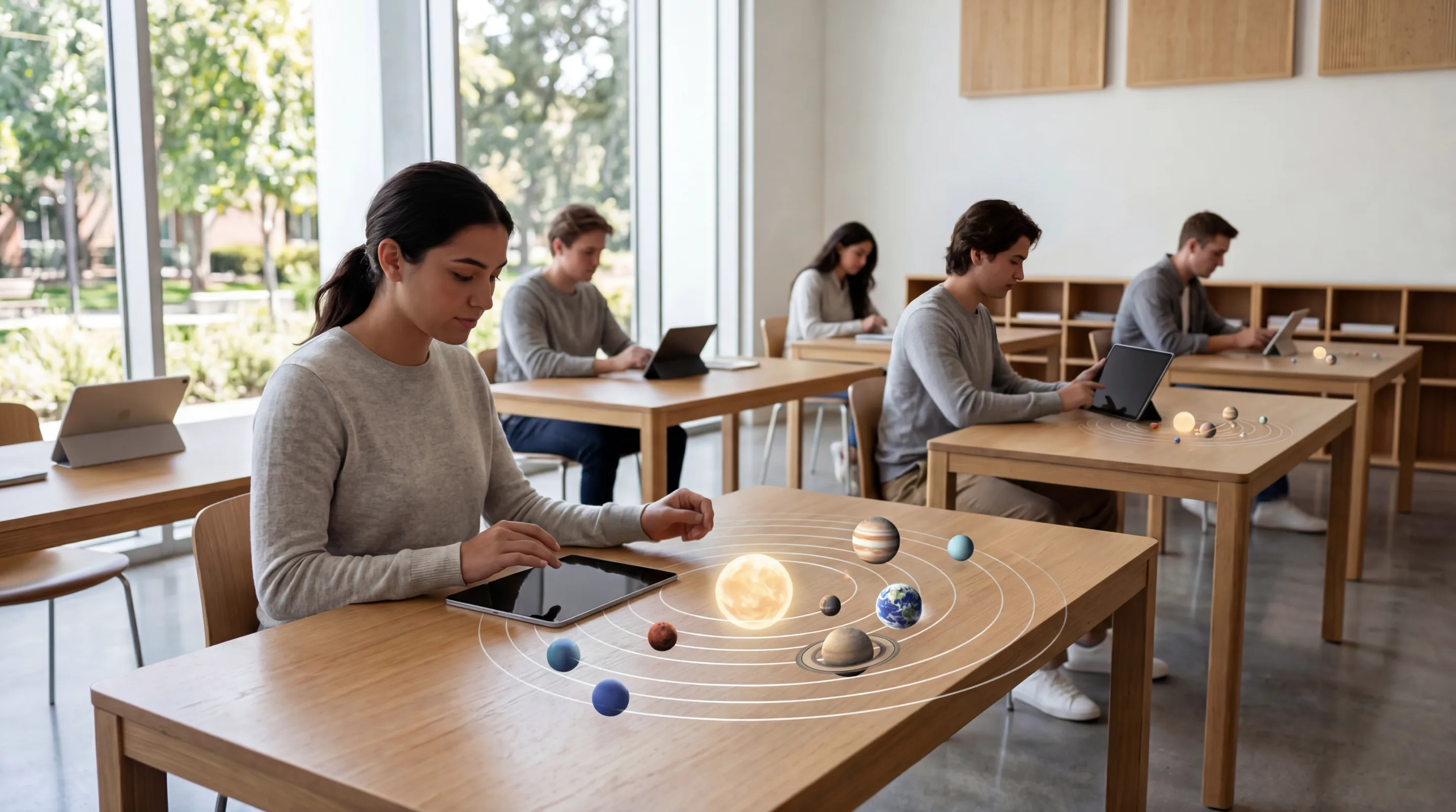
AR supports many industries, improving workflows and user engagement.
Retail and eCommerce: virtual try-ons and product visualization
Retailers use AR for virtual try-ons, furniture visualization, and interactive catalogs. Integration with Unity 3D or Vuforia Engine enables realistic product rendering.
Education and training: interactive learning with spatial computing
AR enhances learning by visualizing complex systems in 3D. Frame Sixty’s AI in virtual reality development shows how AI-driven spatial computing personalizes education.
Healthcare: AR-assisted surgery and anatomy visualization
AR helps surgeons with real-time overlays of anatomical data. Integration with OpenXR supports interoperability across medical devices.
Real estate, tourism, and entertainment experiences
AR tours, property visualization, and interactive storytelling improve engagement. Frame Sixty’s 8 apps for Apple Vision Pro shows how immersive apps are changing entertainment.
Key takeaway: AR applications deliver measurable returns across industries through immersion and interactivity.
Future Trends in AR Mobile App Development
The future of AR mobile app development centers on AI integration, open standards, and spatial computing ecosystems.
Advances in mixed reality and spatial computing ecosystems
Mixed reality devices like Microsoft HoloLens and Meta Reality Labs headsets expand spatial computing capabilities. Developers use Frame Sixty’s agentic spatial computing expertise to build context-aware environments.
The role of AI and machine learning in AR personalization
AI enhances AR with adaptive content and predictive interaction. Frame Sixty’s AI developer services integrate ML models for personalized AR experiences.
Hardware innovations from Microsoft HoloLens and Meta Reality Labs
New devices offer better depth sensing, gesture tracking, and cloud-based rendering. These improvements reduce latency and expand enterprise AR use.
The growing importance of open standards from the Khronos Group and PTC Inc.
Open standards like OpenXR and frameworks from PTC Inc. ensure cross-platform compatibility. The Khronos Group continues to promote interoperability, helping developers future-proof their AR solutions.
Key takeaway: The next phase of AR development will focus on AI-driven personalization, open standards, and spatial computing integration.
Conclusion
Augmented reality mobile app development in 2026 is a mature field combining computer vision, spatial computing, and AI. Developers must understand frameworks like ARKit, ARCore, and Unity and follow open standards such as OpenXR to deliver scalable, cross-platform experiences.
Businesses that invest in AR gain an advantage through immersive engagement, data-driven personalization, and innovative customer interactions. From retail visualization to industrial training, AR continues to expand across sectors.
Working with experts like Frame Sixty provides access to advanced 3D modeling, AI integration, and spatial computing expertise. Their experience in AR and VR helps brands build forward-looking digital experiences.
To learn how AR can enhance your business, get in touch with Frame Sixty for consultation and development support that brings your augmented reality vision to life.
Augmented Reality Mobile App Development Insights 2026
This FAQ explores practical and strategic questions about augmented reality mobile app development, covering frameworks, performance, and implementation considerations relevant to 2026.
Augmented reality mobile app development integrates digital content into real-world environments through the camera, sensors, and spatial mapping, while traditional apps live entirely on-screen. AR apps must handle plane detection, motion tracking, and light estimation so 3D content stays anchored to physical surfaces, which adds computer vision and real-time rendering work that conventional app projects never face.
Yes, engines like Unity 3D and Unreal Engine bridge ARKit and ARCore, so one codebase delivers consistent AR functionality on iOS and Android with near-native performance. Unity's AR Foundation provides a unified API over both frameworks, and open standards like OpenXR and WebXR extend the same interoperability to headsets and browsers.
A poorly optimized augmented reality mobile app suffers latency, overheating, unstable tracking, and even motion sickness, all of which drive users away. Reliable AR performance requires holding at least 60 FPS, compressing textures, optimizing 3D assets, and testing across many devices, using profiling tools in Unity or Unreal to find frame rate and memory bottlenecks.
Augmented reality mobile app costs vary widely with complexity, platform coverage, and 3D content requirements: a basic AR app may cost tens of thousands of dollars, while enterprise-grade builds with AI and spatial mapping can reach six figures. Supporting both ARKit and ARCore, custom 3D asset creation, and post-launch optimization are the main cost drivers to budget for.
Yes, augmented reality features can be added to an existing mobile app by integrating ARKit or ARCore modules into the current codebase, without a rebuild. A shopping app, for example, can add AR product previews using Reality Composer assets while preserving its core architecture, provided camera and sensor permissions are handled and performance stays consistent across devices.
A specialized AR studio is the fastest route to a production-quality augmented reality mobile app, since AR requires 3D modeling, computer vision, and rendering skills beyond standard app development. Frame Sixty is a US-based AR/VR app development company building with ARKit, ARCore, and Unity from concept to App Store.
Get in touch
We’re interested to see how we can help. Send us a message and we will get back to you within 24 hours.