
Migrating from 8thwall: A Practical Guide to Choosing Your Next Web Augmented Reality Framework
Mar 31, 2026
Updated

20 MIN READ
A web augmented reality framework is a software toolkit that enables developers to build and deploy AR experiences directly within a mobile web browser. These frameworks provide features like markerless world tracking and plane detection, which are essential for anchoring virtual objects in a user’s physical environment. The primary technical challenge is achieving stable Simultaneous Localization and Mapping (SLAM) across all devices, especially on iOS due to browser restrictions. Available solutions include free open-source libraries, which excel at marker-based AR but lack robust world tracking on iOS, and commercial platforms that provide reliable cross-platform SLAM in exchange for subscription fees and proprietary development tools.
What Made 8thwall Special? The Critical Need for SLAM on iOS
The core value proposition of 8thwall, and the primary reason developers justified its subscription cost, was its proprietary, high-performance, and remarkably reliable cross-platform SLAM engine. This technology is the absolute foundation for creating high-quality, markerless AR experiences that feel truly integrated with the user’s physical environment.
SLAM, which stands for Simultaneous Localization and Mapping, is a complex computational process that allows a device to build a map of an unknown space while simultaneously tracking its own position and orientation within that map. Think of it as the digital equivalent of a person navigating a dark, unfamiliar room with only a flashlight. As they shine the light around, they mentally note the positions of furniture and walls (mapping) while also keeping track of their own steps and turns (localization). SLAM enables a device to understand the geometry of the world around it in real-time, using only its standard camera and motion sensors. This understanding is what allows for 6DoF (Six Degrees of Freedom) tracking, where the device knows its position (X, Y, Z) and its orientation (pitch, yaw, roll), enabling users to physically walk around and inspect virtual objects as if they were real.
Without a robust SLAM implementation, AR experiences are limited. They might be able to overlay an image on the camera feed, but they can’t “anchor” a virtual object to a specific point in the real world. 8thwall’s engine was exceptional because it performed this computationally intensive task efficiently across a wide range of devices, all within the constraints of a web browser. This was their “magic,” and it’s the feature that is hardest to replicate.
The Plane Detection Dilemma: Why iOS is Different
The main challenge we and many others faced during migration was finding a library that could reliably perform plane detection—the specific SLAM feature for identifying flat, horizontal or vertical surfaces like floors, tabletops, and walls—on Apple iOS devices within a web browser. While Google’s Android ecosystem has more open support for these advanced camera features in the browser, iOS presents significant and persistent hurdles for web-based AR. This discrepancy is the central problem in the post-8thwall era.
The difference stems from the core philosophies of the two operating systems. On a native iOS application, developers have direct access to Apple’s powerful and mature ARKit framework. ARKit is deeply integrated with the hardware and provides incredibly stable and accurate plane detection, image tracking, and world mapping. However, for security and privacy reasons, Apple heavily restricts access to the low-level sensor data that ARKit uses from within the Safari web browser. The browser runs in a secure sandbox, preventing web pages from freely accessing the camera feed and IMU (Inertial Measurement Unit) data in the raw, high-frequency format needed to run a SLAM algorithm.
On the other hand, Google has historically been more permissive, allowing browsers like Chrome on Android greater access to hardware capabilities, often leveraging technologies from its native ARCore framework. This is why many open-source libraries can offer plane detection on Android but not on iOS.
This is precisely where 8thwall carved out its market. Their team developed a highly optimized engine, likely using WebAssembly (WASM) for near-native performance, that ingeniously worked around Apple’s browser limitations to deliver stable world tracking and surface detection on both major mobile operating systems. This cross-platform consistency was a game-changer for brands wanting to launch a single Web AR development project that reached all their users, regardless of their device. Losing this unified solution is the key pain point for teams migrating today. Our application, which required users to place a large product on their floor for visualization, was completely non-functional without this feature, making the search for a replacement our top priority.
The key takeaway is that 8thwall’s value was not just in providing AR features, but in solving the most difficult cross-platform problem: making markerless, world-tracking AR work reliably inside the restrictive environment of Apple’s mobile browser.
Need help migrating from 8thwall?
Frame Sixty is a full-service digital innovation studio specialising in AR/VR, mobile, and web development.
Our Migration Journey: Evaluating the Top WebAR Platform Contenders
Our migration journey was a systematic process of evaluating the most promising options, from free open-source libraries to paid commercial platforms, to find a truly viable alternative for our production needs. We approached this not as an academic exercise, but as a critical business requirement: to get our client’s application back online with the same level of quality and user experience that 8thwall had provided.
We established a clear set of criteria for our evaluation:
- iOS Plane Detection: This was a non-negotiable, pass/fail test. The solution had to detect horizontal surfaces on a modern iPhone in Safari.
- Tracking Stability: Once a plane was detected and an object placed, how well did it stay anchored? We tested by moving the phone around the object, changing lighting conditions, and walking back and forth. Any significant “drift” or “jitter” was a failure.
- Performance: The solution needed to run smoothly without causing the device to overheat or the browser to lag, maintaining a high frame rate.
- Development Workflow: How easy was it to build with the tool? Did it integrate with our existing toolchains (like VS Code, Git, and modern JavaScript frameworks), or did it impose a restrictive, proprietary environment?
- Cost & Licensing: What were the financial implications, both in terms of upfront fees and ongoing subscription costs?
With these criteria in mind, we embarked on a multi-stage evaluation of the leading contenders in the web augmented reality framework space.
The Open-Source Hope: A Trial with AlvaAR
Our first and most hopeful path was to find a free, open-source library that claimed to have solved the iOS plane detection problem. The appeal of an open-source solution is immense: no licensing fees, full control over the code, and the ability to contribute back to a community. After some research, we discovered AlvaAR, a web-based library that explicitly promised plane detection support for both iOS and Android.
The initial setup was promising. We were able to clone the repository, set up a local development server, and get their demo running on our test devices within a couple of hours. On an iPhone, it did, in fact, recognize the floor and allow us to place a 3D object. For a moment, it felt like we had found the perfect, free replacement for 8thwall.
However, the illusion shattered once we began stability testing. The tracking stability was simply not production-grade. When moving the device even moderately, the AR content would drift noticeably from its anchor point. The virtual object would slide across the floor, lose its position, and sometimes snap back, completely breaking the sense of immersion. For a professional application where a customer is trying to visualize a product accurately in their home, this level of instability was a deal-breaker. It looked unprofessional and rendered the experience useless. While the effort behind AlvaAR is commendable and it represents a significant step for open-source WebAR, it was not yet ready for the demands of a commercial project. This experience highlighted the immense technical challenge that 8thwall had solved and why their engine was so valuable. It also reinforced our understanding of the limitations of many open-source tools like those detailed in the AR.js Docs, which are fantastic for marker-based AR but struggle with markerless world tracking on iOS.
The Commercial Contender: Rebuilding with Zapworks
With the open-source path proving to be a dead end for our specific needs, we turned our attention to the leading commercial WebAR platform, Zapworks. As one of the more established players in the space, we hoped their solution would offer the polish and stability required for a production environment. We decided to invest the time to completely rebuild our application on their platform to give it a fair and thorough evaluation.
The results were impressive. The quality of the tracking is absolutely production-ready. We were able to implement stable, reliable world tracking and plane detection on iOS, making it a true 8thwall alternative in terms of core functionality. The virtual objects stayed locked in place, providing the seamless user experience we needed. For any team wondering, “Is Zapworks a good replacement for 8thwall?”, the answer, from a pure quality and stability perspective, is a resounding yes. You can visit their official site at zap.works to see their feature set.
However, this quality comes with significant trade-offs that teams must consider:
- Cost: The financial commitment is not trivial. At the time of our testing in 2026, a commercial license was priced at $2,640 per year. For larger agencies or enterprise clients, this may be a reasonable operational expense. But for smaller companies, startups, or simple one-off marketing projects, this subscription fee can be a major barrier to entry.
- Development Workflow: This was our biggest reservation. Much like 8thwall, Zapworks primarily uses a proprietary, browser-based editor. This means developers must learn their specific components, APIs, and scripting environment. You are locked into their ecosystem, unable to use your preferred local code editor like VS Code, your established version control workflows with Git, or powerful AI coding assistants. The initial ramp-up period can be steep as your team adapts to a new and less flexible coding environment.
While Zapworks is a powerful and stable platform, the closed nature of its development workflow feels like a step backward from the modern, open web development practices many teams are used to. It’s a trade-off of control and flexibility for stability and support, a common dilemma when choosing between proprietary and open solutions. It’s no surprise they are often listed among the top augmented reality companies 2026, but their model isn’t for everyone.
The Familiar Path: Self-Hosting the Open-Source 8thwall Engine
In a surprising and welcome move for the developer community, the core 8thwall engine was eventually open-sourced following the platform’s sunsetting. This presented a third, intriguing possibility: could we take our existing, production-tested project and simply host it ourselves? We decided to test this approach, and the results were overwhelmingly positive.
The deployment process was remarkably straightforward. We took our existing project files—the same ones that were previously hosted on 8thwall’s cloud—and hosted them on an Amazon S3 bucket within our own Amazon Web Services (AWS) account. Amazon S3 is a cloud object storage service that can be easily configured to serve static web content, making it a perfect, low-cost, and highly scalable solution for hosting a WebAR experience. Within a day, we had our original application back online, running on our own infrastructure, with the exact same high-quality SLAM engine performance that 8thwall was famous for.
This approach combines the best of both worlds:
- Unmatched Quality: You are using the very same battle-tested SLAM engine that was previously considered the industry’s best. The tracking stability and plane detection are identical to the original paid service.
- Full Control: The entire codebase now lives in your own repository and is hosted on your own servers. You are no longer dependent on a third-party platform. This is a massive advantage for complex projects like those we handle in our AR app development practice.
- Modern Development Workflow: Because the code is local, you can use any tools you want. We were able to open the project in VS Code, integrate it with our standard Git workflow, and even use tools like Claude AI to assist with refactoring and adding new features directly in our local environment. This flexibility dramatically accelerates development and improves code quality.
This self-hosted solution became our preferred path for migrating existing 8thwall projects. It preserves the quality of the end-user experience while empowering developers with a modern, flexible, and fully controlled environment. It’s a testament to the power of open source, a move we hope to see more of following official announcements from Niantic.
A Note on Standard Libraries: AR.js, Three.js, and A-Frame
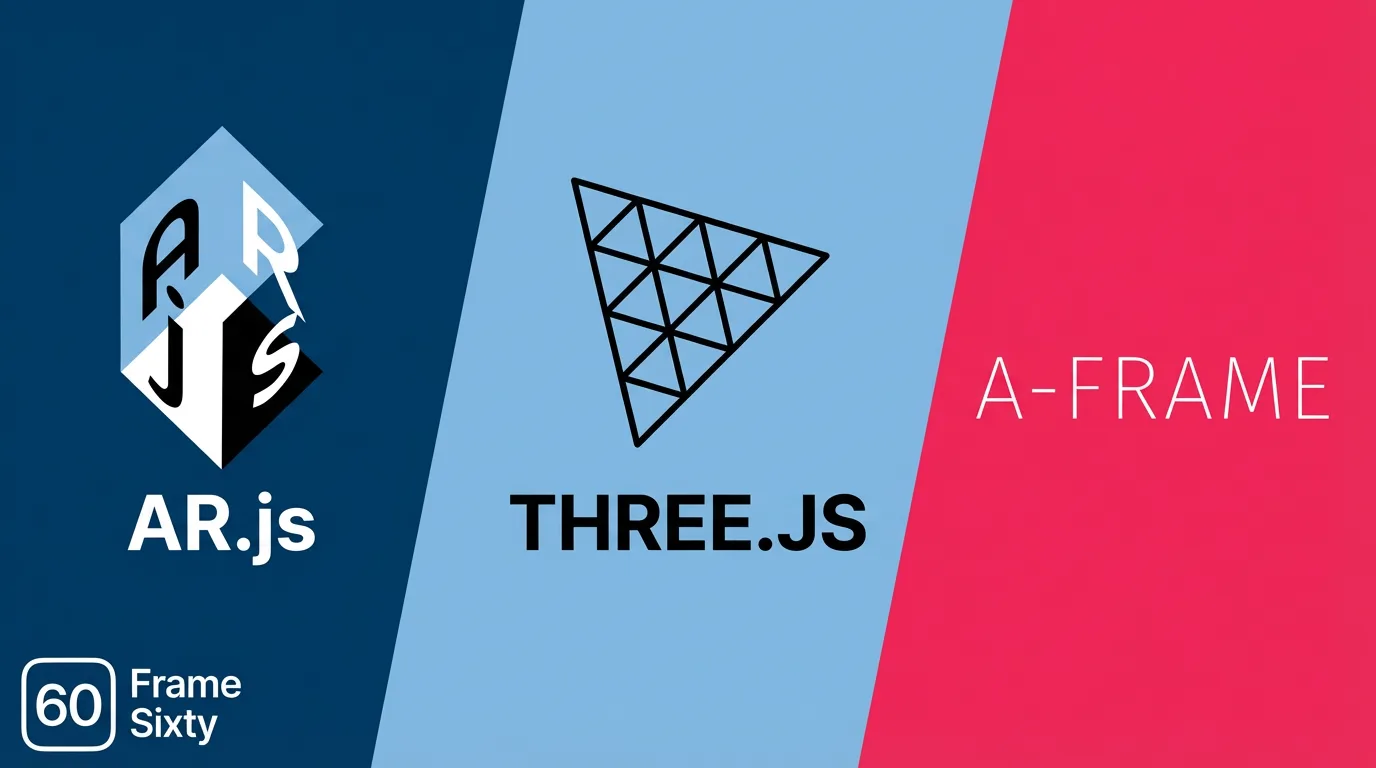
In our search for an 8thwall alternative, we don’t want to discount the immense value and power of the standard open-source libraries that form the backbone of the 3D web. Libraries like AR.js, Three.js, Babylon.js, and A-Frame are foundational technologies with massive, supportive communities, and they are completely free to use.
Three.js is the de facto standard WebGL library for creating and displaying 3D graphics in a web browser. It’s not an AR library itself, but rather the rendering engine that most WebAR frameworks, including 8thwall and Zapworks, use under the hood to draw the 3D models. Its power and flexibility are unmatched in the open-source world.
AR.js is a lightweight and highly efficient library specifically for WebAR. It excels at marker-based and image-tracking AR experiences. If your project involves scanning a QR code, a custom image, or a product label to bring a 3D model to life, AR.js is an absolutely fantastic choice. It’s fast, easy to implement, and works on virtually any device with a browser and a camera.
A-Frame is a web framework for building 3D and VR experiences using a simple, declarative HTML-like syntax. It’s built on top of Three.js and makes creating WebXR scenes incredibly accessible to web developers who may not be 3D graphics experts. It’s an excellent tool for rapid prototyping and building immersive scenes.
These libraries are the go-to choice for a huge range of AR experiences and integrate beautifully with modern web frameworks like React. For a broader look at various options, you can explore our overview of the top 5 web-based augmented reality solutions. However, it is crucial to reiterate their primary drawback in the context of this discussion: as of 2026, they still lack reliable, markerless world tracking and plane detection on iOS. This single limitation is what prevents them from being a direct, feature-complete replacement for 8thwall for applications that depend on placing objects in the user’s environment.
The key takeaway is that while the standard open-source stack is powerful and should be the default choice for many AR projects, it does not yet solve the specific, challenging problem of cross-platform SLAM that 8thwall had mastered. If that stack is right for your project, our guide to building web app augmented reality covers the trigger types, the AR.js and Three.js trade-offs, and the glTF optimization work that keeps those builds fast on mobile.
Our 2026 WebAR Framework Recommendations
Our extensive testing and migration efforts have led us to a clear decision framework for choosing your next web augmented reality framework. The choice comes down to one critical question: Does your project absolutely require high-quality, markerless plane detection on iOS devices? Your answer to this question will point you directly to the best solution for your needs, budget, and technical requirements.
Below is a summary of our recommendations, broken down into three common scenarios that development teams are likely to face in the post-8thwall landscape.
| Scenario | Primary Need | Recommended Framework | Cost | Key Advantage | Key Disadvantage |
|---|---|---|---|---|---|
| 1. No Plane Detection Needed | Marker-based, Face Tracking, Image Tracking | AR.js + Three.js / Babylon.js | Free | Maximum flexibility, zero cost, huge community | No reliable world tracking/plane detection on iOS |
| 2. Plane Detection + Existing 8thwall Project | Migrate an existing high-quality experience | Self-Hosted Open-Source 8thwall Engine | Hosting Fee | 1:1 quality, full control, modern workflow | Relies on a non-supported, legacy engine |
| 3. Plane Detection + New Project | Build a new, stable world-tracking app | Zapworks | $2,640/year | Production-ready stability, official support | High cost, restrictive browser-based workflow |
Scenario 1: Your Project Does NOT Require Plane Detection
If your AR experience is marker-based, uses face tracking for virtual try-on, or relies on tracking a specific image without needing to understand the geometry of the room, your choice is clear and straightforward.
We strongly recommend using a free, open-source library like AR.js combined with a powerful rendering engine like Three.js or Babylon.js. This combination offers unparalleled flexibility, is completely cost-effective, and benefits from the vast knowledge base of a massive global developer community. Use cases for this stack are plentiful and powerful: think of a marketing campaign where a user scans a poster to watch a movie trailer pop out in 3D, a business card that reveals an interactive portfolio, or an e-commerce site that lets users try on sunglasses or makeup using their front-facing camera.
The biggest advantage here is the freedom to integrate these libraries into any modern web development stack. You can build your AR experience as a component within a larger React, Vue, or Angular application, giving you complete control over the user interface and application logic. This approach is a core part of modern cross-platform development for iOS and Android, where a single web codebase can serve all users. For this category of AR, there is simply no reason to pay for a commercial platform.
Scenario 2: You Need Plane Detection and Have an Existing 8thwall Project
If you have your old 8thwall project files and your primary goal is to get your high-quality, world-tracking experience back online as quickly and efficiently as possible, this is your most direct path.
A self-hosted WebAR solution using the now open-sourced 8thwall engine is the easiest and most effective option. As we detailed in our journey, the process of deploying these files to a service like AWS S3 is simple and fast. This approach allows you to maintain the exact same level of tracking quality your users were accustomed to, while simultaneously gaining full control over your codebase and hosting environment. You can see examples of complex projects where this level of control is vital in our work.
The main consideration here is long-term viability. You are relying on an engine that is no longer being actively maintained or updated by its original creators. While it works perfectly today, a future major update to iOS or Safari could potentially introduce incompatibilities. This is a calculated risk, but for many businesses, the benefit of getting a proven, high-quality application back online for a fraction of the cost of a full rebuild makes it a very attractive one.
Scenario 3: You Need Plane Detection and Want a Fresh Start from Scratch
If you’re building a brand-new application that requires world tracking, or if you’re migrating an old 8thwall project but don’t want to rely on the sunsetted engine for a long-term, mission-critical application, you will need a fully supported commercial solution.
Based on our in-depth testing, we found that Zapworks is the most production-ready replacement currently available on the market. While it comes with a significant subscription fee and a proprietary workflow that requires some adjustment, its tracking stability and plane detection on iOS are currently the strongest among 8thwall’s direct competitors. This is the path of stability and peace of mind. You are paying for a dedicated team to handle R&D, provide customer support, and ensure their platform stays compatible with future OS and browser updates.
For new projects with a sufficient budget where quality and long-term support are paramount, Zapworks is the logical choice. For some projects with extremely complex requirements, it may also be worth considering if the limitations of WebAR are too great and a native application is a better fit, a service our iOS app development company specializes in.
Beyond the Phone: Testing on Apple Vision Pro and Meta Quest
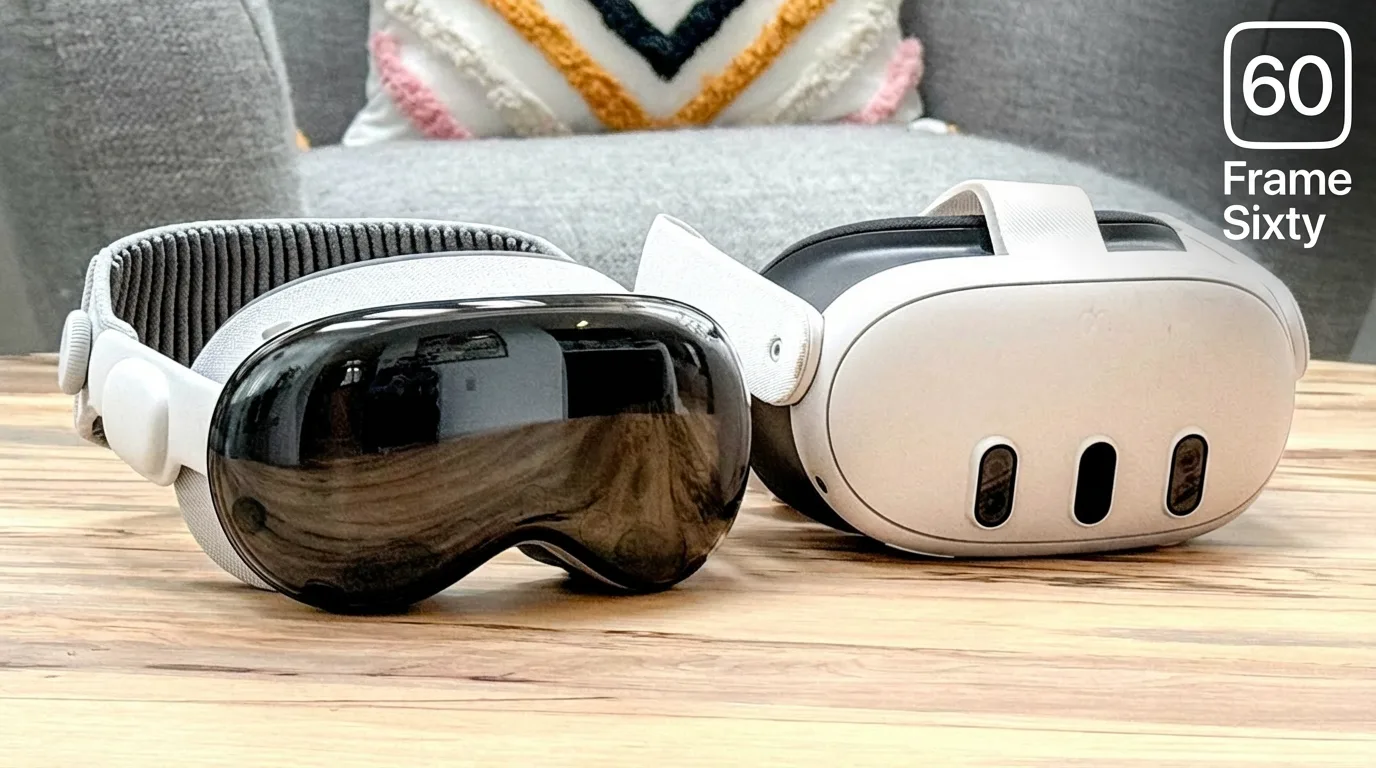
An important consideration for future-proofing your work is how these WebAR experiences translate to the next generation of immersive hardware. We made it a point to test our solutions on dedicated spatial computing devices. We confirmed that experiences built with these frameworks function correctly on headsets like the Apple Vision Pro and Meta Quest.
This cross-device compatibility is made possible by the WebXR Device API, a W3C web standard designed to provide a unified interface for web applications to access AR and VR hardware. When you navigate to a WebAR URL in the browser on one of these headsets, the browser recognizes its immersive capabilities and allows the user to enter a fully immersive AR session. The same 3D content that was overlaid on your phone screen can now appear as a true volumetric object in your physical space.
This means that your investment in building a web augmented reality framework today is also an investment in the future of what is spatial computing. The content you create is not locked to mobile phones; it’s ready for the spatial web. This is an exciting development for the entire industry, and the community of Apple Vision Pro developers is actively exploring the potential of WebXR. Major platform holders like Meta are also deeply invested, providing extensive resources for WebXR on their headsets via the Oculus Developer Center.
The key takeaway here is that WebAR, powered by the WebXR standard, is a durable and forward-looking technology. The experiences you build today will be accessible on an ever-expanding range of devices tomorrow.
Conclusion
The sunsetting of 8thwall has undeniably reshaped the WebAR landscape, forcing developers to seek new solutions for creating immersive, browser-based experiences. Our journey through testing and migration has revealed that while there is no single, perfect replacement, the ecosystem is robust and offers several viable paths forward. The choice of your next web augmented reality framework is not a matter of finding the “best” one, but of finding the one that is right for your specific project’s needs.
The decision hinges almost entirely on the requirement for high-quality, markerless plane detection on iOS. If this feature is not a necessity, the world of open-source libraries like AR.js and Three.js offers a universe of flexibility, creativity, and cost-free development. For those with existing 8thwall projects, the open-sourced engine provides a lifeline, allowing for self-hosting with unparalleled quality and newfound control. And for new, ambitious projects that demand stable world tracking and long-term support, commercial platforms like Zapworks stand ready to fill the void, albeit at a premium.
The future of WebAR is bright and increasingly standardized. The underlying WebXR API ensures that the work done today will not only live on mobile devices but will also extend into the burgeoning world of spatial computing headsets. The fragmentation caused by 8thwall’s departure is a temporary challenge; the underlying trend is toward a more open, accessible, and powerful immersive web for everyone.
Navigating this transition can be complex, and every project has unique challenges. If your team is grappling with migrating from 8thwall or planning a new WebAR initiative, our experts at Frame Sixty are here to help. Ready to bring your ideas to life? Get in touch with our team to discuss your project and find the perfect framework for your vision.
Choosing a Web Augmented Reality Framework After 8thwall
With the 8thwall platform being sunsetted, many are searching for a new web augmented reality framework. These frequently asked questions provide clarity on the challenges, technical concepts, and best alternatives available.
Developers need an 8thwall alternative because Niantic sunsetted the platform, closing it to new projects and forcing existing experiences to migrate. 8thwall's value was its proprietary cross-platform SLAM engine, which delivered reliable markerless world tracking on both iOS and Android inside a web browser - the hardest capability to replace.
The biggest 8thwall migration challenge is finding a web augmented reality framework that reliably performs plane detection - identifying floors and tabletops - on Apple iOS devices in the browser. Safari restricts the low-level camera and motion sensor data a SLAM algorithm needs, so most open-source libraries offer plane detection on Android but not iOS.
Plane detection is hard on iPhone because Apple's Safari browser restricts access to the raw, high-frequency camera and IMU data a SLAM algorithm requires, primarily for security and privacy. Native iOS apps get stable plane detection through ARKit's deep hardware access, but web pages run in a sandbox. 8thwall worked around these limits with a highly optimized engine, likely using WebAssembly.
Zapworks is the most production-ready commercial framework for new WebAR projects needing stable plane detection on iOS. In testing, its world tracking held objects firmly in place with no drift. The trade-offs are cost - around $2,640 per year at the time of testing - and a proprietary, browser-based workflow that limits standard tools like VS Code and Git.
The best migration path for an existing 8thwall project is self-hosting the now open-sourced 8thwall engine, for example on Amazon S3. This preserves the original SLAM quality while adding full code control and a modern workflow; Frame Sixty restored a client's web AR application this way within a day. The risk is that the engine is no longer maintained, so a future iOS or Safari update could break it.
Use AR.js when your WebAR project does not require plane detection: it is a fast, flexible, free choice for marker-based, image-tracking, and face-tracking experiences on virtually any device. Paired with Three.js or Babylon.js for rendering, the open-source stack integrates with modern frameworks like React - its only major gap is reliable markerless world tracking on iOS.
Get in touch
We’re interested to see how we can help. Send us a message and we will get back to you within 24 hours.