
Virtual Reality Property Walkthroughs: Cost, Technology, and How to Get One Built
Jul 9, 2026

15 MIN READ
A virtual reality property walkthrough is an interactive 3D experience that lets a buyer explore a property from a headset, a browser, or a phone before visiting in person. A 2025 University of Texas at Dallas study of nearly 43,000 properties found these tours cut average days on market from 34 to 19, a 44% reduction, though they did not raise final sale price. Listings with 3D tours receive 87% more views. Costs span from free 360° tools to $80,000 or more for a custom Apple Vision Pro app. Since late 2025, WebXR support in every major browser lets buyers open a tour without a headset or an app download.
Key Takeaways
-
A 2025 UT Dallas study of 43,000 properties found VR tours cut average days on market from 34 to 19, a 44% reduction.
-
Costs range from free (Zillow 3D Home) to $80,000+ for a custom Apple Vision Pro sales app.
-
Listings with 3D tours receive 87% more views, per LCP Media’s 2026 data.
-
360° tours, Matterport 3D scans, and true VR are three distinct technologies, not synonyms.
-
WebXR support in every major browser as of late 2025 means buyers no longer need a headset or an app.
-
A 2025 UT Dallas study of 43,000 properties found VR tours cut average days on market from 34 to 19, a 44% reduction.
-
Costs range from free (Zillow 3D Home) to $80,000+ for a custom Apple Vision Pro sales app.
-
Listings with 3D tours receive 87% more views, per LCP Media’s 2026 data.
-
360° tours, Matterport 3D scans, and true VR are three distinct technologies, not synonyms.
-
WebXR support in every major browser as of late 2025 means buyers no longer need a headset or an app.
Not sure whether your listing needs a custom walkthrough or just a 360 scan? Our guide to choosing a virtual tour for real estate compares the three tour types, their costs, and which one fits a built, unbuilt, or configurable property.
Need help with a VR property walkthrough?
We are here to help!
Do Virtual Property Tours Actually Help Sell Homes Faster?
Yes. Virtual property tours measurably shorten the time a listing spends on the market, and the strongest evidence comes from peer-reviewed research rather than vendor marketing. The effect is on sales speed, not sale price. Tours help buyers self-qualify and reach a decision sooner, which compresses the transaction timeline for sellers and agents.
What the Peer-Reviewed Research Shows
The most rigorous evidence on virtual tours comes from a 2025 University of Texas at Dallas and University of Washington study published in Information Systems Research, which analyzed nearly 43,000 properties. According to that UT Dallas study, published in September 2025, VR tours reduced average days on market from 34 to 19 — a 44% reduction — after controlling for property size, age, and neighborhood.
The same study found no significant lift in final sale price. That distinction matters. “VR is not increasing the home’s value. It’s a tool to show you how the house looks,” said Dr. Zixuan “Maggie” Meng, Assistant Professor of Information Systems at UT Dallas. A separate 2023 Harvard Business School analysis of 75,178 Los Angeles sales reached a similar conclusion: the price impact was statistically insignificant once property and neighborhood variables were controlled. Sell faster, not higher — that is the honest claim the data supports.
Buyer Engagement by the Numbers
Engagement data explains why tours speed up sales: they hold attention and filter out buyers who would otherwise walk through in person. Listings with 3D tours receive 87% more views than listings without them, according to LCP Media’s 2026 figures, and buyers spend roughly five times longer on a listing page that includes one.
The downstream effect is fewer wasted showings. A 2026 commercial ROI guide from Impact Aerial reports a 40% reduction in unqualified physical viewings, with scan costs often recovered by avoiding just three in-person visits with unqualified prospects. Adoption tracks these results. The VR in real estate market was valued at $1.21 billion in 2026 by Business Research Insights, which projects it will reach $3.03 billion by 2035 at a 10% compound annual growth rate. The takeaway: virtual tours convert attention into qualified showings, and the market is funding that shift.
How Much Does a Virtual Reality Property Tour Cost?
A virtual reality property tour costs anywhere from nothing to $80,000 or more, depending on the format. A free Zillow 3D Home tour and a bespoke Apple Vision Pro sales gallery app sit at opposite ends of the same spectrum. The price is driven by three things: how the space is captured, how interactive the result is, and which devices it has to run on.
The table below summarizes the four main tiers.
| Format | Typical Cost | Best For | Headset Required? |
|---|---|---|---|
| 360° photo tour | Free–$500 | Standard resale listings | No |
| Matterport-style 3D scan | $100–$1,200 | Listings needing floor plans and measurements | No |
| Custom VR walkthrough | $20,000–$50,000+ | Pre-sale and luxury developments | Optional |
| Apple Vision Pro app | $15,000–$80,000+ | Sales galleries, off-plan projects | Yes (gallery-owned) |
Basic 360° Tours and Matterport-Style Scans: Free to $1,200
Off-the-shelf software covers the low end of the market. Zillow 3D Home is free and auto-publishes to Zillow listings; CloudPano runs $19 to $49 per month; iGUIDE charges $25 to $45 per tour; and Matterport’s own plans span $14 to $309 or more per month. A professional 360° scan service typically charges $100 to $300 for a standard residential property, and a Matterport Pro3 camera costs $3,000 or more if you capture in-house. These figures are documented in The Future 3D’s 2026 Matterport alternatives breakdown and Matterport’s own real estate software guide.
One 2025 change affects this tier directly. CoStar, which acquired Matterport for $1.6 billion in April 2024, declined to renew Matterport’s Zillow API agreement in October 2025. Matterport tours no longer auto-publish to Zillow listings, so agents who relied on that pipeline should weigh it when choosing a platform.
Custom VR Builds and Apple Vision Pro Apps: $15,000 to $80,000+
Custom work starts where templates end. Augmented reality tours range from $300 for a basic experience to about $5,000 for a high-end build with finish customization, according to Estate Innovation’s 2025 AR home tours pricing. A fully custom VR walkthrough runs $20,000 to $50,000 for a single-family home and $30,000 to $100,000 or more for a multi-unit or pre-sale development.
Apple Vision Pro apps follow their own curve. A minimal visionOS build — a single apartment with one floor plan — starts around $15,000 and takes four to six weeks; a full launch with multiple floor plans, finish customization, and CRM integration runs $25,000 to $80,000 or more. Set against the $90,000 to $720,000 cost of a traditional physical scale model, a custom Vision Pro app is both cheaper and updatable. Teams planning this kind of build often start with enterprise Apple Vision Pro development, where the cost is justified by high unit prices and remote buyers.

360° Tour, 3D Scan, or True VR Walkthrough: What’s the Difference?
A 360° tour, a Matterport-style 3D scan, and a true VR walkthrough are three distinct technologies, not three names for the same product. They differ in how they capture a space, whether they record real spatial dimensions, and how freely a viewer can move. Choosing the wrong one wastes budget or undersells the property.
- A 360° tour stitches panoramic photos at fixed camera positions. The viewer can look around but cannot walk freely, and the format records no spatial data. It is the cheapest option and runs on any phone.
- A Matterport-style 3D scan uses a LiDAR or depth sensor to build a navigable digital twin with accurate room dimensions, a measurable floor plan, and a dollhouse view. It is the standard for resale listings. Matterport’s Dollhouse View has no direct equivalent on competing platforms.
- A true VR walkthrough runs on a real-time engine such as Unity or Unreal Engine, or on imported BIM geometry. It offers full spatial freedom and interactive elements like opening doors or swapping finishes. A headset gives full immersion, though WebXR enables a browser version.
- An AR overlay uses the device camera to place digital content into a real space — virtual staging in an empty unit, or a Revit model dropped onto a site during a walk-through.
| Format | Technology | Spatial Data | Headset Required? | Best Use Case |
|---|---|---|---|---|
| 360° tour | Stitched panoramas | None | No | Quick resale listings |
| Matterport 3D scan | LiDAR / depth sensor | Accurate dimensions | No | Listings needing floor plans |
| True VR walkthrough | Real-time engine / BIM | Full 3D geometry | Optional | Pre-sale, luxury, custom |
| AR overlay | Camera + SLAM | Anchored to real space | No | Staging, site previews |
The takeaway: match the format to the job. A resale listing rarely needs a real-time engine, and an off-plan tower cannot be sold with panoramic photos of a building that does not exist yet.
AR vs. VR for Real Estate: Which One Should You Use?
Augmented reality and virtual reality serve different moments in the buyer journey, so the better question is when to use each, not which one wins. VR is for remote exploration before a visit. AR is for enhancing what a buyer sees on site. The most effective programs use both, and mixed reality on devices like Apple Vision Pro blends them in a single session.
The distinction breaks down cleanly by use case:
| Dimension | Virtual Reality (VR) | Augmented Reality (AR) |
|---|---|---|
| Primary moment | Before the visit, remote | During the visit, on site |
| Best for | Off-plan sales, international buyers, luxury galleries | Virtual staging, renovation previews, floor-plan overlays |
| Physical space needed | None | The real property or site |
| Typical device | Headset or browser | Smartphone or tablet |
VR shines when nothing physical exists yet — a pre-construction tower sold to buyers who may never travel to the site. AR shines when a buyer stands in a vacant unit and wants to see it furnished, or when a developer drops a scale model of an unbuilt project onto a conference table. For teams building either, AR app development and broader spatial computing in the enterprise cover the practical delivery paths. The takeaway: AR and VR are complementary tools, and the buyer journey usually calls for both.
How Does a Revit Model Become a VR Walkthrough?
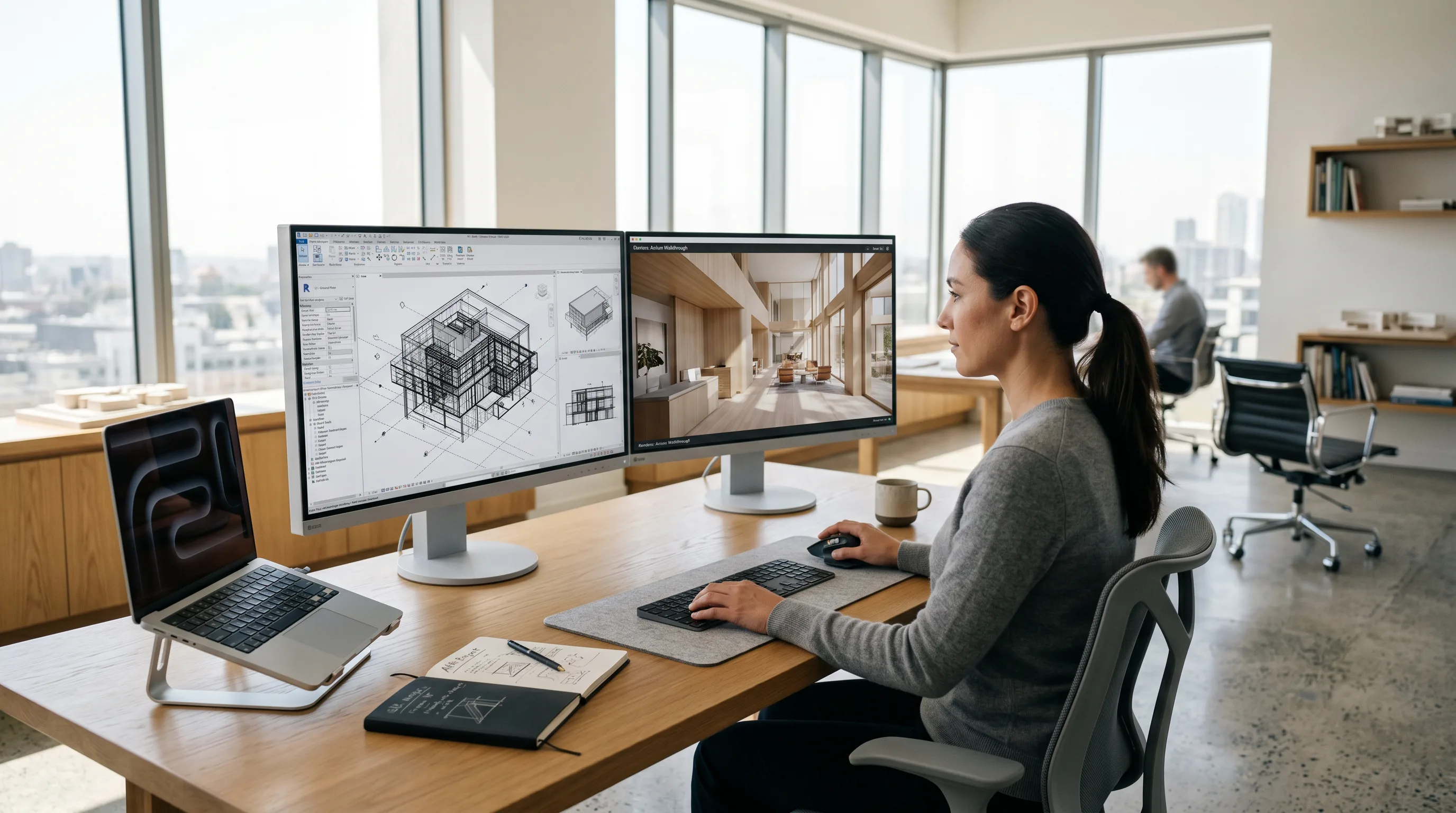
A Revit or BIM model becomes a VR walkthrough by exporting its geometry into a real-time engine or headset format, so the building you already designed becomes the building a buyer can walk through. There is no need to rebuild the model from scratch. The accurate dimensions baked into a BIM file are exactly what make the resulting walkthrough trustworthy.
Three Workflow Paths from BIM to Headset
Three established paths move a Revit model into VR, each with a different trade-off between speed and fidelity.
- Enscape plus SENTIO VR is the fastest route. Both work directly inside Revit, and SENTIO VR, listed on the Autodesk App Store, produces BIM-to-VR walkthroughs in minutes. The output is panorama-based rather than fully interactive, which keeps it simple.
- Arkio or The Wild export true BIM geometry as GLTF or GLB while preserving Revit metadata. Arkio’s Revit-to-VR workflow adds bidirectional sync, so spatial decisions made inside VR push back to the Revit model automatically. This path suits design review and construction-phase collaboration.
- Twinmotion and Datasmith into Unreal Engine deliver the highest visual fidelity, which makes them the choice for client-facing marketing and pre-sale galleries. GLTF and GLB remain the dominant export formats for Meta Quest delivery.
Building a navigable model from BIM data is closely related to creating a digital twin in VR, where the same geometry serves both sales and operations.
From Revit to Apple Vision Pro: The Spatial Computing Pipeline
Getting a Revit model onto Apple Vision Pro follows a defined pipeline: optimize the geometry, convert it to a spatial format, place anchors, and build the visionOS app. The work centers on performance, because visionOS targets 90 frames per second and sub-90-millisecond latency, and polygon budgets are far tighter than on desktop VR. USDZ is the native spatial format for Vision Pro.
In our spatial computing work at Frame Sixty, an AR/VR and spatial computing development studio, the sequence runs from the Revit file through polygon reduction and level-of-detail management, into RealityKit and USDZ conversion, then spatial anchor placement and on-device testing. Accurate BIM dimensions are what prevent the “this room looks bigger than it felt” complaint at handover — the walkthrough sets correct expectations before anyone visits. A single-apartment scope takes four to six weeks; a multi-floor-plan development with finish customization runs eight to fourteen weeks. The asset preparation behind this depends on 3D model design services, and streaming heavier scenes to headsets draws on approaches like NVIDIA Omniverse for XR digital twins and spatial streaming to Vision Pro and Quest. The takeaway: the BIM model you already own is the cheapest, most accurate starting point for a headset walkthrough.
Delivering Immersive Tours: Browser, Meta Quest, and Apple Vision Pro
The delivery platform determines who can open a tour and under what conditions. The three practical channels in 2026 are the web browser, the Meta Quest 3, and the Apple Vision Pro. Browser delivery reaches the most people with the least friction; headsets deliver the deepest immersion for buyers who have access to the hardware.
WebAR: No Headset, No App Download
WebAR delivers immersive property tours straight to a browser, with no headset and no app to install. As of late 2025, Safari completed support for the WebXR Device API, which means every major browser — Chrome, Edge, Firefox, and Safari — can now run immersive content natively. That removes the single biggest barrier to engagement.
App download requirements cut engagement by 50% to 70% compared with browser-based experiences, according to MadXR’s February 2026 analysis of browser-based immersive experiences. Removing the download matters most for listing pages and email campaigns. In practice, a buyer taps a link in a text or email, opens it on any smartphone, and walks through a 3D property in the browser. WebGPU is now broadly supported, giving near-native rendering, and frameworks such as A-Frame, Babylon.js, Three.js, and PlayCanvas have mature WebXR tooling. Teams building these experiences rely on WebAR development to reach buyers who will never own a headset. The takeaway: WebAR is the lowest-friction way to put a property in a buyer’s hands.
Meta Quest 3 and Apple Vision Pro
Headsets serve buyers who want full immersion, and two devices lead real estate in 2026. The Meta Quest 3, at $499, is the leading consumer headset, with real estate apps including HomeVR, EstateVRX, and 360 VISTA on its store. It fits developer-owned sales galleries and shared office demos.
The Apple Vision Pro, at $3,499, suits luxury developments and high-ticket galleries. Its price means most residential agents will not run buyer-owned sessions; the realistic use case is a gallery device the developer owns. Zillow’s Immerse app launched alongside the headset in February 2024, and custom visionOS apps give a developer full brand control and finish customization. The National Association of Realtors documented these XR adoption trends in September 2025. Vision Pro passthrough mode lets a buyer walk a real space while overlays show completed finishes or alternate layouts. Developers staffing this work often hire Apple Vision Pro developers directly. The takeaway: pick Quest for reach and shared demos, Vision Pro for premium, brand-controlled galleries.
How to Get a Virtual Reality Property Walkthrough Built
There are two routes to a finished walkthrough: subscribe to do-it-yourself software, or commission a custom build. The right choice depends on the value of the property, the buyers you are reaching, and how much of the experience you need to control. Standard resale listings rarely justify a custom build; pre-sale developments and luxury listings usually do.
DIY with SaaS Tools: When It Is Enough
For an individual agent listing a standard resale home, off-the-shelf software is usually enough. Zillow 3D Home is free and boosts Zillow placement; Matterport offers the most complete feature set, with the October 2025 Zillow API change noted earlier; EyeSpy360 runs $15 per property with live co-viewing; and CloudPano offers white-label tours at $19 to $49 per month. The Close’s 2026 comparison of Matterport competitors breaks these down with feature ratings.
SaaS stops short in predictable places. It cannot deliver interactive finish customization, BIM-accurate walkthroughs, spatial computing on Apple Vision Pro, or the brand-controlled buyer experience a high-value development needs. When those requirements appear, a template tour is the wrong tool.
Commissioning a Custom Build
A custom build fits pre-sale or off-plan developments, luxury listings, commercial properties, and any project where the decision involves significant capital and remote buyers. When evaluating a build partner, check for four capabilities: a Revit and BIM workflow, platform coverage across browser, Meta Quest, and Vision Pro, spatial UI design experience, and a clear production timeline.
The process is straightforward in shape. It starts with an asset handoff — a Revit file, CAD drawings, or reference photography — then moves through geometry optimization, scene building and interaction design, platform deployment, and device testing. Frame Sixty handles this full pipeline, from a Revit file to a deployed visionOS or WebXR experience, through its virtual reality development services and interactive virtual reality product demos. The takeaway: commission a custom build when the property’s value and your buyers justify control that templates cannot provide.
Conclusion
Virtual reality property walkthroughs earn their place by shortening sales cycles, not inflating prices. The 2025 UT Dallas study of 43,000 properties is the clearest proof: tours cut days on market from 34 to 19. Listings with 3D tours draw 87% more views, and removing the headset and app barrier through WebXR puts a property in any buyer’s browser. The format you choose — a free 360° tour, a Matterport scan, a custom VR build, or a Vision Pro app — should match the value of the property and the buyers you are reaching.
The technology is no longer the obstacle. Every major browser supports immersive content, BIM models convert into headset walkthroughs along well-worn paths, and costs span a wide enough range that nearly any listing has a sensible option. The decision is about fit: where in the buyer journey the tour sits, and how much of the experience you need to own.
If you are weighing a virtual reality property walkthrough for a development or listing portfolio, get in touch with the team at Frame Sixty. We build from your Revit files and design assets across browser, Meta Quest, and Apple Vision Pro, and we can help you choose the format that fits your buyers and budget. Our architectural visualization page covers the full set, from pre-sales walkthroughs to AR site models.
Virtual Reality Property Walkthroughs: FAQ
Common questions about virtual reality property walkthroughs, covering buyer demand, ROI, headsets, browser-based viewing, Revit-to-VR timelines, and when a custom build is worth it.
Buyer demand for virtual tours is now mainstream: 74% of buyers will not visit a property without a virtual tour or 360 photos, per LCP Media data cited in 2026. A Matterport survey of 2,000 U.S. buyers and sellers found 55% would purchase sight-unseen when a 3D tour was available, and 92% were more likely to buy a listing with one.
The ROI of virtual tours comes from faster sales and fewer wasted showings, not higher prices. A 2025 UT Dallas study of 43,000 properties found tours cut days on market from 34 to 19. A 2026 Impact Aerial guide reports a 40% drop in unqualified physical viewings, with scan costs typically recovered after avoiding just three in-person visits.
Yes, buyers can view a virtual tour without a headset through any modern browser or phone. As of late 2025, Safari completed WebXR Device API support, so Chrome, Edge, Firefox, and Safari all run immersive content natively. A buyer taps a link in a text or email and walks through a 3D property, with no app download required.
Creating a VR property walkthrough from a Revit file takes about four to six weeks for a single-apartment Apple Vision Pro scope, and eight to fourteen weeks for a multi-floor-plan development with finish customization. The BIM model's accurate dimensions are reused rather than rebuilt, which keeps the walkthrough trustworthy and shortens production compared with modeling from scratch.
Frame Sixty builds custom VR property walkthroughs directly from a client's Revit files, delivering to browser via WebXR, Meta Quest, and Apple Vision Pro. For real estate work specifically, verify a partner has a Revit and BIM workflow, coverage across all three delivery channels, spatial UI design experience, and a clear production timeline - typically four to six weeks for a single-apartment visionOS scope. See our virtual reality development services.
A custom VR build is worth it for pre-sale and off-plan developments, luxury listings, and commercial projects where buyers are remote and capital is significant. DIY software like Zillow 3D Home or Matterport handles standard resale listings, but it cannot deliver BIM-accurate walkthroughs, finish customization, or a brand-controlled Apple Vision Pro experience, where custom apps run $15,000 to $80,000+.
Get in touch
We’re interested to see how we can help. Send us a message and we will get back to you within 24 hours.