
What Are Machine Learning App Development Services — and What Can They Build for You?
Jul 8, 2026

16 MIN READ
Machine learning app development services are the design, training, integration, and maintenance work that puts trained ML models inside mobile and spatial apps, covering problem scoping, data preparation, model selection or fine-tuning, on-device or cloud integration across iOS and Android, and post-launch monitoring. Projects typically cost $40,000 for a basic MVP to more than $400,000 for an enterprise platform, with data preparation consuming 60–80% of total project time. Apps can integrate six modalities: image, voice, video, and text generation plus object and face recognition. On-device inference on current Apple silicon returns initial tokens in under 20ms, while heavy generation tasks run through cloud APIs.
Key Takeaways
- Machine learning app development services span six core modalities: image generation, voice generation, video generation, text generation, object recognition, and face recognition.
- ML app development costs range from $40,000 for a basic MVP to $400,000+ for an enterprise platform, per Appinventiv’s 2026 cost guide.
- On-device inference on current Apple silicon produces initial tokens in under 20ms, and 4-bit quantization cuts model size by 70%+ with under 2% accuracy loss (Zignuts, 2025).
- 88% of companies now use AI in at least one business function, up from 78% the prior year, according to McKinsey data cited by Emerline in 2026.
- Data preparation consumes 60–80% of total ML project time, the largest single cost driver, per IBM Research figures cited by Space-O in 2026.

Need help with machine learning app development?
Frame Sixty is a full-service digital innovation studio specialising in AR/VR, mobile, and web development.
What Machine Learning App Development Services Actually Include
Machine learning app development services cover far more than calling an external API. They include defining the business problem, building a data pipeline, choosing or fine-tuning a model, integrating it into a specific platform such as iOS or Android, optimizing inference speed, and monitoring the model after launch. This separates ML work from standard app development, where logic is written by hand rather than learned from data.
A typical engagement follows a repeatable sequence: define the problem, collect and prepare data, engineer features, choose a model type, train and tune it, validate accuracy, integrate or deploy the model, then monitor and retrain it as real-world data shifts. Each stage carries its own cost and risk. Adoption is already broad: 71% of enterprises use ML or generative AI in at least one business function, according to McKinsey figures cited by Appinventiv in 2026.
The studio you hire should own this full lifecycle rather than hand you a model and leave. You can review the range of work involved on the Frame Sixty AI development services page, which spans natural language processing, computer vision, speech recognition, and custom model creation. The takeaway: ML app development is a lifecycle commitment, not a one-time integration.
The Most Valuable Use Cases for ML in iOS and Android Apps
The highest-value ML use cases in mobile apps fall into three groups: computer vision, natural language and speech, and background prediction systems. Each maps to measurable outcomes such as higher engagement, lower fraud losses, or new accessibility features. The right choice depends on what data the app can access and whether results must appear in real time.
Computer Vision: Object Recognition, Face Recognition, and Image Labeling
Computer vision lets an app interpret what its camera sees: identifying objects, recognizing faces, and labeling image content. Real-time object recognition powers translation tools, retail product scanning, and accessibility apps for users with low vision. Face recognition supports authentication, emotion detection, and personalization. Image labeling drives e-commerce product tagging and automated content moderation.
Frame Sixty, an AR/VR and spatial computing development studio, built AI Translate, an iOS app that uses Apple’s CoreML to recognize objects through the phone camera and translate the results into more than 100 languages, working offline by downloading models on-device. The app was recognized at Apple’s Worldwide Developers Conference as a top AI application. AI-enabled features like these raise user engagement by 25–30% on average, according to Appinventiv’s 2026 analysis. We have also built camera-driven object recognition into AR and AI projects where the model has to label a live scene frame by frame. The takeaway: computer vision turns a camera into an input device the app can reason about.
Natural Language and Speech: Text Recognition, Voice Generation, and Chatbots
Natural language and speech ML covers reading text from images, generating spoken audio, and holding conversations. Text recognition (OCR) extracts content from documents, receipts, and signage. Voice generation produces spoken output for accessibility tools, language learning, and automated phone systems. Chatbots and assistants answer questions in customer support and education.
We have integrated AI voice generation and text recognition into client apps, and our most demanding speech project is the Sign Language Translator for Apple Vision Pro. It combines hand tracking with gesture recognition to convert sign language into speech and text in real time, removing the need for an interpreter in everyday conversations. For text-based assistants, our work on custom chatbots shows how an NLP model can be tuned to a specific domain rather than answering generically. The takeaway: language ML makes an app something users can talk to, listen to, and read with.
Recommendation, Fraud Detection, and Predictive Analytics
Some of the most valuable ML runs invisibly in the background, scoring and predicting rather than responding to direct input. Recommendation engines decide what content or product to surface next. Fraud detection flags suspicious transactions in real time. Predictive analytics forecasts demand, maintenance needs, and churn. These systems usually run server-side or through cloud APIs rather than on the device, because they draw on large historical datasets.
The payoffs are well documented. Netflix drives 80% of content watched through its ML recommendation engine, according to Space-O’s 2026 guide. The same source reports that e-commerce recommendation engines deliver a 10–30% revenue lift, fraud detection ML reduces fraud losses by up to 50%, and predictive maintenance cuts unplanned downtime by 40%. These use cases fit naturally into a broader app development engagement. The takeaway: background ML compounds quietly, often producing the largest measurable return.
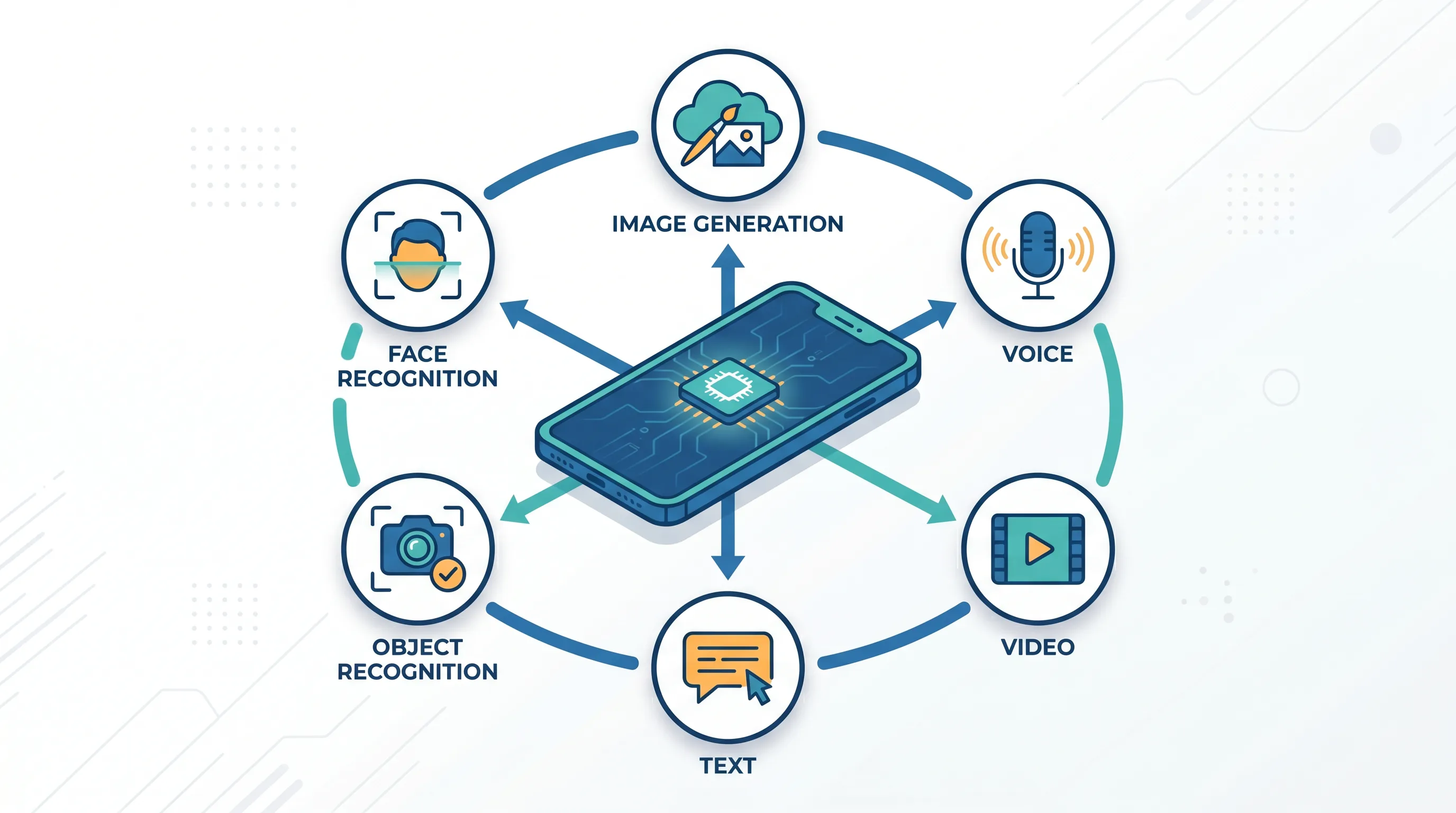
Six AI Modalities You Can Integrate Into a Mobile App
A modern app can integrate six distinct AI modalities: image generation, voice generation, video generation, text generation, object recognition, and face recognition. Each has its own tools, cost profile, and decision about whether to run in the cloud or on the device. The sections below map each modality to the APIs and frameworks that deliver it in production.
AI Image Generation
AI image generation creates original visuals from a text prompt, adding dynamic content, personalized graphics, and creative tools to an app. Common integration paths use external APIs such as Stable Diffusion, DALL-E, Midjourney, or Google’s Imagen through the Gemini API. The pattern is a REST call that sends a prompt and receives an image as a URL or encoded data.
Image generation at production quality is cloud-only today; no on-device model matches the output of a hosted system, so latency and per-call cost belong in the UX plan from the start. We have integrated external machine learning tools for AI image generation into client products, and our broader approach to building apps with AI tools covers how those services slot into a real codebase. The takeaway: image generation is fast to add through an API, but its cloud dependency shapes both cost and interface design.
AI Voice Generation and Speech Recognition
Voice ML splits into two capabilities: text-to-speech for generating spoken audio and speech-to-text for transcribing what users say. Voice generation supports narration, accessibility, and language apps. Speech recognition powers dictation, voice search, and spoken commands. Both can run in the cloud or, increasingly, on the device.
Cloud options include Google Cloud Speech-to-Text, Microsoft Azure Speech, Deepgram, and NVIDIA Riva. On-device, Apple’s Speech framework handles iOS, and Google’s ML Kit GenAI Speech Recognition API, in alpha and last updated June 19, 2026, covers 15 locales in basic mode with a GenAI mode that adds broader language support on Pixel 10 devices. We have integrated AI voice generation into client apps where spoken output was the primary interface. The takeaway: voice is now viable on-device for many languages, but wide coverage and high accuracy still favor cloud services.
AI Video Generation
AI video generation produces moving footage from text or still images, the newest and most compute-heavy modality to reach production apps. It enables content-creation tools, marketing features, and interactive media. Because generation is expensive and slow, it runs exclusively in the cloud through asynchronous APIs that accept a job and return the finished clip after processing.
The Runway API is a leading option, offering access to text-to-video models including Gen-4.5, Veo 3.1, and Seedance 2.0, with a 99.9% uptime guarantee, SOC 2 Type II compliance, and official Python and Node.js SDKs as of June 2026. We have integrated AI video generation into client projects, where the main design challenge was managing generation times of seconds to minutes without leaving users staring at a spinner. Budget both API cost and latency before committing to a video feature. The takeaway: video generation is powerful but cloud-bound and slow, so the interface must hide the wait.
Text Generation and LLM Integration
Text generation embeds large language models in an app for drafting, question answering, tutoring, and summarization. Integration usually runs through a hosted API such as Google’s Gemini, Anthropic’s Claude, or OpenAI’s models, though smaller models now run on-device. The model receives a prompt and returns generated text the app formats and displays.
Frame Sixty built an educational app for Google’s ISTE 2025 event that integrated Gemini 2.5 Pro for AI text generation, part of Google’s Gemini for Education launch on June 30, 2025. On Android, Gemini Nano runs text generation directly on the device: Kakao Mobility achieved a 45% boost in conversions using Gemini Nano for address entry, according to Google’s 2026 developer documentation. For conversational features, our custom chatbot work tunes these models to a specific subject rather than leaving them general-purpose. The takeaway: text generation ranges from heavyweight cloud LLMs to compact on-device models, and the right tier depends on privacy and latency needs.

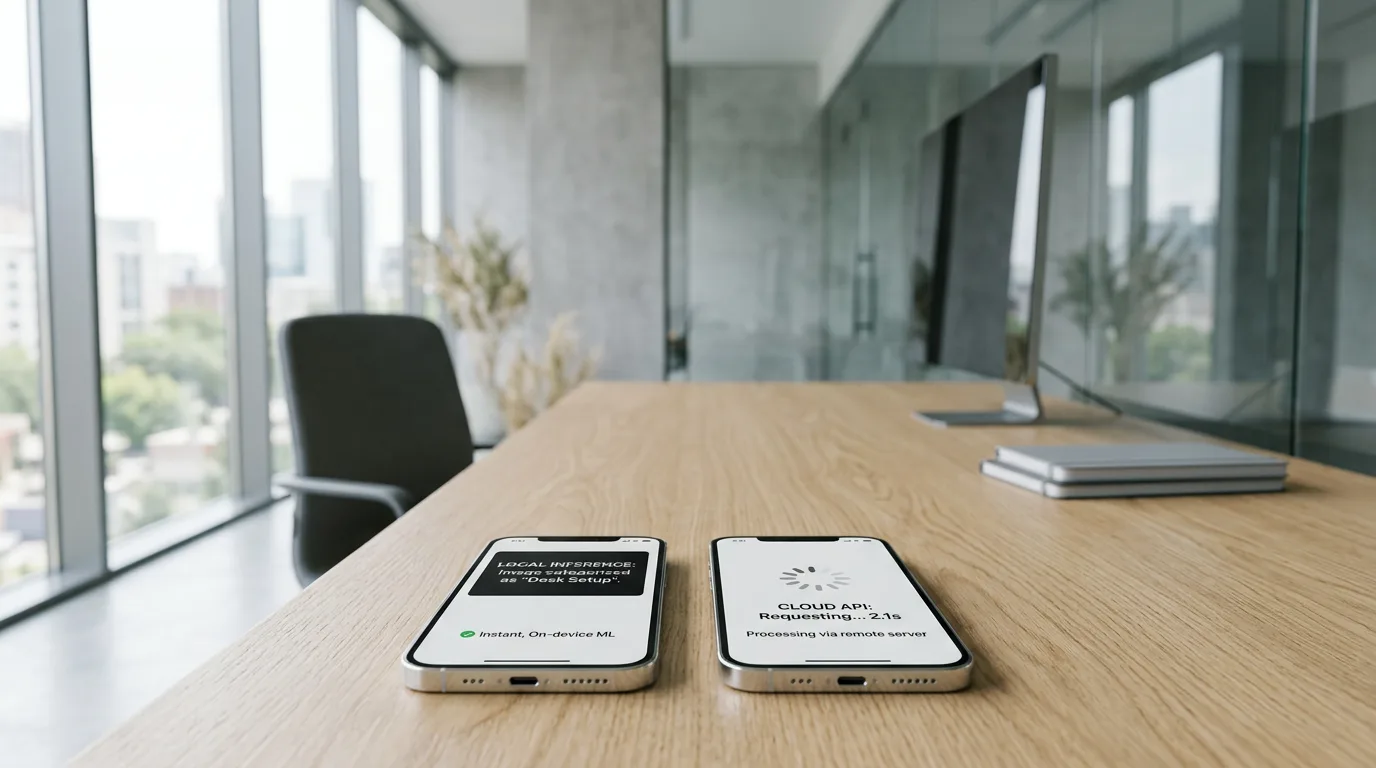
On-Device Machine Learning vs. Cloud API: Which Is Right for Your App?
The choice between on-device ML and a cloud API depends on four factors: latency, privacy, offline capability, and compute cost. On-device models respond instantly, keep data on the phone, and work without a connection, but they are bounded by the device’s memory and processing limits. Cloud APIs handle large models and heavy generation tasks but add network latency and per-call cost.
On-device performance has improved sharply. Inference on current Apple silicon produces initial tokens in under 20ms, and 4-bit quantization reduces model size by more than 70% with under 2% accuracy loss, according to Zignuts’ December 2025 analysis. That report also notes successful App Store apps now run 90% of their features on-device. As the Zignuts team put it, “In 2026, building for the Apple ecosystem means creating software that thinks, reacts, and protects all while the device is in Airplane Mode.” Our AI Translate app runs CoreML entirely offline for exactly that reason.
| Factor | On-Device ML | Cloud API |
|---|---|---|
| Latency | Under 20ms, no network round trip | Network-dependent, seconds for heavy tasks |
| Privacy | Data stays on the device | Data sent to a server |
| Offline use | Works with no connection | Requires connectivity |
| Cost model | Upfront optimization, no per-call fee | Pay per call or per token |
| Model size | Bounded by device memory | Effectively unlimited |
The takeaway: run small, latency-sensitive, privacy-critical models on-device, and send image, video, and large-LLM workloads to the cloud.

ML Frameworks for iOS and Android: What Developers Use
iOS and Android each have a distinct ML toolchain. Apple centers on CoreML and the Vision framework; Google centers on ML Kit and LiteRT. Both platforms now ship on-device large language models, Apple through its Foundation Models Framework and Google through Gemini Nano. Choosing a studio with depth in both matters when an app targets both stores.
iOS: CoreML, Vision, Create ML, and the Foundation Models Framework
Apple’s ML stack runs models on-device across iOS, macOS, and watchOS. CoreML is the foundation, supporting image classification, object detection, natural language, and sound analysis, and it converts models from TensorFlow, PyTorch, and scikit-learn. The Vision framework sits on top of CoreML for face detection, body pose, text recognition, and barcode scanning. Create ML trains models on-device without a server, and the Foundation Models Framework, added in 2025, runs on-device LLM inference.
Hardware has kept pace. The A19 Pro and M5 chips feature 16-core Neural Engines with 4× the peak compute of the previous generation, per Zignuts’ 2025 analysis, which lets larger models run locally. Apple’s open-source MLX framework targets the unified memory architecture for the same goal. Developers integrate these through Swift and SwiftUI, the stack behind our iOS app development work. The takeaway: Apple’s frameworks make on-device ML the default path on iOS, backed by fast Neural Engine hardware.
Android: ML Kit, LiteRT, Gemini Nano, and MediaPipe
Google’s Android AI stack pairs ready-made APIs with custom-model tooling. ML Kit offers production APIs for text recognition, language identification, translation across 59 languages, face detection, and barcode scanning, all running on-device through LiteRT, the inference engine formerly named TensorFlow Lite. LiteRT became the primary on-device inference library on Android in 2025 and supports ONNX models with CPU and GPU delegates.
For generative features, Gemini Nano runs multimodal text, image, and audio inference on-device, while MediaPipe handles live media tasks such as hand tracking and pose estimation across platforms. Firebase AI Logic bridges to cloud models when a task exceeds on-device limits. These tools integrate through Kotlin and Java, with bindings for Flutter and React Native, which is how we approach Android app development. The takeaway: Android gives developers a graduated path from drop-in ML Kit APIs to custom LiteRT models and on-device Gemini Nano.
How Much Does Machine Learning App Development Cost in 2026?
Machine learning app development costs range from $40,000 for a basic MVP to more than $400,000 for an enterprise platform, according to Appinventiv’s May 2026 cost guide. The final figure depends on the number of ML modalities, data readiness, model complexity, and whether models run on-device or in the cloud. Data preparation is the single largest variable in nearly every project.
Cost Ranges by Project Type
Costs scale with scope and the number of AI modalities involved. The ranges below reflect Appinventiv’s May 2026 figures, with per-modality estimates from the same guide and Emerline’s June 2026 cost analysis.
| Project type | Estimated cost |
|---|---|
| Basic ML MVP (single modality) | $40,000–$80,000 |
| Mid-scale ML app | $80,000–$160,000 |
| Advanced ML app (multiple modalities) | $160,000–$280,000 |
| Enterprise ML platform | $280,000–$400,000+ |
By modality, computer vision apps run $60,000–$150,000, chatbots and virtual assistants $40,000–$120,000, and generative AI apps $120,000–$300,000 or more. The biggest hidden cost is data: data preparation consumes 60–80% of total ML project time, according to IBM Research figures cited by Space-O in 2026, and manual labeling runs $0.05–$1 per sample. The takeaway: budget for data work first, because it dominates the timeline.
Development Timelines and Ongoing Maintenance
ML app timelines depend on complexity: an MVP takes roughly 2–4 months, a mid-complexity app 3–6 months, and an enterprise platform 6–12 months or more, per Space-O’s 2026 guide. Offshore development can lower cost by 30–50% compared with onshore teams. The work does not end at launch, because ML models drift as real-world data changes.
Plan for ongoing spend. Budget 15–25% of the initial development cost each year for monitoring, retraining, and dependency updates. Cloud API usage adds its own running cost: small GPU setups run $500–$2,000 per month and medium setups $5,000–$20,000 per month. On-device inference removes per-call fees but adds upfront model optimization work. Emerline’s 2026 analysis frames the broader requirement well: “Modern AI development requires investing in systems that enable autonomous orchestration, contextual reasoning, explainable decision-making, and secure distributed interaction.” Only 1% of organizations have deployed AI across their entire business, per Appinventiv’s 2026 data, which is why phased rollout reduces risk. The takeaway: treat maintenance as a recurring line item, not an afterthought.
How to Choose a Machine Learning App Development Company
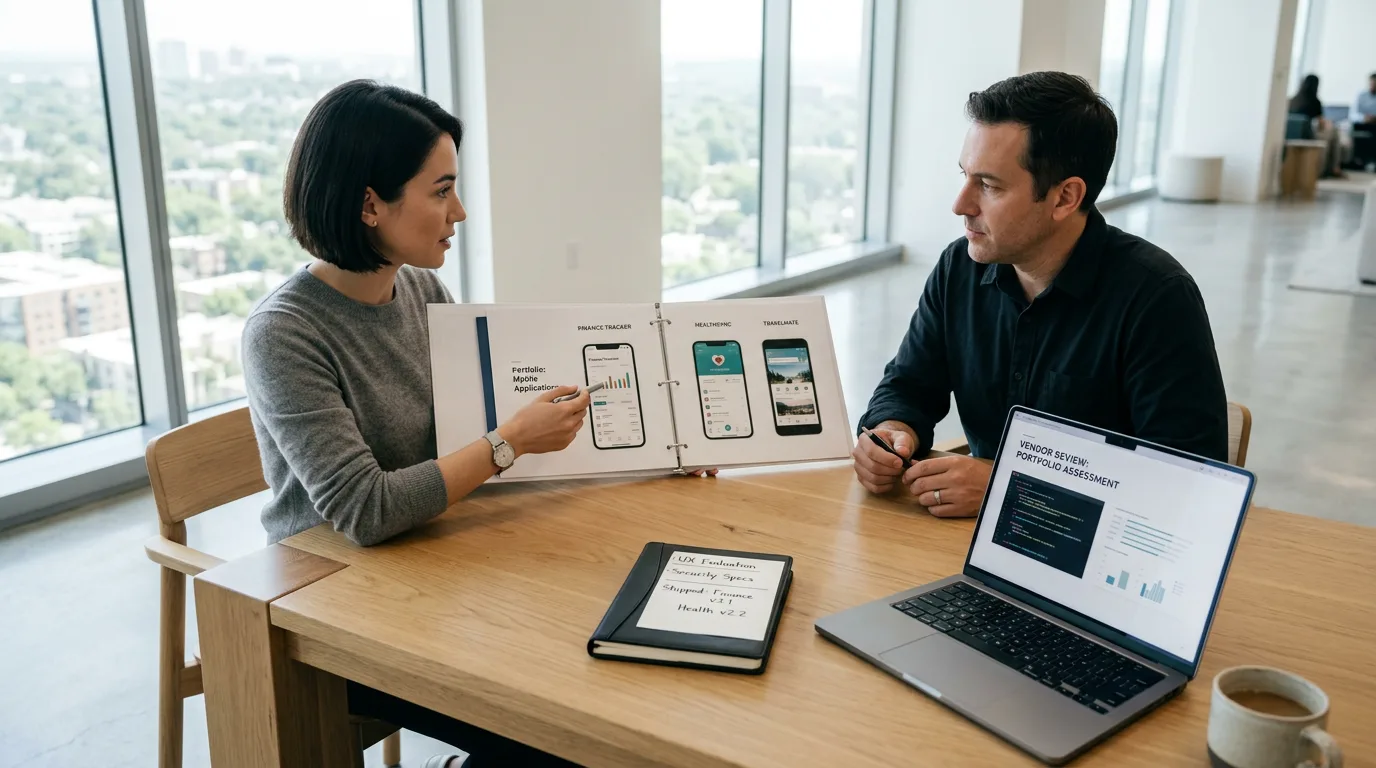
Choose a machine learning app development company by verifying production deployments across multiple ML modalities, not just prototypes. The strongest partners ship apps that run models both on-device and through cloud APIs, support iOS and Android, and stay engaged after launch to retrain models as data shifts. Use the five criteria below to compare candidates.
- Portfolio of shipped ML apps. Confirm the studio has real apps in users’ hands, with both on-device and cloud API experience, rather than demo videos.
- Platform depth. Look for hands-on work in iOS CoreML, Android ML Kit, and cross-platform frameworks such as Flutter and React Native.
- Modality range. A capable partner handles image, voice, video, and text generation alongside object and face recognition.
- Post-launch commitment. ML models drift, so confirm the studio offers ongoing monitoring and retraining, not just delivery.
- Transparency on data. A credible partner flags data preparation costs at the start, given that data work consumes most of the timeline.
Frame Sixty meets these criteria with shipped ML apps: CoreML-powered object recognition and translation in AI Translate, recognized at WWDC; real-time gesture recognition in the Sign Language Translator for Apple Vision Pro; and Gemini API text generation in an educational platform built for Google’s ISTE 2025 event. Our services extend across iOS, Android, and spatial computing, including AI in virtual reality development, and you can review shipped projects on our work page. The takeaway: judge a vendor by deployed apps and lifecycle support, not pitch decks.
Conclusion
Machine learning app development services now reach well beyond a single chatbot or recommendation feed. They cover six integrable modalities, two full platform toolchains in iOS CoreML and Android ML Kit, and a real decision between on-device inference and cloud APIs that shapes latency, privacy, and cost. With the ML market on track to grow from $105.45 billion in 2025 to $568.32 billion in 2031 (Statista, via Appinventiv), the question for most teams is not whether to add ML but which modalities and which deployment model fit the product.
The cost picture is concrete: $40,000 to $400,000+ depending on scope, with data preparation consuming 60–80% of the timeline and annual maintenance running 15–25% of the build. Teams that scope data work early, run latency-sensitive models on-device, and reserve the cloud for heavy generation tasks get the most from their budget. A partner who has shipped across these choices, rather than prototyped them, is worth more than the lowest bid.
Frame Sixty has built ML-powered apps that run object recognition and translation offline on iPhone, convert sign language to speech on Apple Vision Pro, and generate text with Gemini for a Google education launch. If you’d like to explore machine learning app development for your product, get in touch with our team and we will help you map the right modalities, platforms, and deployment approach to your goals.
Machine Learning App Development Services: Frequently Asked Questions
Common questions about building machine learning apps for iOS and Android, covering timelines, frameworks, offline capability, costs, and real-world use cases.
A machine learning app takes roughly 2-4 months for an MVP, 3-6 months for a mid-complexity app, and 6-12 months or more for an enterprise platform, per Space-O's 2026 guide. Timelines stretch because data preparation alone consumes 60-80% of total project time, the largest single driver of schedule and cost.
Industries with rich data and real-time decisions benefit most from ML-powered mobile apps: retail and e-commerce use recommendation engines for a 10-30% revenue lift, finance uses fraud detection that cuts losses up to 50%, and manufacturing uses predictive maintenance that reduces unplanned downtime 40%, according to Space-O's 2026 figures. Accessibility, healthcare, and education also gain from vision and language models.
After an ML app launches, budget 15-25% of the initial development cost each year for monitoring, retraining, and dependency updates, because models drift as real-world data changes. Cloud API usage adds running cost: small GPU setups run $500-$2,000 per month and medium setups $5,000-$20,000 per month. On-device inference removes per-call fees but requires upfront optimization.
CoreML is Apple's on-device inference framework for iOS, macOS, and watchOS, supporting image classification, object detection, and natural language while converting models from TensorFlow, PyTorch, and scikit-learn. LiteRT, formerly TensorFlow Lite, became Android's primary on-device inference engine in 2025, runs ML Kit APIs, and supports ONNX models with CPU and GPU delegates. Each is platform-specific.
Yes, machine learning apps can run offline when models execute on-device rather than through a cloud API. Frame Sixty's AI Translate app uses Apple's CoreML to recognize objects and translate into 100+ languages entirely offline by downloading models on-device. Successful App Store apps now run 90% of their AI features on-device, per Zignuts' 2025 analysis, though heavy image and video generation still require the cloud.
Look for a machine learning app development partner with shipped production apps across multiple modalities, not prototypes, plus depth in both iOS CoreML and Android ML Kit and a post-launch retraining commitment. Frame Sixty ships ML apps including CoreML-powered AI Translate, recognized at WWDC, the Sign Language Translator for Apple Vision Pro, and Gemini text generation for Google's ISTE 2025 event.
Get in touch
We’re interested to see how we can help. Send us a message and we will get back to you within 24 hours.