
The Future of Augmented Reality: How Apple Vision Pro Is Leading the Way
Mar 4, 2024
Updated
8 MIN READ
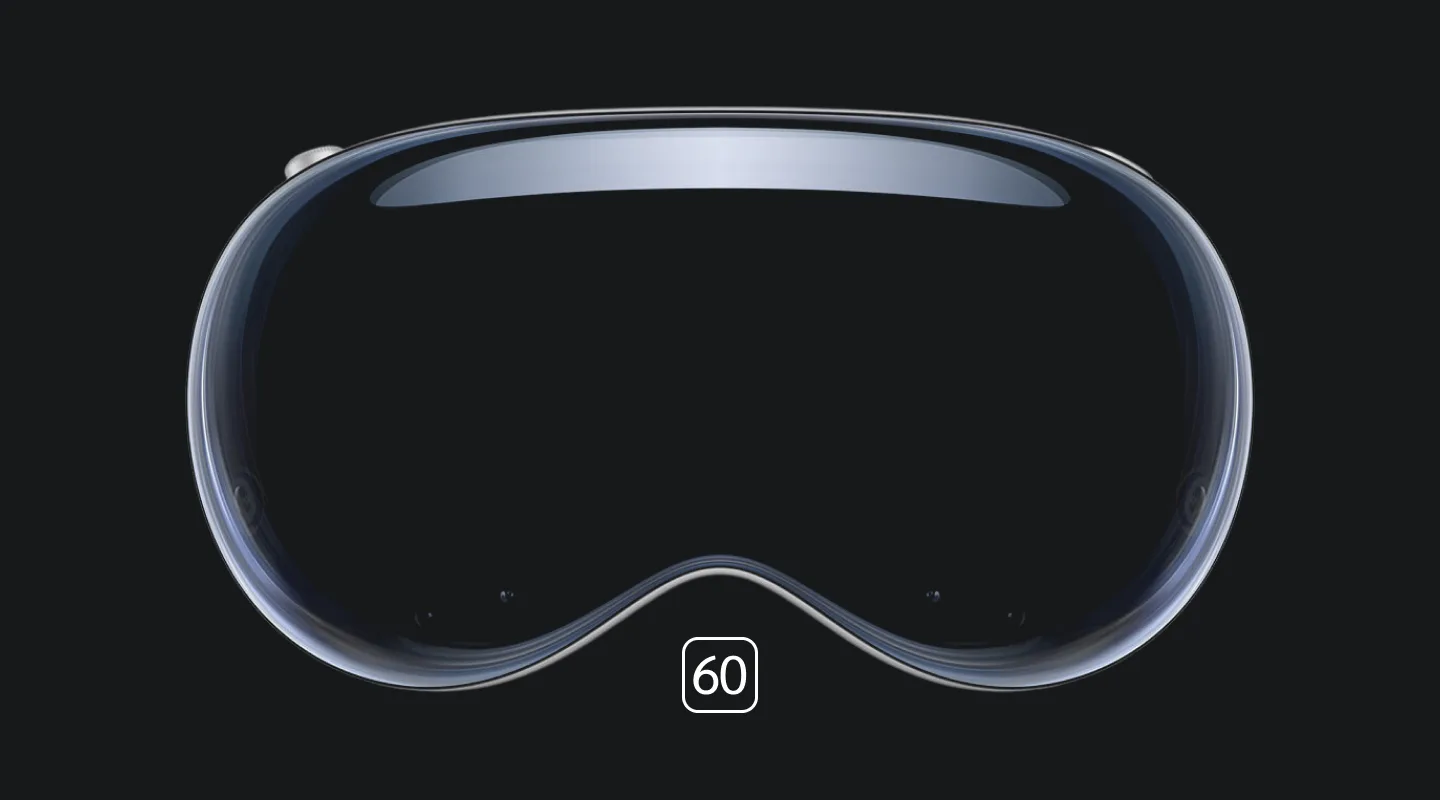
The line between real and digital is becoming increasingly blurred. From natural user interfaces to mixed reality experiences, innovative technologies like Apple Vision Pro are spearheading the next wave of augmented reality (AR) advancements.
Imagine huge fire-breathing dragons soaring past skyscrapers or your favorite historical figure guiding you through museums. Augmented reality (AR) promises to reshape how we interact with the world around us, and Apple Vision Pro might just be the key to unlocking its full potential. In the article below, we will explore the capabilities of Apple Vision Pro. Let us see how AR trends have influenced this revolutionary technology and what its future prospects are.
Let’s Begin!
1. Apple Vision Pro and Augmented Reality
Augmented reality can best be described as the integration of digital information with the user’s environment in real-time. Unlike virtual reality (VR), which creates a completely artificial environment, AR superimposes a computer-generated image on a user’s view of the real world, thus providing perpetual information overlaying the real environment.
No technology embodies AR quite like the Apple Vision Pro. The development of this extraordinary device owes a vast majority of its success to AR. Discussed below are the capabilities of Apple Vision Pro in the context of augmented reality trends:
Advanced Spatial Mapping
One of the key trends in AR has been the extensive use of spatial mapping. Apple Vision Pro has not only used this technique but pushed its boundaries to create the most sophisticated version of it.
Spatial mapping is a technique that allows developers to create a 3D map of the real-world environment. By creating a digital representation of the real world, advanced AR devices can be produced that seamlessly blend with the real world. This not only makes AR experiences more realistic and interactive, but it can also detect shadows, lights, and even objects.
Given below are some of the applications of spatial mapping used in Apple Vision Pro:
- Object Placement and Interaction: Precisely integrating virtual objects like apps onto real surfaces, allowing users to interact with them naturally in the physical world.
- Realistic Occulison Effects: Allowing virtual objects to hide behind real objects provides a more immersive and realistic experience.
- Environmental Understanding: Deciphering environment layouts to overlay helpful information or apps directly onto the real world.
If you own Apple Vision Pro and are searching for experienced and innovative developers for app creation on VisionOS, consult us today.
Traditionally, augmented reality relied on buttons and touchpads for device control. However, the trend in recent years has been to offer a more natural user interface, moving away from buttons and touchpads.
Once again, not only did Apple work on the development of a natural user interface for its device, but they managed to provide control to the user using only eyes, hands, or voice. In this way, they were able to create an environment that was more immersive than ever before. Given below is an account of how natural user interfaces were achieved:
- Eye Tracking: Controlling AR elements by simply looking at them.
- Hand Gestures: Point, pinch, zoom, and interact with virtual objects just like you would with physical ones.
- Voice Commands: Issue voice commands to control AR experiences, ask questions, navigate menus, and more.
Mixed Reality Integration
Augmented reality has had a growing interest in incorporating aspects of virtual reality into its devices to create a comprehensive mix called mixed reality. One of the first devices to incorporate mixed reality into its capabilities was the Vision Pro.
Rather than just using the AR technology of overlaying digital information with the user’s environment, the Vision Pro has gone a step further and incorporated VR. Hence, the device has the capability to create entire virtual environments overlaying real surroundings. Not only does this provide a more immersive experience, but it also blurs the line between real and digital.
High Fidelity Displays
One of the most critical components of AR technology has been to make its display more believable. The trend has been to work on creating color gamuts and HDR capabilities to achieve a more realistic interface.
Vision Pro has not only integrated the highest resolution on its displays, but it has also ensured both the overlays, AR and VR, appear as part of the real environment. If you are struggling with any aspect of your Vision Pro, try seeking consultation with our innovative augmented reality agency.
2. Apple Vision Pro: Future Possibilities
Believe it or not, this is only the beginning of something far bigger and more advanced in the AR realm. With the development of Apple Vision Pro, we are only seeing glimpses of something far more sophisticated in the near future. Given below are the likely possibilities AR and Vision Pro may encounter in the near future:
- Generative AI Integration: With the emergence of AI side-by-side the AR, it is inevitable that both will come together to enhance the AR world.
- Advancement in AR Hardware: Development and further enhancement of AR hardware will result in the creation of detailed floor plans and augmented reality tool measurements.
- Gaming with Vision Pro: Gaming is one of the biggest drivers of AR technology as a whole. It is only a matter of time before Vision Pro develops AR elements for traditional games.
- XR Integration: With the already incorporation of VR into Vision Pro, it is only a matter of time before all three realities—the virtual, augmented, and mixed—are simultaneously operating within the same realm.
3. Conclusion
The Apple Vision Pro has become the most successful embodiment of augmented reality. With its natural user interfaces and overlaying mixed reality, it has completely transformed the AR world. The future holds a vast array of possibilities for both Vision Pro and augmented reality itself, with AI integration leading the way. No matter what it is, one thing is for certain: the future of augmented reality is bright at the hands of Vision Pro.
There has never been a better time to create engaging and immersive online experiences using VisionOS for Apple Vision Pro. For Apple Vision Pro services, consult our innovative and forward-thinking agency today!
Need help to get your app project started?
We are here to help!
Apple Vision Pro and Augmented Reality FAQs
Common questions about Apple Vision Pro's augmented reality capabilities and where the platform is headed.
Apple Vision Pro is pushing augmented reality forward by combining advanced spatial mapping, a natural eye, hand, and voice interface, and high-fidelity displays in one headset. Instead of the buttons and touchpads AR traditionally relied on, users control elements by looking at them, pinching, or speaking, while digital content blends convincingly with the real environment.
Spatial mapping creates a 3D digital map of the user's real-world environment so virtual content can blend with it seamlessly. On Apple Vision Pro this enables precise object placement on real surfaces, realistic occlusion where virtual objects hide behind physical ones, and environmental understanding that overlays helpful information directly onto a room.
Apple Vision Pro is controlled entirely with your eyes, hands, and voice, with no buttons or touchpads. Eye tracking selects AR elements by looking at them, hand gestures let you point, pinch, and zoom on virtual objects, and voice commands handle navigation and questions, making the interface feel natural and immersive.
Apple Vision Pro is a mixed reality device: it overlays digital information on the real world like traditional AR, and it can also render entire virtual environments over your surroundings. This blend of AR and VR in a single headset blurs the line between real and digital more than either technology alone.
The next wave of augmented reality on Apple Vision Pro is likely to center on generative AI integration, advances in AR hardware, and gaming. AR elements for traditional games, more detailed spatial tools such as floor-plan capture and AR measurement, and the convergence of virtual, augmented, and mixed reality on one platform are all on the horizon.
Frame Sixty is an AR/VR development agency that builds visionOS apps for Apple Vision Pro, from early prototypes to App Store launches. If you are planning an augmented reality experience on this platform, our Apple Vision Pro developers can help scope and build the project.
Get in touch
We’re interested to see how we can help. Send us a message and we will get back to you within 24 hours.